dsh-sao-animation
DeepSeek Harness 启动动画插件(刀剑神域 / SAO 风格) —— 启动时播放刀剑神域连接时动画开场, 放完自动淡出,不挡你进工作台。
LINK START倒计时环 → 开始连接 → 闪白 → 彩屑爆裂 → 满屏颜料笔触 → 双环 HUD →Language/DeepSeek→Log in_::→ 官方字标收束
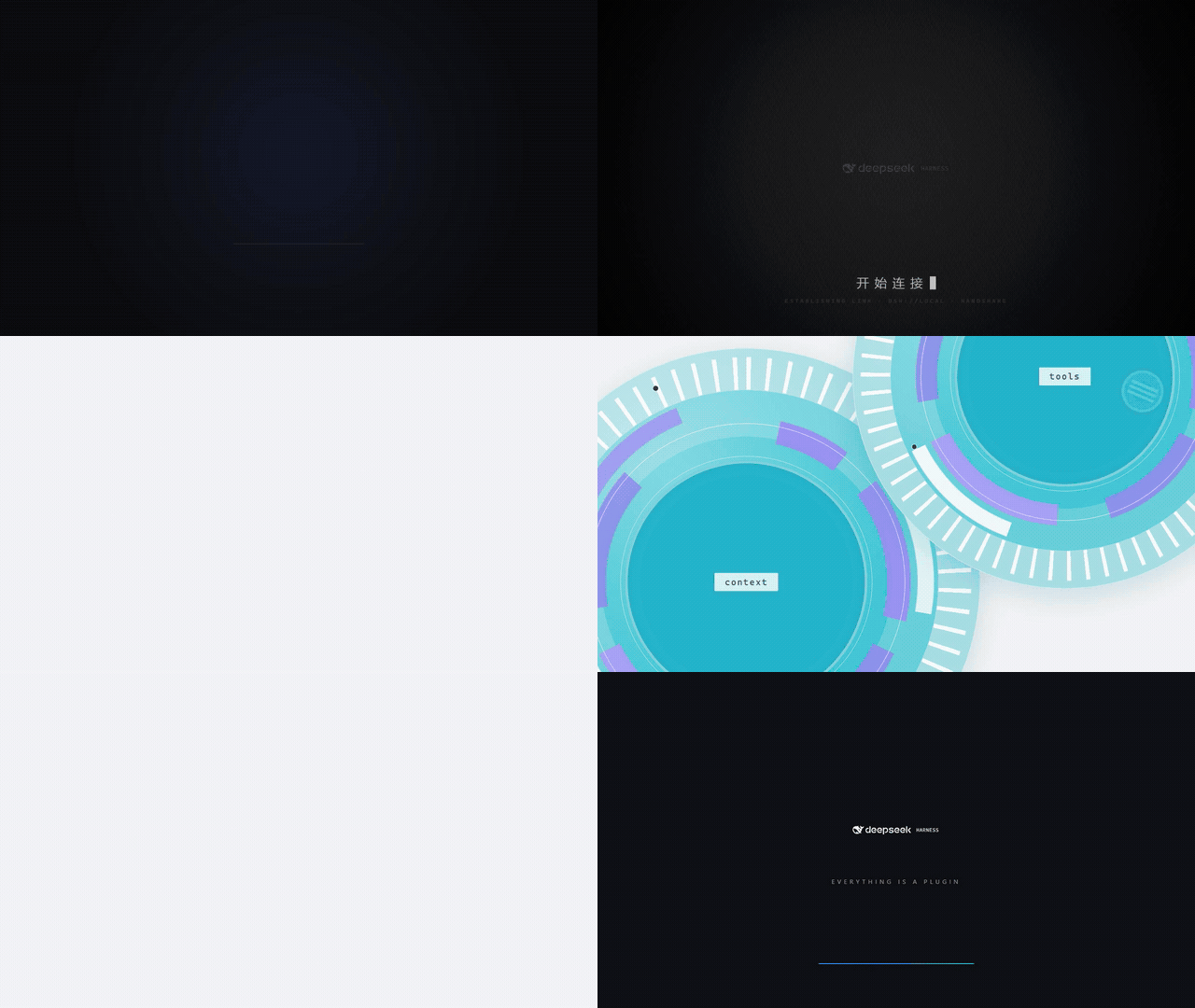
上面这段就是完整的 13.6s(GIF 640×360 / 15fps / 约 3.9 MB)。想要画质更好的成片:
dist/dsh-sao-animation.mp4(1280×720 / 30fps / H.264 + AAC)。
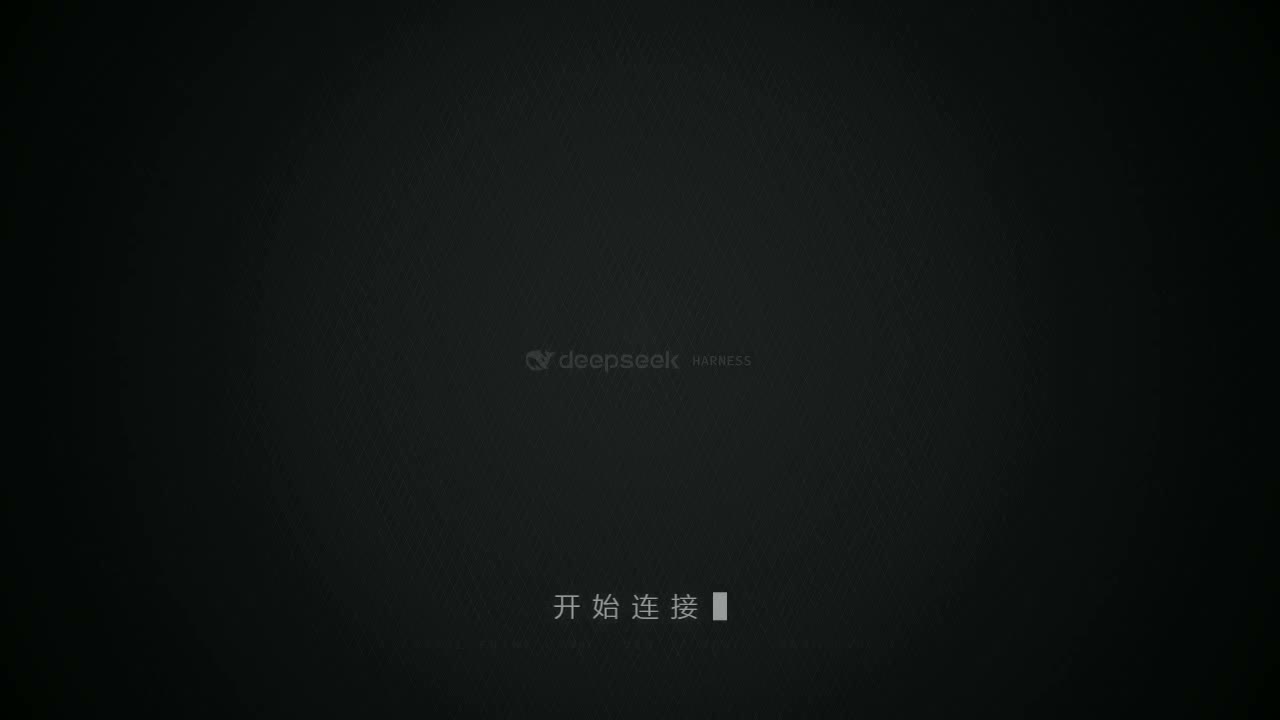
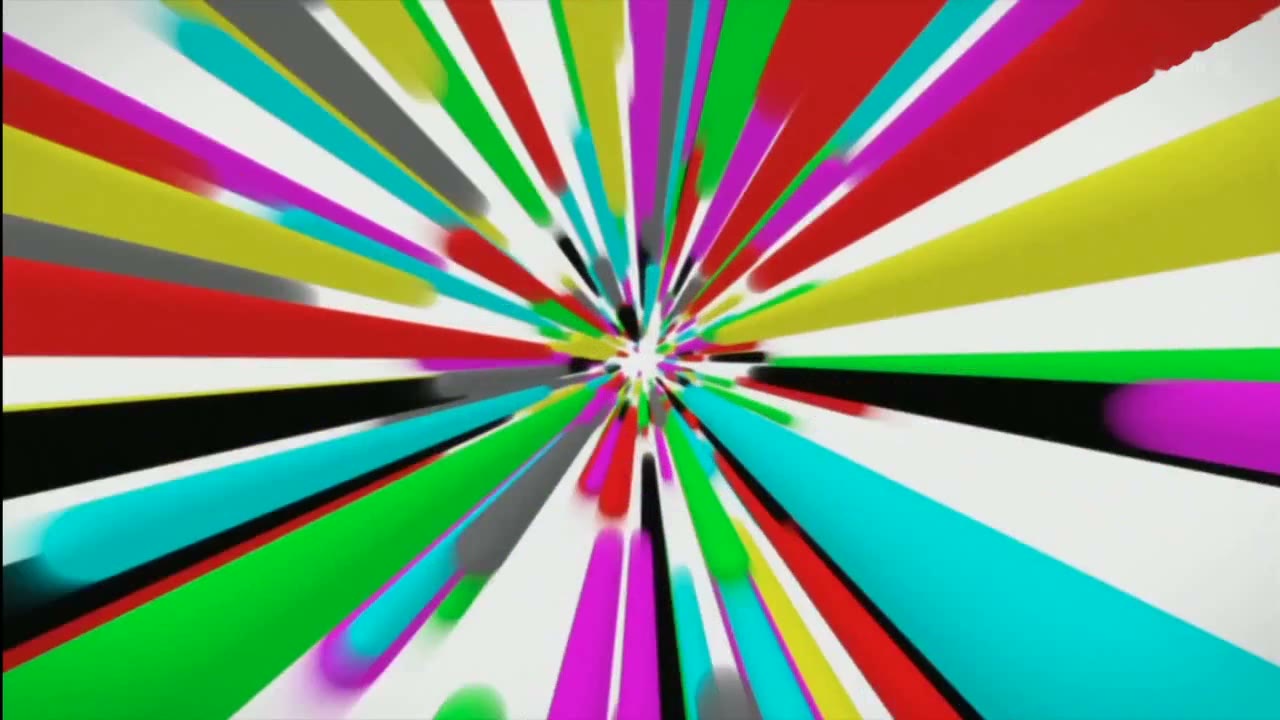
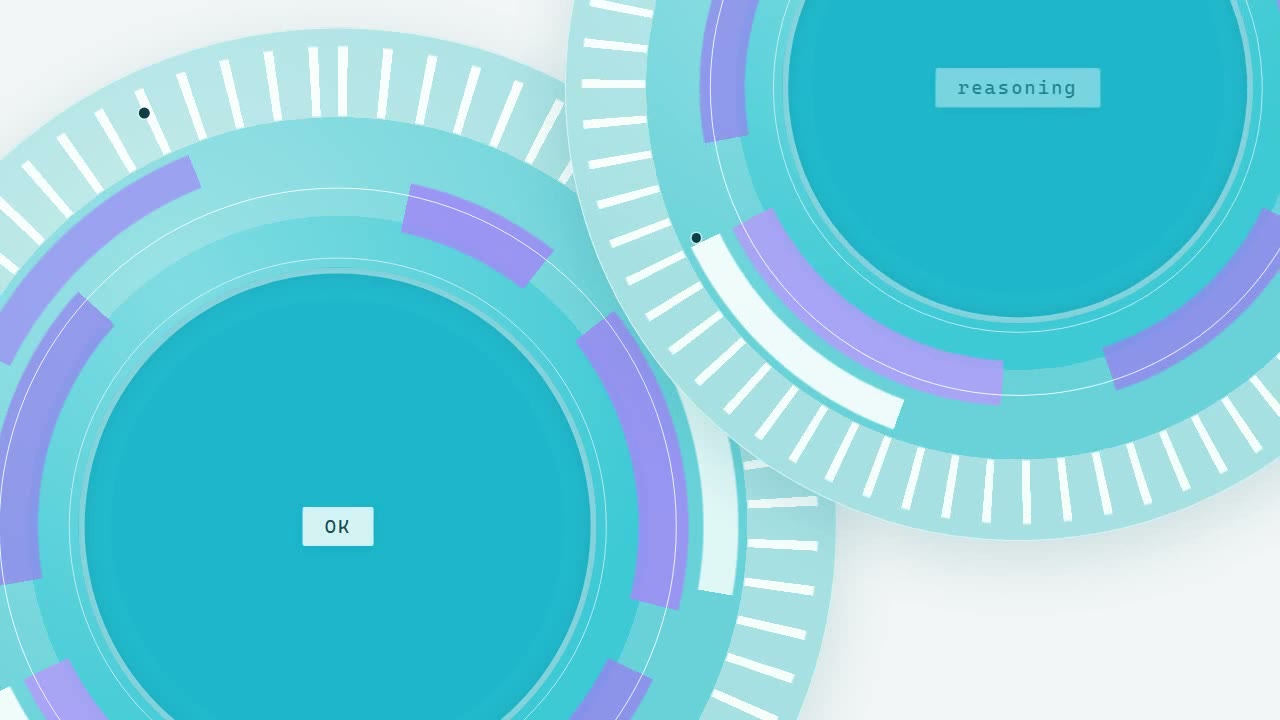
| 开始连接 | 满屏颜料笔触 | 双环 HUD | 字标收束 |
|---|---|---|---|
 |
 |
 |
 |
文案、字号、颜色、音频、跳过快捷键都在 设置 → SAO启动设置 里改,改完即时预览。
社区作品,与 DeepSeek 官方无隶属关系。随动画一起发布的音轨与 30 帧笔触抽帧来自一支 第三方影片,不在本项目的 MIT 授权范围内,详见 THIRD_PARTY_NOTICES.md。
安装
桌面端(官方 Desktop App)
- 打开 DSH → 插件 / Plugins → 添加插件
- 安装源填
github:YaJing0412/dsh-sao-animation(已经 clone 到本地就填仓库的绝对路径) - 装好后完全退出并重启 DSH(客户端模块图与桌面注入表只在启动时收集一次)
Desktop 的
desktopprofile 由官方客户端托管,不建议用下面的dshCLI 直接改它。
Web(dsh web / web profile)
dsh plugin --profile web add github:YaJing0412/dsh-sao-animation
装完重启 dsh web;浏览器还加载着旧 bundle 的话按 Ctrl+Shift+R。
dsh 不在 PATH 上时,用完整路径调用 CLI:
node "$env:LOCALAPPDATA\Programs\DeepSeek Harness\resources\app\dsh\node_modules\@deepseek-ai\dsh\lib\bin.js" `
  plugin --profile web add github:YaJing0412/dsh-sao-animation
本地源码(改代码用)
git clone https://github.com/YaJing0412/dsh-sao-animation
dsh plugin --profile web add "C:\path\to\dsh-sao-animation"     # 本地路径 = link 安装
- 改
lib/*.js(插件逻辑)→ 重装插件或重启客户端生效 - 改
animation/(动画源码)→ 跑python tools/build.py重新生成assets/animation.html,刷新页面即可 —— 插件读的就是这个文件
CLI、插件面板都不好使时,可以手工改 profile 配置,步骤见 INSTALL.md §1.3。
卸载
dsh plugin --profile web remove dsh-sao-animation
桌面端在插件面板里卸载。用户配置留在 ~/.dsh/dsh-sao-animation.json,不需要就直接删。
设置
设置 → SAO启动设置(侧栏最后一个分区):
| 项 | 说明 |
|---|---|
| 启用启动动画 | 关掉后启动不播,设置页仍可改 |
| 播放声音 | 默认开;浏览器拦自动播放时先静音跑,点一下页面才有声 |
| 跳过快捷键 | 点输入框后按任意组合键即可(默认 Escape,支持 Ctrl+Shift+B、F8、Space …) |
| 画面文字(15 项) | 每项三件套:文字 / 字号(px,基准 1280 宽,播放时等比缩放)/ 颜色;字号可直接输入 6–200 的任意数字 |
| ↺ | 只把这一行回退到设计默认 |
| 保存 / 恢复默认 / 预览动画 | 预览在当前窗口内嵌播放草稿,Esc 或播完自动收起 |
15 行文字对应:LINK START 大字与副标题、「开始连接」与副标题、四枚 chip
(OK / reasoning / context / tools)、胶囊左右、登录卡标题与两个字段、收尾标语、跳过按钮文字。
配置写在 $DSH_HOME/dsh-sao-animation.json(默认 ~/.dsh/dsh-sao-animation.json),
缺失时用内置默认值;旧文件名 dsh-boot-animation.json 仍会被读取,点一次保存即完成迁移。
插件说明显示在哪
宿主读取插件显示元数据的规则是「先看 locale/*.json 的 meta.title / meta.description,
缺什么用 package.json 的 name / description 兜底」,图标优先 package.json 的 icon 字段。
本插件因此提供 locale/zh.json、locale/en.json 与 icon.svg,插件列表里显示的就是它们
(设置页里不再重复放说明)。
调试开关
宿主会清洗查询串,所以开关走 hash:
#noboot—— 本次不播#boot—— 强制重播
单独看动画:http://127.0.0.1:<port>/dsh-boot/animation.html
(?t=5900&pause=1 定格在 5.9s,?hud=1 显示时间码)。
/dsh-boot/... 是插件最早用的内部路由名,改名后故意保持不变,免得老书签与已装实例失效。
分镜与时间轴
动画不是自己走一套时间:动画时间 t 对应源片 13.4s + t,每个画面对准原片同一位置的声音, 总长 13.6s = 408 帧 @ 30fps。
| 时间 | 画面 |
|---|---|
| 0.0–2.0s | 暗场环形 HUD,倒计时 00:03 → 00:00,LINK START 字距收拢,底部进度线走满 |
| 2.0–3.5s | 字标微光浮现,「开 始 连 接」+光标闪,establishing link · dsh://local |
| 3.48s | 闪白 |
| 3.6–4.9s | 中心彩色碎片爆裂+模糊品红水滴飞向右上 |
| 4.9–5.45s | 白场过渡 |
| 5.45–6.45s | 满屏彩色颜料笔触(源片原画,30 帧 WebP) |
| 6.4–6.75s | 白闪过曝收束 |
| 6.85–9.75s | 双圆环 HUD 滑入 / 平移 / 退场 → 右缘五枚小环带横杠落位 |
| 9.64–10.75s | 蓝色胶囊 Language → 滑出「▶ DeepSeek」 |
| 10.75–11.7s | 青色卡片 Log in_:: + :account / :api key(掩码逐颗打字) |
| 11.7–13.6s | 暗场收束,官方字标中央擦除展开 → EVERYTHING IS A PLUGIN → 蓝青进度条走满 |
笔触段原本排在 4.4s,比它自己那段音乐早了约 1.05s —— 这就是"听起来不同步"的根源, 现在笔触帧与音轨上那一击同时发生。完整分镜说明见 docs/STORYBOARD.md。
仓库结构
dsh-sao-animation/             ← 仓库根就是 DSH 插件包(pnpm/npm 直接可装)
├── package.json               name / exports / dsh.bundle.patch / dsh.client / icon
├── cordis.patch.yml           bundle patch:把插件作为一层插进 profile 的 loader 树
├── icon.svg                   插件图标
├── locale/
│   ├── zh.json                插件列表显示的中文标题与简介
│   └── en.json                同上(英文)
├── lib/
│   ├── index.js               宿主半区:/dsh-boot/animation.html、/dsh-boot/config(读写配置)
│   ├── client.js              客户端模块:启动遮罩(shell.overlay)+ 设置页(settings.section)
│   └── client-dom.js          纯 DOM 实现:桌面壳没有客户端模块图,靠它兜底
├── assets/
│   └── animation.html         动画本体(单文件,2.2 MB,音轨/笔触/字标全内联)
├── animation/                 动画源码:boot.html · boot.css · boot.js · boot-audio.mp3 · blades.json · brand.svg
├── tools/                     构建与出片工具链(Python,路径可移植)
├── docs/                      PLUGIN.md · STORYBOARD.md · preview/(GIF + 4 张静帧)
└── dist/dsh-sao-animation.mp4 1280×720 成片(可独立使用)
assets/animation.html 是构建产物:既是插件运行时 /dsh-boot/animation.html 的内容,
也是一个可以双击直接播放的单文件成品。改动画请改 animation/ 再构建,别手改 assets/。
为什么有两份客户端实现(client.js 与 client-dom.js)、它们怎么去重、路由表和配置校验
长什么样,见 docs/PLUGIN.md。
动画本体(可以完全脱离 DSH 用)
| 想要什么 | 用什么 |
|---|---|
| 在浏览器里放一遍 | 双击 assets/animation.html |
| 一段能剪进视频的片子 | dist/dsh-sao-animation.mp4(1280×720 / 30fps / 13.6s / H.264 + AAC) |
| 嵌进自己的页面 | iframe 加载它,?once=1 播完会向父页面 postMessage('dsh-boot-done') |
| 操作 | 说明 |
|---|---|
空格 / 点击画面 |
重播(并重开音轨) |
← → |
后退 / 前进 0.5s |
1–9 |
跳到第 N 段场景 |
| 参数 | 说明 |
|---|---|
?t=5900&pause=1 |
定格在 5.9s(逐帧截图就靠它) |
?hud=1 |
显示时间码 / 段名 / 分辨率 |
?once=1 |
只播一次,播完淡出并 postMessage('dsh-boot-done') |
?mute=1 或 ?audio=0 |
强制静音 |
?cfg=<URL 编码的 base64 JSON> |
覆盖文案与字号/颜色 |
自定义文案与字号(?cfg=)
{
  "texts":  { "connect": "正在接入", "tagline": "Everything is a Plugin" },
  "styles": { "connect": { "size": 64, "color": "#ff0000" } }
}
可用键:linkBig linkMono connect connectMono chipA chipB chipC chipD
pillLeft pillRight loginTitle fieldA fieldB tagline。
生成地址时整段 base64 都要 URL 编码,否则其中的 + 会被解析成空格、载荷被破坏
(插件内部的 lib/client*.js 已经替你做了这一步;动画侧也会把读回来的空格还原成 + 兜底):
python -c "import base64,json,urllib.parse;print(urllib.parse.quote(base64.b64encode(json.dumps({'texts':{'connect':'正在接入'}},ensure_ascii=False).encode()).decode()))"
重新生成
pip install opencv-python numpy         # 只有出片、抽帧才需要
python tools/build.py                   # animation/* -> assets/animation.html(插件直接生效)
python tools/serve.py                   # 起个本地 http,源码版也能加载 blades.json
python tools/capture.py                 # 无头 Chrome 截 408 帧(约 70s)
python tools/refill.py                  # 有丢帧就反复跑,直到 0 missing
python tools/encode.py                  # 裁黑边 -> dist/*-silent.mp4
python tools/mux_audio.py               # 混音 -> dist/dsh-sao-animation.mp4
Chrome / ffmpeg 自动探测,也可用 CHROME / FFMPEG 环境变量指定;
帧目录默认 %TEMP%\dsh-boot-frames,可用 DSH_FRAMES 改。
换成你自己的素材
python tools/extract_blades.py --clip my.mp4 --ss 18.85 --t 1.0   # 重建笔触段(含去角标)
python tools/mux_audio.py --clip my.mp4 --ss 13.4 --t 13.6        # 换成你的音轨
# 再把 animation/brand.svg 换成你自己的字标
完整步骤见 INSTALL.md §6。
依赖
插件运行时零依赖:只有纯 ESM 的 lib/*.js + 一个静态 HTML,没有 native 模块、没有安装期构建脚本
(所以 github: 安装不会被 pnpm 的 allowBuilds 拦下)。
只有重新生成动画时才需要:
| 依赖 | 版本 | 用途 | 许可证 |
|---|---|---|---|
| Python | 3.9+ | 跑 tools/ 里的脚本 |
PSF-2.0 |
OpenCV(opencv-python) |
4.x | 抽帧、去角标、编码 WebP、写 MP4 | Apache-2.0 |
| NumPy | 1.24+ | OpenCV 的数组后端 | BSD-3-Clause |
| Chrome / Chromium / Edge | 任意近版 | capture.py 逐帧截图 |
专有(仅调用) |
| ffmpeg | 4.0+ | 抽帧、混音、H.264 重编码 | LGPL-2.1+ / GPL-2.0+ |
完整清单与第三方素材声明见 THIRD_PARTY_NOTICES.md。
兼容性
- 在
@deepseek-ai/dsh-*0.2.0-rc.x 插件族上实测(desktop profile + web profile,桌面端日常在用)。 - 插件只用宿主公开面:
webserver路由注册、webserver/index-inject注入、客户端shell.overlay与settings.section槽位。宿主升级后若接口变动,可能需要跟一手 (DSH 会提示dsh plugin allow-version,正常情况下不需要)。
许可证
代码与文档以 MIT 授权,见 LICENSE。
animation/boot-audio.mp3、animation/blades.json、assets/animation.html 内联的音轨、
dist/dsh-sao-animation.mp4、docs/preview/boot-preview.gif 以及 docs/preview/02-blades.jpg
不含在 MIT 授权内,详见 THIRD_PARTY_NOTICES.md。
English
dsh-sao-animation is a Sword-Art-Online-flavoured startup-animation plugin for
DeepSeek Harness: a 13.6 s splash (LINK START → establishing link → paint blast →
twin-ring HUD → login card → brand lockup) that fades out by itself. Every caption, its font
size and colour, the soundtrack and the skip hotkey are editable in
Settings → SAO启动设置.
Install it from the desktop app's Plugins panel with
github:YaJing0412/dsh-sao-animation, or from the CLI:
dsh plugin --profile web add github:YaJing0412/dsh-sao-animation
The plugin half (lib/) is dependency-free ESM with no install-time build step — the single-file
animation it serves is committed at assets/animation.html, which you can also just double-click
to play on its own. docs/preview/boot-preview.gif shows the whole thing; a 1280×720 H.264 cut
lives at dist/dsh-sao-animation.mp4. Rebuilding from animation/ needs Python 3.9+,
opencv-python, a Chromium-based browser and ffmpeg (python tools/build.py, then
capture.py / encode.py / mux_audio.py for the MP4).
Code and docs are MIT. The bundled soundtrack, the 30 lifted frames and the brand mark are third-party material and are not covered by that licence — read THIRD_PARTY_NOTICES.md before redistributing or using this commercially. This is a community project, not affiliated with DeepSeek.
No comments yet. Be the first to write one.