DSH Lock Screen
English | 中文
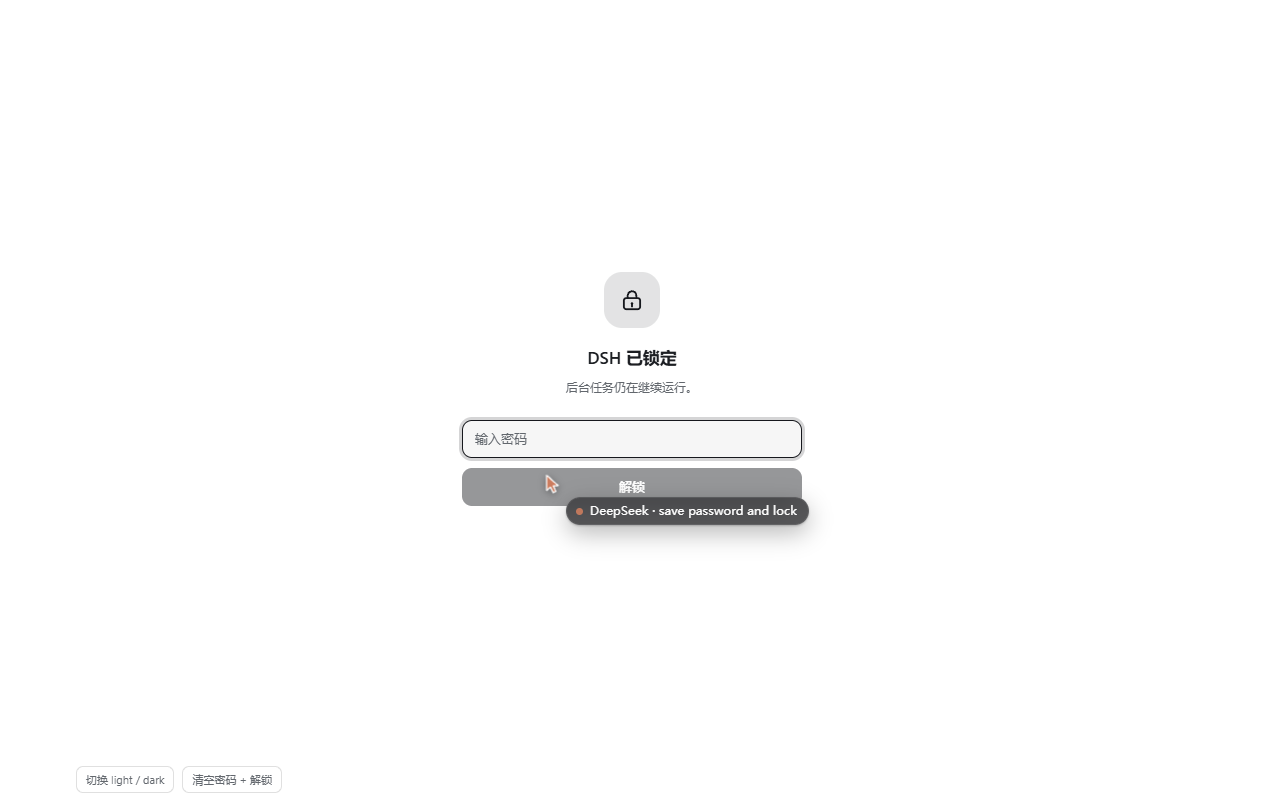
A full-screen password lock for DeepSeek Harness (dsh).
Running long tasks? Lock the UI before you walk away, and nobody passing your desk sees a session, a
tool call, a file path or an API key spelled out in a diff.
The lock is purely visual. The agent keeps running in the Host process the whole time — the plugin never touches sessions, timers, streams or the sandbox. It does not even have a handle to them.
Features
- One click or one shortcut. A lock button at the sidebar foot, and
Ctrl/Cmd + Shift + Lfrom anywhere. - Password gate. Salted SHA-256 in
localStorage; the plaintext never leaves the password field. - Survives a reload. The locked state is persisted, so refreshing the page, reopening the window or
restarting DSH still shows the lock — not the session behind it. Multiple tabs sync through
storageevents. - Password optional. You can lock without a password (unlock = one click on a screen only you asked for), or remove the password later from the same panel.
- Brute-force brakes. Three wrong attempts start a cooldown (5 s, doubling, capped at 60 s) with a live countdown; input and button stay disabled until it expires.
- Hides the title too. The page title becomes
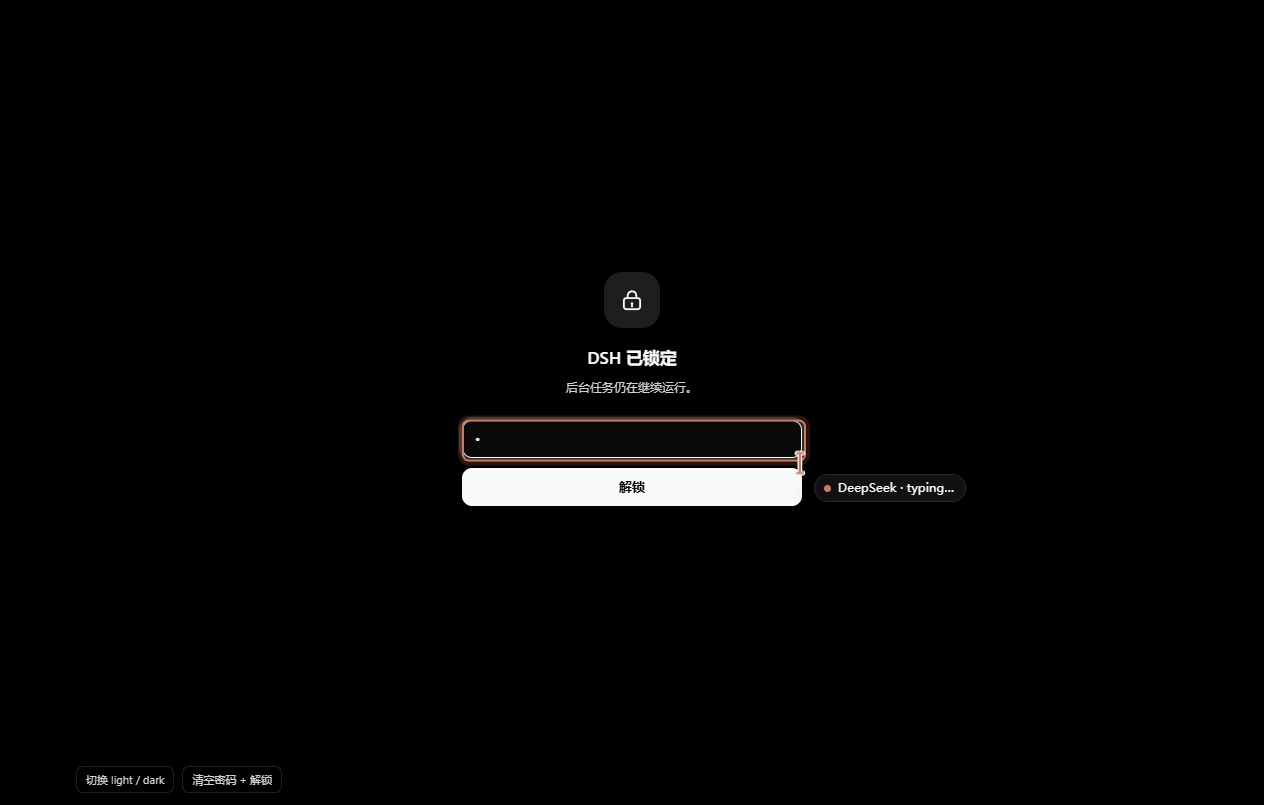
DSH (locked)while locked, and is restored on unlock. - Follows the theme. Light and dark, using only Harness
--dsw-alias-*tokens (surfaces derived withcolor-mix), so it does not fight a custom theme. - No dependencies, no network, no files. One client module, no build step, nothing installed at runtime.
Install
From the DSH plugin manager (recommended — the desktop app's Settings → Plugins, or the
dshmarket market once this plugin is listed):
dsh plugin --profile <profile> add dsh-lock-screen
From a checkout of this repo:
dsh plugin --profile <profile> add /path/to/dsh-lock-screen
After installing, refresh the Web UI once (the client module loads at page load). The lock button appears at the bottom of the sidebar, next to Settings.
Use
| Action | How |
|---|---|
| Lock now | Click the lock at the sidebar foot, or press Ctrl/Cmd + Shift + L |
| Unlock | Type the password and press Enter |
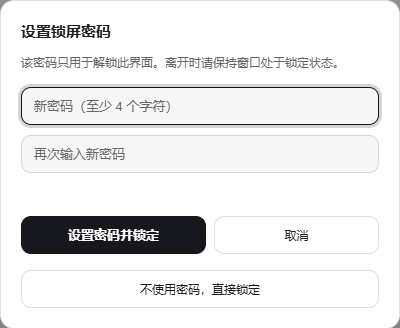
| Set / change / remove the password | Shift + click the lock (opens the panel without locking) |
| Lock without a password | Third row of the setup panel: “Lock without a password” |
The first time you click the lock, the setup panel asks for a password (at least 4 characters, twice). Saving it locks immediately.
What it is not
This is a privacy screen, not a security boundary:
- It stops the person who walks past your desk from reading the screen. It does not stop someone who can
operate the machine — Task Manager, the file manager, another browser, or
localStorageitself are all outside its reach. - The password is stored as a salted hash in this profile's
localStorage(keysdsh.lock-screen.credential,dsh.lock-screen.locked). It is not encryption, and there is no recovery path: forget it and you clear those two keys (DevTools console) or remove the plugin. - Background tasks are deliberately unaffected. That is the point: you come back to finished work.
If you need real isolation, use the OS lock screen or a separate OS account.
How it works
Two slots, one module:
sidebar.footer.action— the lock button (order: 10), icon-only when the sidebar is collapsed to a rail.shell.overlay— the full-screen layer (order: 100) holding the lock screen and the setup panel.
client.js is a single ES module registered through window.__ModuleLoader__.load(...), written with
React.createElement (no JSX, no bundler). It injects exactly two services, slots and locale, and
registers both slots inside ctx.effect so they are removed on unload. UI strings live in
locale/en.json / locale/zh.json and are read through the locale service, so the panel follows the
Harness language.
State is a small module-level store (useSyncExternalStore) persisted to localStorage:
| Key | Value |
|---|---|
dsh.lock-screen.locked |
"1" / "0" |
dsh.lock-screen.credential |
{"v":1,"salt":"<hex>","hash":"<hex>"} |
hash = SHA-256(salt + password) via WebCrypto; a small fallback keeps it working on hosts without
crypto.subtle.
While locked, a capture-phase keydown handler swallows shortcuts outside the overlay and keeps Tab
inside the password field, so the app behind the layer does not react to a bystander's typing.
Development
There is no build step. To iterate on the UI without installing, open
docs/harness.html — it loads React from a CDN, fakes the two services,
imports the real client.js and renders both slots next to a stub conversation list. It also has a small
HUD to flip light/dark and reset the stored password.
Because the module is loaded through the plugin manager's symlinked copy, an edit under this folder is live after a page refresh in a running GUI.
Compatibility
- DSH
>= 0.2.1-rc.4(Web UI, desktop app included). - Verified on DSH Desktop
2.0.21-next/dsh 0.2.1-rc.4, light and dark. - Languages: English, 简体中文.
License
MIT © Zhang Xi
No comments yet. Be the first to write one.