READMESource: main@fd0bbe46
dsh-quick-ask
ChatGPT-style side chat for DeepSeek Harness: a floating side panel in the Web GUI where you can ask small questions about the current topic — answered by an independent lightweight session that never touches the main conversation.
主对话(agent 任务)          侧边快速提问(独立会话)
┌──────────────────────┐   ┌─────────────────────────┐
│ 正在生成网站…         │   │ 💬 侧边快速提问     空闲 │
│ (工具调用、文件写入)   │   │ Q: 什么是 SSR?         │
│                      │   │ A: 简短解释…            │
└──────────────────────┘   └─────────────────────────┘
Screenshots
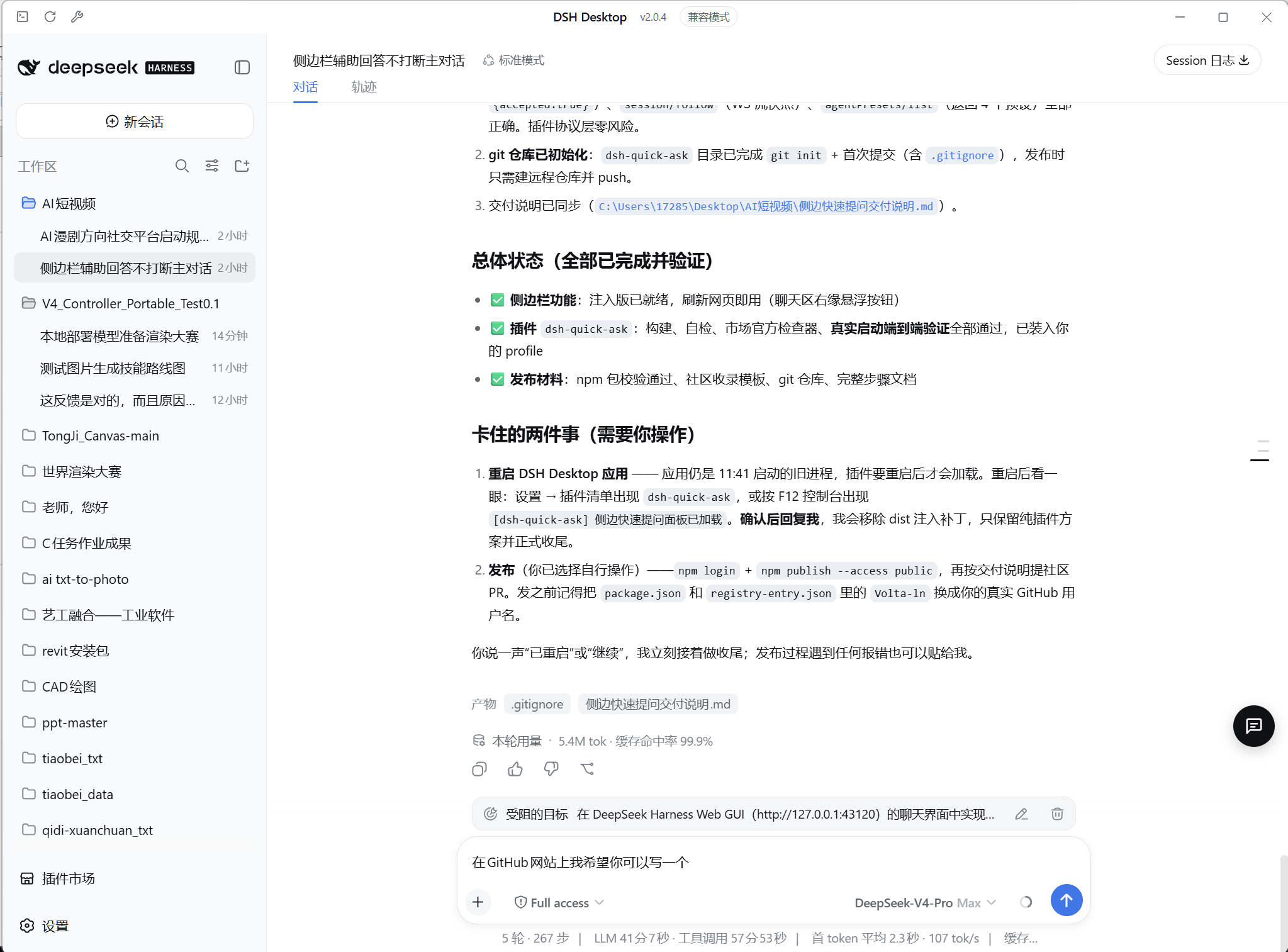
Before — the default view. The floating quick-ask button sits on the right edge of the chat view and stays out of the way:
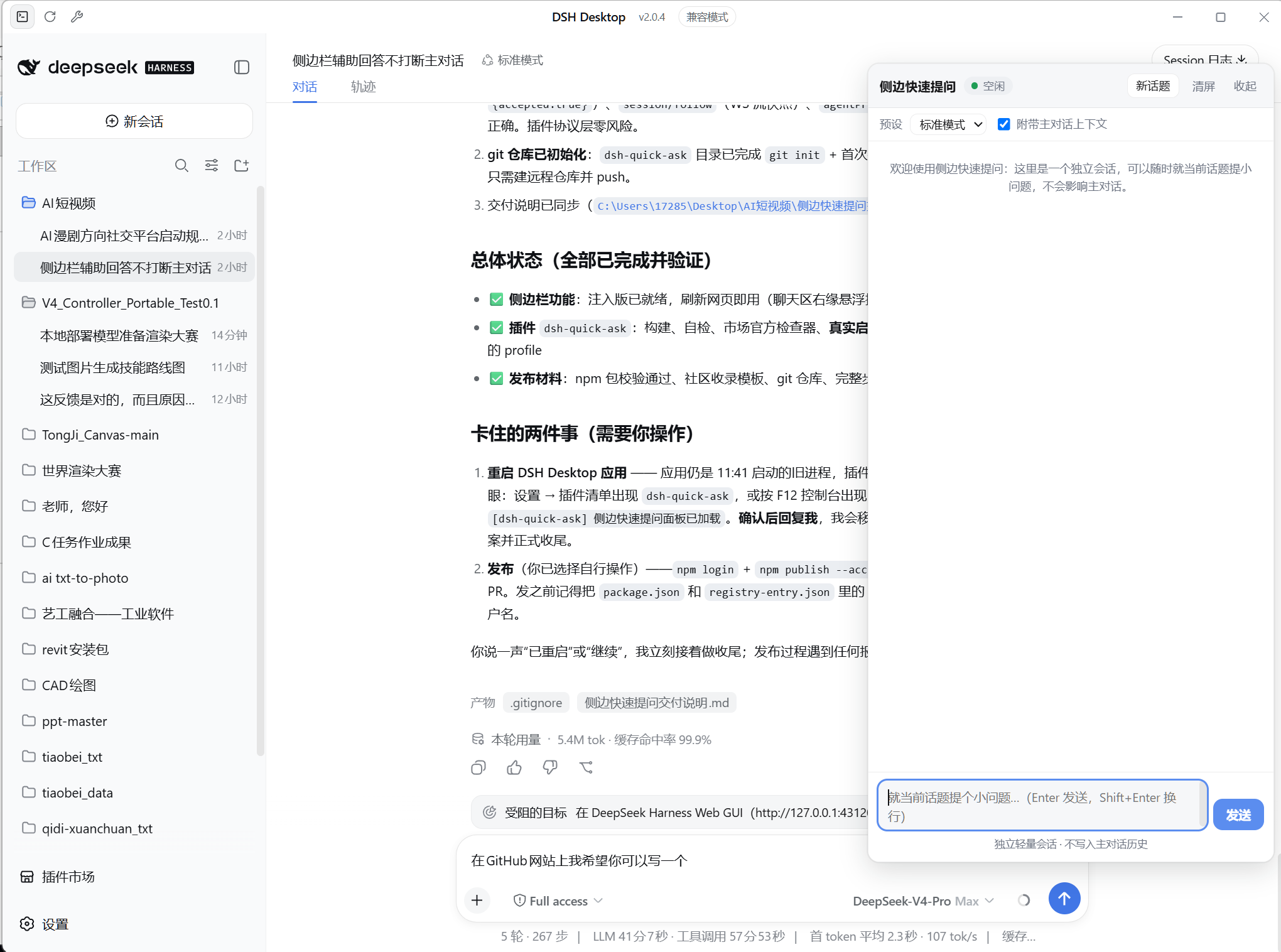
After — the side panel open. Ask a question about the current topic; it is answered by an independent side session, and the main conversation is left untouched:
Features
- Isolated side session — questions run in a separate DSH session driven
through the official
/apiRPC (session/create,session/prompt,session/cancel) and streamed over the/api/remote.muxWebSocket. The main conversation's history, queue, and agent are never affected. - Topic-aware — the panel automatically attaches a snapshot of the visible main conversation (plus any composer draft) as background context, so answers stay on-topic. Can be disabled per question.
- Lightweight UX — streaming text, collapsible reasoning, tool-call chips, stop button, queued questions, preset selector (agent presets from the host), persistent history restore, theme-aware (follows DSH light/dark).
- Zero host logic — pure
clientplugin (dsh.client.platform: "web"), no server-side services, no dependencies. - No interference — the side session shows up as its own session in the session list (titled from its first question), exactly like a separate ChatGPT chat.
Install
From the plugin market
Open the DeepSeek Harness plugin market and install
dsh-quick-ask, or from the CLI:dsh plugin --profile <profile> add dsh-quick-askReload the web page (a host restart is only needed if the market could not hot-mount it).
Manual
pnpm add dsh-quick-ask        # into your profile
# add "dsh-quick-ask" to dsh.profile.bundles in the profile package.json
Usage
- Click the floating chat button on the right edge of the chat view (or the panel opens automatically if it was left open).
- Type a question and press Enter (Shift+Enter for a newline).
- 新话题 starts a fresh side session; 清屏 clears the panel display only; 停止 cancels the current answer.
- Uncheck 附带主对话上下文 to ask without background context.
Development
node build.mjs # wraps src/client.js + src/style.css into lib/client.js
src/client.js— client plugin body (factory-form bundle body).src/style.css— panel styles (theme-aware viabody[data-ds-dark-theme]).lib/index.js— no-op host half (required for the Loader entry).
License
MIT
No comments yet. Be the first to write one.