dsh-preview-image
Image preview for DeepSeek Harness with real zoom, pan, rotation and full screen — in the right-Sidebar document preview and in the conversation lightbox.
English (this file) · 中文
Why
DeepSeek Harness already renders image files, but the two previews it ships are deliberately minimal:
- The document-preview image renderer zooms only through a floating control that appears when the pointer enters the bottom strip of the pane; it has fit-width/fixed-scale choices, no rotation, and no full screen.
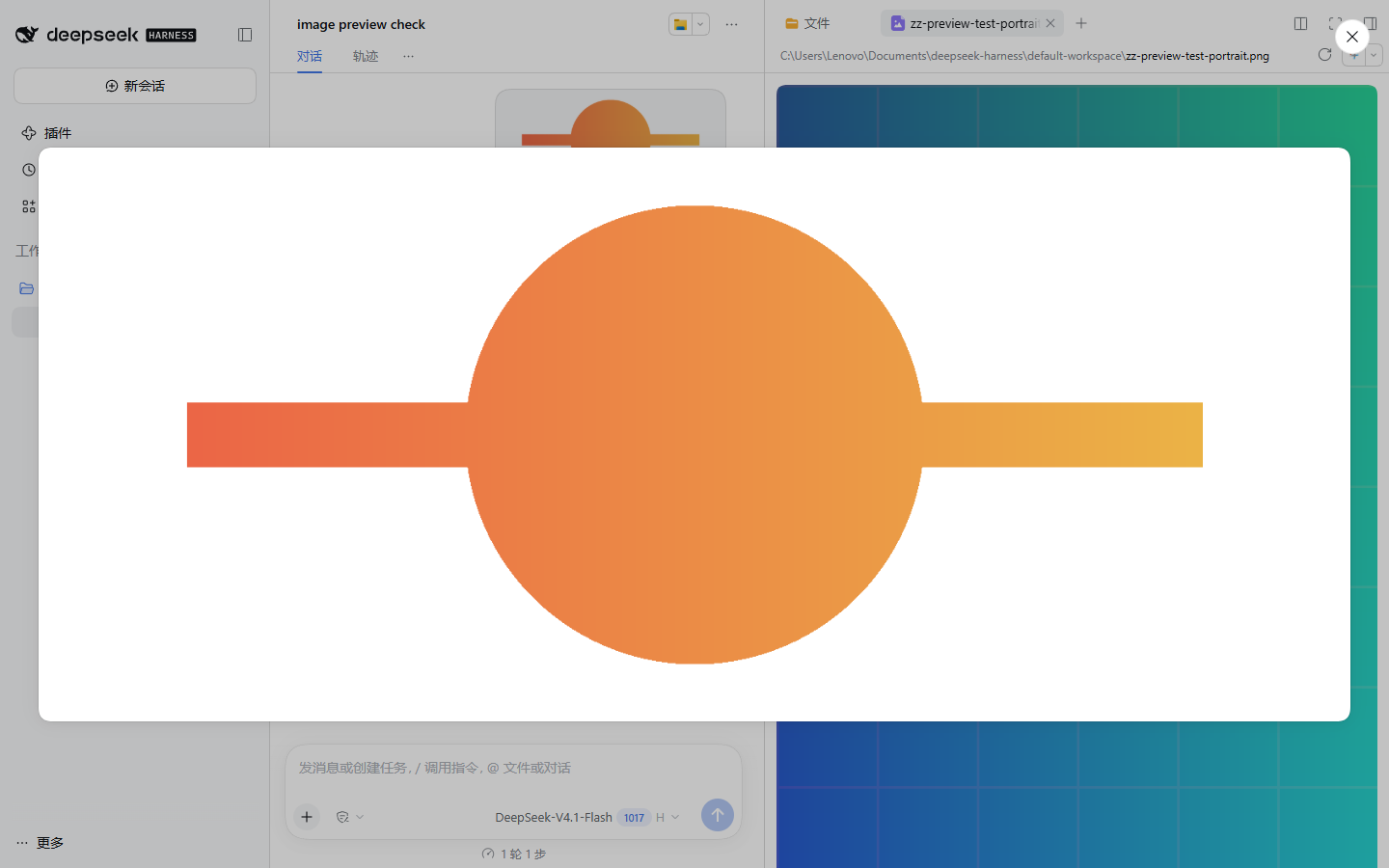
- The conversation lightbox renders the original at fit-to-viewport size only — the attachment package's own documentation lists “No zoom or download in the lightbox” as a limitation.
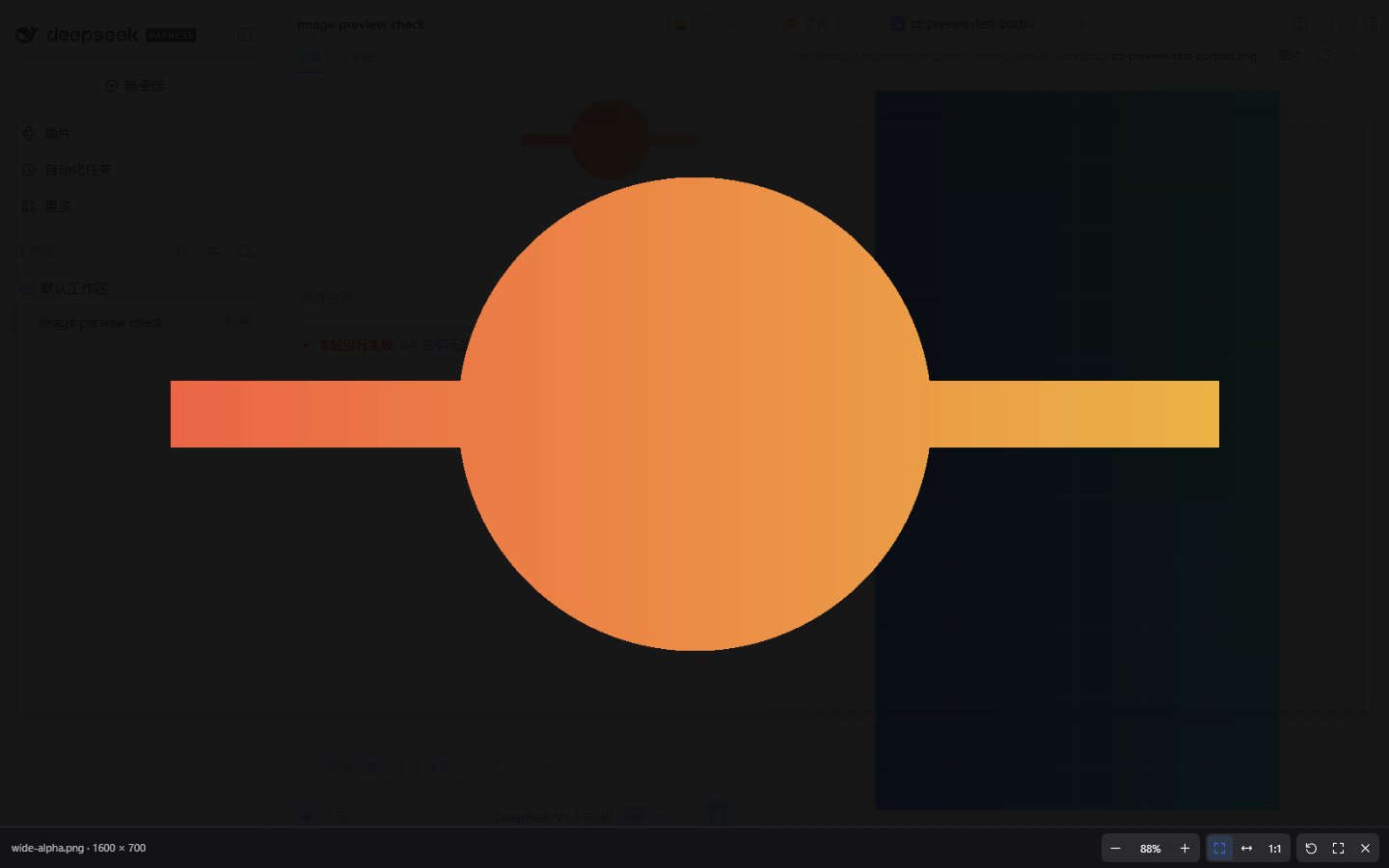
This plugin replaces both surfaces with one viewer: an always-visible toolbar with zoom, fit modes, 100%, rotation and full screen, plus wheel/drag/keyboard gestures. The built-in renderer stays available from the preview's Open with menu, and SVG keeps its plain-text option.
Install
dsh plugin --profile <profile> add dsh-preview-image
Restart the desktop app (a profile patch change is read at boot). No configuration is required.
To check it loaded, open any image from the Files tab: the pane shows the toolbar instead of the bare built-in image view. Clicking an image in the conversation (or on a composer attachment) opens the zoomable lightbox instead of the built-in one.
Before / after
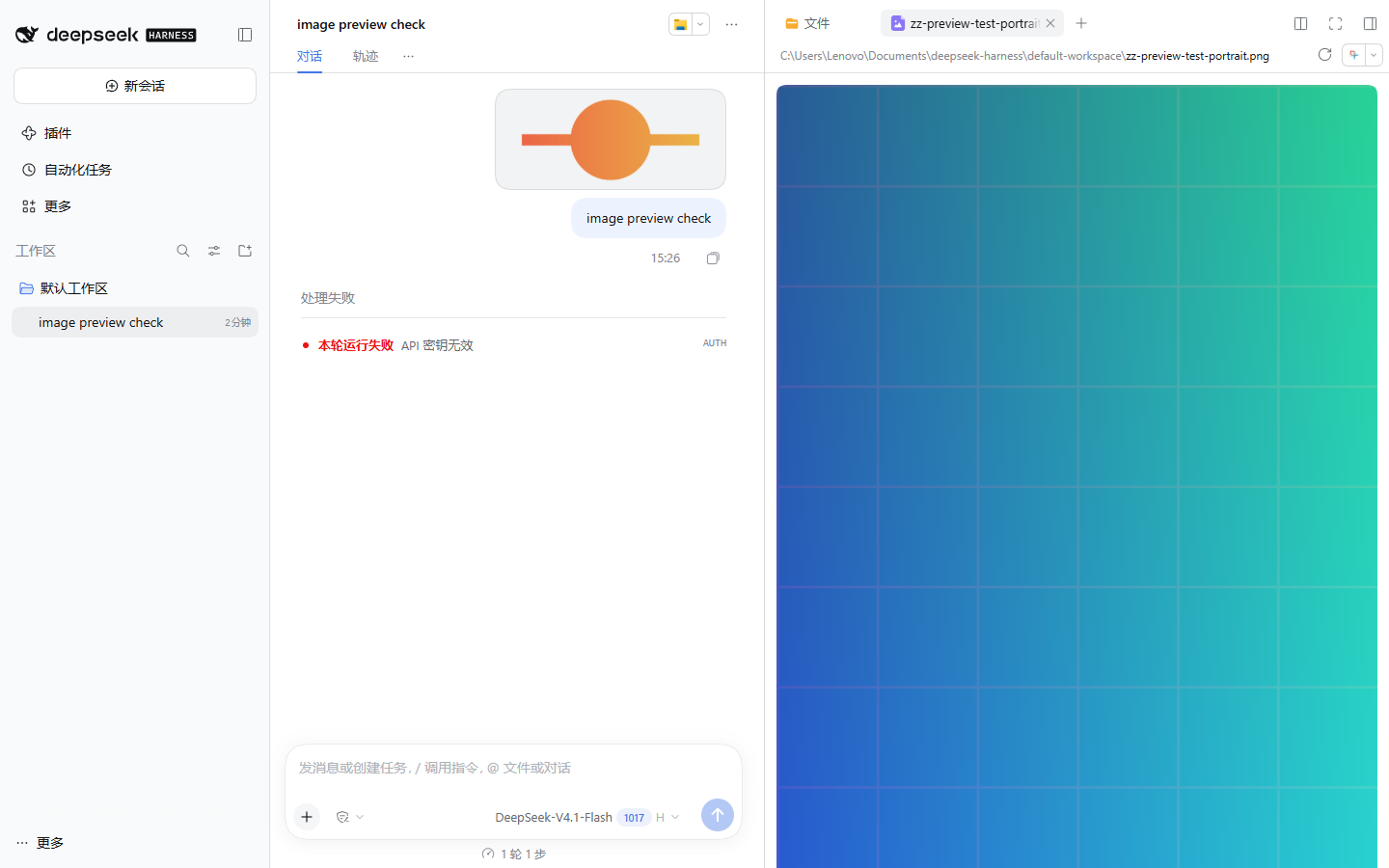
Same session, same workspace, same 1440×900 light-theme viewport. The “before” profile is @deepseek-ai/dsh-base + @deepseek-ai/dsh-web-app; the “after” profile adds this plugin.
Document preview
| Before — built-in image renderer | After — dsh-preview-image |
|---|---|
 |
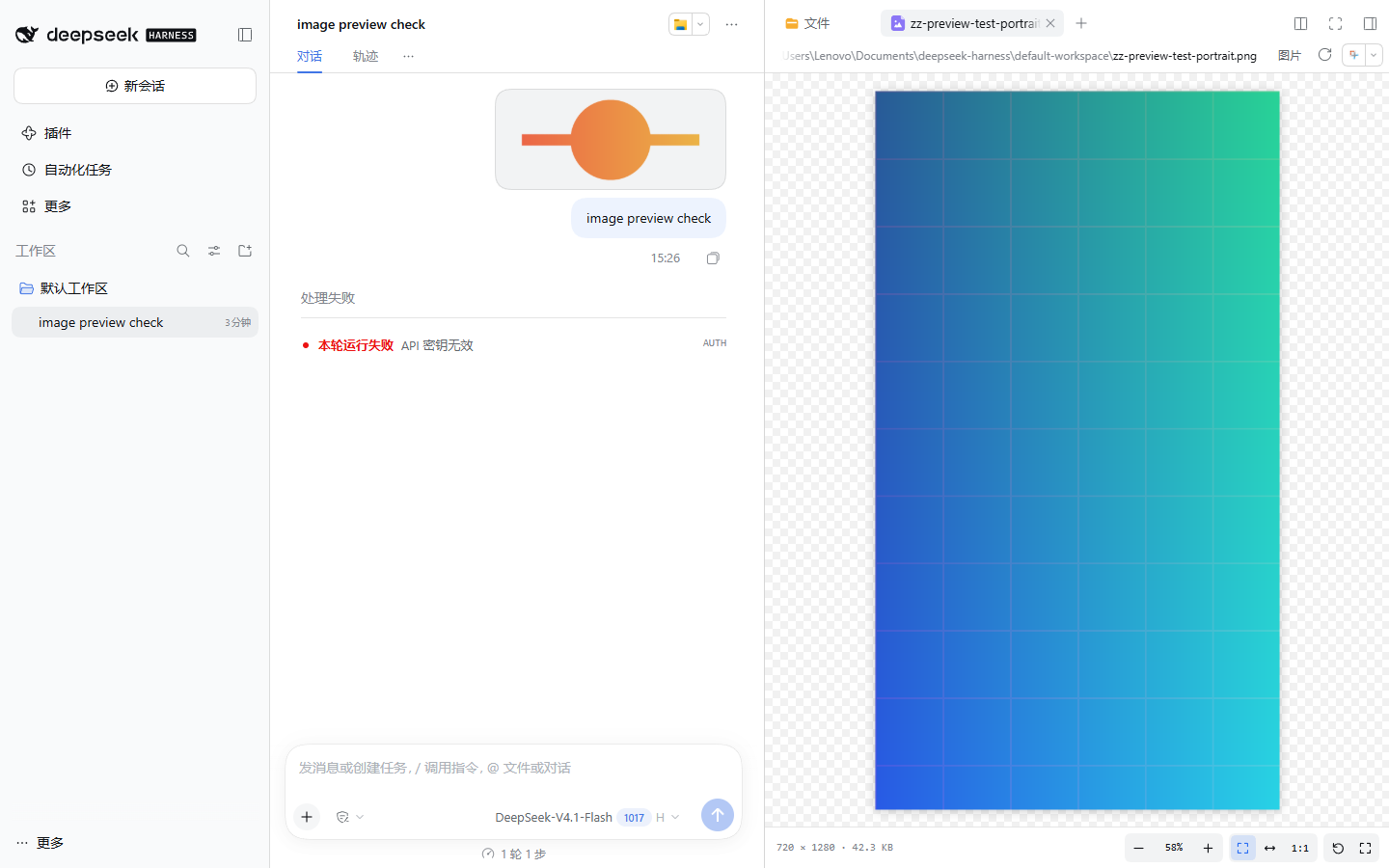 |
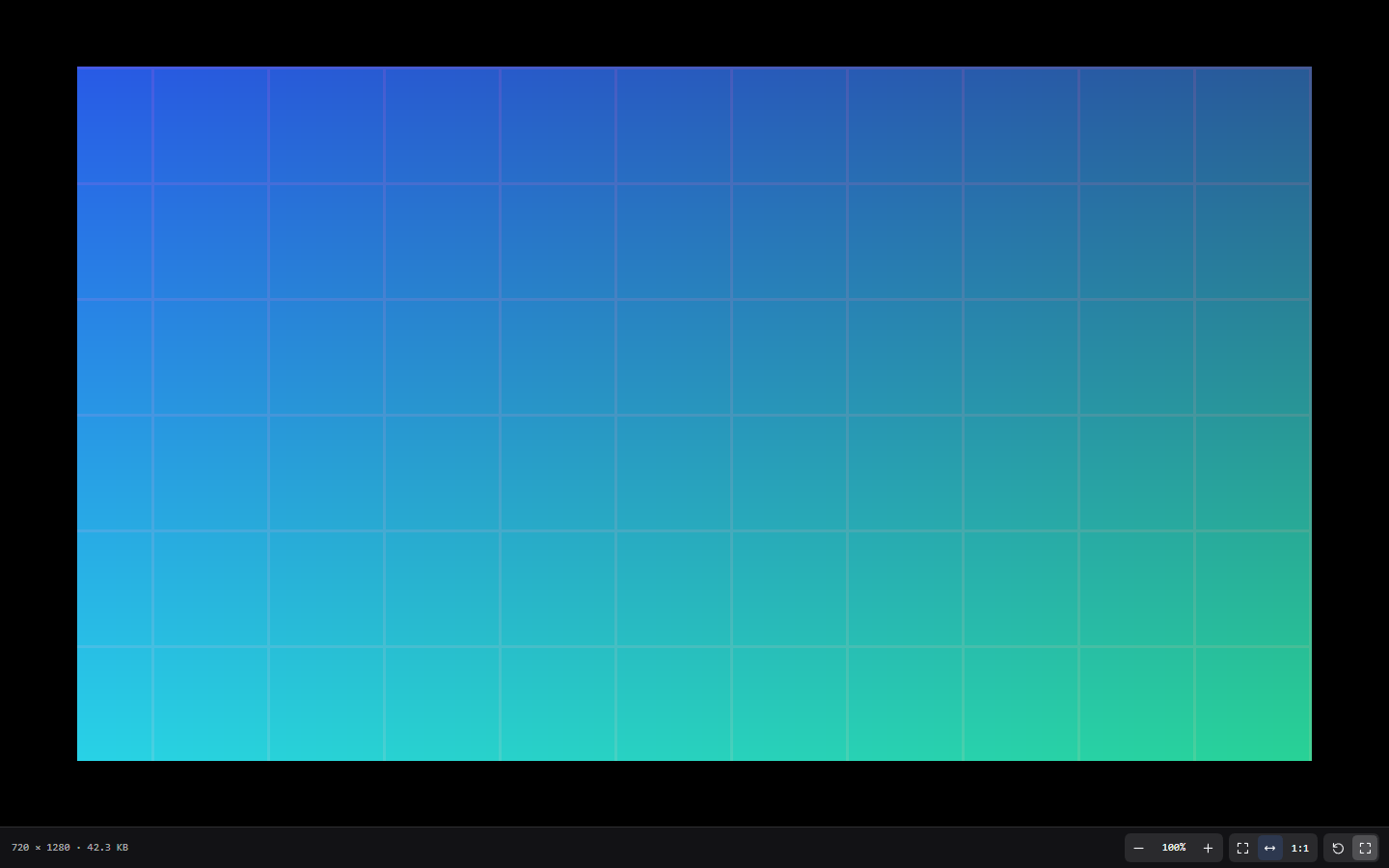
The built-in view fills the pane with the image and hides zoom controls; the plugin adds a persistent toolbar, metadata (720 × 1280 · 42.3 KB), a checkerboard behind transparency, and explicit controls.
Conversation lightbox
| Before — built-in lightbox, fit only | After — zoomable lightbox |
|---|---|
 |
 |
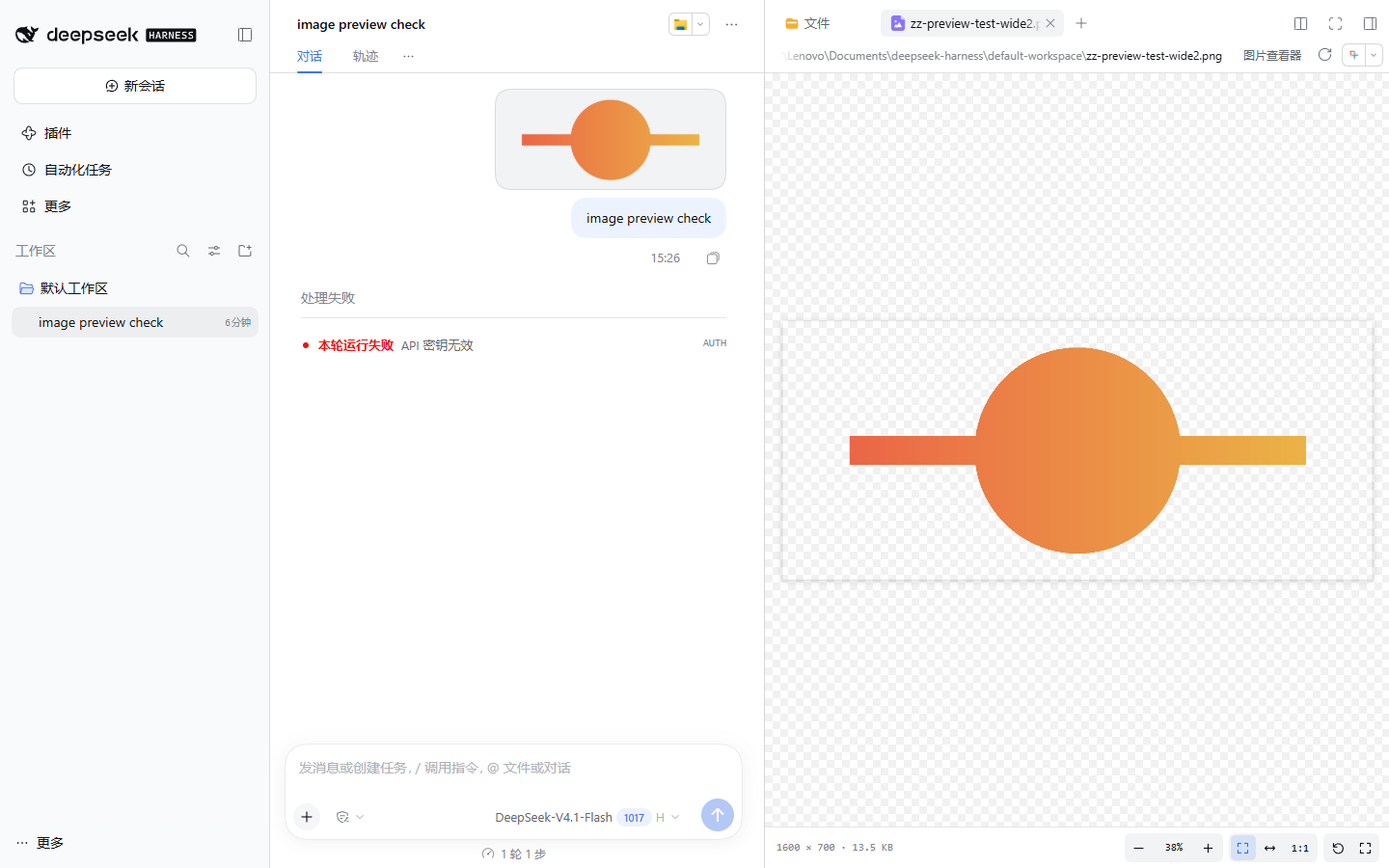
Full screen and transparency
| Full screen (maximize control) | Transparent image over the checkerboard |
|---|---|
 |
 |
What it does
- Document renderer — registers
dsh-preview-image/viewerforpng,jpg,jpeg,jfif,gif,webp,avif,bmp,ico, andsvgatpriority: "extension"withloading: "bytes-complete". Bitmaps are declared binary so the plain-text fallback is not offered; SVG stays text-readable and keeps that option. - Conversation lightbox — a click captured on images inside
conversation.chat.user.images,conversation.chat.message.images,conversation.trajectory.images,tool.call.images, andconversation.input.attachmentsopens the plugin's viewer instead of the built-in lightbox. The overlay closes on Escape, a background click, or the close button, and restores focus to the image button that opened it. - Controls — zoom out, current percentage (click for 100%), zoom in, fit to window, fit width, 1:1, rotate 90°, full screen, close (lightbox). The toolbar is always visible and wraps on narrow panes; metadata shows the intrinsic size and, in the document preview, the file size.
- Gestures — drag to pan, mouse wheel to pan, Ctrl/⌘+wheel to zoom at the pointer, double-click to alternate fit and 100%. Chromium maps a trackpad pinch to the same Ctrl+wheel path.
- Keyboard —
+/-zoom,0fit,1100%,Rrotate,Ffull screen, arrow keys pan,Escleaves full screen or closes the lightbox. The document viewer takes keys while it has focus; the lightbox listens at the window. - Full screen — the Fullscreen API on the viewer root; if the deployment refuses it, the viewer falls back to a fixed overlay that Escape dismisses.
Escalso callsexitFullscreen()itself so the shortcut works even where the browser's default handling is suppressed. - Pan bounds — a fitted image stays fully visible inside the pane; a zoomed or rotated image cannot be dragged past its own edges, so it can never be lost off-screen.
- Transparency — a low-contrast checkerboard behind the stage makes alpha visible.
Controls
| Action | Button | Pointer | Keyboard |
|---|---|---|---|
| Zoom in / out | − / + | Ctrl/⌘+wheel | + / - |
| Pan | — | drag, wheel, Shift+wheel | arrows |
| Fit to window | fit icon | double-click | 0 |
| Fit width | ⇔ icon | — | — |
| Actual size (100%) | percentage chip / 1:1 |
double-click | 1 |
| Rotate 90° | ↻ icon | — | R |
| Full screen | ⤢ icon | — | F |
| Close lightbox | × | background click | Esc |
Configuration
None. The suffix list, zoom range (2%–1600%), and step (1.25×) are constants in lib/client.js.
How it is built
lib/index.js    Host entry: name / inject / apply (client-only, no routes)
lib/client.js   Hand-written module-loader bundle: renderer, body, lightbox, styles
test/           node --test: bundle wiring, pure zoom/pan math, package shape
scripts/        Headless browser end-to-end driver used for verification
docs/           Before/after screenshots
The browser half is a classic window.__ModuleLoader__.load({ id, factory }) bundle that requires only react (plus react-dom for the body portal), so it needs no build step and cannot drift from the host's React copy.
Development
node --test test/*.test.js
The end-to-end driver needs a running host whose profile has this plugin, one session with an image message, and image files in that session's workspace:
node scripts/e2e-browser.mjs --base "http://127.0.0.1:<port>/?token=<token>" \
  --session "<session title>" --file <image file name> --out <screenshot dir>
It prints PASS/FAIL for each interaction and exits non-zero on a failure.
Known limitations
- One image at a time. The built-in lightbox shows one original too; there is no gallery strip, download button, or image export.
- Dragging the image out of the pane is not implemented. The plugin uses drag for panning. The built-in image renderer remains available from the Open with menu when dragging the original file into the composer matters.
- Formats are the browser's. AVIF, WebP, GIF, BMP, ICO and SVG decode in Chromium; a codec the browser cannot decode shows the viewer's failed state.
- Complete files only. The document renderer uses DSH's complete-file read, so the host's
maxFileBytescap applies to images as it did before. - No two-finger pinch. A trackpad pinch arrives as Ctrl+wheel in Chromium and works; a touch screen has no pinch handler.
- Rotation and fit reset per mount. Switching tabs or reloading the preview starts from fit, like the built-in renderer.
- Images outside the conversation image slots (for example inline Markdown images in an assistant message) do not open this lightbox; they keep whatever behavior their renderer provides.
License
MIT
No comments yet. Be the first to write one.