ChatCanvas for DeepSeek Harness
npm preview · Installation · Plugin market · Report an issue
Turn AI conversations into a workspace you can edit, explore and play.
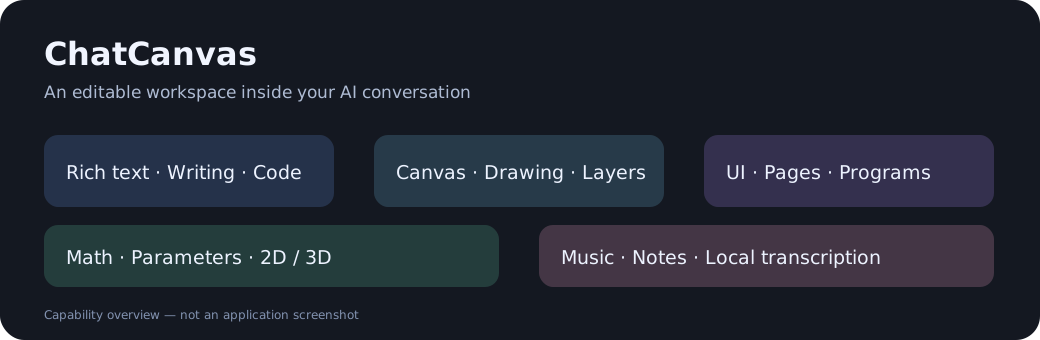
ChatCanvas is a third-party plugin for DeepSeek Harness. It brings rich messages, editable canvases, interactive UI previews, math plots and music editing into the conversation.
See it in action
Three short demonstrations, edited from real recordings. Play the videos below, or download their MP4 files. Waiting and typing are accelerated; the clips stop before subsequent AI replies. The interface shown is Simplified Chinese, with bilingual video captions.
Write clearly · 21 seconds
Headings, quotes and colors; refine math notation and add a short instruction. The opening formatting example is a still screenshot, labeled in the video.
https://github.com/user-attachments/assets/b8679eac-9fc5-479a-9335-aa826f832c0c
Sketch your idea · 26.5 seconds
Insert a canvas and draw a layout directly in the composer, including a graph area, controls and annotations.
https://github.com/user-attachments/assets/82bdbab1-b996-42c0-a54e-44af016d4413
Edit the result · 24 seconds
Select and drag controls, adjust a result panel and reposition text in a UI draft.
https://github.com/user-attachments/assets/5737babc-d01e-439c-95f1-6cfb779e6cde
About these recordings and adding more demos
What you can do
| Feature | In the conversation |
|---|---|
| Rich input and messages | Writing boxes, plain-text boxes, code highlighting, copying and native file references |
| Canvas | Draw, erase, arrange objects, snap to guides, control layers and share editable copies |
| Interactive UI | Build pages and controls, edit visual programs and try the result locally |
| Math | Explore functions, equations, parameters and 2D/3D plots |
| Music | Edit notes and tracks, audition instruments, import MIDI, export MIDI/WAV and transcribe WAV/MP3 locally |
| Visual questions | Let the AI show an editable draft and ask you to adjust it before proceeding |
Install
This is a preview release. Tested integration targets: DeepSeek Harness 0.2.0-rc.2 and 0.2.1-rc.2. The installation helper is for Windows. Other host versions and operating systems have not been verified.
- Fully quit Harness. If the old local ChatCanvas or combined renderer is installed, disable/remove it first; see migration.
- Find the desktop app's bundled
resources/runtime/cli/bin/dsh.cmd. - Run
dsh.cmd plugin --profile desktop add dsh-chatcanvas@1.4.0-rc.13using that CLI's full path. - Reopen Harness. The plugin settings section is 对话画布 · ChatCanvas.
The GitHub-generated Source code archive is for developers. It is not the compiled installation package. See installation and rollback.
npm / Discover: dsh-chatcanvas@1.4.0-rc.13 is available on npm and in this repository's third-party market source. The downloaded npm archive has been checked against the reviewed prebuilt package. The older 1.4.0-rc.12 package remains in GitHub Releases.
Start using it
Write normally, or right-click the composer to insert content. Ask the AI to create a UI preview, math plot, music project or shared canvas. Use an editable copy when you want to modify an already-sent work.
Example prompts:
- “Create a two-page timer interface that I can try here.”
- “Plot y = a*x² and let me change a.”
- “Make a short piano melody and show the notes for editing.”
- “Show an editable layout draft and ask me to adjust it.”
The interface currently uses Simplified Chinese. This repository provides English and Chinese documentation. Full English UI localization is not included in this preview.
Settings
Open Settings → 对话画布 · ChatCanvas. The public plugin exposes only two preferences:
| Preference | Default | How to change it |
|---|---|---|
| Program recommendations / 程序推荐选项 | 2 | Click the count, choose 0–5, then save |
| AI recommendations / AI 推荐选项 | 1 | Click the count, choose 0–5, then save |
Execution auditing, audit switches and tool/Skill whitelists are not part of this plugin. The host's permission controls remain available. Existing document and storage identifiers are retained for compatibility with older works.
Permissions, privacy and cost
ChatCanvas does not register an execution-review gate or change the host's permission presets. Host permissions continue to apply. Canvas/UI editing and audio transcription use local code and packaged assets. AI text recommendations, translations, their quality checks and automatic conversation titles use the model configured in Harness and may incur extra usage. See privacy and model usage.
Preview limitations
- Audio transcription is an editable estimate; dense mixes and overlapping instruments can produce incorrect notes.
- Sampled playback is not a professional instrument library. Some instruments sound more convincing than others.
- UI simulation checks program logic; it does not replace visual testing.
- Long drawing sessions, high-DPI rendering and interactions with other plugins need further real-window testing.
- Normal Markdown tables remain supported. The old standalone enhanced-table editor is retired.
Development
See build and test instructions, integration and document protocol.
Feedback
Use the issue templates for bug reports and feature requests. Include the plugin version, Harness version, operating system and steps to reproduce. Share sanitized examples and screenshots. Avoid API keys and private conversations.
License and credits
Plugin code: MIT. Bundled assets retain their own licenses: TimGM6mb SoundFont is GPL-2.0-only; Basic Pitch and TensorFlow.js assets are Apache-2.0. See third-party notices and bundled license/source material. The MIT label for plugin code does not relicense third-party assets.
This project is not an official DeepSeek product and is not affiliated with or endorsed by DeepSeek. Upstream DeepSeek Harness components retain their original notices.
No comments yet. Be the first to write one.