dsh-any-background

English | 中文
A DeepSeek Harness appearance plugin that lets you fully customize the Web UI — custom theme color, background wallpaper, and fine-grained per-part opacity & blur controls.
Features
- PS-style Color Wheel — Pick hue on the ring, adjust saturation & lightness in the inscribed square. Generates 30+ CSS design tokens in real time and applies them instantly.
- Precise HSL / RGB Input — Enter exact color values numerically (HSL or RGB tabs) with instant bidirectional sync to the wheel.
- Smart Color Extraction — One click derives a theme color from your wallpaper: the framed (visible) region is sampled, quantized, filtered of gray/near-black/near-white pixels, and the most dominant vivid hue becomes the theme color. Runs fully client-side with a 64×64 sample — no RPC traffic.
- Eyedropper — Hover the wallpaper to preview a color and click to pick it as the theme color.
- Background Wallpaper — Choose any image as your wallpaper. Drag to pan, scroll to zoom (anchored at the view center) inside a viewport-proportional editor. What you see is what you get.
- Per-part Interface Opacity — Independent sliders for main background, sidebar, cards & panels, plus the settings panel and wallpaper.
- Per-part Interface Blur — Frosted-glass
backdrop-filterblur (0–60 px) for each interface part, independently adjustable. - Theme Export / Import — One-click export to a self-contained
dsh-any-theme.json(config + wallpaper) and import to restore it anywhere. - File-based Persistence — All settings (color, opacities, blurs, wallpaper, editor position) are stored on the filesystem under
~/.dsh/.dsh-any-background-data/via the node half, and restored on next launch. No morelocalStoragequota worries. - Bilingual — Full Chinese / English UI with automatic locale detection.
- Theme Watchdog — A background watchdog re-asserts the custom theme if the host resets it, so your pick never silently disappears.
Project Structure
dsh-any-background/
├── package.json          # Package metadata, dsh.client declaration, dependencies
├── cordis.patch.yml      # Bundle patch layer (inserted into profile composition)
├── cordis.yml            # Patch overlay for dev usage (pnpm dsh web --patch)
├── tsdown.config.ts      # Build config: node-half (ESM) + client-half (CJS browser bundle)
├── src/
│   ├── index.ts          # Node half — file-backed persistence (RPC file store)
│   ├── invariant.ts      # Invariant companion (registers package ownership)
│   └── client/           # Browser half — modularized by concern
│       ├── index.tsx     # Lifecycle wiring (theme, wallpaper, i18n, section, watchdog)
│       ├── types.ts      # Shared type definitions
│       ├── state.ts      # In-memory config mirror + getters
│       ├── rpc.ts        # File-backed persistence RPC client
│       ├── wallpaper.ts  # Wallpaper DOM layer + per-part opacity/blur application
│       ├── i18n.ts       # zh/en dictionaries
│       ├── styles.ts     # Shared inline styles
│       ├── utils/
│       │   ├── color.ts  # Color math, token generation, wallpaper color extraction
│       │   └── image.ts  # Wallpaper file reading (as-is data URL)
│       └── components/
│           ├── ThemeSection.tsx   # Settings panel section (all controls)
│           ├── ColorWheel.tsx     # Hue ring + SL square canvas
│           ├── ColorInputs.tsx    # Precise HSL/RGB entry
│           ├── ColorPicker.tsx    # Eyedropper modal
│           ├── BgEditor.tsx       # Wallpaper position/size editor
│           ├── LiveSlider.tsx     # Throttled live slider
│           ├── ErrorBoundary.tsx  # Crash fallback for the panel
│           └── icons.tsx          # Migrated nav glyphs (sun icon)
├── lib/                  # Built output, committed so installs need no build step
│   ├── index.js          # Node entry
│   ├── invariant.js      # Invariant entry
│   ├── client.js         # Browser bundle (wrapped for __ModuleLoader__)
│   └── client.js.map     # Source map
├── example_img/          # Example screenshots
├── README.md             # This file (English)
└── README.zh.md          # 中文版
Implementation
The plugin is a Cordis plugin split into two halves:
- Node half (
src/index.ts) — owns file-backed persistence. It manages the.dsh-any-background-data/store under the DSH data home (~/.dsh/) and exposes a small RPC surface over the dedicated/dsh-any-backgroundchannel. - Browser half (
src/client/) — all UI logic lives here. The browser cannot touch the filesystem, so it reads/writes the store through the node half's RPC endpoints.
Persistence
Since the plugin surfaces in the browser, persisted data is stored on disk by the node half:
~/.dsh/.dsh-any-background-data/
├── theme-config.json   # color, per-part opacities & blurs, settings/wallpaper opacity, blur, bg edit state
└── wallpaper.jpg       # the chosen background image (deleted when removed)
- On startup the client calls
read, which returns the config and (if present) the wallpaper as a data URL. - Every setting change is written back synchronously to
theme-config.json; changing the wallpaper writeswallpaper.jpg, removing it deletes the file. - The store is created automatically if missing; a missing or malformed config falls back to defaults (with a warning), and all writes are error-guarded to avoid data loss.
- Older configs (single
opacityfield, no per-part fields) migrate automatically to the per-part structure on load.
Architecture
┌─────────────────────────────────────────────────────────┐
│  apply(ctx)  —  Plugin entry point                      │
├─────────────────────────────────────────────────────────┤
│                                                         │
│  1. Restore saved color → registerCustom() → setTheme   │
│  2. Inject gradient <style> into <head>                 │
│  3. Create state store (defineStore)                    │
│  4. applyWp() → wallpaper + per-part opacity/blur       │
│  5. Listen theme/change → re-apply                      │
│  6. ResizeObserver → viewport-aware re-positioning      │
│  7. Locale registration (zh/en)                         │
│  8. Settings section injection (ThemeSection)           │
│  9. Settings-nav icon patch (sun glyph)                 │
│ 10. Deferred boot restore (300ms, 1500ms)               │
│ 11. Theme watchdog (1s interval)                        │
│                                                         │
└─────────────────────────────────────────────────────────┘
Color Wheel
- Single
<canvas>element: hue ring (360° segments) + inscribed SL square (HSV S-V plane). hitTest()determines whether a click lands on the ring (hue) or square (saturation/lightness).- HSV values from the canvas are converted to HSL via
hsvToHsl()before passing togenTokens(). genTokens()generates 30+ CSS custom properties (--dsw-alias-*) for the picked color, choosing dark or light scheme based on lightness.- The full token set is written as inline styles on
<body>, so the theme color never depends on the theme service's timing. - A precise input panel (HSL / RGB tabs) sits next to the wheel — numeric entry syncs both ways with the canvas in real time.
Theme Color Adjustment
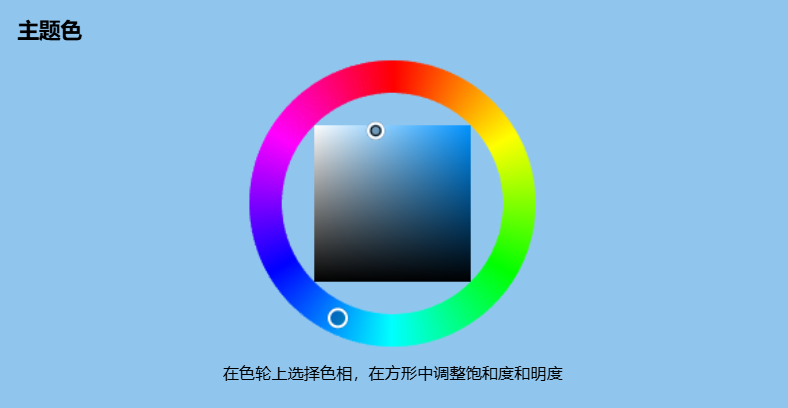
Blue theme · Light · Default dark font
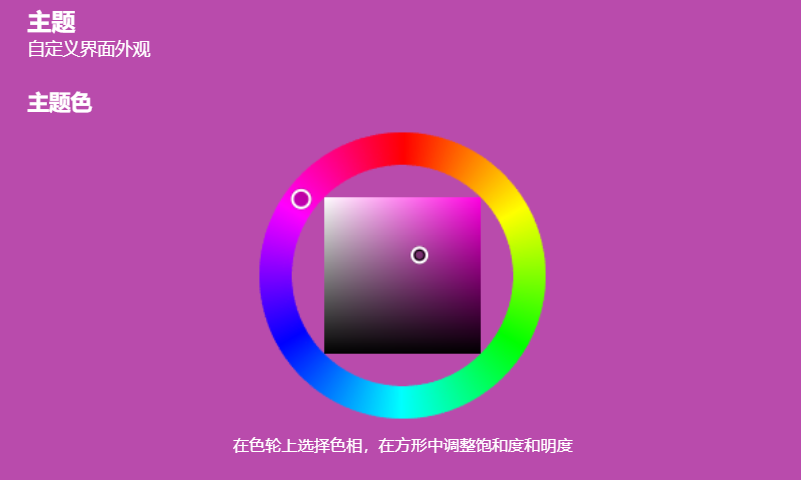
Pink theme · Dark · Default light font
Background Wallpaper
- A
<div>withposition:fixed; z-index:-1is prepended to<body>. - The chosen image is stored as-is (original data URL, no re-encoding), so the wallpaper keeps full fidelity; the node half writes it to
~/.dsh/.dsh-any-background-data/wallpaper.jpg, and the client keeps the data URL in memory for display. - The editor modal shows a viewport-proportional rectangle; drag to pan, scroll to zoom (0.1×–10×) anchored at the view center.
- Committed position is stored as fractional center coordinates + natural image size, so the layout survives viewport changes.
- Wallpaper opacity is applied directly to the
<div>element; wallpaper blur viafilter: blur().
Wallpaper Preview
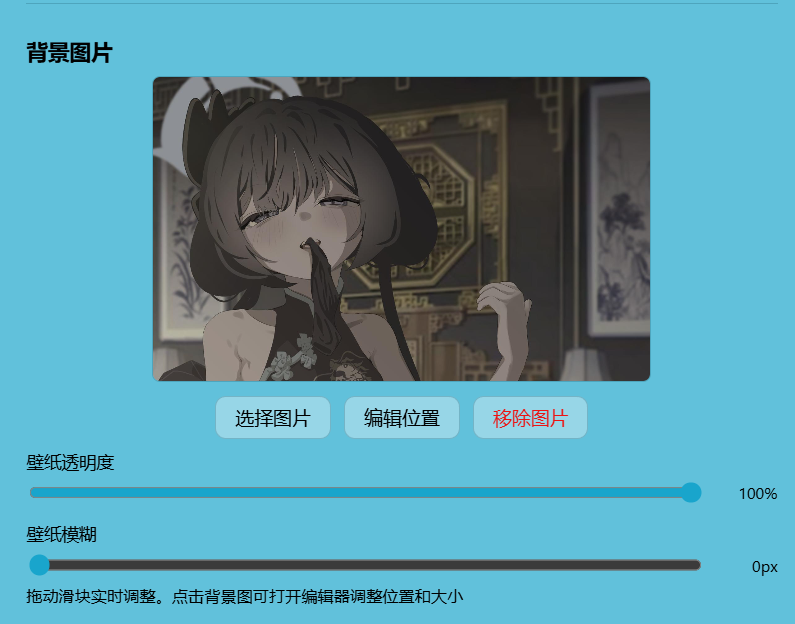
Wallpaper opacity and blur adjustment
Editor Adjustment
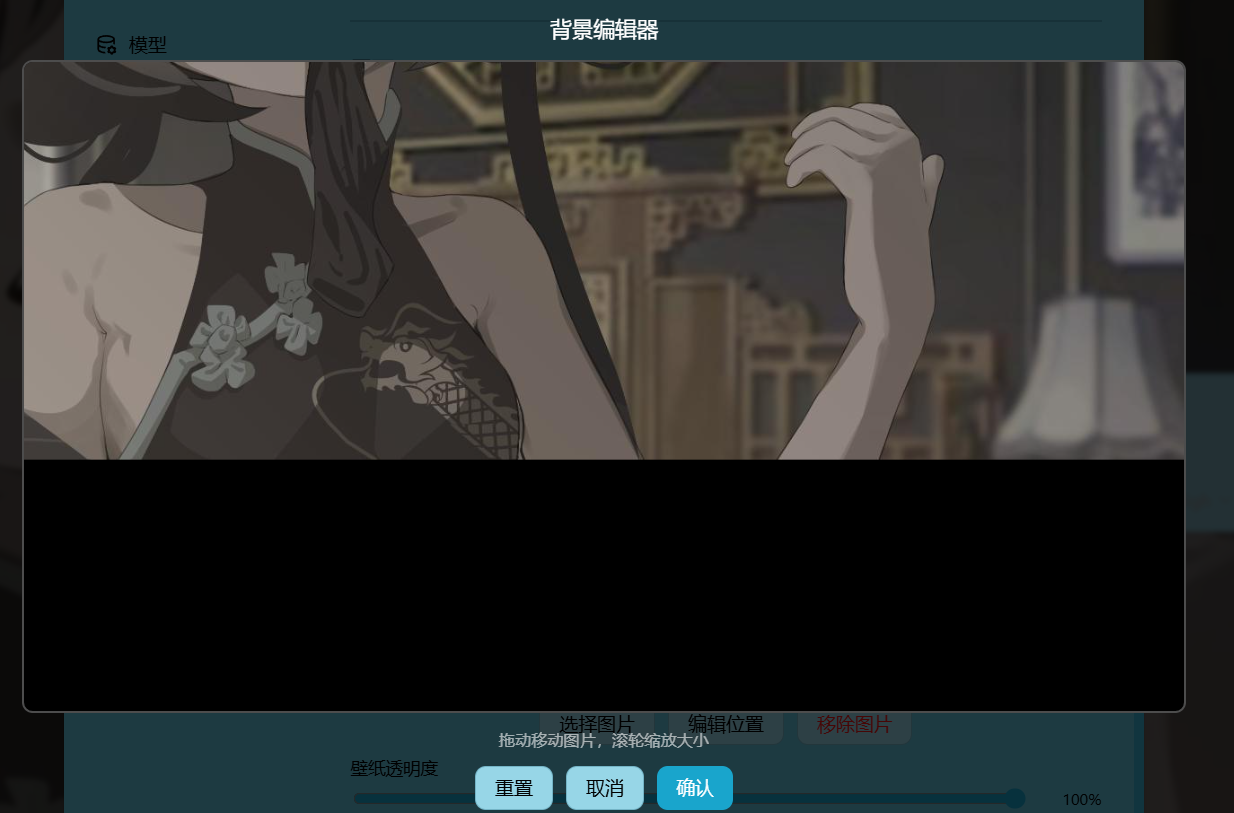
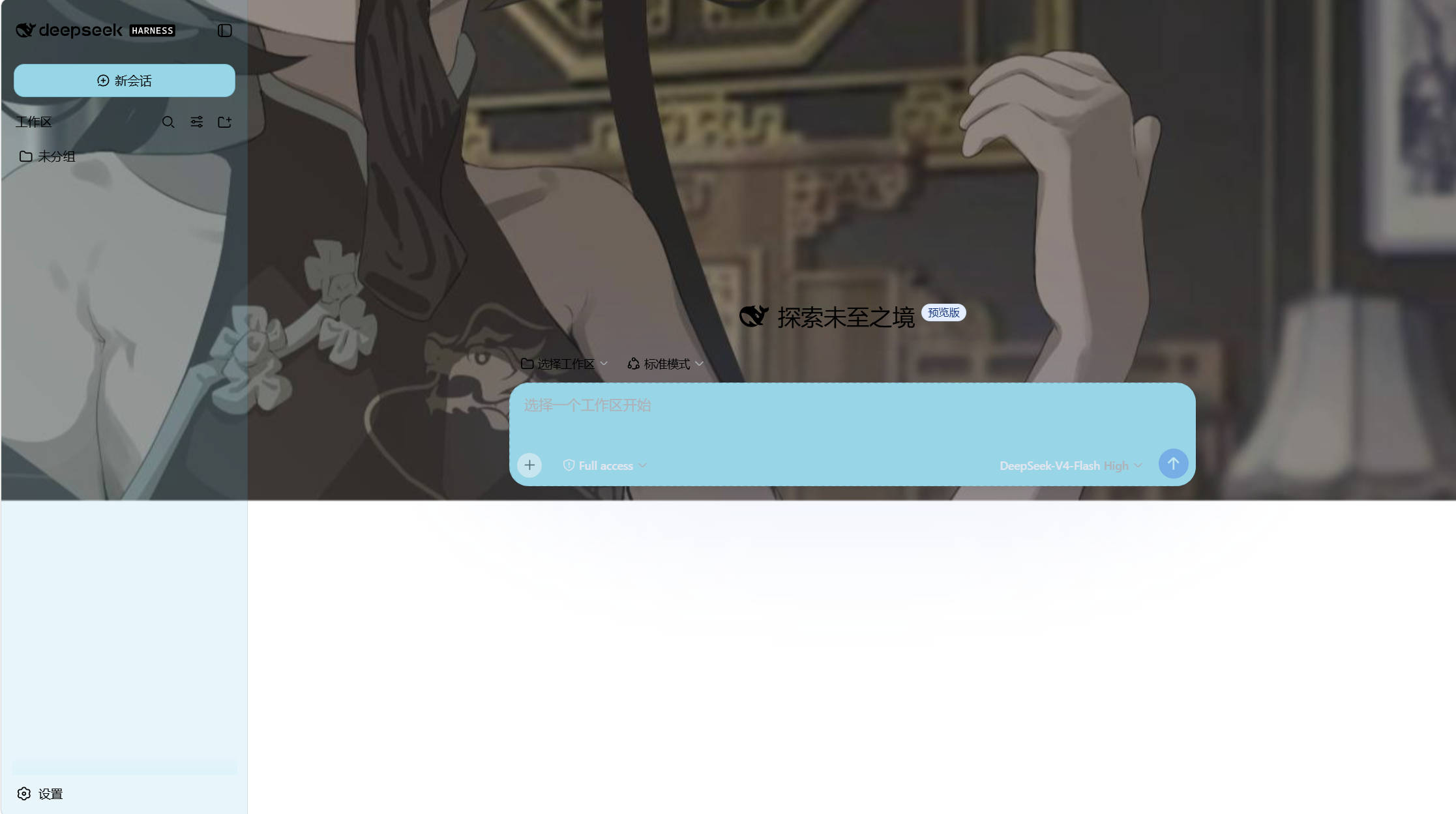
Editor adjustment · Background mapping
Interface Opacity & Blur
Each interface part has its own opacity and blur slider. Opacity is applied by re-emitting the theme's surface tokens at the part's alpha; blur is applied via backdrop-filter: blur() on the AppFrame columns (the settings panel via a CSS variable).
| Part | Opacity field | Blur field | Default opacity | Mechanism |
|---|---|---|---|---|
| Main background | opacities.bg |
blurs.bg |
85% | Inline token override on <body> |
| Sidebar | opacities.sidebar |
blurs.sidebar |
93% | Inline token override on <body> |
| Cards & panels | opacities.card |
blurs.card |
100% | Inline token override on <body> |
| Settings panel | settingsOpacity |
blurs.settings |
100% | CSS variable via [aria-modal] selector |
| Wallpaper | wallpaperOpacity |
— | 100% | style.opacity on the wallpaper <div> |
Settings Opacity
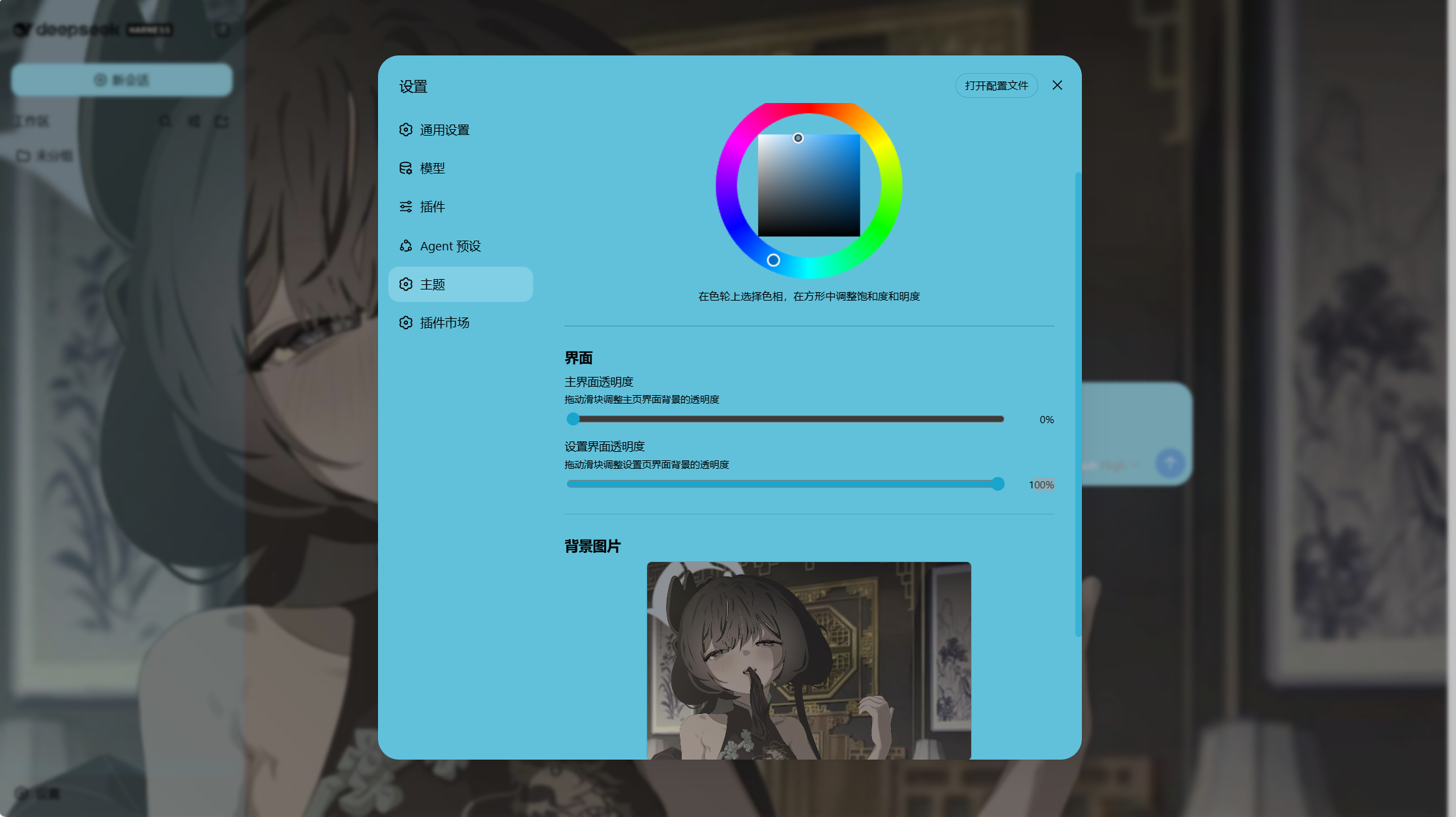
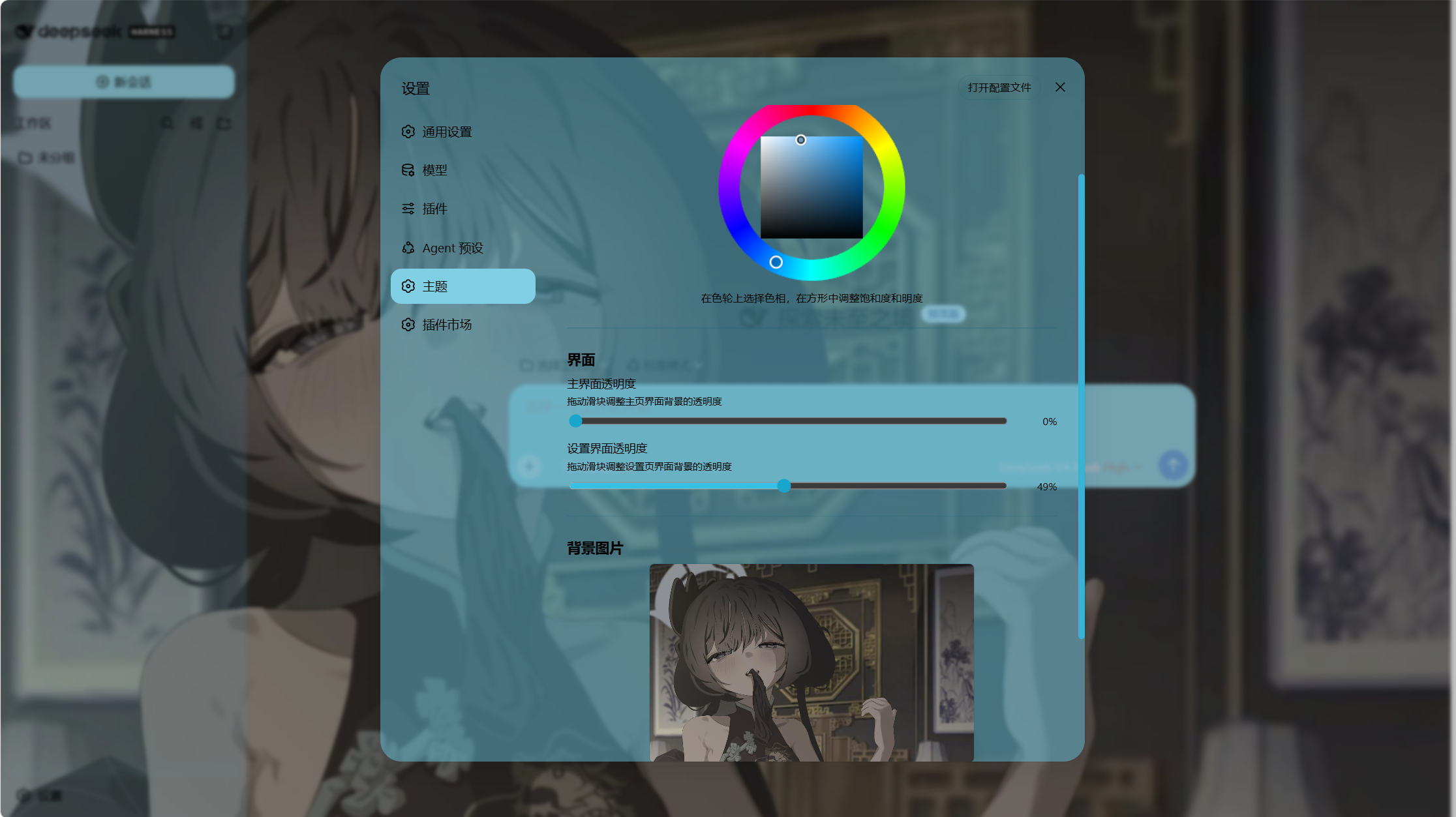
Settings opacity 100% · Settings opacity 49%
Main Interface Opacity
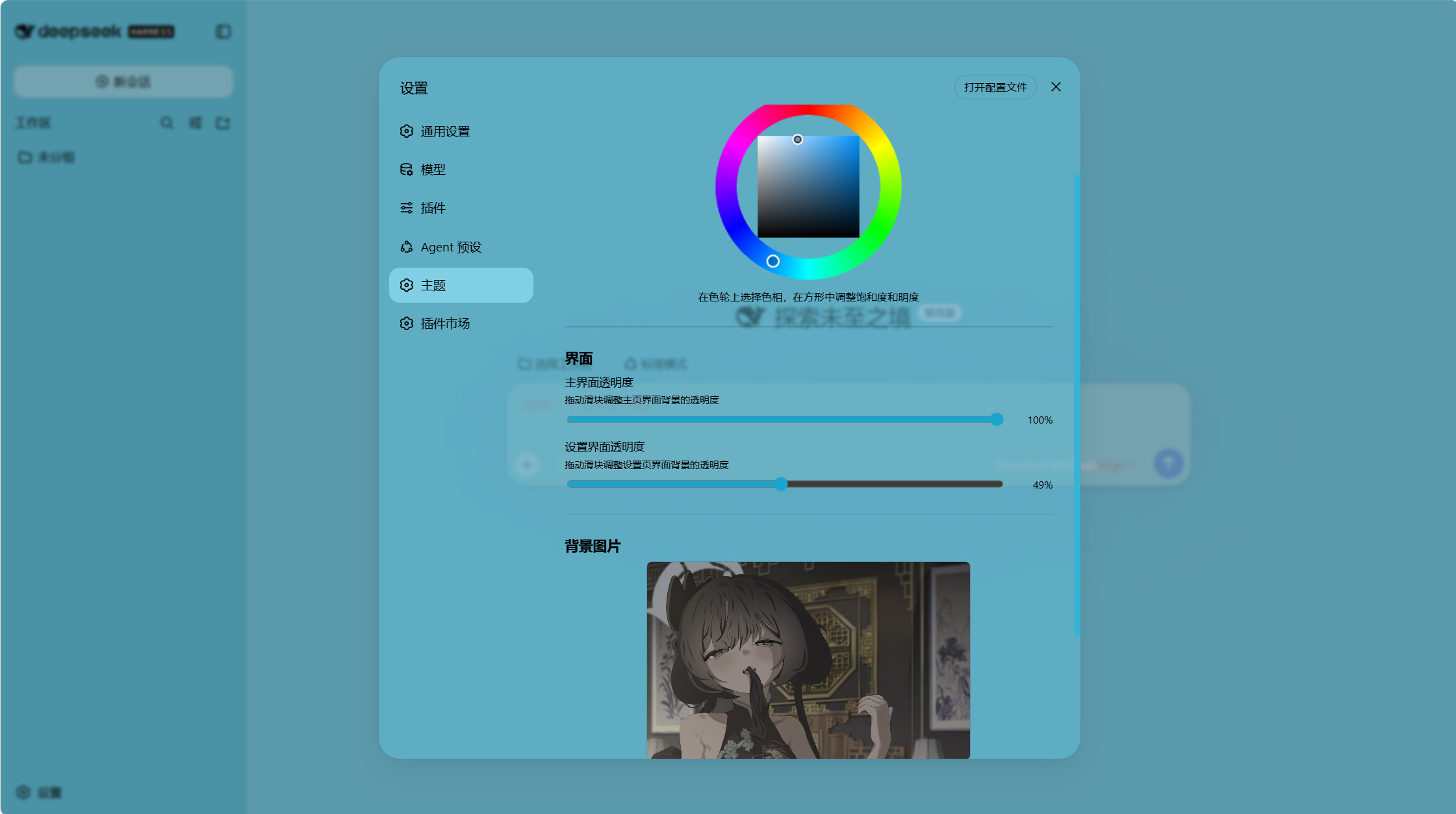
Main interface opacity 100% · Main interface opacity 0%
Wallpaper Opacity
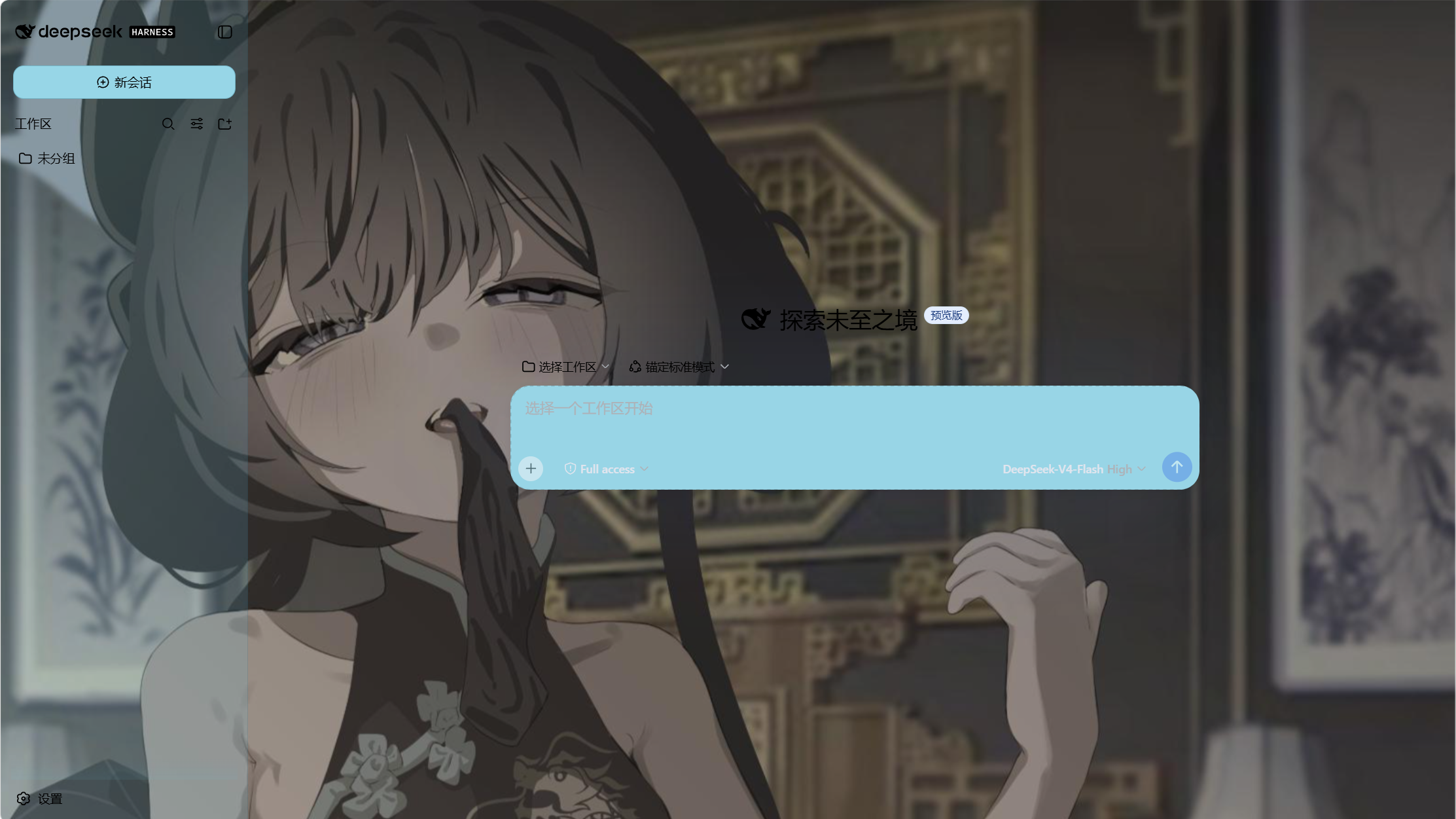
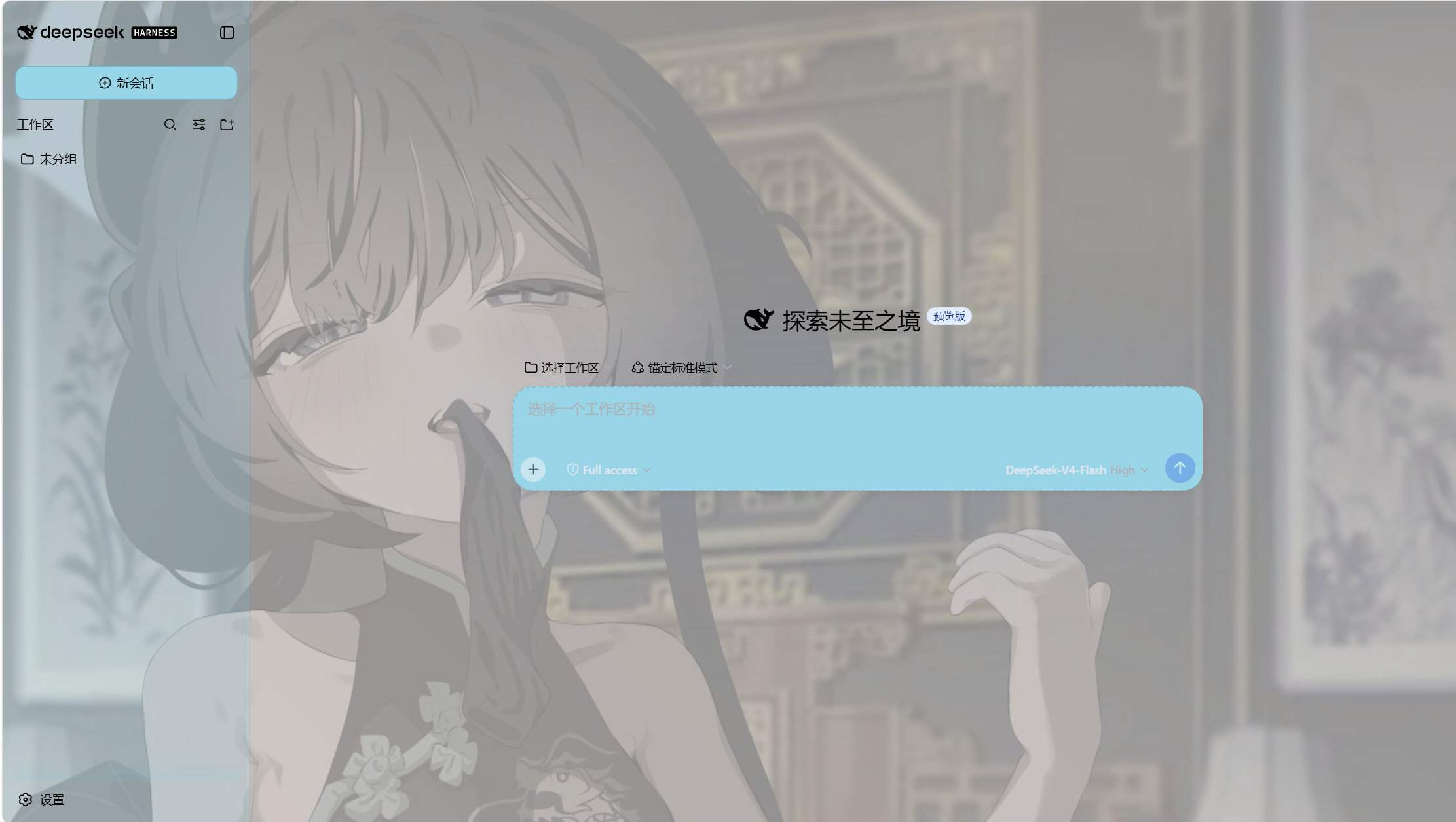
Wallpaper opacity 0% · Wallpaper opacity 100%
Wallpaper Blur
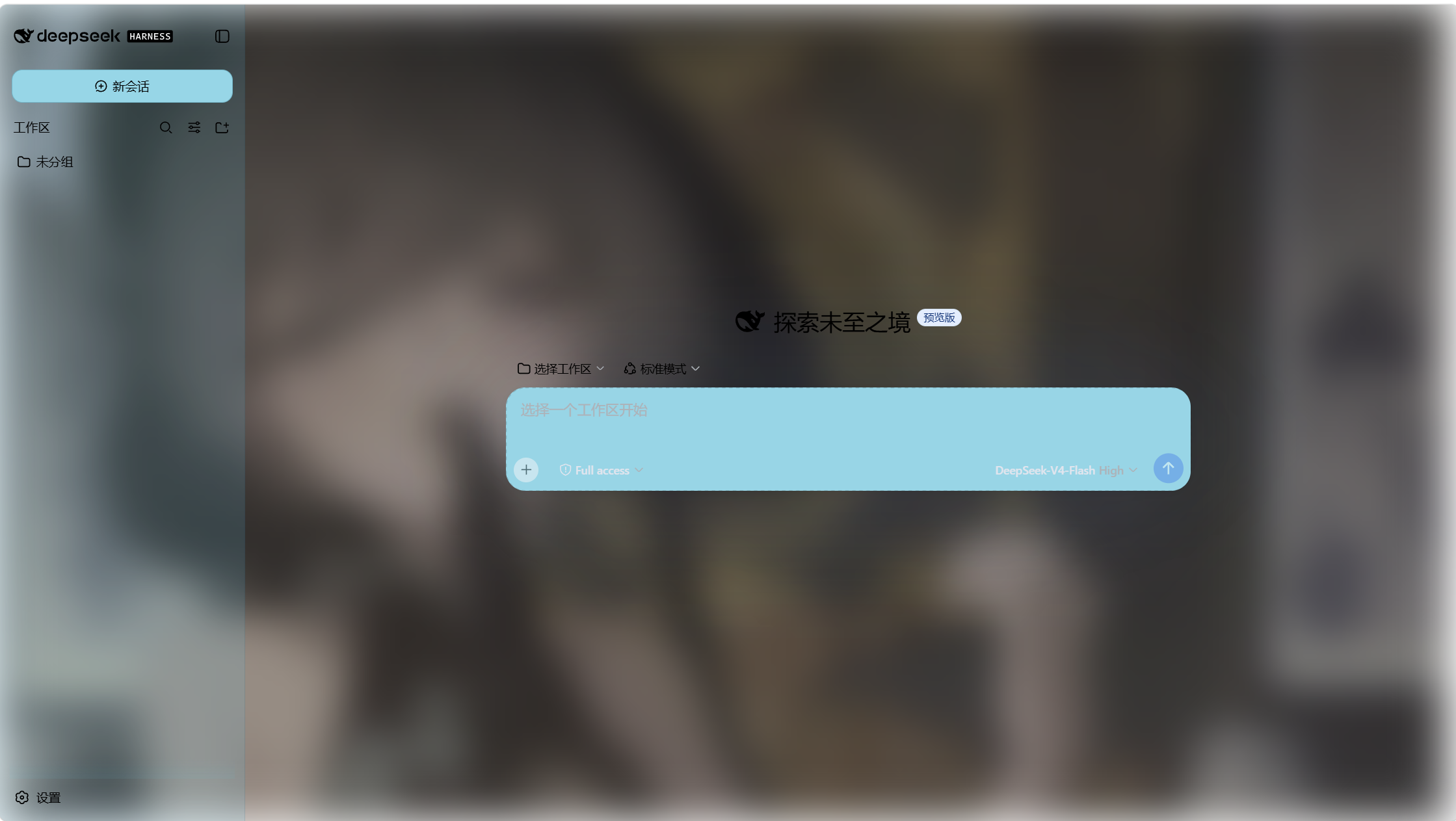
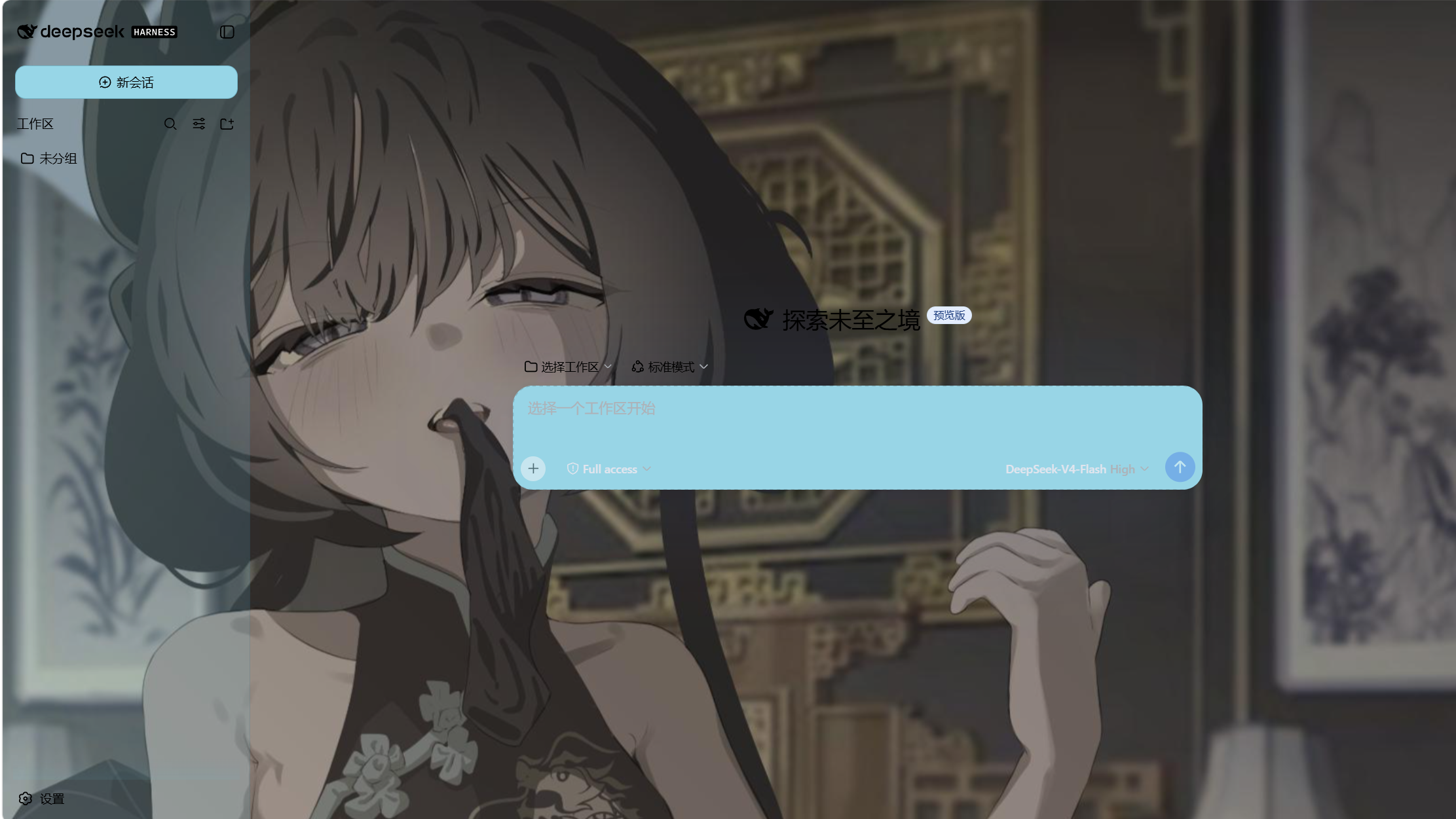
Wallpaper blur 50% · Wallpaper blur 0%
Theme Export / Import
- Export — Downloads a self-contained
dsh-any-theme.json: the full config (color, per-part opacities & blurs, wallpaper settings) plus the wallpaper as its original data URL, so the file is portable on its own. - Import — Applies the config and wallpaper from a theme file, then persists both through the normal paths (config →
theme-config.json, wallpaper →wallpaper.jpg). Old-format files without the newer fields migrate to defaults automatically.
Installation
Method 1: npm install (Recommended)
Install the plugin directly from GitHub into your Web profile:
dsh plugin --profile web add github:Tkingxiao/dsh-any-background
# or, if already published to the registry:
dsh plugin --profile web add dsh-any-background
Then launch the Web UI:
dsh web
The plugin will appear as a "Theme" section in the Settings panel.
Method 2: npx (No Global Install)
If you don't have dsh installed globally, use npx:
npx @deepseek-ai/dsh plugin --profile web add github:Tkingxiao/dsh-any-background
# or:
npx @deepseek-ai/dsh plugin --profile web add dsh-any-background
Then launch:
npx @deepseek-ai/dsh web
Method 3: Local Build (Development)
The lib/ directory is committed, so installs need no build step. To rebuild after
editing src/, run the bundle script (needs Node + pnpm):
# 1. Clone this repo
git clone https://github.com/Tkingxiao/dsh-any-background.git
cd dsh-any-background

# 2. Install the build tool (also pulls the @deepseek-ai/dsh-home-paths runtime dep)
pnpm install

# 3. Rebuild lib/
pnpm run bundle

# 4. Install the plugin into the web profile from the local checkout
#    (`dsh plugin add` wraps `pnpm add <dir>`, so point it at this directory)
pnpm dsh plugin --profile web add "dsh-any-background"

# 5. Launch
pnpm dsh web
Compatibility
The plugin works on both the Web UI and the desktop client:
dsh web— Web profile, full support.- deepseek-harness-desktop — supported, but there is a known Electron packaging issue: the left sidebar and the center area opacity are inverted (the sidebar looks more transparent than the center and vice versa). This is a client-side packaging bug, not a plugin bug — we are waiting for the desktop client to be updated to fix it.
Dependencies
| Package | Purpose |
|---|---|
@deepseek-ai/cordis |
Plugin framework (Cordis) |
@deepseek-ai/dsh-home-paths |
Resolve the DSH data home for the persistence store |
@deepseek-ai/dsh-client-runtime |
Client runtime + defineStore |
@deepseek-ai/dsh-client-locale |
i18n (Chinese/English) |
@deepseek-ai/dsh-client-ui-theme |
Theme service (register/setTheme/overrideTokens) |
@deepseek-ai/dsh-invariants |
Package invariant companion |
react ^18.2.0 |
UI rendering |
Star History
License
MIT
No comments yet. Be the first to write one.