Pixel Office · dsh-pixel-office
A fixed-pixel office tower for DeepSeek Harness (DSH): all of your sessions become one building you can watch and click through.
One tower = all workspaces · one floor = one workspace · one office on a floor = one session (one agent team) A lit floor means work in progress.



English | 简体中文
What it looks like
| All view — the tower | Workspace floor — the offices |
|---|---|
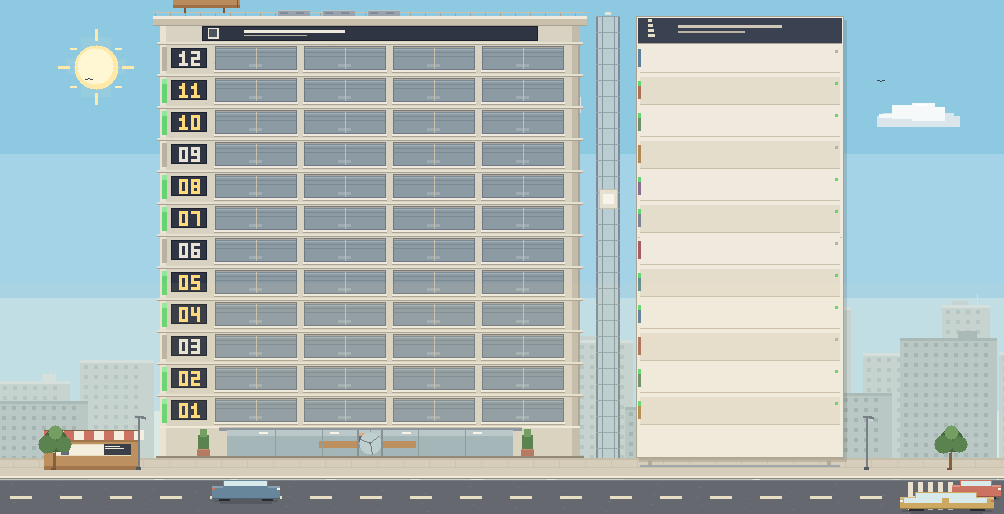 |
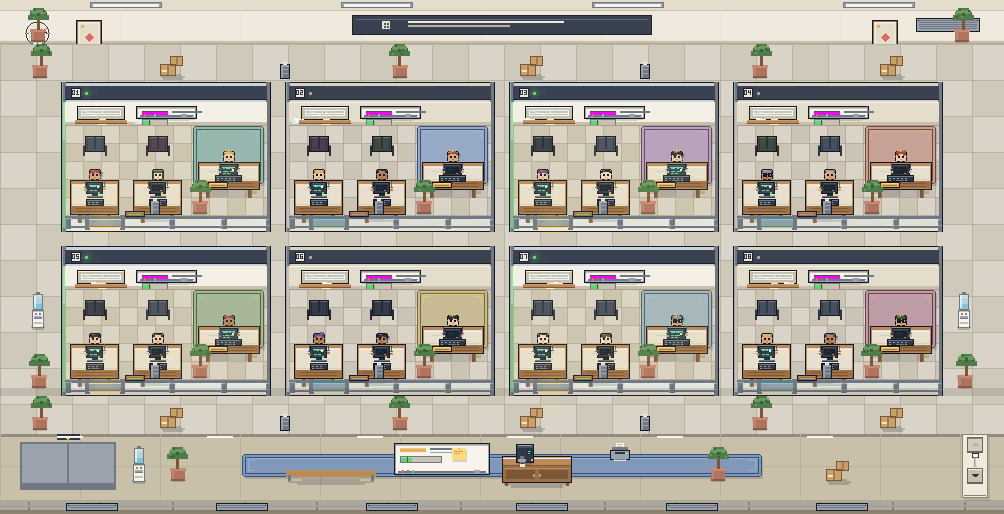 |
| Session room — the team | At night |
|---|---|
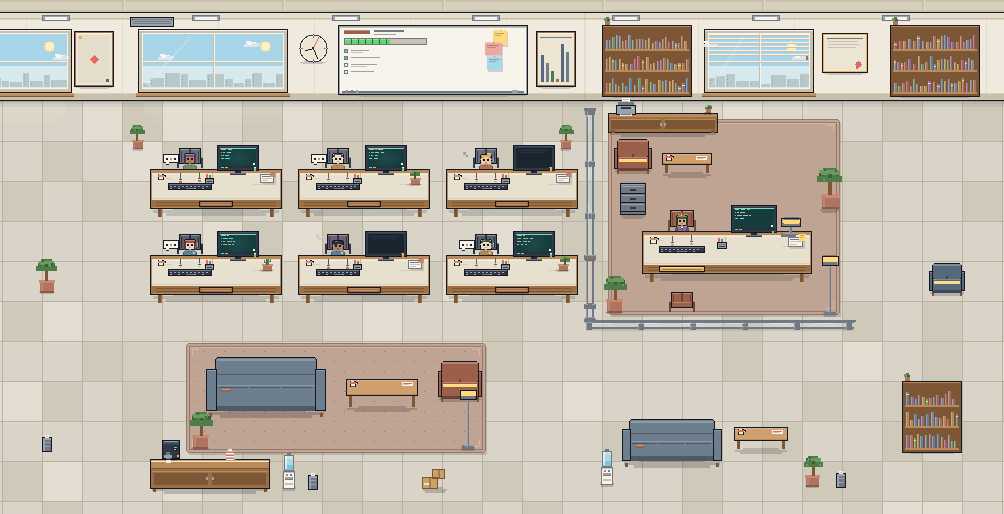 |
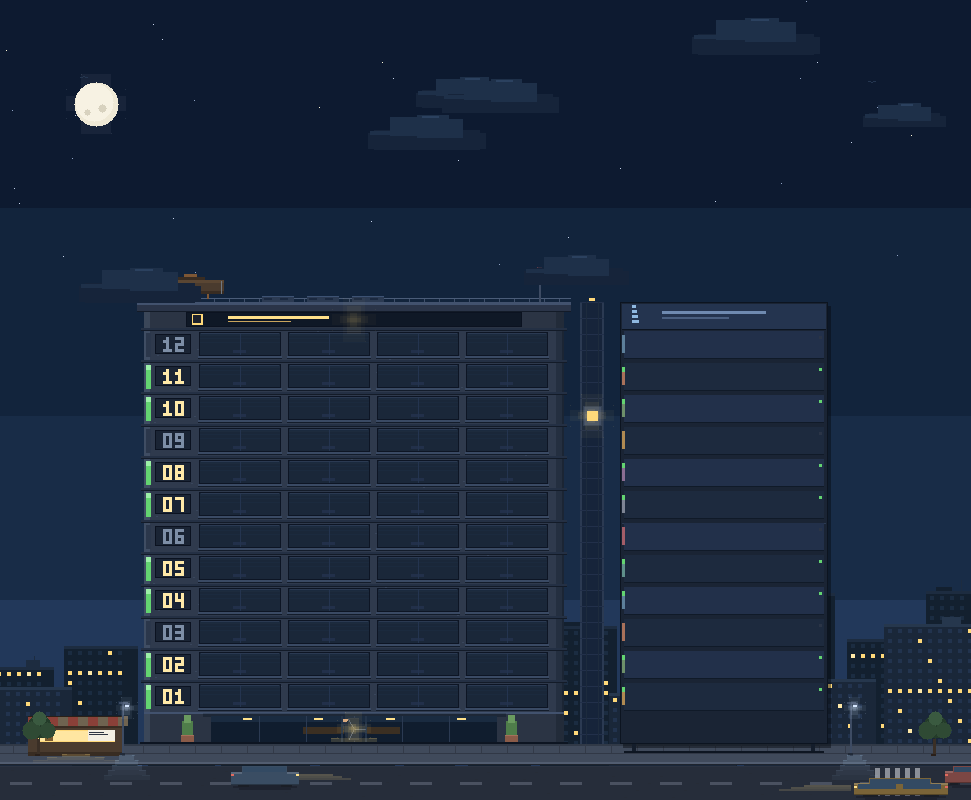 |
Features
- Sidebar entry next to your other panels — a pixel tower icon opens the office page.
- Three zoom levels: the whole tower (all workspaces) → one workspace floor (all of its offices) → one session room (the team). Breadcrumbs and
Escwalk back up. - Live data, no refresh: subscribes to the host's
sessions.list/workspaces.listsnapshots, so running state, titles, team size, todo progress and recent work update in place. - Lights mean work: floor status strips, office windows and desk lamps follow each session's
runningflag; day/night is automatic (07:00–19:00 is day) or switchable. - Agent Teams aware: the
agentTeamprojection (lead + teammates) is used when present; when a projection is missing the roster is derived from the session graph (parentIdchildren), so future orchestrators such as Super-agent workers show up as staff too. The main session gets the private office, teammates and subagents sit in the open office. - Click-through: click a floor → workspace, click an office → room, click a character → open that session;
Escgoes up one level. - Fixed-pixel world: every object has a constant pixel size (floor 32, tower 420 wide, office 210×150, room core 760×488). Resizing the window reveals more or less of the office instead of stretching it; when a page no longer fits, the pixel pager on the elevator shaft flips pages.
- Host-native chrome: the page frames use the host's own
Button,SegmentedControl,ModalandTooltipwhere available (with a self-contained fallback), so light/dark themes and future DSH skins keep working.
Install
Requires DSH 0.2.1-rc.3 or newer with the Web UI and plugin support.
From the DSH Plugin Market (after the catalog listing is merged): Plugins → Discover, search Pixel Office, install, then refresh the window once.
From this repository (source install):
git clone https://github.com/Thunderunruly/agent-office.gitthen install the absolute folder through DSH's plugin manager:
install_bundle <path-to-agent-office>Local development folder: the same
install_bundle <absolute path>works on a checkout you edit; rebuildclient.jswithnode scripts/build.mjsand refresh the window.
After installation, refresh the DSH window once so the client bundle enters the boot graph. Later client changes hot-reload in place.
Usage
- Click the tower icon in the left sidebar.
- In the All view, each floor is a workspace; lit offices on that floor are working sessions. Click a floor to enter it.
- In the workspace view, each glass office is a session: the lead's big desk plus the team's workstations. Click an office to enter the room.
- In the session room, the lead sits in the private office on the right; teammates and subagents work in the open office. Click anyone to open that session.
- Use the day/night switch at the top, or Settings → General → Pixel office display; the wheel / arrow keys / the pixel pager on the elevator shaft flip pages when the view has more floors or offices than fit.
How it works
A bundle with a Host half and a Client half:
index.js— Host entry; the current version only keeps the bundle shape stable for future Super-agent adapters.client.js— the browser module: subscribes to the session/workspace snapshots, folds them into anOfficeModel(workspace → floors → staff), then paints three fixed-pixel scenes on one canvas (responsive only in how much is visible). React owns the page chrome; the canvas owns the world.cordis.patch.yml— the bundle patch that inserts the plugin row.
No build system: scripts/build.mjs concatenates the owned sources in src/ into the single-file Client module. scripts/verify.mjs runs the model and all scenes offline over several viewports, pages and day/night states.
Privacy
- Only reads session metadata the host already exposes to Client plugins (titles, running state, update time, cwd, parent session, team projection, and the compact work/todo projection).
- Never reads session log files, never writes session logs, makes no network requests and carries no telemetry.
- One
localStoragekey:dsh.pixel-office.display.v1(day/night preference).
Super-agent compatibility
The office models "who is working" as a generic session graph instead of hard-coding one multi-agent implementation:
- team leads (Agent Teams
lead, and futurerouter/captain/bossroles) sit in the boss office; - team-member projections, or child sessions whose
parentIdpoints at the session (subagents, Super-agent workers) sit at desks in the open office; - role normalization and staff derivation live in
src/model.js, so a new host projection or role field only needs a small adapter there; the scenes and UI consumeOfficeModeland never know where it came from.
Known limitations
- The open office shows up to 6 seats; extra members appear as a “more members” chip.
- Read-only visualization: no approving permissions or sending messages from inside the room.
- Below ~700 logical pixels of width the fixed room core is cropped symmetrically (the boss office and all desks stay whole; outer wall decoration is trimmed).
- Visual verification happens against a running DSH page; the plugin ships no preview page of its own.
Development
cd agent-office
node scripts/build.mjs --check   # syntax / manifest / policy checks
node scripts/verify.mjs          # offline model + scene contract verification
node scripts/build.mjs           # emit client.js (refresh the DSH window afterwards)
Source layout and the frozen scene contracts are documented in docs/SPEC.md. The release checklist (git tag, plugin-market PR, optional npm publish) is in docs/RELEASING.md.
Disclaimer
An independent community plugin, not a DeepSeek official product. “DeepSeek”, “DeepSeek Harness” and “DSH” are used only to describe what this plugin works with.
License
MIT © 2026 Thunderunruly
No comments yet. Be the first to write one.