Recovery
English | 中文
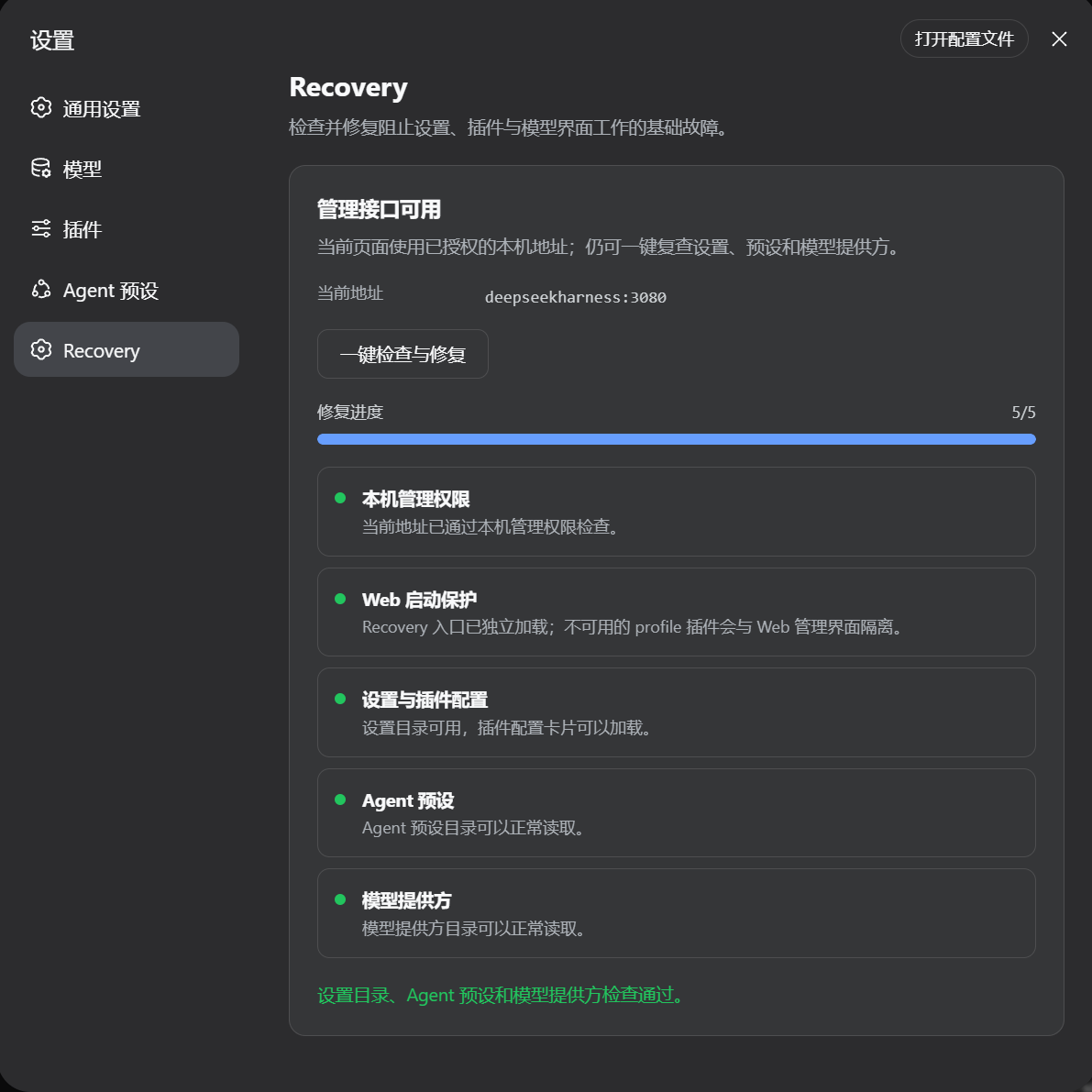
Recovery keeps DSH Web available when an optional profile plugin is missing or fails during startup. It quarantines the failing entry for the current run and adds a Settings → Recovery page for diagnosis and deterministic repair.
Features
- Keeps the Web management interface running when an optional plugin package is missing.
- Isolates an optional plugin that throws during activation.
- Reports the plugin id, module name, failure category, and whether automatic repair is available.
- Reinstalls a recorded npm, GitHub, or local dependency from the Web page.
- Restores the last known working Web profile configuration.
- Checks Settings, plugin inventory, Agent presets, model providers, and local Host/Origin trust.
- Backs up profile files before repair and rolls them back when verification fails.
Recovery does not call a model API. Package restoration may use the network when the recorded source is remote.
How it works
The Recovery-aware DSH launcher starts the Web management plane before optional profile plugins. Missing or activation-failing optional entries are recorded and skipped for that run. The Recovery plugin reads that diagnosis through the management API and presents repair actions in Settings.
The protected management plane remains fail-fast. Recovery does not hide failures in the Web server, API gateway, Settings service, plugin inventory, or Recovery itself.
Compatibility
| DSH build | Status |
|---|---|
Recovery development build based on DSH 0.1.1-rc.2 |
Verified |
Official @deepseek-ai/dsh@0.1.1-rc.2 |
Not supported |
The current official DSH release does not contain the pre-plugin startup isolation or recovery.scan / recovery.repair management methods. Installing this package on that release cannot recover a failed Web startup.
Install
On a Recovery-compatible DSH build:
dsh plugin --profile web add github:Tangtang232/dsh-recovery#v0.1.0
Restart dsh web, then open Settings → Recovery → Check and repair.
The repair workflow is entirely in Web. The command above only installs the standard DSH Profile Bundle.
Repair behavior
- Read the failures isolated during Web startup.
- Back up
package.json, lockfile, workspace file, and profile patch. - Restore packages only from sources already recorded in the profile manifest.
- Retry plugin activation or restore the last healthy profile configuration.
- Recheck the management APIs.
- Roll back modified files when restoration or verification fails.
An unknown package source is never guessed. A plugin that still fails remains quarantined.
Package layout
assets/             Recovery screenshot
lib/                Ready-to-load DSH bundle
src/                Web Settings source
cordis.patch.yml    Profile Bundle patch
package.json        DSH bundle and client metadata
Verification
node scripts/verify-package.mjs
pnpm pack --dry-run
License
MIT
No comments yet. Be the first to write one.