DSH IDE
中文 · English · Release Notes


中文
一个内置在 DeepSeek Harness Web 界面里的完整 IDE 插件。
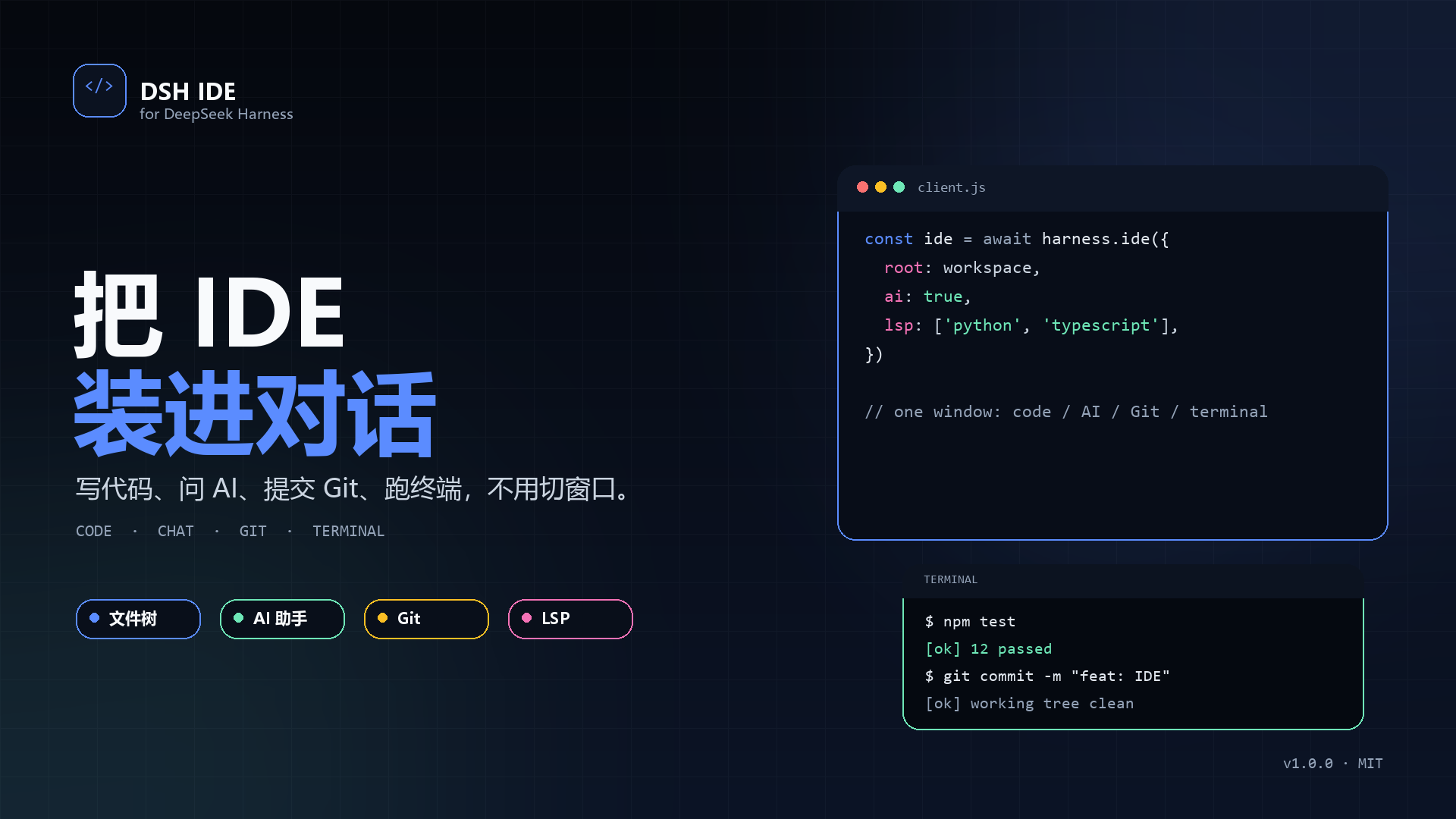
演示
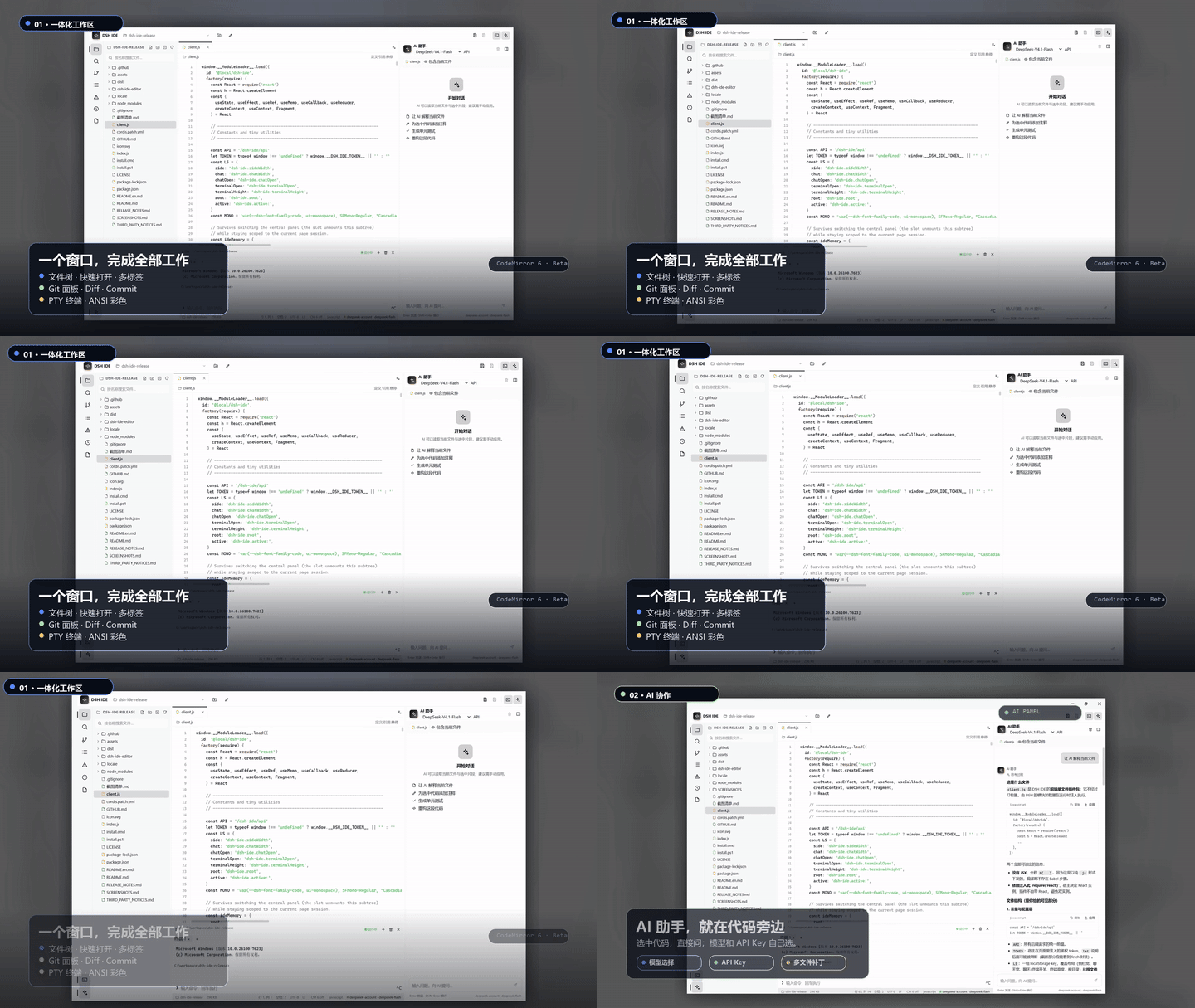
功能
- 侧边栏独立 IDE 入口
- 文件树、快速打开、搜索/替换、文件多标签
- 语法高亮、自动括号、括号匹配、当前行高亮、文档补全
- 大纲、Problems 诊断、检查点历史
- AI 助手:模型选择、API Key 配置、单文件 diff、多文件
dsh-patch补丁 - Git 面板:init / status / stage / unstage / commit / diff
- 终端:多标签、ANSI 颜色、真实 PTY
- LSP:定义、引用、悬停、补全、诊断(Python / TypeScript / JavaScript)
- 可选 CodeMirror 6 编辑器 Beta:多光标、折叠、语义补全、诊断 Gutter
环境要求
- DeepSeek Harness 0.2.1-rc.5
- Node.js 20+(推荐 24)
- Windows 是当前主要验证平台
- Python / TypeScript 语言服务随包自动安装:Pyright、typescript-language-server
安装
如果安装过旧版双包(
@local/dsh-ide+@local/dsh-ide-lsp),请先在 DSH 插件管理里卸载它们,再安装本单包。两个版本使用同一个 IDE 路由,不能同时启用。
方式 1:下载 Release ZIP(推荐)
- 打开 Releases,下载最新 ZIP;
- 解压到任意目录;
- 双击
install.cmd(或执行powershell -NoProfile -ExecutionPolicy Bypass -File .\install.ps1); - 打开 DSH 桌面端 → 插件管理 → 从本地安装,选择解压后的根目录(只安装这一个目录);
- 重启 DSH,或刷新 Web 页面。
方式 2:DSH CLI 从 GitHub 安装
dsh plugin --profile <你的profile> add github:TNTD26/dsh-ide
需要本机可访问 GitHub,并让 DSH 安装 npm 依赖。安装完成后同样需要重启 DSH。
使用
- AI 模型:AI 助手标题下方的下拉框选择 Provider / Model;旁边的
API可保存 API Key(写入 DSH 凭证服务,不保存在浏览器)。 - CodeMirror Beta:状态栏的
CM 6 off点击切换。出现问题时点回CM 6 off。 - 终端:
Ctrl + 反引号打开;+新建标签,×关闭。 - Git:左侧分支图标。
- LSP:Python/TS/JS 文件的面包屑右侧有“定义 / 引用 / 悬停”,也支持
Ctrl+Click。
开发
# 根包依赖(IDE + LSP)
npm install --ignore-scripts

# CodeMirror 构建依赖
npm --prefix dsh-ide-editor install --ignore-scripts

# 重新生成 assets/codemirror.js
npm --prefix dsh-ide-editor run build

# CodeMirror 集成测试
npm --prefix dsh-ide-editor test
发版步骤见 docs/GITHUB.md。
目录结构
index.js                   # Host:文件、Git、终端、AI、LSP 桥
client.js                  # IDE Web 客户端
assets/codemirror.js       # 构建后的 CodeMirror 6
cordis.patch.yml           # DSH bundle patch
dsh-ide-editor/            # CodeMirror 构建工程和测试
install.cmd / install.ps1  # 安装根包依赖
screenshots.json           # 市场截图索引
docs/                      # 截图、宣传素材、发版说明
.github/                   # CI、Issue 模板、贡献与安全说明
截图
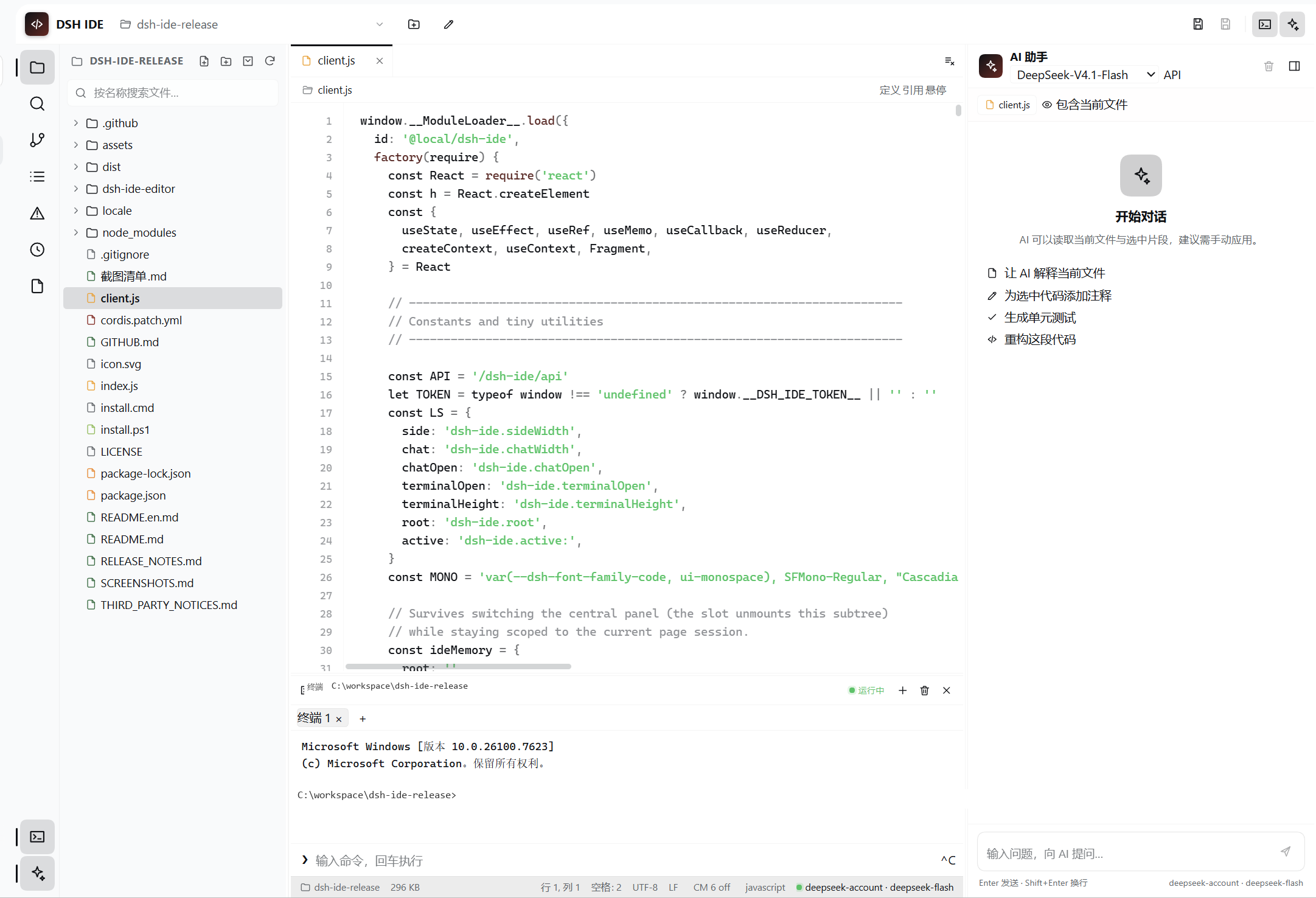
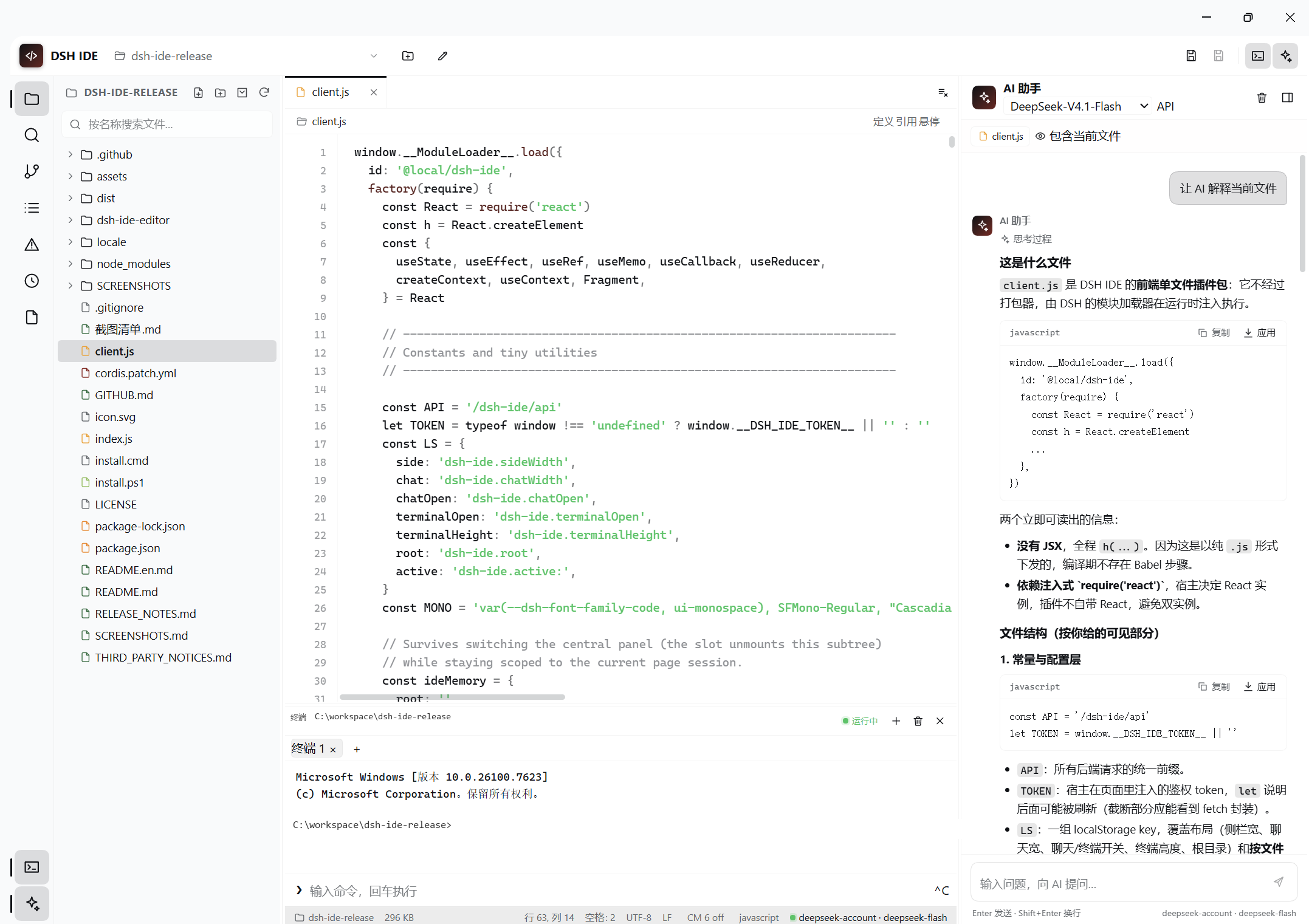
截图放在 docs/screenshots/,清单见 docs/SCREENSHOTS.md 或 docs/截图清单.md。
已知限制
- LSP 的补全/诊断走 IDE 自己的桥;Python 诊断基于磁盘文件,未保存修改可能滞后。
- CodeMirror 仍是 Beta,默认未切换;浅色主题适配不完整。
- 完整 TUI(vim/htop)暂不支持,终端是 ANSI 彩色行输入模式。
- AI 多文件补丁使用整文件替换,不是 diff hunk 合并。
参与贡献
见 .github/CONTRIBUTING.md。安全问题见 .github/SECURITY.md。
License
MIT。见 LICENSE。第三方组件许可见 docs/THIRD_PARTY_NOTICES.md。
English
A full IDE inside the DeepSeek Harness Web UI.
Demo
Download the 25-second 1080p promo
Features
- Dedicated sidebar entry
- File tree, quick open, search/replace, multi-tab editing
- Syntax highlighting, bracket auto-close/matching, active line, document completion
- Outline, Problems diagnostics, checkpoint history
- AI assistant: model picker, API-key setup, single-file diff preview, multi-file
dsh-patch - Git panel: init / status / stage / unstage / commit / diff
- Terminal: tabs, ANSI colors, real PTY
- LSP: definition, references, hover, completion, diagnostics for Python / TypeScript / JavaScript
- Optional CodeMirror 6 Beta: multiple cursors, folding, semantic completion, diagnostic gutter
Requirements
- DeepSeek Harness 0.2.1-rc.5
- Node.js 20+ (24 recommended)
- Windows is the primary tested platform
- Pyright and typescript-language-server are installed as package dependencies
Install
If the old two-package version (
@local/dsh-ide+@local/dsh-ide-lsp) is installed, uninstall both before installing this single package. Both versions use the same IDE route and cannot be enabled together.
Release ZIP (recommended)
- Download the latest ZIP from Releases.
- Extract it anywhere.
- Run
install.cmd(orpowershell -NoProfile -ExecutionPolicy Bypass -File .\install.ps1). - In DSH Desktop, open plugin management and install the extracted root folder.
- Restart DSH or refresh the Web UI.
DSH CLI from GitHub
dsh plugin --profile <profile> add github:TNTD26/dsh-ide
Usage
- AI model: use the model dropdown under the AI header.
APIstores a provider key in DSH credentials. - CodeMirror Beta: click
CM 6 offin the status bar to switch. Click it again to fall back. - Terminal:
Ctrl + backtick;+creates a tab,×closes it. - Git: branch icon on the left.
- LSP: use Definition / References / Hover in the breadcrumb, or
Ctrl+Click.
Development
npm install --ignore-scripts
npm --prefix dsh-ide-editor install --ignore-scripts
npm --prefix dsh-ide-editor run build
npm --prefix dsh-ide-editor test
Release steps: docs/GITHUB.md.
Layout
index.js                   # Host bridge: files, Git, terminal, AI, LSP
client.js                  # IDE web client
assets/codemirror.js       # built CodeMirror 6 bundle
cordis.patch.yml           # DSH bundle patch
dsh-ide-editor/            # CodeMirror build project and tests
install.cmd / install.ps1  # install root dependencies
screenshots.json           # marketplace screenshot index
docs/                      # screenshots, promo assets, release docs
.github/                   # CI, issue templates, contribution and security
Screenshots
Screenshots live in docs/screenshots/; see docs/SCREENSHOTS.md for the checklist.
Limitations
- Python diagnostics analyze the file on disk, so unsaved edits may lag.
- CodeMirror is still a Beta and not the default editor.
- Full-screen TUI apps (vim/htop) are not supported yet.
- Multi-file AI patches replace whole files, not individual diff hunks.
Contributing
See .github/CONTRIBUTING.md. For security issues, see .github/SECURITY.md.
License
MIT. See LICENSE and docs/THIRD_PARTY_NOTICES.md.
No comments yet. Be the first to write one.