dsh-blender-bridge
把本地 Blender 接进 DeepSeek Harness:在对话里说「建一个…的模型」, agent 就会真的在 Blender 里建模、渲染,并在侧边栏里给你一个可以用鼠标转的 3D 视口。



| 完整版(带材质) | 白模(仅几何) |
|---|---|
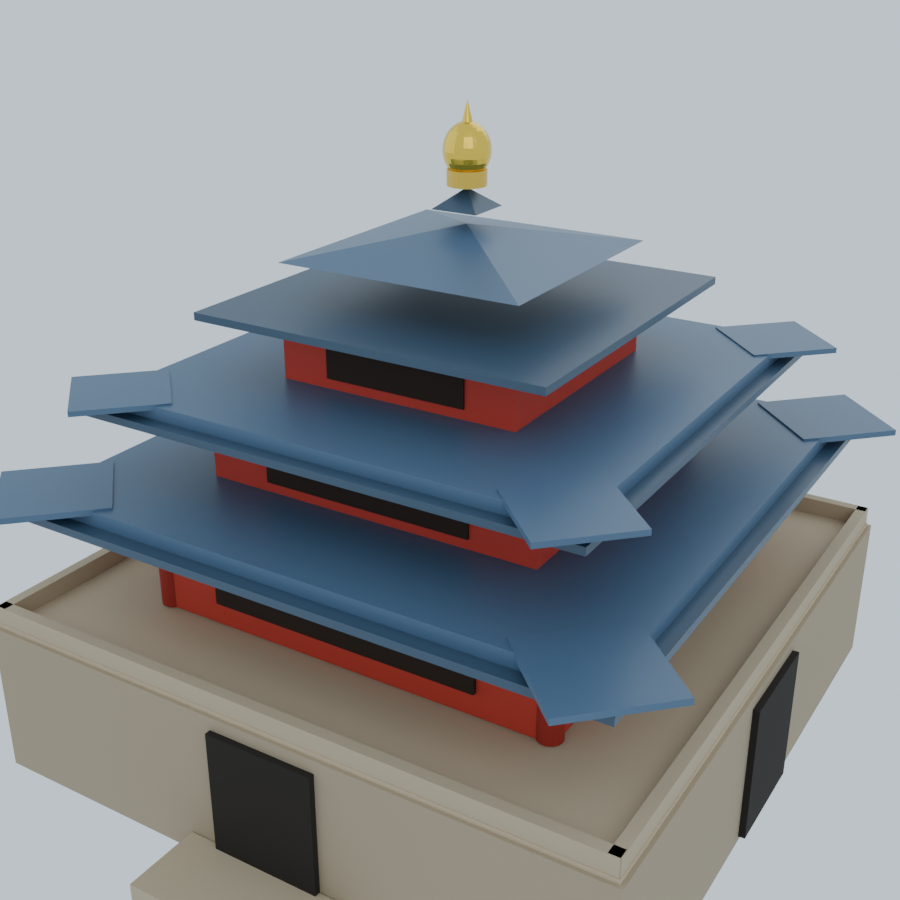 |
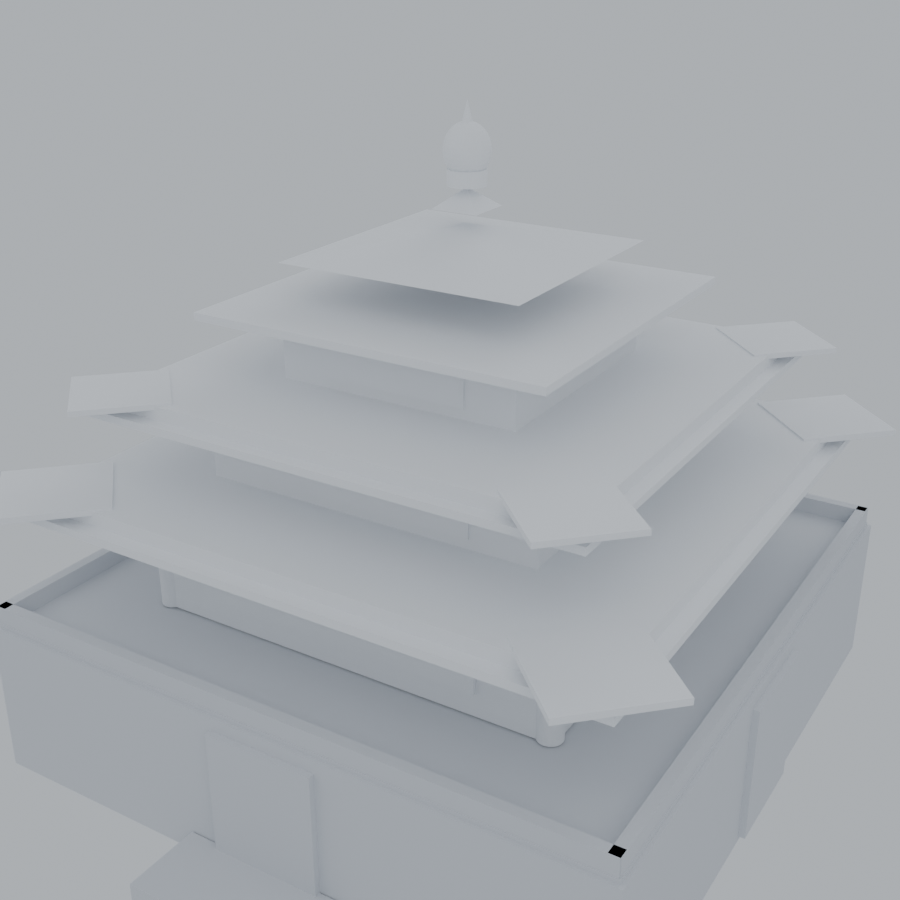 |
特性
- 真建模,不是画图:调用本地
blender.exe --background执行几何、材质、灯光、相机与 Cycles 渲染,产出真实的.blend工程文件。 - 3D 视口:每个任务都会额外导出一份
scene.glb,侧边栏面板用 three.js 渲染——左键环绕、滚轮缩放、右键平移。 - 侧边栏标签:在 DSH 右侧栏注册一个常驻的 Blender 标签页,建模过程与结果实时刷新。
- 白模一键生成:同一份几何,材质全替换为白灰,用来检查形体与比例。
- 产物可追溯:每个 job 是一个独立目录,含
spec.json(参数配方)、scene.blend、scene.glb、preview.png。
安装
# 1. 取得源码
git clone https://github.com/Stook-404/dsh-blender-bridge.git D:\Tools\dsh-blender-bridge

# 2. 装进 DSH 的 profile(把 <profile> 换成你的 profile 名,通常是 desktop)
dsh plugin --profile <profile> add file:D:/Tools/dsh-blender-bridge

# 3. 重启 DSH
Blender 不在默认位置时,设环境变量:
setx BLENDER_EXE "C:\Program Files\Blender Foundation\Blender 4.2\blender.exe"
插件默认按
D:\Blender\blender.exe→%ProgramFiles%\Blender Foundation\**的顺序自动探测, 也可以用BLENDER_EXE显式指定。
使用
在对话里直接说:
建一个西安钟楼的模型
做一个低多边形的小房子,带红色屋顶
从东南 45° 低角度再渲一张
agent 会把需求拆成基本几何体(cube / sphere / cylinder / cone / torus / plane / circle)并调用 blender_build。
工具 API
blender_build
| 字段 | 说明 |
|---|---|
objects[].type |
cube / sphere / cylinder / cone / torus / plane / circle |
objects[].name |
对象名,便于在面板里辨认 |
objects[].location |
[x, y, z],单位米 |
objects[].scale |
[x, y, z] |
objects[].rotation |
[rx, ry, rz],弧度 |
objects[].radius |
球 / 柱 / 锥的半径 |
objects[].color |
#RRGGBB |
objects[].metallic / roughness |
0–1 |
title |
面板显示的任务标题 |
ground |
是否加地面(默认 false) |
width / height / samples |
渲染尺寸与 Cycles 采样(默认 720/720/32) |
返回:jobId、preview、blend、glb、objectCount、durationMs。
blender_status
列出最近任务(状态 / 标题 / 对象数 / 耗时 / 产物路径)。
面板
服务端把路由挂在宿主 webServer 上:
http://127.0.0.1:19387/blender-bridge/panel    ← 可视化面板
http://127.0.0.1:19387/blender-bridge/jobs     ← JSON 任务列表
http://127.0.0.1:19387/blender-bridge/preview/<相对路径>
面板每 2 秒轮询一次;只有任务列表真正变化时才重建 DOM,所以正在旋转的视角不会被打断。
3D 视口
| 操作 | 效果 |
|---|---|
| 左键拖拽 | 环绕旋转(OrbitControls) |
| 滚轮 | 推拉缩放 |
| 右键拖拽 | 平移 |
| 双击画布 | 复位视角 |
右下角 ⤢ ⌂ ⟳ |
复位 / 正视图 / 自动旋转 |
建模结束后 build_scene.py 会用 bpy.ops.export_scene.gltf 额外导出 scene.glb,
面板通过 /blender-bridge/preview/<job>/scene.glb 取回并渲染。
three.js 以 importmap 方式从 unpkg.com 加载(three@0.160.0)。完全离线时 3D 视口不可用,
面板会自动回退成静态 preview.png——功能不受影响,只是不能转。
模型加载后会自动按包围盒取景、把底面落到 y = 0,并铺一张网格地面便于判断尺度。
侧边栏标签
插件会在 DeepSeek Harness 右侧栏注册一个 Blender 标签页,内容即 /blender-bridge/panel 面板。
宿主脚本需要的两段注册
ctx.inject(['sidebarRightTabs', 'slots'], (owner) => {
  const tabs  = owner.get('sidebarRightTabs')
  const slots = owner.get('slots') || owner.slots

  // ① tab 类型:决定右侧栏菜单里出现什么
  tabs.register({
    id: 'dsh-blender-bridge',
    kind: 'blender-bridge',
    keepMounted: true,
    title: () => 'Blender',
    guide: [{ id: 'panel', order: 120, title: () => 'Blender', description: () => '用 Blender 建模并预览' }],
  })

  // ② tab 身体:提供渲染组件
  slots.register({ name: 'sidebar.right.pane.tab', key: 'dsh-blender-bridge' }, BlenderPanel)
})
三个坑(实测)
| 写法 | 结果 | 原因 |
|---|---|---|
模块级 inject: ['slots'] |
❌ 侧边栏无按钮 | 缺该服务的宿主会把插件 park,apply 不执行 |
ctx.get('slots') |
❌ slots === undefined |
根 ctx 取不到服务 |
ctx.inject(['slots'], owner => ...) |
✅ 可用 | 子 ctx 才有服务 |
只注入 sidebarRightTabs |
❌ owner.slots 为 undefined |
两个服务必须一起注入 |
guide 条目缺 id 或 description 时,标签不会出现在菜单里——这是最隐蔽的一处。
宿主没有右侧栏时,插件仍正常工作:工具与面板 URL 都不受影响。
架构
dsh-blender-bridge/
├─ package.json          插件清单(dsh.bundle.patch / dsh.client)
├─ cordis.patch.yml      挂载点:id=blender-bridge
├─ lib/index.js          服务端:2 个工具 + HTTP 路由 + 系统提示注入
├─ client.js             客户端:注册侧边栏标签(iframe 指向面板)
├─ python/build_scene.py Blender 驱动(几何/材质/灯光/相机/渲染/glTF 导出)
└─ panel.html            可视化面板(three.js 3D 视口)
产物布局
<输出目录>/<jobId>/
├─ spec.json      建模参数(可复现、可手改)
├─ scene.blend    Blender 工程
├─ scene.glb      glTF 模型(面板 3D 视口用)
└─ preview.png    Cycles 渲染图
默认输出目录:~/.dsh/blender-out/,可用环境变量 BLENDER_OUT_DIR 覆盖。
实现要点
- 无头建模:
blender.exe --background --factory-startup --python build_scene.py -- spec.json out.blend out.png - 自动取景:按场景包围盒 + 相机 FOV 计算距离(
dist = radius/2 / tan(fov/2) * fit) - 光照:三盏面光(主光 / 补光 / 轮廓光)+ 世界背景,避免默认全黑
- 材质:Principled BSDF,颜色做 sRGB → 线性转换
- 渲染:Cycles CPU + 降噪(无头模式下 EEVEE 需要 GL 上下文,不可靠)
- 编码:读 spec 用
utf-8-sig,容忍 PowerShell 写入的 BOM
已知限制
- EEVEE 不可用:无头环境请用
CYCLES。 - 几何体组合而非精确建模:暂不支持布尔、修改器、曲线、导入外部模型。
- 单进程渲染:同一时间只跑一个 Blender 任务,大场景受
timeoutMs(默认 300s)限制。
卸载
dsh plugin --profile <profile> remove dsh-blender-bridge
产物目录与源码目录需手动删除。
License
MIT © Stook-404
模型截图中的西安钟楼为个人学习用途的程序化重建,不涉及任何受版权保护的素材。
No comments yet. Be the first to write one.