dsh-composer-predictions



AI ghost text for the message box in the DeepSeek Harness Web GUI.
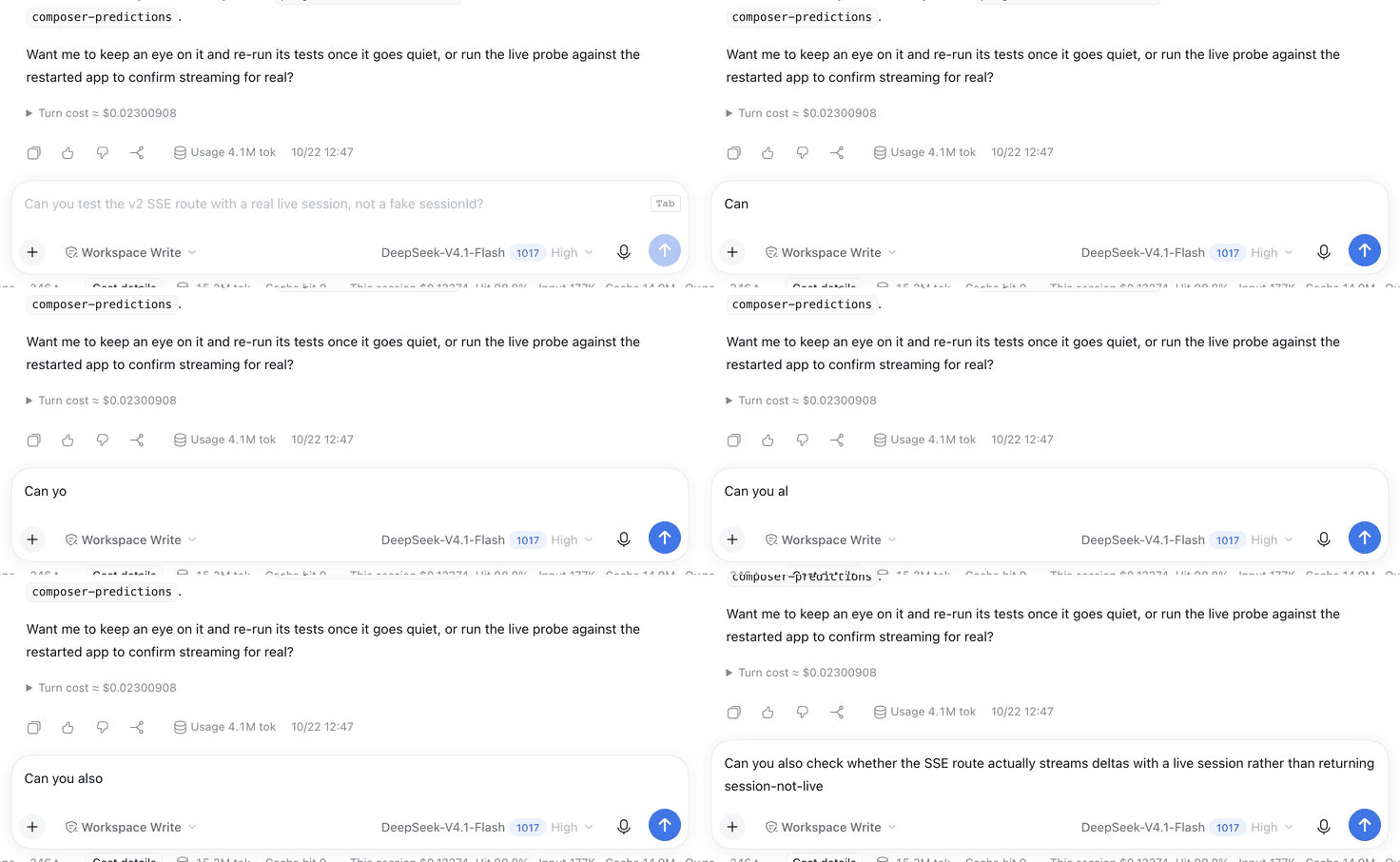
- Next message — after the agent replies, the empty composer shows a streamed suggestion for your likely next message. Tab accepts it as an editable draft.
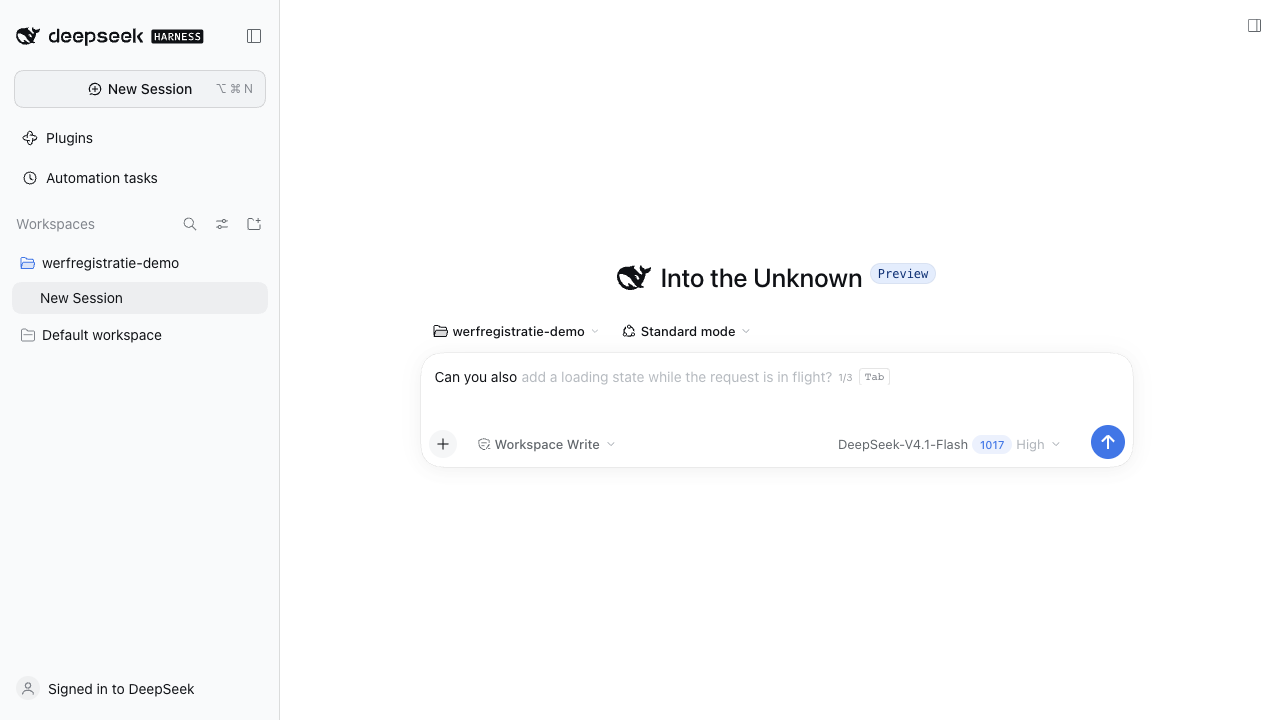
- Inline continuation — while you pause mid-draft with the caret at the end, the composer completes that sentence where the caret is. Tab accepts the completion without sending anything.
Up to three candidates are requested per call. Alt+Down / Alt+Up cycle them, Escape dismisses one, and typing aborts any in-flight request and hides the ghost.
Install
Inside the DeepSeek Harness Web GUI: Plugins → Install, then enter
dsh-composer-predictions
Or from a terminal with a DSH profile:
dsh plugin --profile <name> add dsh-composer-predictions
Then restart the Harness (a profile addition is applied at boot). A linked source checkout is picked up again when the profile recomposes.
Use
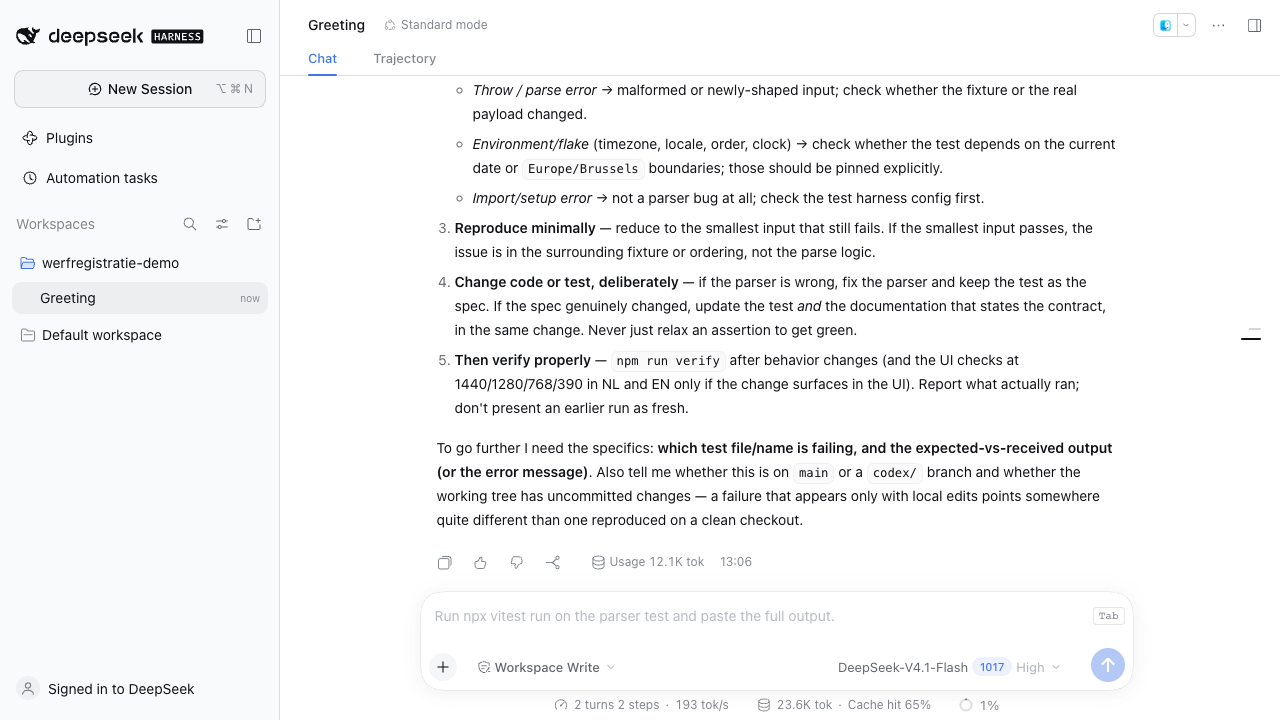
- Send a message and let the agent finish — a dimmed next-message suggestion
streams in with a
Tabkeycap. - Or type anything and pause with the caret at the end of the draft — a continuation ghost appears right after the caret.
- Tab turns the current candidate into an editable draft. Alt+Down shows the next candidate, Alt+Up the previous one. Escape dismisses, and typing hides the ghost without sending anything.
- Accepting never submits the message; edit it or press Enter yourself.
How it works
- The Host half registers two routes on the Harness web server:
POST /composer-prediction— JSON (suggestionplussuggestions), kept for compatibility with older clients.POST /composer-prediction/v2— Server-Sent Events:meta,delta(streamed text), thendonewith the final candidate list.
- A request carries
{ sessionId, mode, draft }, wheremodeisnextorcontinue. The Host reads the Session tail (deriveMessages()), adds a short list of recent tool calls and their outcomes, and renders one bounded prompt.nextdeclines when the agent has not produced a reply;continueincludes the draft text that ends at the caret. - One small auxiliary model call runs through
ctx.llmover that prompt. The suggestion uses the Session's own provider/model at the model's lowest reasoning effort unlessprovider/modelare configured. Model output is split into up tomaxSuggestionsclean one-line candidates: numbering, bullets and quotes are stripped,NONEproduces no suggestion, and drafts the model restated are trimmed. A continuation keeps the model's leading separator space; the Client adds one only when a non-CJK draft and continuation would otherwise glue two words together. - Results are cached per Session sequence (and per draft for continuations), so a repeated request for unchanged context costs no model call.
- The Client half registers into
conversation.input.overlay, debounces requests (600 ms after a turn settles, 500 ms after a typing pause), aborts superseded requests, and renders the ghost over the empty composer or at the caret. It measures the resident editor, so the ghost follows its padding, line height, and scroll position. - Nothing is written to the Session log, and predictions are not counted as conversation turns.
Configuration
Override the row in your profile's cordis.patch.yml:
- id: composer-predictions
  name: dsh-composer-predictions
  config:
    maxOutputTokens: 220   # 16..4096
    timeoutMs: 20000       # 1000..120000
    maxMessages: 10        # 2..40 messages of transcript
    maxChars: 8000         # 500..40000 characters of transcript
    maxSuggestions: 3      # 1..5 candidates per request
    maxToolNotes: 6        # 0..20 recent tool calls in the prompt
    provider: deepseek-account   # optional fixed route; both keys or neither
    model: deepseek-flash
    reasoningEffort: off   # off | low | high | max; omitted = model's lowest
A route override is a pair: half a pair is ignored and the Session route wins. A suggestion longer than 240 characters is cut at a word boundary.
Privacy and limits
- The conversation tail, recent tool activity and (in continuation mode) the draft are sent to the configured model route, just like a normal turn. Nothing else leaves the machine.
- Predictions are suggestions only; they never run tools or change the Session.
- Accepting a suggestion and then editing it is a normal draft: it is only sent when you submit it.
- Prediction calls do not appear in the Session log or its token meter.
- Requires a Harness build that provides
conversation.input.overlay,ctx.llm, andsessions.deriveMessages().
Test
node --test
Probe a running GUI to watch the stream and cache timing:
node tools/live-probe.mjs <sessionId> continue "Can you also"
The 22 cases drive both Host endpoints against a fake Session and LLM service:
prompt contents (including tool activity), candidate normalization and spacing,
streaming events, per-turn and per-draft caching, route and effort selection,
failure reporting, and request validation. Client helpers (continuation
joining, SSE parsing, streaming candidates) are unit-tested through the bundle's
internal __testing export.
Uninstall
Disable Composer predictions in Plugins → Installed, or remove it with
dsh plugin --profile <name> remove dsh-composer-predictions.
Changelog
See CHANGELOG.md.
Contributing
Issues and pull requests are welcome. If this saves you time in the composer, a
star helps other DSH users find it — plugin catalogs index repositories by the
dsh-plugin topic, and stars decide which ones get surfaced.
License
MIT
No comments yet. Be the first to write one.