READMESource: main@f20300f4
dsh-background
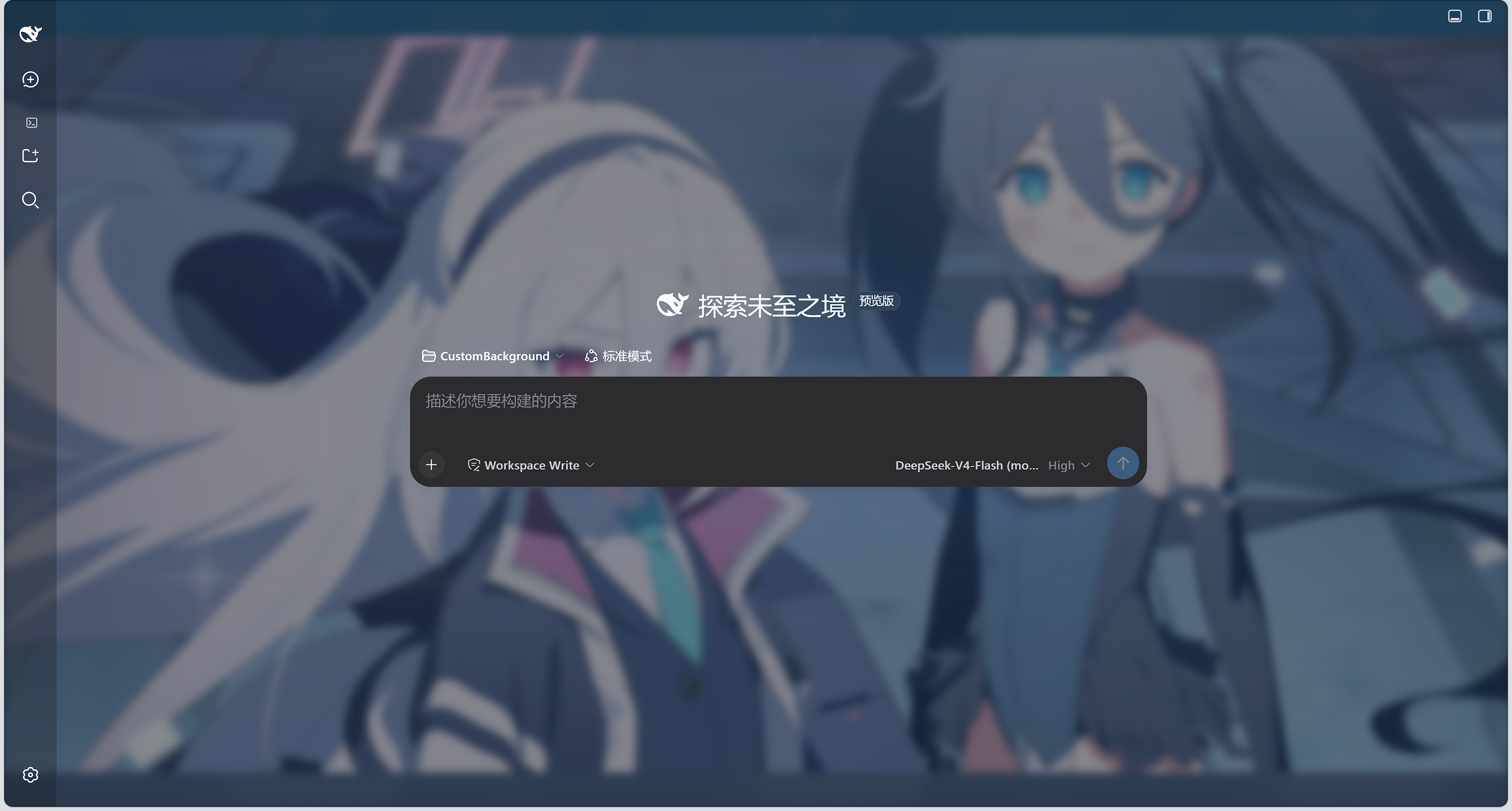
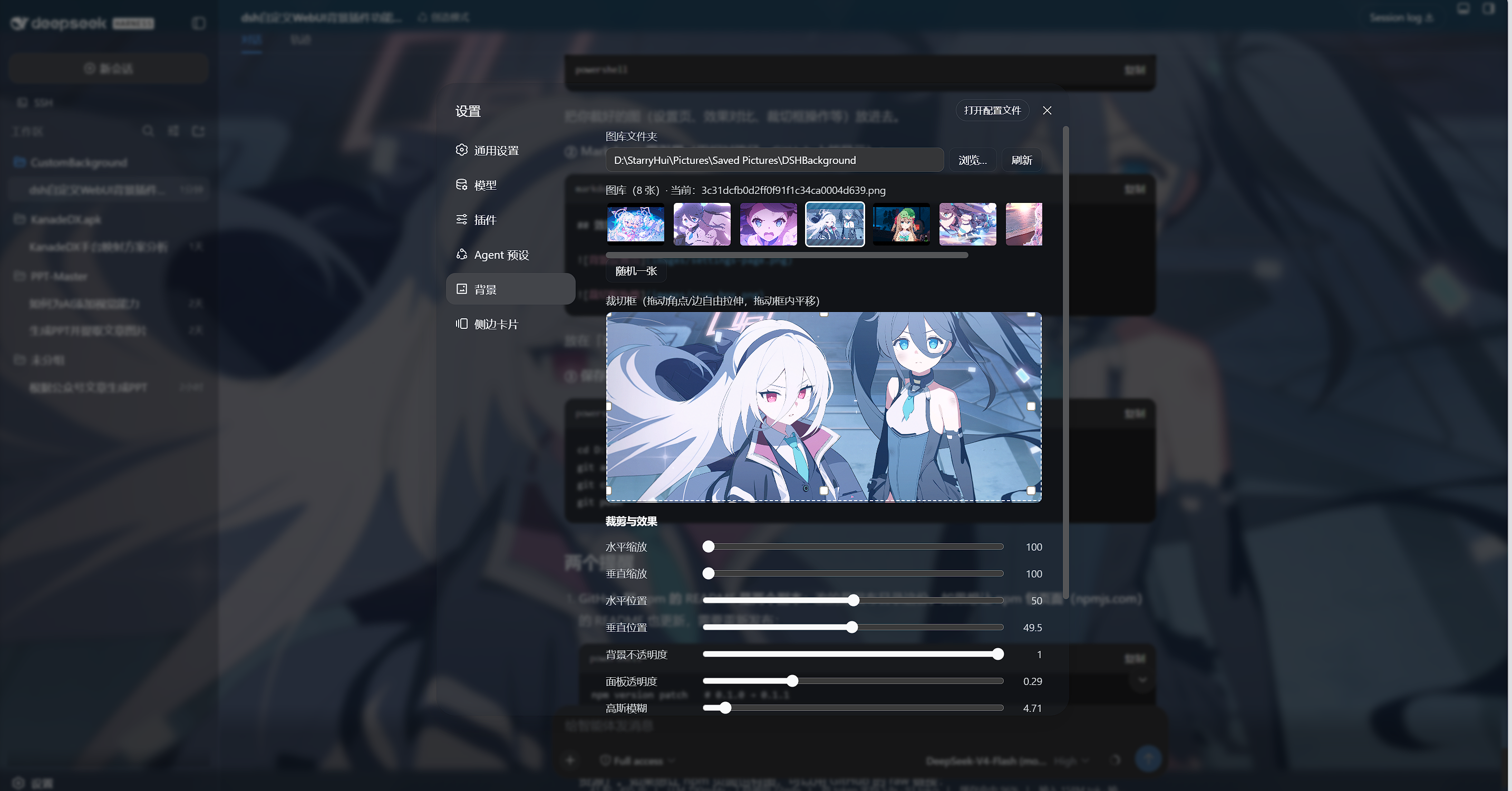
vibe coding初作品,自定义 DeepSeek Harness(DSH)WebUI 背景插件。在设置侧边栏「agent 预设」下方提供「背景」页面,全部调整实时生效,刷新 / 重启后保持。
功能
- 图库背景:指定本地文件夹,自动扫描其中的图片(png/jpg/webp/gif/bmp/avif/svg),支持缩略图点选与「随机一张」。
- 自由拉伸裁切框:预览图上拖拽 4 角 / 4 边自由拉伸、框内平移,实时预览背景。
- 效果调节:水平/垂直缩放、位置、背景不透明度、面板透明度、高斯模糊。
- 显示模式:cover(铺满裁剪)/ contain(完整显示)/ fill(拉伸填充)。
- 多图交叉淡化轮播:切换时双图层交叉淡化过渡,可选按图库顺序定时切换,
- 实时生效:所有调整即时刷新背景;配置持久化在 settings.yaml 的
background命名空间,重启不丢。
快速开始
系统要求
- 已安装 DeepSeek Harness,
dsh web可正常启动。 - npm 安装方式无额外要求;从仓库安装需要 Node.js >= 22 与 pnpm。
三步上手
- 安装:
dsh plugin --profile web add @starryhui/dsh-background@latest - 重启
dsh web - 打开「设置 → 背景」配置图库与效果
从 npm 安装(推荐)
插件已发布到 npm(@starryhui scope),一条命令安装:
dsh plugin --profile web add @starryhui/dsh-background@latest
装完重启 dsh web,设置侧边栏「agent 预设」下方出现「背景」入口。
装到了旧版本? pnpm 11+ 默认的发布年龄门禁(
minimumReleaseAge,内置 24 小时)会把新发布的版本静默隔离。解决办法:在 profile 的pnpm-workspace.yaml设置minimumReleaseAge: 0(或把@starryhui/*加进minimumReleaseAgeExclude),再执行dsh plugin --profile web update @starryhui/dsh-background@latest。
从 GitHub 仓库安装(开发调试)
# 1. 克隆仓库
git clone https://github.com/StarryHui/dsh-custom-background.git
cd dsh-custom-background

# 2. 安装到 web profile(lib/ 已随仓库提交,无需本地构建)
dsh plugin --profile web add link:$(pwd)

# 3. 重启 dsh web,设置 → 背景 即可配置
dsh web
仓库安装仅供开发调试:改
src/后需在 DSH 源码 checkout(packages/client)中重新构建 (tsc -b+tsdown --env.DSH_BUILD_FACE client)并把新lib/复制回本仓库。
说明
- 配置命名空间
background通过插件自建同源路由(/dsh-bg/state、/dsh-bg/save、/dsh-bg/css)读写,不依赖官方 settings RPC 的命名空间白名单。 src/为源码;lib/为构建产物(随仓库提交,便于免构建安装)。
许可证
MIT
No comments yet. Be the first to write one.