dsh-iconic-launcher · 万图皆 iConic



DeepSeek Harness is 「万物皆插件」 — everything is a plugin. This is its corollary: 「万图皆 iConic」 — every image can be an icon.
DSH 的设计哲学是「万物皆插件」:没有什么是写死的,一切都能以插件的形式被替换、被扩展。 这个项目是同一句话在图标上的对仗——「万图皆 iConic」(iConic = iconic + icon)。 上游把桌面快捷方式的图标当成一个固定资产烤进安装包;我们把它变成一件 由插件提供、由你决定的表面:44 个内置预设任选,或者丢进任意一张图片, 去白底、切多尺寸、一键写回桌面。图标不再是产品的皮肤,而是你的。
A desktop-icon plugin for the DeepSeek Harness desktop client on Windows. Pick a
shipped preset or upload any PNG; the plugin knocks the white plate out of it, packs a
7-resolution .ico, and rewrites the client's own desktop shortcut with that icon — no
build step, no core-code changes.
为 DeepSeek Harness 桌面客户端(Windows)提供桌面快捷方式图标定制:从内置预设挑一个,
或上传任意 PNG;自动去除白底、打包成 7 个分辨率的 .ico,一键写回客户端自己的桌面快捷方式。
零构建、不改动上游一行核心代码。
Preview / 预览
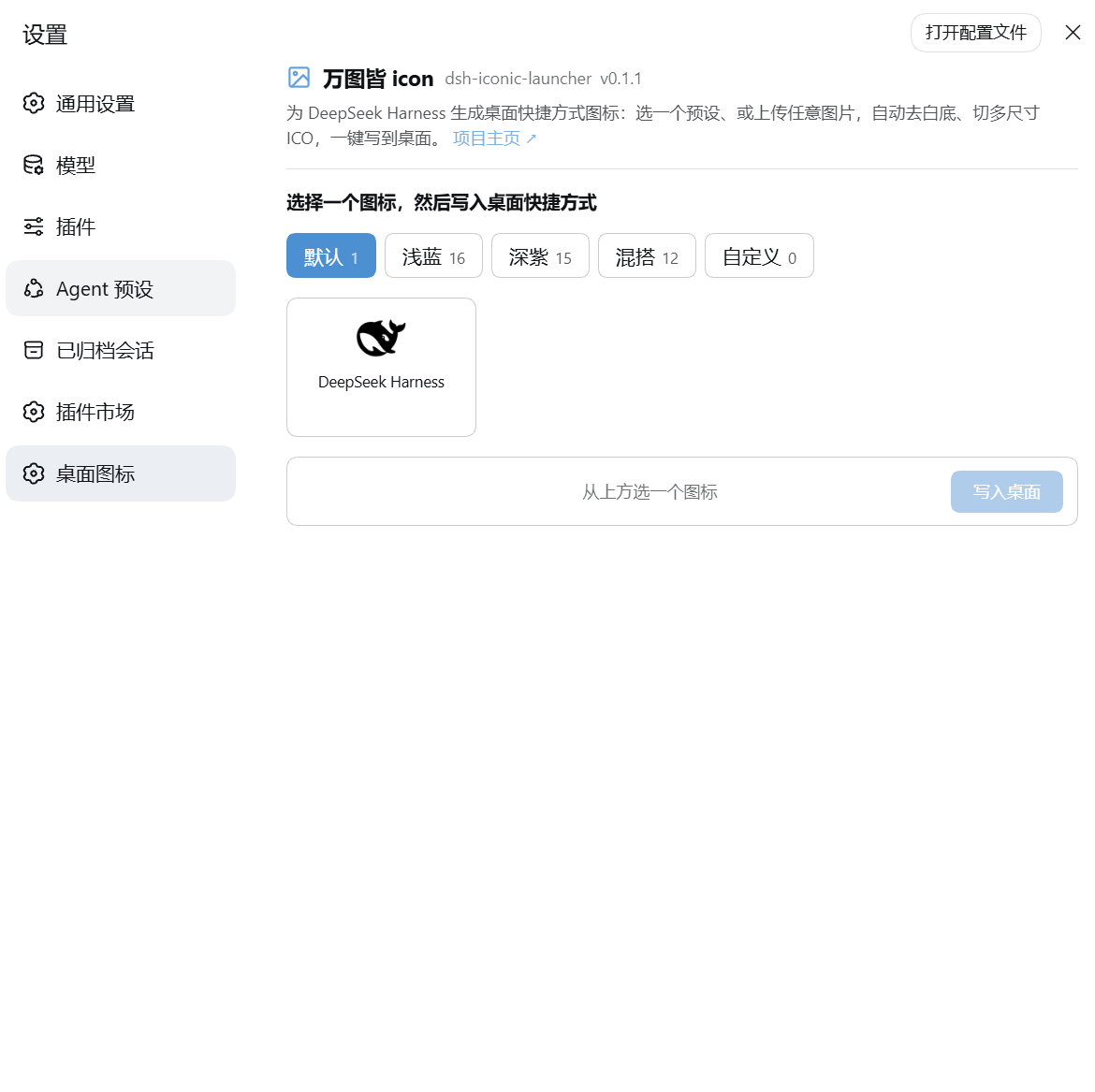
默认 / Default — 顶部项目信息 + 品牌图标 |
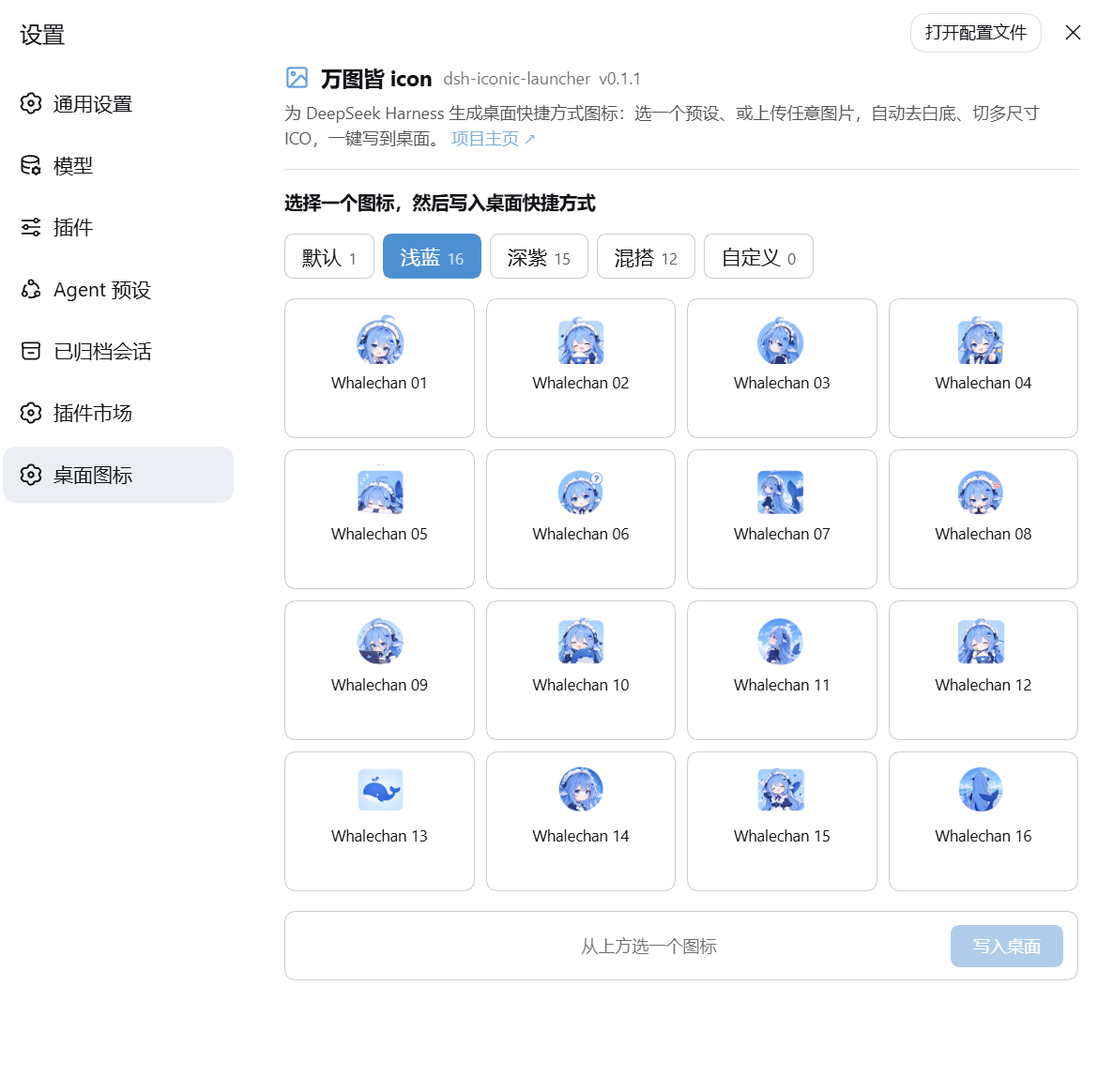
浅蓝 / Light blue — 16 个预设 |
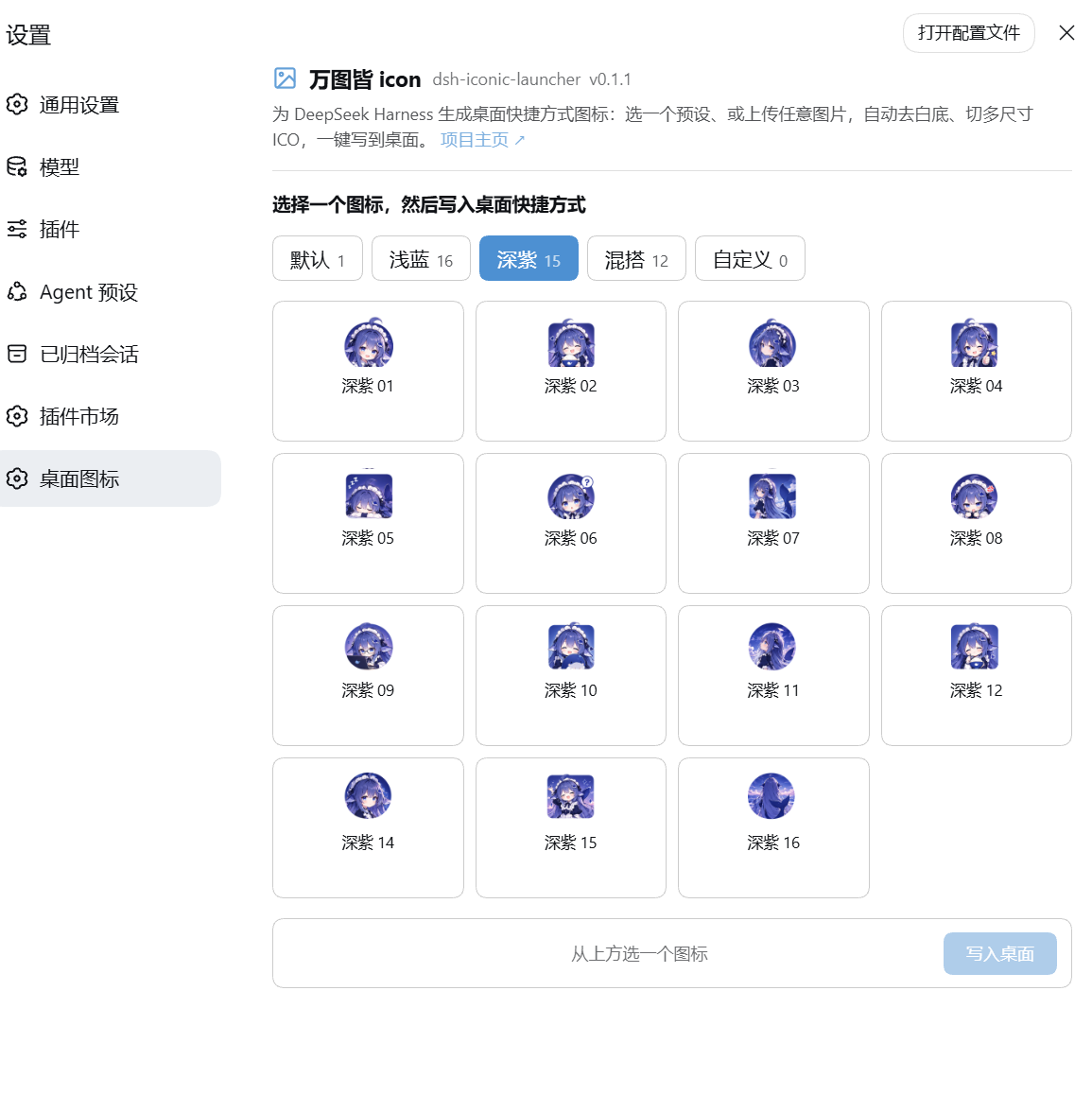
深紫 / Deep purple — 15 个预设 |
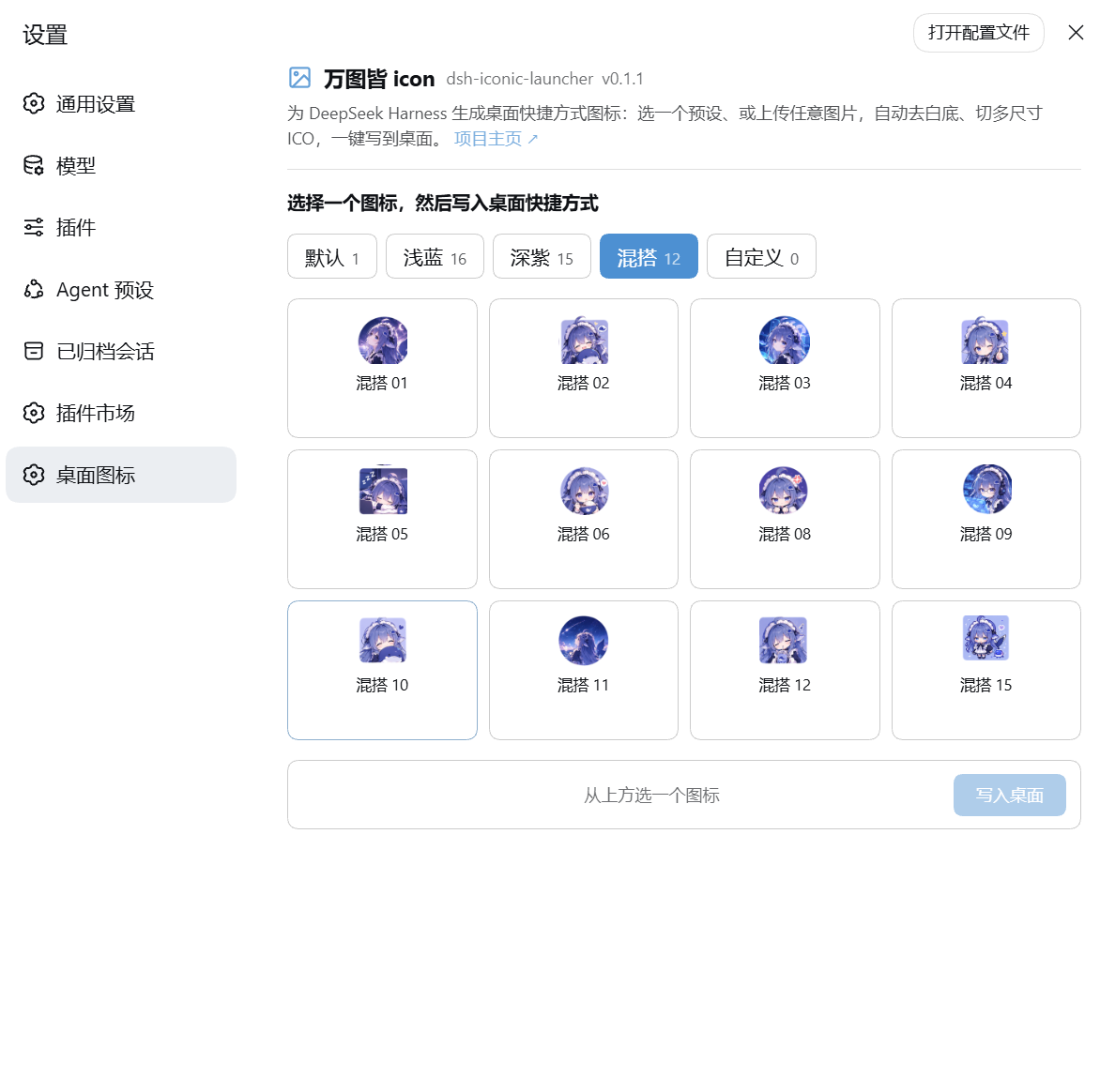
混搭 / Mixed — 12 个预设 |
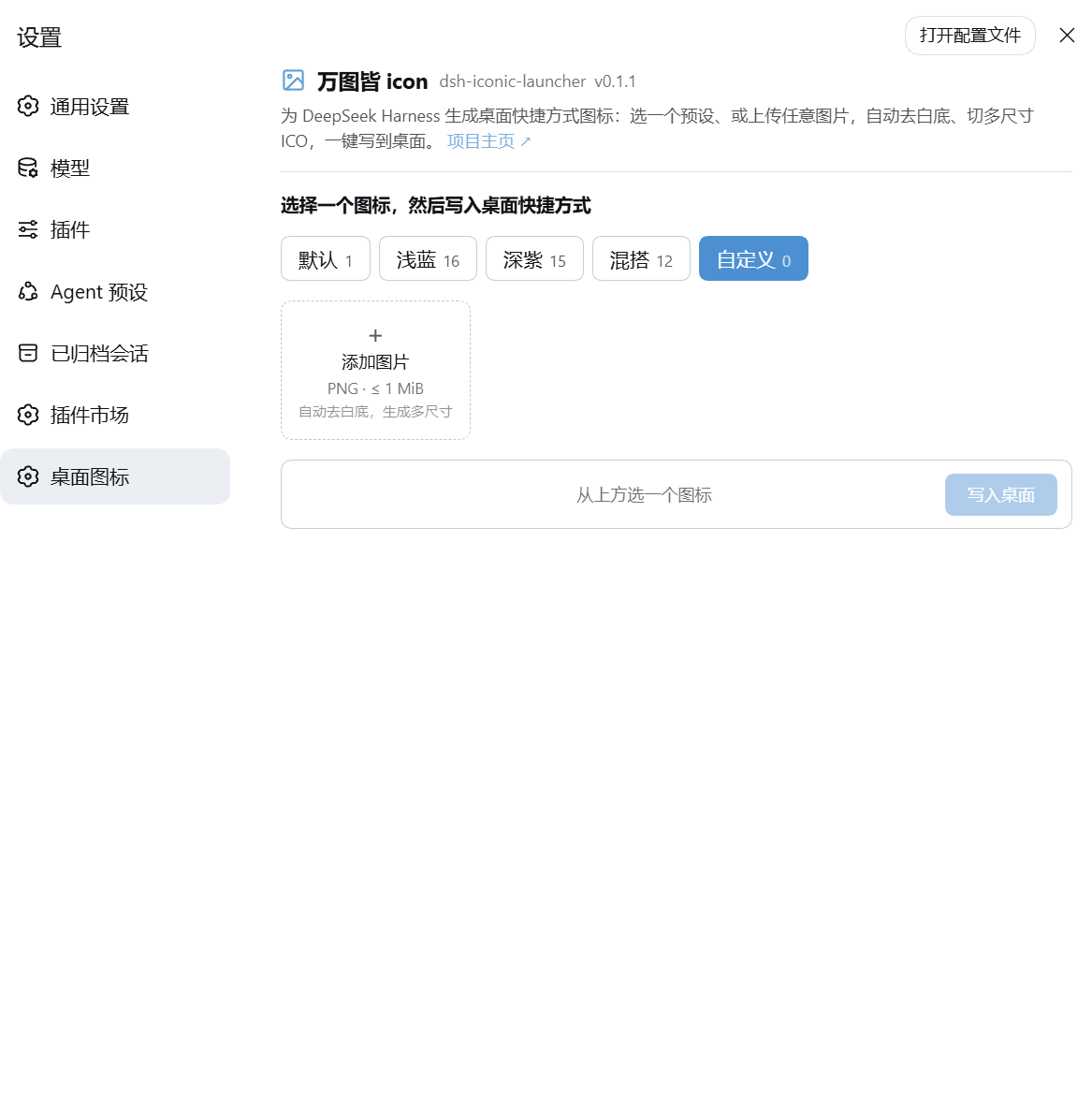
自定义 / Custom — 上传入口,上传过的图会留在这里(可删除) |
五张截图对应设置页的五个分组,全部取自真实的桌面客户端设置界面。 All five tabs of the settings surface, captured from the real desktop client.
Why this exists / 初衷
The shortcut is the outermost shell of the product — and it was the one part you could not change. A desktop app's shortcut icon is the first and last thing a user sees: it is the thing you double-click every day, and the thing your taskbar and Alt-Tab inherit. Upstream ships exactly one of them, baked into the installer. This plugin takes that single, hard-coded surface and makes it a plugin-provided, user-owned one — the same move DSH makes for everything else with 「万物皆插件」.
快捷方式是产品最外层的那张脸,却恰恰是唯一改不动的地方。 桌面应用的快捷方式图标是用户 每天第一眼和最后一眼看到的东西,也是任务栏、Alt-Tab 继承的东西。上游只发一个,烤死在安装包里。 这个插件做的就是把这张「写死的脸」变成一块由插件提供、由用户决定的表面——正是 DSH 用 「万物皆插件」对待其它一切的方式。
Two things follow from that, and they are deliberate design constraints, not limitations:
- It lives outside the upstream repository. The upstream tree stays upstream-clean: nothing is patched, forked, or rebuilt. Delete this repo and DSH is byte-for-byte as shipped.
- It is a real DSH plugin, not a one-off script. That means it is installable from the
client, reversible on teardown, and its behaviour is declared in config — not hidden in some
machine-local
.batfile. (Thescripts/folder in this repo is the earlier incarnation and is kept only as history — see Legacy toolchain.)
由此得出两条刻意的设计约束,而非缺陷:
- 不在上游仓库里。 上游永远保持干净:不打补丁、不 fork、不重新构建。删掉本仓库,DSH 与 官方发布逐字节相同。
- 它是真正的 DSH 插件,不是一次性脚本。 因此可从客户端安装、卸载时干净回滚、行为写在
配置里,而不是塞进某个本机的
.bat。(scripts/是早期形态,只作历史保留,见下文。)
What it does / 功能
| Capability | 说明 |
|---|---|
| 44 shipped presets in 4 groups | 默认 / 浅蓝 16 / 深紫 15 / 混搭 12,全部为离线预生成的多尺寸 .ico,运行时零栅格化开销。 |
| Upload any PNG / JPEG / WebP | 上限 1 MiB;客户端画布解码并重编码为 PNG,host 无需任何图像库。 |
| Automatic backdrop removal | 从四条边框向内 flood-fill 白色底板,再对边缘做 2 步羽化重算 alpha。不做全局白→透明,否则会打穿图像里的白色部分。 |
| 7-resolution ICO | 256 / 128 / 64 / 48 / 32 / 24 / 16,单文件多尺寸,Windows Vista+ 原生支持 PNG 压缩条目。 |
One-click .lnk rewrite |
写的是客户端自己那个快捷方式,不是并排新建一个。 |
| Bounded work per upload | 画布长边上限 1024,超出自动降采样——否则超大图会让 flood fill 按像素数爆炸,把标签页卡死。 |
| Custom icons persist | 上传的图会存成自定义预设,下次打开仍在「自定义」分组里,带两段式点击删除。 |
| Content-addressed icon files | 图标文件名带内容哈希,专门用来绕过 Windows 按路径索引的图标缓存。 |
| No build step | 纯 JS,从客户端装(见 Install)即生效;无 tsdown、无打包、无编译。 |
Install / 安装
Platform / 平台:Windows 10/11 only。快捷方式是
.lnk+ PowerShell,其它平台 可以安装但写入快捷方式不可用(host 侧会明确报错,而不是静默失败)。
1. 在桌面客户端里安装
打开客户端的 插件 页面(插件市场 / 插件配置 / Plugins),添加本仓库为来源:
github:SkyblueeeLabs/dsh-iconic-launcher
2. 重启客户端,然后打开 设置 → 桌面图标
在 设置 → 桌面图标 里选预设或上传图片,点「写入桌面」。快捷方式会落在桌面,并直接启动 客户端本身。同样的卡片也出现在 插件 → 插件配置 里(默认折叠)。
Restart the desktop client, then open Settings → 桌面图标 and pick or upload an icon. The same card is also mounted, collapsed by default, on the Plugins page.
⚠️ 命令行装不了 desktop profile
dsh plugin --profile desktop add …    # ✗ 会被拒绝
# profile "desktop" is managed exclusively by the Electron application
desktop profile 由桌面客户端独占,CLI 会直接拒绝。请走客户端自己的插件管理界面。
Releases 里的 .tgz 与 main 同步
v0.1.2 起,GitHub Releases 上的 .tgz 与 main 的代码一致。离线安装用 Releases 里最新的
.tgz 即可;从当前 clone 里 npm pack 产出的是同一个包。
Historical note / 历史说明:
v0.1.1的 tarball 早于"只服务桌面版"的改动,它的快捷方式目标 仍是已废弃的powershell -Command "dsh web",且缺少launcher.js。如果你还持有那个旧包, 请升级到v0.1.2。The
v0.1.1asset predates the desktop-only switch and writes a shortcut that runs the retireddsh webcommand. Upgrade tov0.1.2.
客户端更新会重置图标
客户端安装包在更新时会重建它自己的桌面快捷方式,把图标换回默认。插件本体与已选图标都在
用户数据目录里(~/.dsh/profiles/desktop/node_modules/dsh-iconic-launcher 与
~/.dsh-launcher/icons),更新不会动它们。所以更新后不需要重装插件,只要重新打开
设置 → 桌面图标 再选一次图并写入即可(约两秒)。卡片目前不记忆上次选择,重新选同一张图就行。
Use / 使用
- 打开 设置 → 桌面图标。
- 选一个分组(默认 / 浅蓝 / 深紫 / 混搭 / 自定义)。
- 点一个图标 —— 底部确认栏会显示它的缩略图和名字,写入前你会清楚看到要写什么。
- 或切到「自定义」点「+ 添加图片」上传 PNG / JPEG / WebP,处理完直接点「写入桌面」。
- 点 写入桌面 —— 成功后会显示
.lnk的落地路径。
失败时错误信息就地显示在确认栏里(不是弹窗),因为嵌入式 webview 常吞掉模态框。
Presets / 预设
| Group | 数量 | Source batch | 命名 |
|---|---|---|---|
| 默认 Default | 1 | 品牌图标(源自 DSH favicon,MIT) | dsh-brand |
| 浅蓝 Light blue | 16 | data/1 |
whalechan-icon-NN |
| 深紫 Deep purple | 15 | data/2 |
whalechan-deep-purple-NN |
| 混搭 Mixed | 12 | data/3 |
whalechan-varied-NN |
| 自定义 Custom | 动态 | 用户上传,目录扫描 | custom-<slug>-<epoch-ms> |
共 44 个内置图标。序号沿用源批次的原始编号,因此出现跳号是故意的(对应源目录里 被移除的文件),不是漏资源。
44 built-in icons. Numbering follows the source batch, so gaps are intentional — not missing files.
How it works / 原理
两部分,装成同一个插件行:
- Host half(
index.js)是一个 cordis function plugin:在 composition 的webServer上挂 4 条路由,向settings注册命名空间,使插件页会为该命名空间渲染卡片。 - Browser half(
client.js)不是 ES module,而是手写成window.__ModuleLoader__.load({...})形式——这是 no-build 插件的硬性要求。一个顶层import会让整个客户端插件批次SyntaxError挂掉。
| Method | Route | Purpose |
|---|---|---|
GET |
/dsh-launcher-ic/presets |
预设目录 + 安装目标 + 项目元信息 |
GET |
/dsh-launcher-ic/icon/<group>/<preset> |
单个预设的 .ico 字节(预览用,prefix 路由) |
POST |
/dsh-launcher-ic/install |
写入 / 刷新桌面快捷方式 |
POST |
/dsh-launcher-ic/custom-delete |
删除一个用户上传的自定义图标 |
上传管线全程在浏览器里跑,因为 host 进程没有任何栅格化器:
任意图片(PNG / JPEG / WebP)→ createImageBitmap 解码(浏览器原生解码器)
    → 长边超过 1024 则降采样,再放进方形 letterbox 画布(透明补边,绝不补白)
    → knockOutWhiteBackdrop():四边 flood-fill 白底板 + 2 步羽化
    → 按 ICON_SIZES 逐个重采样 → 每个尺寸重编码为一张 PNG
    → POST /install → host 校验(PNG 签名、尺寸白名单、体积上限)
    → buildIco() 打包 → 内容寻址写入 → shortcut.ps1 写 .lnk
快捷方式的目标在运行期解析(launcher.js):桌面外壳以 ELECTRON_RUN_AS_NODE=1 + 应用
自身 exe 启动 host,所以 process.execPath 就是启动器;解析不出来时安装路由返回 no-target
并且什么都不写——宁可失败,也不留一个指向虚空的链接。
架构细节、路由契约与安全边界见 docs/plugin.md。
Configuration / 配置
cordis.patch.yml 随包分发,安装时作为 bundle patch 生效:
| Field | Default | 说明 |
|---|---|---|
shortcutName |
DeepSeek Harness(schema 默认 DeepSeek Launcher) |
.lnk 基名,不带扩展名 |
targetExecutable |
(空 = 托管它的桌面应用) | 仅用于覆盖启动目标 |
targetArguments |
'' |
加到目标上的命令行参数 |
workingDirectory |
(目标自身目录) | 快捷方式工作目录 |
iconDir |
%USERPROFILE%\.dsh-launcher\icons |
生成的 .ico 落地目录 |
customDir |
(空 = iconDir\custom) |
用户上传图标的持久化目录 |
desktopDir |
%USERPROFILE%\Desktop |
.lnk 落地目录 |
allowUpload |
true |
设 false 则只允许预设 |
shortcutName 故意等于客户端自带的快捷方式名:这样「安装图标」是替换那个快捷方式的外观,
而不是在桌面并排多出一个同名项。cordis.patch.yml 里不含任何机器相关的可执行路径。
Requirements / 环境
- Windows 10/11
- PowerShell 5.1+(或 PowerShell 7)
- 正在运行的 DeepSeek Harness 桌面客户端(插件装在它保留的
desktopprofile 里) - 开发时额外需要:Node.js(跑
node --test),无其它构建依赖
Security & privacy / 安全与隐私
- 每条路由第一件事就是向 composition 的
connection服务要一次requestRejection:Host/Origin 栅栏挡住 DNS rebinding 与跨站调用,浏览器登录态再挡一层。与官方dsh-host-open-in-app同一套围栏。 - 进入磁盘前在 wire 层校验:
application/json媒体类型、有界请求体、净化过的快捷方式基名 (拒绝 Windows 设备名、超长名、安全字母表以外的字符)、上传必须是真实 PNG 签名。 - 删除路由额外收紧:id 必须是单个安全路径段,且解析后的绝对路径必须严格落在
customDir内; 出厂预设不可寻址,因此不存在越界删除的路径。这是插件里唯一的破坏性操作。 - 不外传任何东西:没有遥测、没有网络请求。除配置的两个目录(图标目录、桌面目录)之外不读也不写
其它文件,产物全部落在
%USERPROFILE%下。
No telemetry, no network calls, no reads outside the paths you configure.
Where your files go / 文件落在哪
%USERPROFILE%\.dsh-launcher\icons\
  DeepSeek Harness.<sha10>.ico     ← 当前图标(名字带内容哈希)
  custom\
    custom-<slug>-<epoch-ms>.ico   ← 每次上传持久化成一个自定义预设
%USERPROFILE%\Desktop\
  DeepSeek Harness.lnk             ← 桌面快捷方式
为什么文件名带哈希? Windows 的图标缓存按路径索引。原地覆盖 <name>.ico 会让桌面继续显示
旧位图,尽管 .lnk 的 IconLocation 已经指向新内容(属性对话框直接读文件,所以那边立刻是新图)。
每次内容变化换一个新路径,缓存就必然 miss;写入后还会顺手删掉同基名的旧文件,并调用
SHChangeNotify(SHCNE_UPDATEITEM, SHCNF_PATHW, lnk) 通知 Explorer 立刻重绘。
Legacy toolchain / 早期脚本
这一节讲的是仓库里保留的历史形态,不属于安装后的插件,也不要用于新环境。
本仓库还留着最初 dsh web 时代的便携启动工具链:scripts/(启动 .bat、图标生成、PNG→ICO 批量
转换)、data/(PNG 素材源)、deploy.ps1(重克隆后一键恢复)、install.ps1(新机器一键安装)。
它们全部不在 npm 包里(package.json 的 files 明确排除),只作为历史与素材保留。
插件形态取代它的原因很直接:脚本是本机文件、重克隆即失效、机器路径写死在文件里;而插件是可安装的、 配置声明的、卸载可回滚的。新装用户请忽略这一段,只按上面的 Install 一节操作。
The scripts/ + data/ + deploy.ps1 + install.ps1 toolchain is the earlier dsh web incarnation.
It is kept for history and as icon source material, is not shipped in the npm package, and is not
maintained for new setups.
Repo layout / 目录
| Path | 角色 |
|---|---|
index.js |
Host half:4 条 webServer 路由 + settings 命名空间注册 |
client.js |
Browser half:设置卡片(无构建,__ModuleLoader__ 形式) |
shared.js |
前后端共享的路由常量与 wire 契约 |
presets.js |
分组预设目录 + 出货 .ico 加载 + 自定义目录扫描 |
ico.js |
PNG → 多尺寸 .ico 打包(ICONDIR + ICONDIRENTRY) |
desktop.js |
经 ctx.subprocess 调 shortcut.ps1 写 .lnk |
launcher.js |
运行期解析「快捷方式该启动谁」(纯函数,可单测) |
shortcut.ps1 |
实际写 .lnk 的脚本 + SHChangeNotify 刷新 |
cordis.patch.yml |
bundle patch:安装时 insert 插件行与默认配置 |
presets/assets/ |
44 个出货 .ico + 品牌 SVG |
assets/screenshots/ |
五张设置界面截图(+ screenshots.json 声明) |
test/ |
Node 内置 test runner 单测(8 个用例) |
docs/ |
plugin.md 技术细节 · HANDOFF.md 交接 |
scripts/ data/ |
早期工具链与素材源,不进包 |
Development / 开发
# 单测(启动参数绑定 + 启动目标解析,不需要 DSH 依赖)
npm test
# = node --test --test-isolation=none test/*.test.mjs

# 从当前 clone 生成离线包
npm pack        # → dsh-iconic-launcher-<version>.tgz
没有构建步骤:改完 JS 直接重装即可。所有注册都包在 ctx.effect() 里,因此重载与卸载会自然回滚。
FAQ / 常见问题
桌面图标没变? 图标缓存。插件的文件名是内容寻址的,正常路径下不该发生;如果确实遇到,重启 Explorer 或重新写入一次即可。
桌面上出现两个 DeepSeek Harness? 不会——shortcutName 就是客户端自带那个快捷方式的名字,
安装是改写它。如果你手动改过 shortcutName,才会多出一项。
能上传 JPEG / WebP 吗? 能(自 v0.1.2 起)。浏览器负责解码,PNG / JPEG / WebP 都收,上限 1 MiB;
无论输入什么格式,写入前都会统一重编码为 PNG 再打包进 .ico。超大的图(长边 > 1024)会自动降采样,
不会被拒绝——因为长边 1024 已经是最大图标尺寸 256 的 4 倍,足够清晰。浏览器解码不了的格式(SVG、HEIC 等)
会给出明确提示,而不是静默失败。
macOS / Linux 呢? 装得上,但写快捷方式用不了(host 会明确返回平台错误)。未来方案是新增
.icns 生成器与 macOS 的 .app 写入器,而不碰 Windows 路径。
卡片会记住我上次选的图标吗? 不会。所以客户端更新后,重新选同一张图即可。
这会不会污染 DSH 上游? 不会。插件在独立仓库、独立 profile 依赖里,上游零改动。
Docs map / 文档分工
README.md— 对外说明:它是什么、为什么存在、怎么装怎么用(用户与收录页看这里)docs/plugin.md— 技术细节:路由契约、配置项、安全边界、当前状态docs/HANDOFF.md— 交接手册:架构、真踩过的坑、profile 切换流程、遗留任务
License
MIT。默认图标源自 DeepSeek Harness 自己的 favicon(MIT)。
No comments yet. Be the first to write one.