DSH Motion UI
为 DeepSeek Harness Web 提供可交互组件、自由 HTML/SVG 图解与动画。引导模式会主动注入设计技能、协议和示例;自由模式让模型自主设计。设置位于首页 → 插件 → dsh-motion-ui。
Interactive, declarative tool views for DeepSeek Harness Web 0.2.0-rc.2.
The plugin adds ui_catalog (protocol + examples + visual vocabulary) and render_ui (validated UI). It renders native conversation turn-tail views, computes local expressions, saves per-conversation input state on the Host, and sends explicit follow-up requests with the current parameter snapshot.
Reliable process guides (0.5.5)
Static steps accept a direct items array without invented task statuses. The native tool schema now describes every registered component field and the nested step item structure. Exact lossless items: {item: [...]} adapter wrappers and literal boolean strings on details.open are normalized before native checks; ambiguous or unsafe inputs remain errors. Invalid steps report the node, index and correction. Failed tool calls retain their error in a compact message.
Easier authoring and cleaner visuals (0.5.4)
The tool schema exposes the document structure and accepts common authoring forms: inline table/chart rows, Chinese identifiers, text metrics, table captions and structured canvas state (type:"json", array/object, max16KiB per value). Runtime arithmetic and chart series still require numbers; unknown fields and unsafe properties remain errors. Prefer passing a document object directly and use render_canvas for HTML/SVG source.
The default display hides bottom diagnostics/history/parameter disclosures. Canvas export/reset/stop live in a compact top-corner menu. Optional details can be enabled under Home → Plugins. Rounded surfaces and soft gradients follow the host theme; canvas height fits content after rendering and shrinks when content is removed.
Install
Install the published plugin (or paste dsh-motion-ui into Home → Plugins → Add plugin):
dsh plugin --profile web add dsh-motion-ui
dsh web --no-open
The release artifact includes the generated browser bundle; users installing the tarball do not need the build tool. Restart an existing Web process after installation, then reload its browser page. Source builds are also supported: npm ci, npm run build, npm test, then npm pack and install the generated tarball.
Development installs of dsh-generative-ui must be uninstalled before installing dsh-motion-ui; do not enable both because they register the same tools. Existing UI documents remain readable: the internal dsh-generative-ui storage directory, result metadata and authenticated route namespace are retained for compatibility. Plugin settings must be selected again under the new plugin entry.
模型生成效果 / Model-generated UI
以下是模型在 DSH 中实际生成并运行的界面,展示原生组件与自由 HTML/SVG 画布的组合。截图保留模型的实际布局与内容;动画展示为静态帧。它们来自开发期测试,代表这些案例的结果。
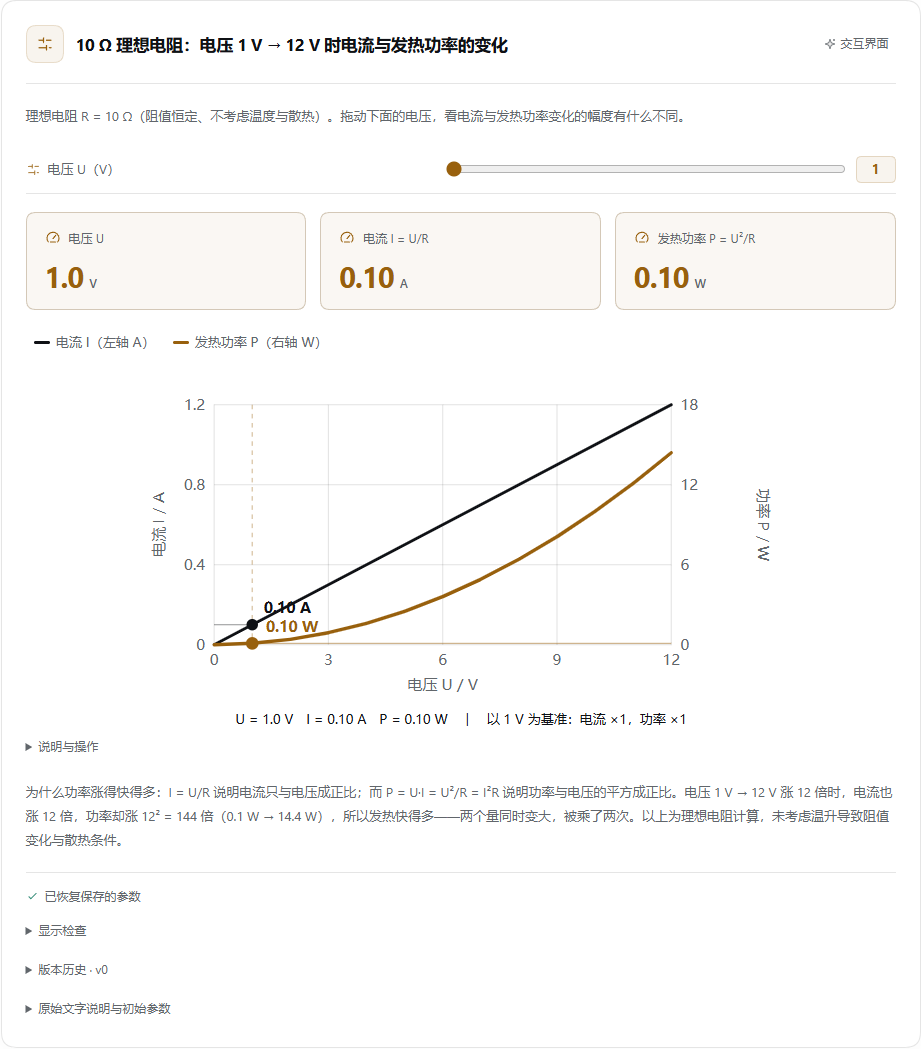
电压、电流与发热功率
DeepSeek V4.1 Flash Fast · 主动选择 UI。 用户只询问电压变化时电流和发热功率为什么不同,模型生成滑块、指标卡和联动曲线,用线性与平方关系解释差异。
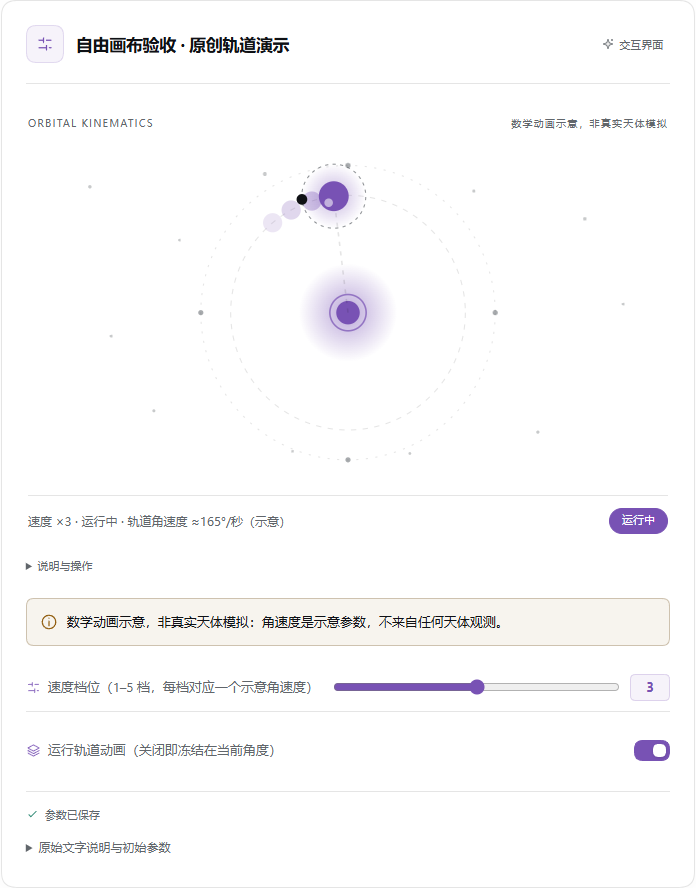
SVG 轨道动画
DeepSeek V4.1 Flash · 按文字需求生成。 模型自行编写 SVG、CSS 和动画逻辑,组合轨道图、速度滑块与运行开关;这是数学动画示意,并非真实天体模拟。
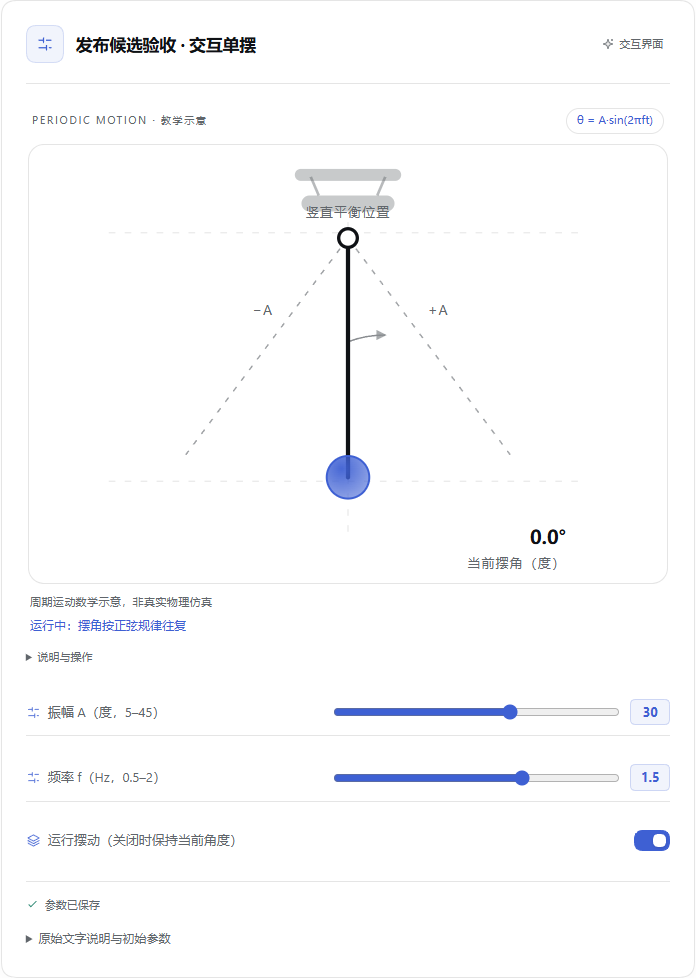
周期运动单摆
DeepSeek V4.1 Flash · 按文字需求生成。 振幅和频率控件驱动 SVG 摆动,支持暂停并保持当前角度;界面明确标注它是周期运动数学示意,而非真实物理仿真。
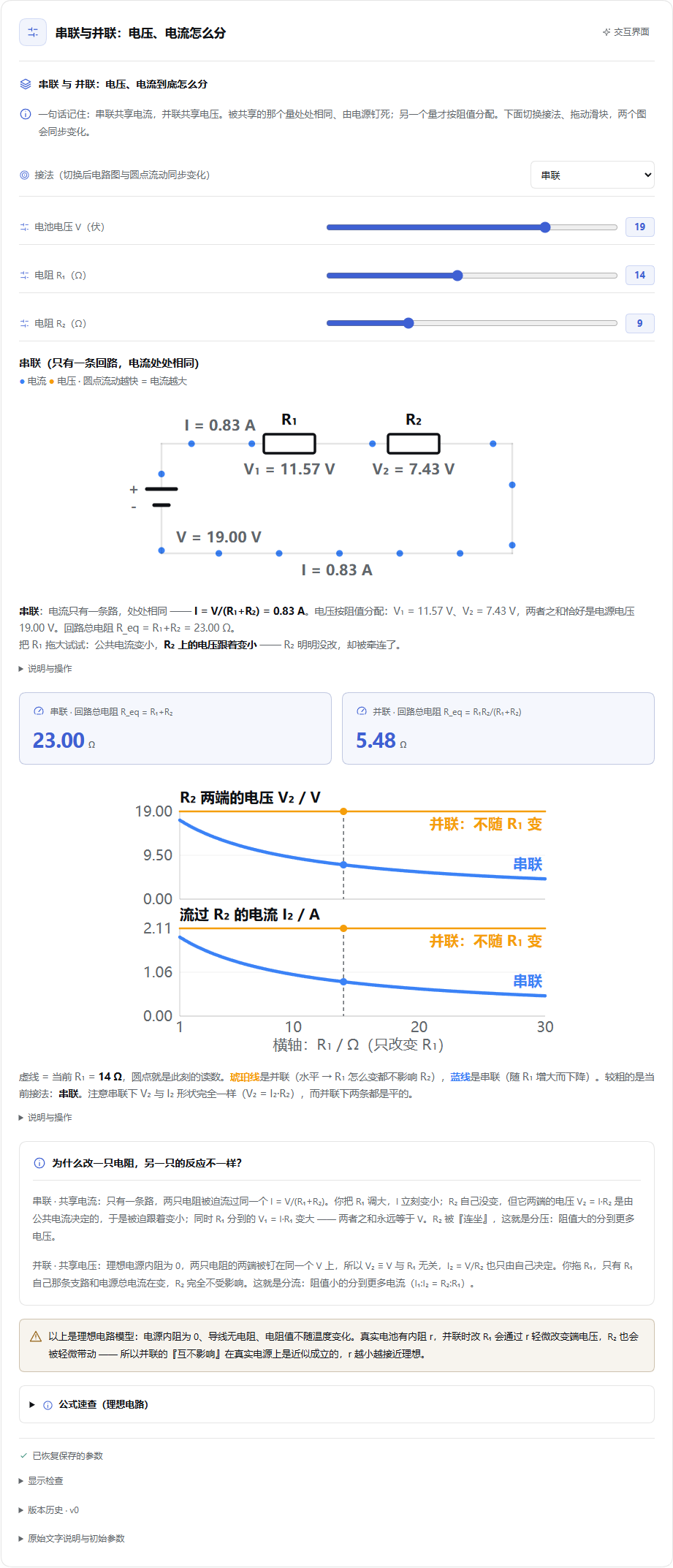
串联与并联电路
DeepSeek V4.1 Flash Fast · 主动选择 UI。 用户要求讲清两只电阻怎样分配电压和电流,模型生成接法切换、三个参数滑块、电路图、指标和对比曲线。下面展示完整界面。
Use
Lightweight by default (0.5.3)
静态图解、简短流程、方案对比和小看板都是完整的 UI,不要求添加控件或动画。引导模式优先注入静态流程与对比示例,计算器随后;复杂动画示例留在按需目录中。ui_catalog({topic:"quick"}) 提供四个轻量起点。画布可直接使用 .ui-flow、.ui-step、.ui-arrow 和 .ui-callout,无需重复编写样式或脚本。模型仍可按用户需求生成复杂界面;这些是默认表达指导,不是思考时间或输出截断。
每个文档在回答区域只保留一个展示实例。正文标记缺失时仅回退一次;标记后来出现或被删除时自动迁移。提交成功后退出同一调用的工具预览。手动打开的侧栏仍可作为独立视图与正文共享参数。
Canvas delivery improvements (0.5.2)
Free canvases now include optional theme-aware .ui-* primitives for typography, controls, result readouts, SVG nodes, connectors and annotations. Guided mode actively injects a construction handbook covering Chinese label widths, connector routing, actual rendered SVG font sizes, validated calculations and reset behavior. Free mode retains autonomous composition and only receives the interface/delivery contract.
UI appears after the entire assistant turn ends, rather than during tool-argument streaming. While the model continues reasoning or writing, the tool shows a compact status without a preview canvas. This prevents a temporary preview flashing and disappearing before the final conversation UI is available. Successfully saved UI is also revealed when a turn is interrupted or ends with an error; incomplete or failed tools never become interactive documents. Controls activate after parameter restoration. Text and reasoning continue streaming normally.
Each committed canvas offers 说明与操作 → 导出独立 HTML. The downloaded file includes the current parameter snapshot, the shared calculation interpreter and an isolated canvas. Declared state and derived results recompute locally without DSH or external libraries. It is a single-canvas export, not a complete mixed native layout; it does not send Agent requests or save back to DSH. Reloading the file restores the export-time parameters. External resources remain unavailable.
These improvements adapt the public design-system/skill, CSS-first streaming and standalone-export ideas from CopilotKit/OpenIntelligentUI. The implementation uses DSH's existing state/validation/sandbox contract, without adding its separate router service or CDN execution model.
Presentation, authoring and history (0.5.2)
Home → Plugins → dsh-motion-ui now offers 回答下方 / 正文标记位置 / PC 侧栏. The default stays below the answer. Inline mode instructs the model to place a fenced dsh-ui block containing only the successful tool result's documentId. Missing markers or unavailable sidebar services fall back to the conversation view. Known same-conversation IDs only are eligible; source is never parsed from the marker. DSH 0.2.0-rc.2 exposes no fence-renderer slot, so this small adapter recognizes its rendered code blocks. It preserves the original marker for copying and restores it when unloaded. The native sidebar can also be opened manually from a conversation UI. Two visible copies synchronize successfully saved state; concurrent unsaved drafts retain the existing explicit conflict/retry behavior.
For simple formulas, write derived: {power: {expr: "state.V * state.V / state.R"}} and bind a metric with {ref:"derived.power"}. The authoring parser compiles to the existing bounded interpreter, including dependency/cycle validation. It supports arithmetic, comparisons, ternary conditions, parentheses, double-quoted strings, booleans and min/max/round/abs. It does not execute JavaScript or introduce a second calculation runtime. Existing op/args documents remain compatible; freeform animation continues to use the isolated canvas.
Each UI provides 版本历史 with read-only initial-state previews and restore. Preview never executes canvas scripts or writes input state. Restore appends a new head with the chosen document, retaining prior versions and current saved inputs; stale requests fail rather than overwrite another revision. The previous head is archived before replacement, and a failed head write cannot expose a fictitious future version. Preexisting documents start their available history at the first version observed after this update; overwritten older development revisions cannot be reconstructed. Archived input definitions must remain compatible. History uses the same authenticated Connection bridge and conversation ownership checks as document access.
Ask for the useful result naturally, for example: “Create an interactive theoretical weight-size calculator; distinguish estimated weights from real inference VRAM.” The plugin actively injects its design skill, complete protocol and minimal static and calculator worked examples through DSH's system-prompt service; the model does not need to discover a skill file or call a catalog to receive this guidance.
The packaged skill source is skills/intelligent-ui/SKILL.md. It teaches scene selection, composition, diagram grammar, theme/color/icon choices, responsive labels, local state, animation and error repair. lib/ui-skill.js injects it together with the shared protocol and concrete calculator/animation examples. It adapts public OpenUI, Diagram Design and Taste Skill ideas to DSH; it is not OpenAI's internal prompt. ui_catalog remains available for additional examples. This lowers the discovery/syntax burden for smaller models; it cannot guarantee complex program quality for every model.
Supported components: heading, text, card, row, column, metric, table, bar/line chart, numeric/text input, slider, select, toggle, follow-up button, badge, progress, ordered steps and collapsible details. Charts provide their full data as an accessible table. Controls compute locally without calling a model on each change.
The exact protocol and runnable examples are in lib/catalog.js and examples/. Component attribute definitions in lib/components.js drive both validation and capability discovery. ui_catalog() returns the protocol, component fields and two compact static examples; ui_catalog({topic:"canvas"}) adds the full design guide and four distinct visual examples. Other topics are quick (four lightweight static layouts), data, scenes, and all (fourteen examples). This avoids sending every example on each request.
The tool card retains a text result. A state-only conversation extension replays standard successful tool results into the official conversation.chat.turnTail list slot, so the interactive UI stays visible when DSH folds work details. It does not modify DSH core or add custom persisted event types.
Default visual design
Standard components receive the same theme-aware design, built-in line icons, clear metric hierarchy, section cards, switches, colored charts, and responsive controls. Existing documents need no changes. Fixed optional icon/tone tokens are documented in ui_catalog; freeform SVG/CSS belongs in an isolated sandbox node. Tones are static semantics and never infer safety from a number. On narrow screens, chart plots and tables scroll internally to preserve readable labels.
Heading/text/card titles are included in the default-state text projection. Conditional text uses a derived if expression returning strings; examples/conditional-budget.json demonstrates it. Comparison aliases gt, gte, neq supplement the existing operators.
Scene designs
Optional presentation: {layout, accent, density} chooses an authored scene design:
| Layout | Suitable content | Visual treatment |
|---|---|---|
| dashboard | Metrics, trends, analysis | Summary metrics with accent rules and chart hierarchy |
| workbench | Calculators, adjustable parameters | Grouped controls, input separators and result panels |
| comparison | Parallel alternatives | Equal choice cards, optional featured discussion focus |
| guide | Instructions, checklists | Ordered step rail and supporting details |
| status | Observed task snapshots | Header band, counts, progress and stages |
| report | Findings, methods and evidence | Reading hierarchy, inset sections and collapsible appendix |
Accent tokens: blue, teal, violet, amber, rose. Density: comfortable or compact. Cards may select surface: "outline" | "soft" | "featured". Omitted presentation retains the original design. All variants inherit DSH's light/dark theme and responsive behavior. Fourteen available examples include six scene documents and four canvases: bicycle disassembly, sine motion, Agent relationships and speed/memory scatter analysis.
Progress requires 0 <= value <= max with positive max. Steps use explicit pending, active, done, error statuses; these are declared snapshots, not automatic subscriptions to Host tasks. The model must ground real progress in tool evidence and visibly label demonstrations. Badges and colors supplement text; they do not establish a recommendation or task completion.
Progressive generation
The native Tool slot subscribes to DSH's useToolCallArgumentsPartial hook. As one normal render_ui call streams, completed valid top-level subtrees appear in a disabled preview. Put version/title/fallback, presentation, state/data/derived/actions before nodes to make references available early. Incomplete strings, numbers and subtrees are never guessed or completed. Node IDs preserve existing DOM elements as sections append. Preview performs no state requests and cannot submit actions.
Only a successful Host result installs the durable interactive UI at the turn tail. Failed/cancelled tool results remove the preview and retain the ordinary error text. Refresh replays successful recorded results, not uncommitted argument prefixes. No custom transport or synthetic ui.begin/patch tool calls are needed.
State and follow-ups
Validated original descriptions and versioned input snapshots live under $DSH_HOME/plugins/dsh-generative-ui/. An instance has a Host-generated UUID; saved input state is isolated by that UUID and the viewed conversation. Refresh restores successfully saved inputs. The original description and text fallback stay unchanged. Wait for 参数已保存 before closing the page; unsaved edits can be lost. Read failures offer a retry while controls remain disabled. Save failures preserve local edits and offer retry. Conflicts preserve the local draft and offer explicit remote adoption or keep-local retry; keep-local first reads the newest revision and still saves using compare-and-swap. A response lost after a committed write is handled through the same conflict path. Invalid numeric drafts remain visible until corrected or explicitly replaced by saved parameters.
Follow-up buttons send the current selected parameters through ctx.sessions.scope(sessionId).get("conversation").send(...). The snapshot also includes all current derived values, evaluated with the same interpreter as the UI from the complete current state (stateKeys still filters only the submitted state). Derived numbers retain calculation precision; displayed metrics may be rounded. They report queue admission, not task completion. The agent uses ordinary DSH tools and permission controls for external effects. Local state is not silently injected into model context on every edit.
State API requests use the authenticated DSH Connection /api bridge, including its Host/Origin fence. There is no unauthenticated plugin HTTP endpoint. The plugin assumes DSH's single operator model; it does not implement multi-user tenancy.
Live chart and table data
A derived root can use {map:{source:"data.samples",fields:{...}}}. Each output field uses the same bounded expression interpreter; item.key reads the current static source row, and normal state/derived references use the current parameters. Chart/table rows can reference this derived array. See examples/live-memory-curve.json for a working context/KV calculator. The renderer validates current result types on every recomputation; invalid dynamic data shows an error and disables follow-up.
Line charts support xScale:"linear" for quantitative samples and place points at their actual numeric x coordinates. Default category spacing remains backward compatible. Line y axes adapt to the data extent; bar charts include zero. Both preserve exact values in their accessible data table.
Safety and limits
The Host validates JSON shape, registered fields/components, bindings, reference graphs, action keys, numeric ranges/steps and bounded expression operations. Standard components render text as text; expressions use a fixed interpreter. The explicit sandbox node accepts model-authored HTML/SVG, CSS and JavaScript in an opaque-origin iframe, never the host DOM. No direct tool-execution API is exposed.
Freeform interactive canvas (0.5)
Use {id,type:"sandbox",title,html,css?,script?,height?,fallback,stateKeys?,dataKeys?,derivedKeys?} inside any normal UI container. HTML is a body fragment; JavaScript belongs in script, not HTML handlers. Inline SVG and CSS animations work. Each source field accepts up to 48 Ki characters, within the 128 KiB document budget. Initial height is 160–1000px; content reports its size and the renderer clamps automatic height to those bounds.
DSHUI.snapshot and DSHUI.subscribe(fn) expose selected host state/data/derived values and theme. DSHUI.setState({key:value}) submits an atomic patch for declared state keys, using the existing validation, CAS persistence and recovery. Native controls and canvas share state. Theme variables are --canvas-bg, --canvas-soft, --canvas-ink, --canvas-muted, --canvas-line, --canvas-accent. See examples/bicycle-explorer.json and examples/sine-motion.json for two independent animations. The catalog includes both.
Canvas code starts only after successful tool commit and state restoration, with an explicit loading state. Parameter changes preserve the frame; reset/source changes restart it. Stop removes it. Normal auxiliary controls and explanation live in the collapsed “说明与操作” menu. Errors expose recovery buttons and a readable message while technical details remain collapsed. Preview contains no executable iframe. Important inputs must live in document.state; animation time restarts on reload. Each canvas includes a text alternative.
Prefer DSHUI.animate(({time,delta,reducedMotion,visible}) => {...}) for animation. It returns an unsubscribe callback; time/delta are seconds, delta is capped at 0.05. The helper pauses offscreen/background, resumes without accumulating hidden time, and supplies a static delta=0 frame for reduced motion. Integrate delta when the user's running switch is on. DSHUI.snapshot.visible reports visibility separately from input validity. Native visibility and media changes refresh the drawing. Raw requestAnimationFrame code remains available but must manage its own lifecycle; existing saved programs are not silently rewritten.
Isolation uses sandbox="allow-scripts" without same-origin permission, restrictive CSP, nonce-bearing scripts and a source-window/instance-checked message bridge. CSP blocks fetch, external images/scripts, nested frames and eval. The frame cannot read host cookies, storage or DOM. Undeclared/out-of-range state patches are rejected. No Agent action bridge is provided in 0.5.
This is origin isolation, not a hard CPU/memory limit: expensive/infinite generated code can still affect responsiveness. CSP is not a universal navigation firewall; self-navigation can initiate a request before the renderer stops the navigated frame. Do not send credentials or unrelated private data into generated programs. Remote assets/imports and arbitrary tool access are not supported.
Budgets: 128 KiB UI document, 160 nodes, 12 nested component levels, 500 data rows, 64 keys per dictionary, 128 expression nodes and 4096 evaluation steps. Maps allow 1–16 scalar fields, at most 500 generated rows across all maps, no nested maps, and at most 128 KiB derived output. State writes accept up to 64 KiB. Invalid input returns a tool error so the model can repair it or answer in text.
Current scope
- Web only; exact tested runtime 0.2.0-rc.2.
- Direct native calls have custom UI. PTC/composite calls may omit presentation metadata and retain the text fallback.
- Generation supports completed-subtree previews from native argument streaming. Nested incomplete cards wait until whole; separate incremental event protocols remain outside this release. The development additions below support validated edits to committed nodes.
- Tables/charts display supplied datasets or bounded derived rows. Custom local programs, SVG animation and lightweight demonstrations use sandbox nodes; remote resources and host tool access remain outside their scope.
- Stopping/removing the plugin leaves standard tool call/result history and its full initial text fallback readable. Saved input snapshots remain on disk; removal does not delete user data.
- No claim of implementing ChatGPT's proprietary UI protocol or compiler.
Release development and verification
The scoped release requirements and source attribution are in RELEASE-PLAN.zh-CN.md. Build metadata (lib/build-info.js) is generated from the version and source hash; native roots expose its ID through data-dgui-build for installed-build verification, without adding implementation labels to the interface.
Run npm run verify:release with DSH_PLAYWRIGHT pointing to an installed Playwright module and Edge available. It builds and runs unit/integration checks plus canvas, scene/stream and recovery browser acceptance, writing test-output/release-verification.json. Set DSH_VERIFY_INSTALLED=1, DSH_WEB_LOG and DSH_CANVAS_RESUME=1 to also replay the previously generated native verification session. Real-model creative acceptance is recorded separately because it requires the configured model and creates conversation content. A successful local runner alone does not prove installed/model acceptance.
Development
Authoring and model guidance (0.5.2)
Both design modes receive a shared intent and delivery policy before the design contract: use UI proactively for relationships, trends or changing parameters when it materially improves explanation, without waiting for a user to name UI. Simple facts, short definitions and explicit text-only requests remain text. The first submission should solve one core relationship with a complete working interaction and readable narrow-screen layout; avoid designing a multi-page application before any useful result. This is model guidance, not a hard inference timeout or proof of universal model capability. Free mode still leaves visual composition and styling to the model.
Configure the plugin under Home → Plugins → dsh-motion-ui, alongside the other plugin settings; there is no separate global settings entry. PC landscape is the primary design and visual acceptance target (1365px/1920px viewports at the actual chat-column width); mobile remains supplementary. Model acceptance waits for natural completion without cancelling inference or imposing a thinking timeout. Earlier interrupted observations are kept separate from natural-completion results.
The plugin setting designMode selects guided (default, full design skill/protocol/examples) or free (only the free-canvas interface, state/lifecycle and essential execution constraints). Free mode removes the layout curriculum and worked UI examples from automatic injection. It does not identify a model as strong or weak, and neither mode changes permissions. The setting is read on each prompt assembly; old model context may still contain prior instructions, so compare modes in fresh conversations.
render_canvas({title,fallback,css,html,script?,height?,state?,data?,derived?}) creates a single authored canvas with node ID canvas. All content, custom controls, graphics, colors and composition can be authored inside it. State/data/derived keys are shared automatically; the same validated bridge, persistence, source limits and inspect/patch operations apply. render_ui and optional ui_catalog remain available for mixed native components. Both entries support the configured presentation location. Complete CSS followed by partial HTML produces a non-interactive static preview; generated scripts start after successful submission and parameter restoration.
Latest-document fetch errors now show an explicit known-version notice and retry control instead of silently pretending the original payload is current. inspect_ui defaults to a source-free summary; request detail:"nodes",nodeIds:[...] for exact source or detail:"full" when the whole document is necessary. Large state/derived summaries explicitly mark omissions. Automatic repair guidance caps retries at two rounds per user request; this is a model behavior rule, not a provider inference timeout. Display observations now identify native nodes where possible and report bounded coverage counts; unsupported contrast cases are explicitly unobserved.
The injected skill includes a complexity ladder, common parameter repairs and a read/inspect/refine workflow for models of different capabilities. Native components are preferred for simple calculators; authored HTML/SVG remains available for explanatory diagrams and animations. Tool JSON fields accept either a JSON value or one bounded JSON-encoded string, followed by the same strict validation; encoded streaming documents wait until the full string is available.
inspect_ui({documentId}) returns the latest document/revision, saved inputs, computed derived values and recent client display observations. The folded display check observes horizontal overflow, small rendered text, unnamed controls, known solid-background HTML contrast and reported canvas errors. These are bounded heuristics at the recorded width/theme/time, not a visual quality certification; SVG paint contrast and complex backgrounds are not scored. An unopened client has no report.
patch_ui({documentId,documentRevision,changes:[{id,props}]}) edits existing node properties after whole-document validation. It keeps the document identity, state/data/derived definitions, node structure, bindings and actions. Revision conflicts require another inspection. Unaffected frames and expanded details survive; replacing canvas HTML/CSS/script restarts that canvas while preserving declared parameters. Refresh loads the latest document revision instead of reverting to the original tool payload. Tools require the creator conversation; display observations are stored separately and stale revisions are excluded.
Local browser/model evidence lives in ignored test-output/. Model acceptance is restricted to the 测试结果 workspace; optional legacy installed checks should only be enabled in an appropriate test profile.
The ongoing optimization benchmark uses GOAT/commandcode deepseek/deepseek-v4.1-flash-fast, with the actual provider, model and reasoning setting verified from request records. Compare fresh conversations with identical prompts and keep baseline outputs; no inference deadline or automatic cancellation is applied. First successful UI submission and natural turn completion are separate measurements from browser verification time. PC screenshots use the visible 1920×1080/1365×1080 chat viewport.
Authored canvases can call DSHUI.formatNumber(value, decimals=2) to match native metric and fallback display exactly (finite numbers, 0..6 decimal places, comma grouping). Read shared derived values before formatting. Existing authored scripts retain their own formatting until revised; this helper does not rewrite model source. Validation errors list allowed fields at the failed scope and give actionable map-source/key guidance while retaining strict validation.
Source: lib/protocol.js (shared validation/calculation/fallback), lib/store.js (versioned Host state), index.js (DSH adapter), src/view.js (React renderer), src/client.jsx (slot adapter). npm run build generates client.js with React supplied by DSH's ModuleLoader.
Run npm test, npm run build, and npm run check before packing. Browser smoke scripts and verification notes are kept under tests/ and VERIFICATION.md in the source checkout.
No comments yet. Be the first to write one.