dsh-pixelfly
An image studio for DeepSeek Harness. Pixelfly turns a prompt into a picture, then lets you keep working on it — repaint a region, remove something, replace the background, change the text on a sign, extend the canvas — and keeps every result as a step in one version tree you can compare and revisit.
Everything is configured in the Harness UI. There are no environment variables to set and no config file to hand-edit.
Screenshots
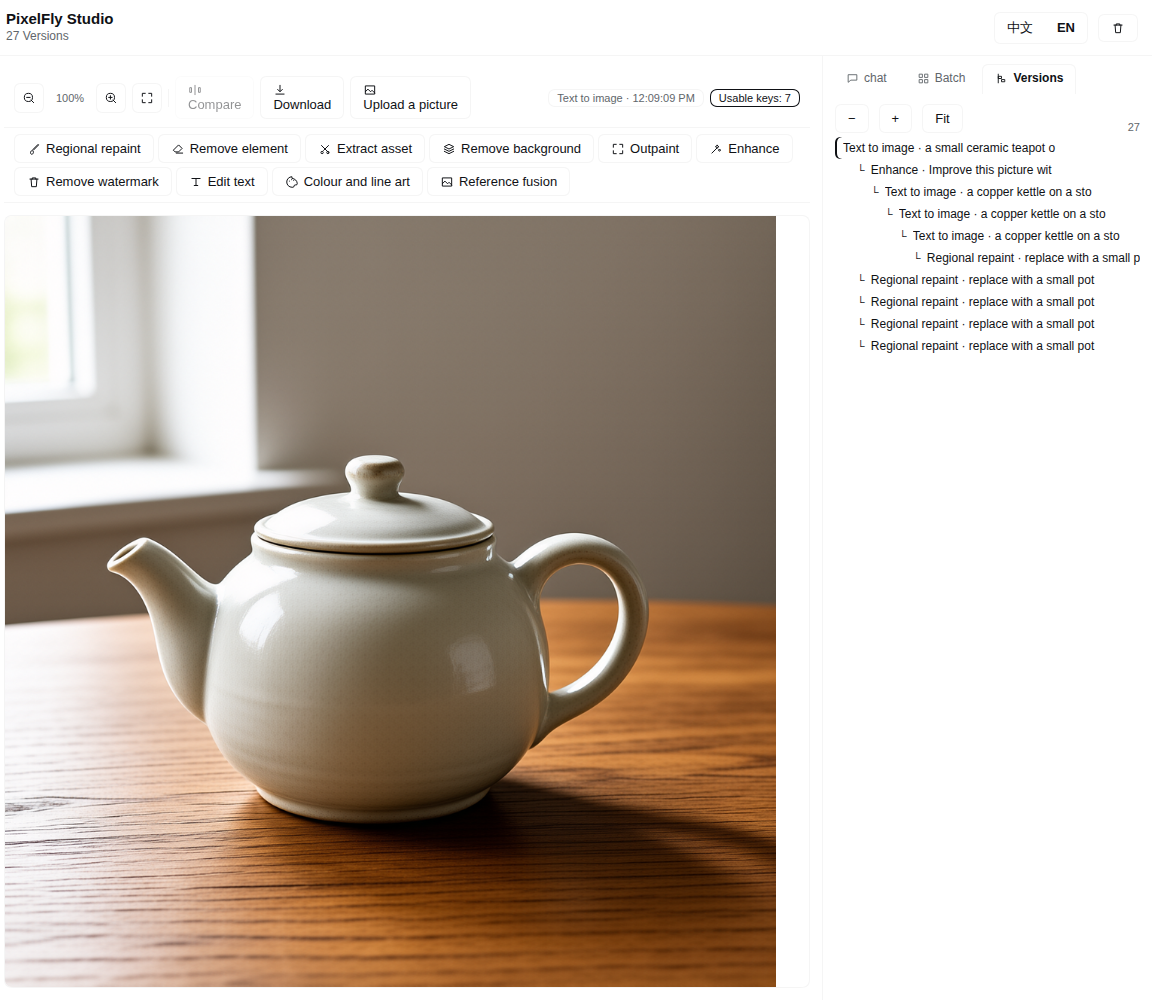
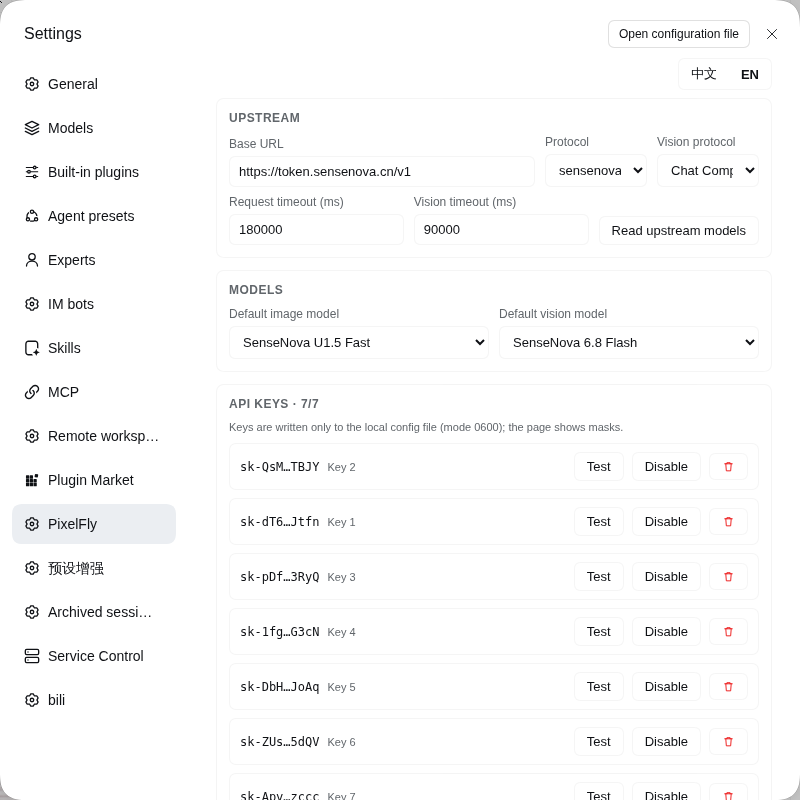
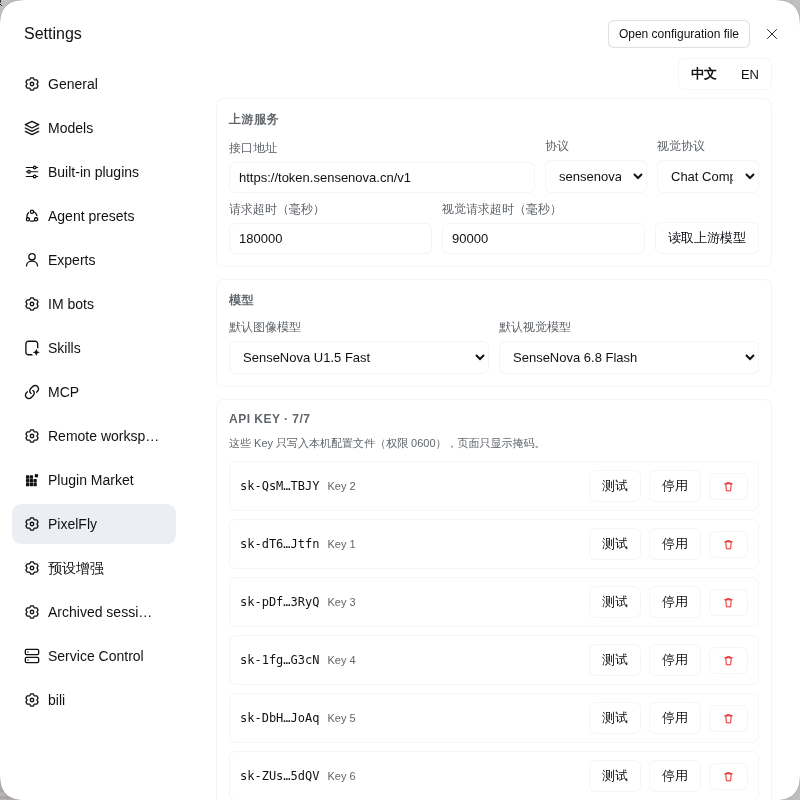
Both surfaces ship in Chinese and English; the toggle is in the top-right of each page.
What it does
One workspace, one history. There is no library of projects to manage: every run becomes a version whose parent is the picture you were working on, so the tree shows how a picture evolved and any node can be reopened or compared with another.
You do not have to start from a blank canvas: Upload a picture puts an existing file into the history as a root version, and every operation can continue from it. When a run returns several candidates they stay together in one version, with thumbnails under the canvas to choose which one is shown and which one the next edit starts from.
The operation list is built from the catalogue, so an operation whose source picture or vision model is missing is not offered at all. In full:
| Operation | What it needs | What it does |
|---|---|---|
| Text to image | prompt | Draws a new picture. |
| Prompt edit | prompt | Repaints the whole picture from an instruction. |
| Regional repaint | selection + prompt | Redraws only the area you drag over. |
| Remove element | boxes + preset | Erases clutter, passers-by, text or a stray object, optionally protecting boxes you keep. |
| Extract asset | box + kind | Lifts one object out onto a clean white catalogue background. |
| Remove background | — | Cuts the subject out to transparency. |
| Outpaint | new size | Grows the canvas and paints the new area. |
| Enhance | strength | Sharpens detail and light at three strengths. |
| Remove watermark | box (optional) | Finds a watermark with the vision model, or uses your box, and rebuilds what was underneath. |
| Edit text | regions | Reads the text in the picture, then replaces or clears any region of it. |
| Colour and line art | mode | Recolours a picture, or turns it into line art and back. |
| Reference fusion | reference + prompt | Puts a subject from a reference picture into this one, or dresses, poses or groups it. |
| Batch | prompt list or variables | Runs many prompts, or every combination of [variable] values, as separate versions. |
| Prompt distillation | picture | Reads a picture back into the prompt that would produce it, and stores that as a step. |
| Upload a picture | file | Starts the history from an existing picture instead of a generated one. |
Selecting a region is a drag on the picture; the selection stays as percentages so it still means the same thing whatever size the model answers with.
How a regional edit stays seamless
A model asked to "change only this box" of a full frame tends to paint that box as its own little picture, with its own backdrop and lighting, and the result reads as a rectangle pasted on. Pixelfly sends a padded crop instead — real surrounding pixels sit right against the area to change, and models continue what they can see — then pastes back only the part of the answer that lines up with the selection, corrects its colour against the border ring, and feathers it in with a smoothstep ramp.
Keys and retries
- A ring of API keys. Requests rotate round-robin. A rejected key (
401/402/403) is cooled down and the next attempt uses a different key, so one bad key never aborts a run. - Exponential backoff with jitter on
429/5xxand network errors, capped by a configurable ceiling, honouringRetry-Afterwhen the upstream sends one. - Nothing is written to logs. Keys live in a
0600file under the Harness data directory and the UI only ever receives a mask such assk-a1b2…z9y8.
Models
Two roles, both configurable:
- Image model — the one that draws. Tuned and tested with the SenseNova image models
sensenova-u1.5-fastandsensenova-u1.5-lite; any OpenAI-compatible image endpoint works. - Vision model — the one that looks. Used to plan a repaint, find a watermark, name the subject for background removal, and read text in a picture. Defaults to the SenseNova chat models.
The upstream protocol is picked in the settings page — SenseNova, OpenAI-compatible, Gemini or Grok — and the vision model has its own protocol selector, because a provider's image endpoint and its chat endpoint do not always speak the same shape: Chat Completions, Anthropic Messages or the Responses API.
The pickers are driven by the configured lists rather than by the upstream catalogue, because a catalogue can omit a model that still answers requests.
Agent tools
The model can drive the studio mid-conversation:
| Tool | Purpose |
|---|---|
pixelfly_generate |
Draw a picture from a prompt. |
pixelfly_edit |
Any of the edit operations above, against the current picture or a given version. |
pixelfly_history |
List, inspect, star, delete or clear versions; set the workspace style. |
pixelfly_config |
Read or change the upstream, keys, retry policy and defaults. |
pixelfly_status |
Keys, versions, sizes and the operation catalogue. |
Install
# from the profile you want the plugin in
dsh plugin --profile web add file:/path/to/dsh-pixelfly
Then open Settings → PixelFly, paste your upstream base URL and at least one API key, and press Test next to a key to confirm it works.
Data
Everything lives under the Harness data directory:
$DSH_HOME/plugins-data/pixelfly/
  config.json     upstream, keys (0600), retry policy, defaults
  history/        the workspace: its version tree and settings
  assets/         every picture, content-addressed by SHA-256
  library.json    saved prompts
Delete the folder to start over; nothing else on the machine is touched.
Licence
MIT.
No comments yet. Be the first to write one.