Worktree Studio
English | 简体中文
Worktree Studio is a human-operated Git worktree task board for DeepSeek Harness. It creates an isolated branch and linked worktree, opens that checkout as a native DSH Workspace and Session, records validation against the exact Git content state, previews mergeability, and rechecks every delivery condition before merging.
It does not register model tools, alter the system prompt, or add tool schemas. The board and /worktree-studio command stay outside model context, so installing the plugin does not increase prompt tokens or change prefix-cache behavior.
Screenshots
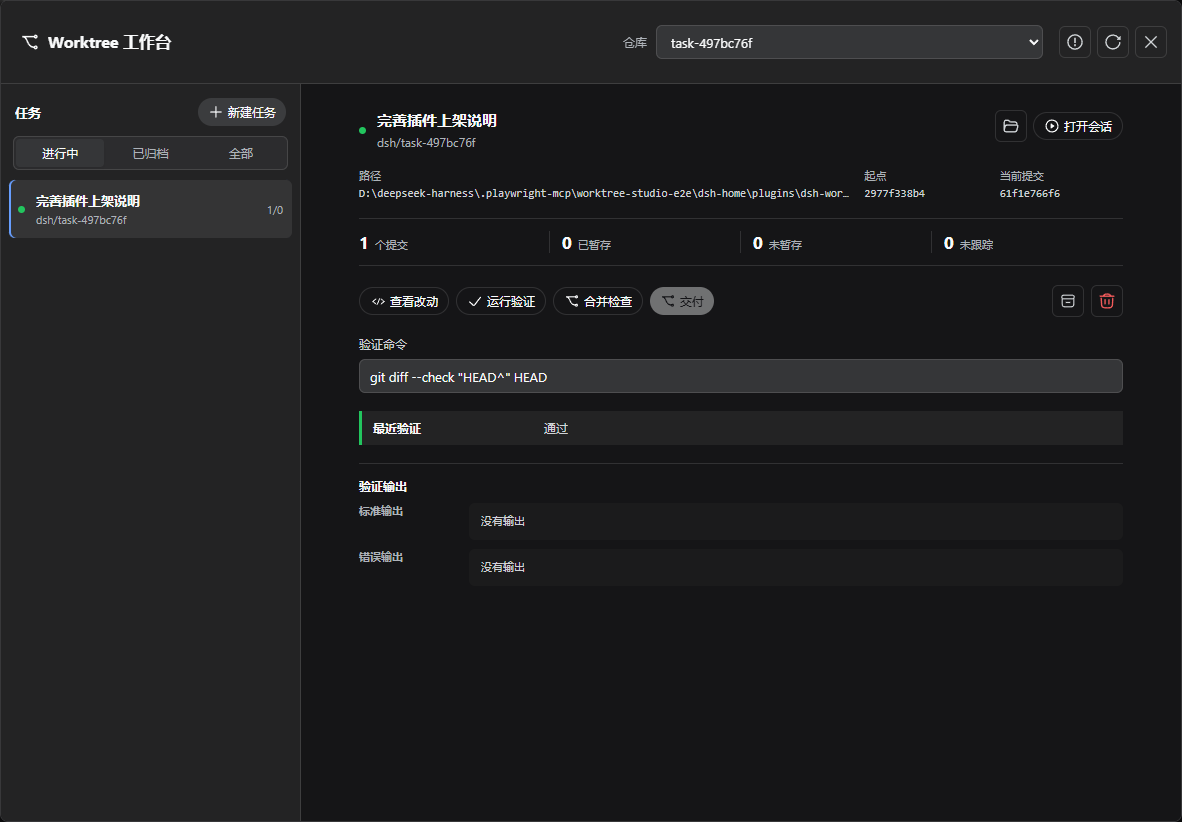
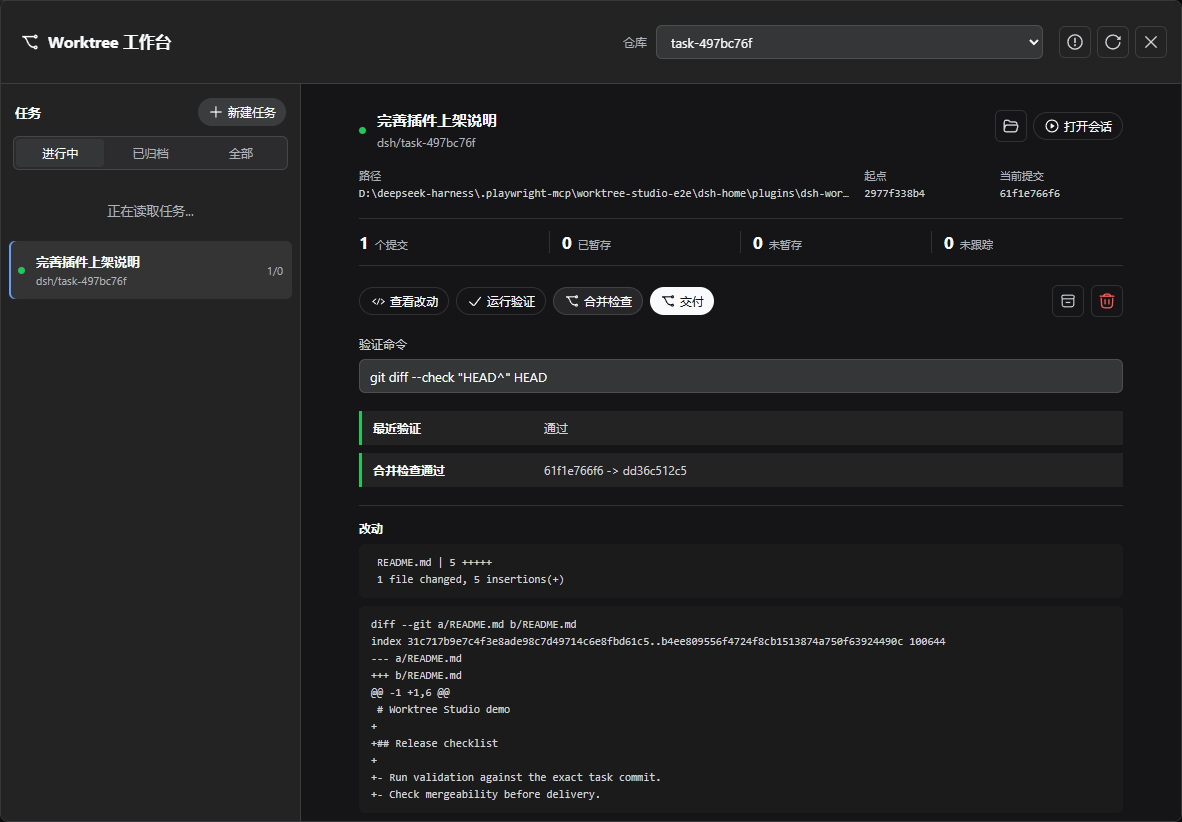
When to use it
Use Worktree Studio when a person wants to open and supervise several isolated coding sessions while retaining the final delivery decision. It is deliberately not a subagent orchestrator: the plugin creates the checkout and session, while the user or an existing agent workflow decides what work happens there.
- One task maps to one branch, linked worktree, DSH Workspace, and Session.
- The sidebar board shows committed, staged, unstaged, and untracked work across repositories.
- Review output includes a bounded diff, stat summary, and untracked paths.
- Validation results are bound to a SHA-256 token covering HEAD, Git status, tracked diff bytes, and non-ignored untracked file content.
- Merge preview uses
git merge-treewithout changing the target checkout or index. - Delivery repeats the content-token, validation, target-HEAD, target-cleanliness, and mergeability checks.
- Archive preserves the task record; discard requires explicit task-id confirmation.
- Atomic state writes, a cross-process mutation lock, and startup recovery markers make interrupted operations visible.
Requirements
- DeepSeek Harness
0.1.0-rc.7or a compatible0.1.xrelease. - The DSH Web profile with its standard local subprocess provider.
- Node.js
22.19.0or later. - Git with
merge-tree --write-treesupport; Git 2.38 or later is recommended. - A local Git repository with at least one commit.
Install
Install the prebuilt npm package after it is published:
dsh plugin --profile web add dsh-worktree-studio
dsh web
Install the repository build before the npm release:
dsh plugin --profile web add github:Palaiologos1453/dsh-worktree-studio
dsh web
For local development, run this from the plugin checkout:
pnpm install
pnpm run build
dsh plugin --profile web add .
The Worktree tasks action appears in the Web sidebar footer. Removal stops the plugin without deleting managed worktrees or its state file:
dsh plugin --profile web remove dsh-worktree-studio
Workflow
- Open Worktree tasks, choose a registered repository, and create a task.
- Worktree Studio creates
dsh/<task>-<id>under its managed root, registers the path as a DSH Workspace, starts a Session there, and closes the board. - Commit the task changes in that Session. The board continues to report staged, unstaged, and untracked files, but delivery requires a clean task checkout with at least one commit.
- Enter a validation command such as
pnpm testand run Validate. Shell operators are not interpreted; the command is parsed into an executable plus arguments. On Windows, a fixed PowerShell adapter resolves.cmdand.exeshims while receiving the argv as JSON over stdin. - Use Review to inspect the bounded diff, then Merge check to test the current task commit against the target checkout.
- Deliver opens an acknowledgement dialog. The Host repeats every safety check and creates a non-fast-forward merge commit only if the task and target still match the reviewed conditions.
- Archive removes a clean linked worktree while keeping its task record. Discard force-removes the checkout only after a separate risk acknowledgement and exact task-id confirmation at the Host.
Command
The human command is handled locally and is not sent to the model:
/worktree-studio list
/worktree-studio create <title>
/worktree-studio inspect <id>
/worktree-studio validate <id> <command...>
/worktree-studio preview <id>
/worktree-studio deliver <id>
/worktree-studio archive <id>
/worktree-studio recover
The Web board is the only discard entry point because it presents the risk acknowledgement. Commands resolve the current Session workspace as the repository or delivery target.
Configuration
The bundle inserts Host and command entries with schema defaults. Override the dsh-worktree-studio row in the Web profile's final cordis.patch.yml when a deployment needs different paths or limits.
| Field | Default | Meaning |
|---|---|---|
managedRoot |
$DSH_HOME/plugins/dsh-worktree-studio/worktrees |
Parent directory for plugin-created worktrees. |
statePath |
$DSH_HOME/plugins/dsh-worktree-studio/tasks.json |
Atomic JSON task state; it must stay outside managedRoot. |
gitTimeoutMs |
60000 |
Deadline for one Git operation. |
terminationGraceMs |
3000 |
TERM-to-KILL grace for managed process trees. |
validationTimeoutMs |
600000 |
Deadline for one validation command. |
maxOutputBytes |
1048576 |
Per-stream output retained for Git diagnostics and validation. |
reviewMaxBytes |
524288 |
Maximum diff and untracked-path output retained for review. |
requireValidation |
true |
Require a passing result bound to the current content token before delivery. |
Relative paths are resolved when the Host loads. Empty paths, non-positive limits, and a state file inside the managed worktree root fail during plugin activation.
Safety model
The Host route accepts only loopback connections with a loopback Host authority and same-origin browser markers. It is an execution boundary, not authentication: any local process running as the same user can still call a loopback service, just as it can run Git directly.
Git and validation commands run through DSH's managed subprocess service. The provider strips credential-shaped and DSH_* ambient environment variables, owns complete process trees, escalates timed-out processes, and waits for process-tree exit. Validation receives only an explicit CI override in addition to the provider's scrubbed base environment.
Delivery never trusts a browser result. The manager serializes mutations across processes, checks the current content token, requires committed task changes, verifies the validation token when enabled, performs a fresh merge preview, records a pending operation, and checks the target HEAD and cleanliness again immediately before git merge.
If a failed merge cannot be verified as restored to its original HEAD and clean state, the task enters recovery-needed instead of reporting an ordinary conflict. recover reconciles persisted markers with Git worktree metadata but never deletes an unknown path.
See SECURITY.md for reporting and trust assumptions, and docs/architecture.md for state and lifecycle details.
Limitations
- Worktree Studio manages local repositories only; it does not push branches or create pull requests.
- Delivery merges committed changes. It does not copy an uncommitted working tree into the target checkout.
- Ignored files are excluded from the change token. Validation may create ordinary ignored build outputs without invalidating its own result.
- The Web board targets the repository checkout recorded when the task is created. The manager API and command adapter can supply another checkout from the same Git common directory.
git merge-tree --write-treedoes not touch the target checkout or index, but Git may write temporary objects to the shared object database.- Archived and discarded records remain in
tasks.json; the plugin does not currently prune historical records.
Development
pnpm install
pnpm run typecheck
pnpm test
pnpm run build
pnpm run pack:check
The tests use real temporary Git repositories and the real DSH Web server and local subprocess provider. They cover task lifecycle, content-token invalidation, validation, merge preview and delivery, recovery, bounded output, credential scrubbing, Windows command shims, and loopback request trust.
No comments yet. Be the first to write one.