Skill Management
Skills section in the composer + menu, plus a skill manager — for DeepSeek Harness.
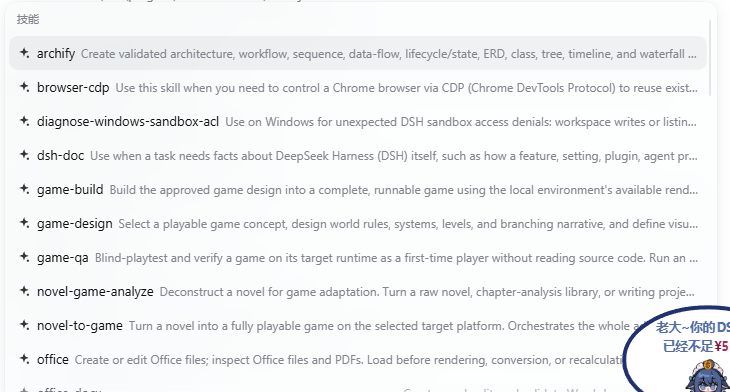
What it does
- Skills section in the
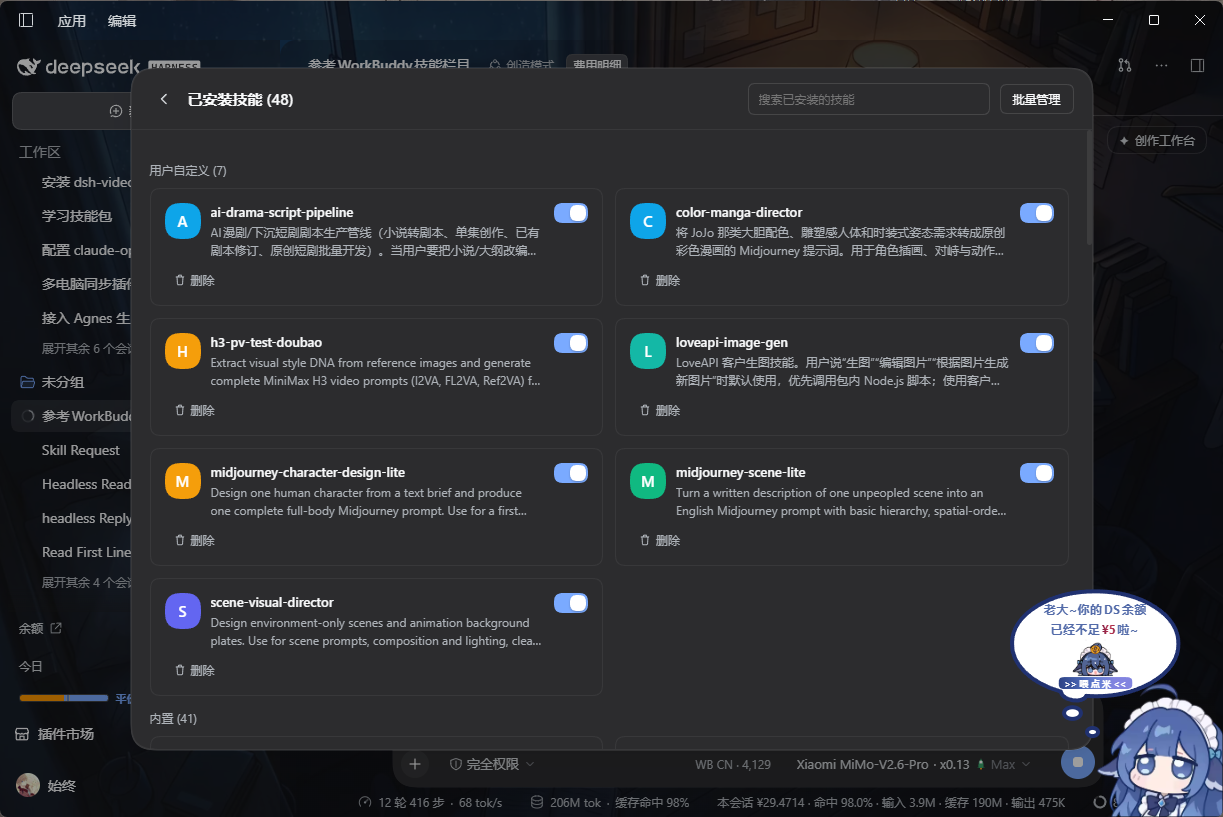
+menu — the composer's+menu gains aSkillsgroup above the built-in rows. It lists the skills visible to the current session, and only the ones you have enabled in the manager. Choosing one inserts/skill-nameinto the draft so you can add a request before sending; nothing is sent automatically. - Skill manager — a panel opened from the Manage skills row at the bottom of the group:
- search installed skills;
- enable / disable each skill (disabled skills disappear from the
+menu); - delete user-defined and workspace skills — the folder moves to
~/.dsh/skill-menu-trash/so it can be recovered by hand (built-in skills can only be disabled); - batch enable / disable.
- Import from local disk — the Add skill from local row opens the system folder picker and copies the chosen skill folder (it needs a
SKILL.md) into~/.dsh/skills/, then shows it in the manager. - No duplicates — the typed
/skill menu is untouched, so the skills list never appears twice. Subagent composers are excluded entirely: opening their+menu never queries the skill catalog. - Enable/disable state is kept in browser localStorage and survives restarts.
Install
DeepSeek Harness 0.2.2 or newer.
dsh plugin --profile desktop add github:Novajin0826/dsh-xiaochajian-shizhong
On a plain dsh web profile replace desktop with web, then restart. From inside the DSH Desktop app, use Settings → Plugins instead of the command line.
Usage
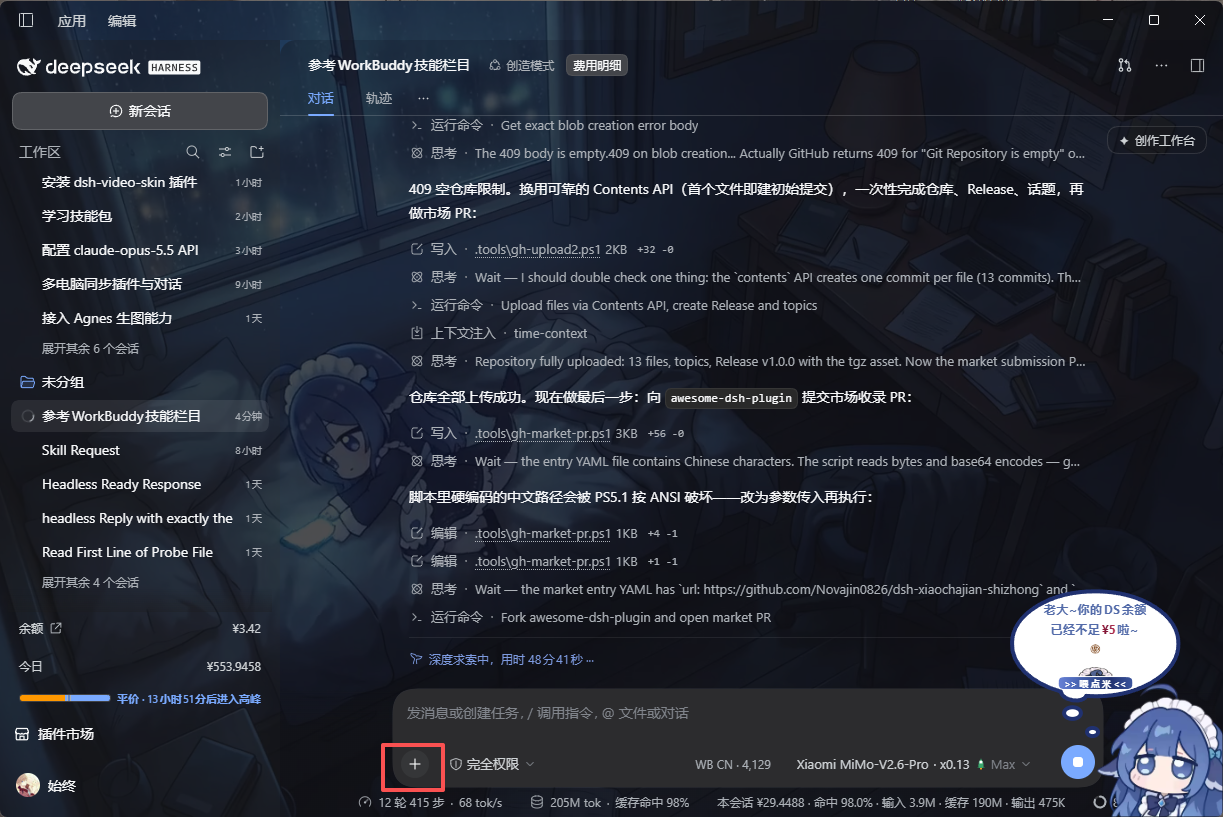
1. Reference a skill in chat (image 1) — double-click the + button next to the composer to open the skill picker; choosing a skill inserts /skill-name into the draft so you can finish your request before sending. Nothing is sent automatically.
2. Skill manager (image 2) — the manager panel lets you search installed skills, enable/disable each one, delete (files move to a recoverable trash folder), batch enable/disable, and import a skill folder from disk.
What this plugin does
A skill reference tool built into the chat, similar to the WorkBuddy skill bar — quick and convenient:
- Reference skills where you talk — no page switching, no typing full names: double-click
+, pick a skill, finish your sentence, send; - You decide what is on — one toggle per skill in the manager; disabled skills disappear from the
+picker immediately; - Tidy even with many skills — search, groups (user-defined / workspace / built-in) and batch actions keep dozens of skills findable in seconds;
- No duplicates, no leakage — the typed
/skill menu is untouched, and subagent composers are fully isolated.
Notes
- Deleting keeps files recoverable in
~/.dsh/skill-menu-trash/; they are never destroyed. - The delete and folder-import endpoints live in the plugin's host half; if they report unavailable after upgrading the plugin, restart DSH once.
- Built-in skills shipped by the agent preset can be disabled but not deleted.
License
MIT
No comments yet. Be the first to write one.