DSH Remote SSH





Use the native DeepSeek Harness (DSH) tools directly on remote Linux servers.
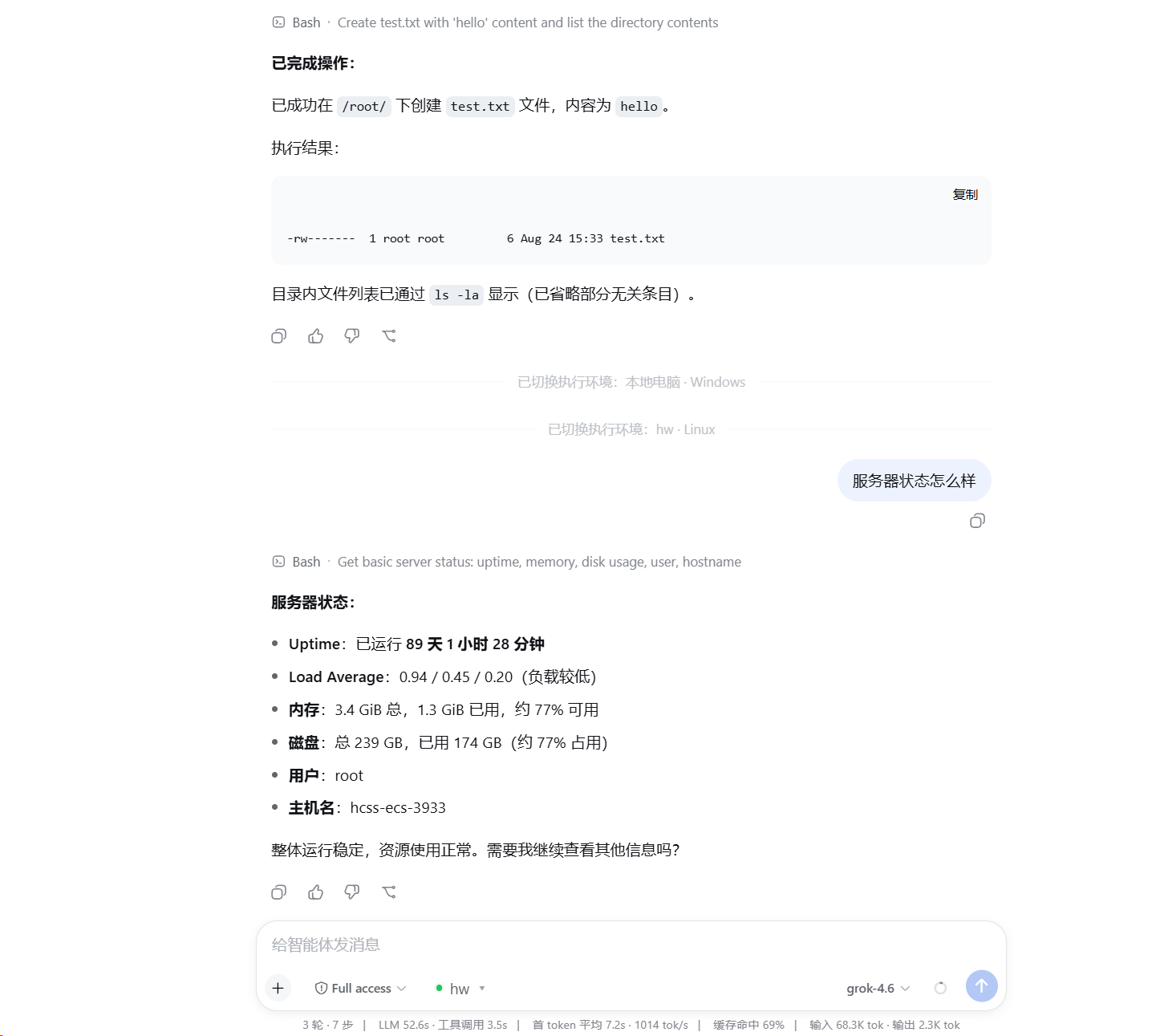
Select a saved server next to the conversation composer and DSH's existing read / write / edit / glob / grep / bash / terminal tools run remotely. The plugin does not modify DSH source code, and the server does not need DSH, this plugin, Node.js, or Python installed.
Features
- Add, test, manage, and select SSH servers inside the DSH Web UI.
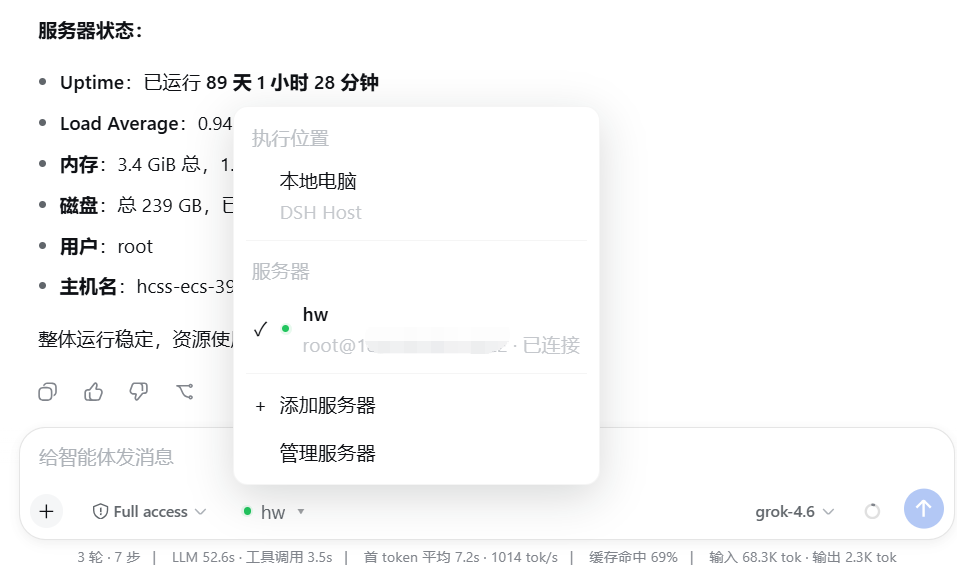
- Switch the execution environment between the local computer and saved servers.
- Keep the official DSH tools instead of adding reduced
ssh_*replacements. - Use SFTP for files, SSH exec / Shell for commands, and SSH PTY for interactive terminals.
- Preserve native
glob / grepbehavior while resolving and caching ripgrep for the remote Linux host. - Authenticate with SSH Agent, a private-key file, or a temporary password.
- Verify SSH Host Key fingerprints on first connection and reject unexpected changes.
- Reuse connections maintained by the DSH Host instead of logging in for every message.
Install
Requires Node.js 24 or newer, with dsh and pnpm available on PATH.
dsh plugin --profile web add github:NaNQiQ/deepseek-harness-remote-ssh
dsh web
If Windows cannot find pnpm, run npm install -g pnpm@11 in CMD and reopen CMD.
Use
- Start
dsh web. - Open the execution-environment selector next to the composer.
- Select Add server.
- Enter the connection, authentication, and default working-directory settings.
- Follow the built-in authentication guide and verify the server fingerprint.
- Select Test and save.
- Select the saved server next to the composer.
For later conversations, simply select the saved server. The model continues to use official DSH tools; only the location behind those tools changes.
Screenshots
Add and configure an SSH server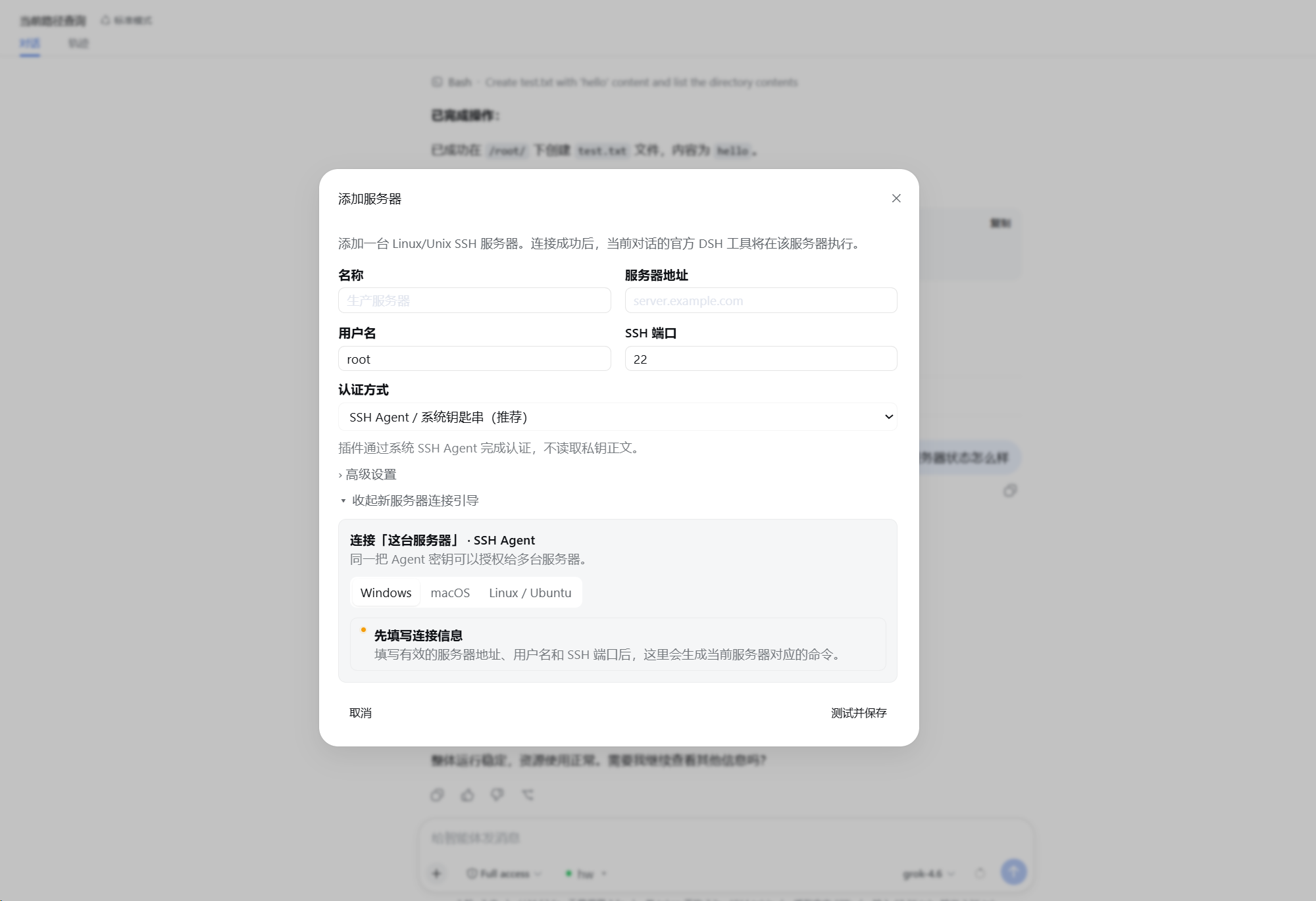
Architecture
flowchart TB
    M[Model]
    T[Official DSH tools<br/>read · write · edit · glob · grep · bash · terminal]
    I[Official DSH execution interfaces<br/>ctx.fs · ctx.subprocess · ctx.shell · ctx.terminals]

    M --> T --> I

    subgraph W[Execution World]
        direction LR

        subgraph L[Local]
            LP[Native DSH providers]
            LOS[Local operating system]
            LP --> LOS
        end

        subgraph R[Remote SSH]
            RP[DSH Remote SSH providers]
            FS[SFTP<br/>remote filesystem]
            EX[SSH exec<br/>processes / shell]
            PTY[SSH PTY<br/>interactive terminal]
            RG[Official glob / grep arguments<br/>remote Linux ripgrep]

            RP --> FS
            RP --> EX
            RP --> PTY
            RP --> RG
        end
    end

    I --> LP
    I --> RP
Native DSH @ Linux
        ≈
DSH @ local computer + DSH Remote SSH → the same Linux host
The plugin changes where DSH executes, not how the model uses DSH tools. See ARCHITECTURE.md for implementation details.
Authentication
| Method | Behavior |
|---|---|
| SSH Agent | Requests signatures without reading private-key contents or enabling Agent Forwarding; suited to personal desktops |
| Private-key file | Persists only the path and reads the file when connecting; suited to dedicated accounts or server deployments |
| Temporary password | Kept only in current DSH Host process memory and must be entered again after restart |
Remote requirements and security boundary
- The target is a Linux / Unix host with SSH, SFTP, and a POSIX shell.
- Each server can define a default working directory; it is the initial
cwd, not a path sandbox. - Effective access equals the permissions of the remote SSH account.
- The Remote Provider does not expose the DSH Host's local filesystem to the remote execution world.
- Model API keys and Base URLs remain managed by DSH; this plugin does not read or store them.
See SECURITY.md for details.
Update and remove
dsh plugin --profile web update dsh-remote-ssh
dsh plugin --profile web remove dsh-remote-ssh
Restart DSH after updating or removing the plugin.
Documentation
- ARCHITECTURE.md — architecture and implementation
- SECURITY.md — security model and credential handling
- CHANGELOG.md — release history
- CONTRIBUTING.md — development and contributions

No comments yet. Be the first to write one.