dsh-mloader
English | 简体中文
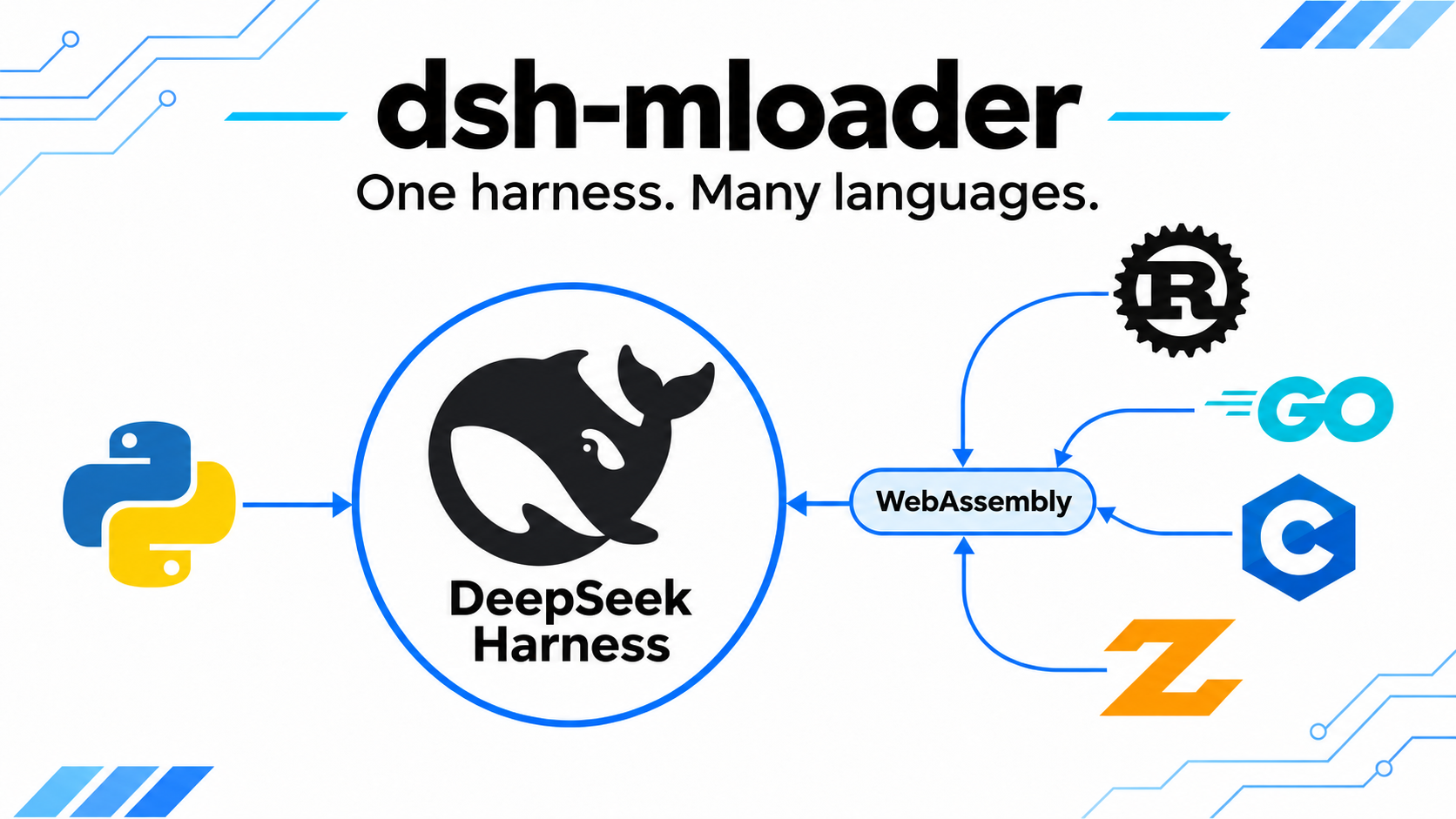
Multi-runtime plugin loader for DeepSeek Harness. It is one ordinary Cordis plugin that hosts plugins written in Python and WebAssembly. The hosted plugins are not dsh plugins: they have no dsh plugin entry of their own. In a web profile, the dsh Plugins page shows them in an External plugins section on the dsh-mloader bundle detail page. The name means multi-runtime loader, and the leading m also matches the author's GitHub handle initial.


Install
dsh plugin --profile web add github:Mooling0602/dsh-mloader
Pin a release tag if you prefer to upgrade deliberately:
dsh plugin --profile web add github:Mooling0602/dsh-mloader#v0.1.0
Restart dsh after installing. The loader needs no configuration, and dsh adds the package to dsh.profile.bundles by itself. The package ships built JavaScript and has no runtime dependencies, so installation needs no compiler step. Python plugins need Python 3.10 or later and uv on PATH.
The defaults are already correct. To change one, override the same id in the profile's cordis.patch.yml; Configuration below says what each key does.
To uninstall:
dsh plugin --profile web remove dsh-mloader
Uninstalling the loader does not delete the plugins installed under the profile.
First success
After the restart the loader prints one [mloader] line per lifecycle event in the terminal that runs dsh. A fresh profile also receives the bundled example plugin:
[mloader] seeded: hello-mloader
[mloader] mounted hello-mloader (python, tools: hello_add, hello_mloader)
[mloader] ready: 1 plugin(s) mounted
Ask the model to call hello_mloader or hello_add, or type /hello-mloader Ada or /hello-add 2 40 to run the example commands. /mloader lists the hosted plugins. The example is maintained by the loader: every start replaces the installed copy, and the id hello-mloader is reserved for it.
Where plugins go
Each plugin lives in its own directory under the profile:
~/.dsh/profiles/<profile>/mloader/plugins/<plugin-id>/
A plugin directory contains a mloader.plugin.json manifest and its entry file. Copy the directory in while dsh runs: the loader watches the plugin roots, so a directory that appears is mounted and one that is deleted is unmounted, both without a restart. After editing the files of an installed plugin, run /mloader reload <plugin-id>. The loader finds the current profile through dsh, so no path configuration is needed. Python plugins need Python 3.10 or later. The WASM backend is disabled by default; see CONTEXT to enable it. Watching is on by default; see Configuration to turn it off, and a plugin added to the directory then needs a restart.
Python dependencies
All Python plugins of a profile share one virtual environment at ~/.dsh/profiles/<profile>/mloader/.venv. The loader normally creates it with uv on the first Python plugin and starts each plugin with that environment. Declare third party packages in pyproject.toml under [project].dependencies; a requirements.txt is also accepted. When both files are present, pyproject wins for a package both name, and the requirements only entries are merged into the installed pyproject. A plugin that ships only requirements.txt uses Python's venv module and pip instead, with a warning. Python version selection and per-plugin environments are not supported, so plugins share one dependency set.
The loader installs the Python SDK into that environment and provides the dsh-mloader-sdk command. Activate the environment to use it:
source ~/.dsh/profiles/<profile>/mloader/.venv/bin/activate
dsh-mloader-sdk --help
dsh-mloader-sdk install ./my-plugin.mloader.pack
The command derives the profile from the environment path. Python package section 6 is the full command reference.
WebAssembly example
The repository ships two examples under seeds/. hello-mloader is the complete Python example that a profile receives automatically. wasm-mloader is a source-only Rust example; the loader never releases it, and no compiled .wasm file is committed. Build it with ./seeds/wasm-mloader/build.sh, copy the generated dist/wasm-mloader directory into the profile plugin root, and enable wasm.enabled. The build requirements and the example contract are in seeds/wasm-mloader.
Inspect and switch plugins
Two surfaces read the same snapshot:
| Who | How |
|---|---|
| You | the /mloader command |
| The model | mloader_status, mloader_info, mloader_load, mloader_unload, and mloader_reload tools |
/mloader lists every plugin, /mloader <plugin-id> shows one, and /mloader load <plugin-id>, /mloader unload <plugin-id> and /mloader reload <plugin-id> change one at runtime. Loading only works for a plugin that is already installed under the profile.
A hosted plugin can also register slash commands of its own. The bundled example registers /hello-mloader and /hello-add, the command form of its hello_add tool. Tools and commands are separate registrations: a plugin decides which surface its users need, and the loader never mirrors one into the other. Plugin commands share one global namespace with dsh and the other plugins: a plugin declares candidate names in priority order, and the loader registers the first name that is not taken. When every candidate is taken, the existing command wins and the plugin keeps loading without that command.
In a web profile, the dsh-mloader bundle detail page on the dsh Plugins page has an External plugins section with one switch per hosted plugin. A switch takes effect immediately and lasts for the running dsh only: it never edits the plugin directory, and every plugin returns to the state its manifest declares after a restart. A plugin must already be installed under the profile plugin directory to appear there; the switch does not install anything.
Configuration
The defaults are already correct. On the web Plugins page, open the dsh-mloader bundle to edit and save the loader settings. Saving uses the active profile's configuration editor and can reload the loader. The editor writes the complete current loader configuration as a profile override. If the bundled example refresh is enabled, reloading replaces local changes in the example directory.
Alternatively, target the dsh-mloader id in the profile's cordis.patch.yml:
- id: dsh-mloader
  config:
    console: false
Every key is optional. The default column is what dsh-mloader uses when you leave the key out, so the only reason to set one is that your situation differs from it:
| Key | Default | What it controls |
|---|---|---|
roots |
[] |
Extra directories to scan for plugin directories, on top of the profile one. |
profilePlugins |
true |
Whether <profile>/mloader/plugins is scanned. false scans only roots and disables the shared Python environment unless profileDir is set. |
profileDir |
detected | Overrides the profile directory the loader resolves through dsh, which is otherwise detected. For tests. |
autoEnable |
true |
Whether installed plugins start with dsh. false leaves them discovered until you load one. |
pythonBin |
python3 |
The base Python interpreter used to create the shared environment. Python plugins run in that environment. |
shellPath |
[] |
Directories to prepend to the PATH used by Python environment setup and plugins. Use absolute paths; ~ is not expanded. |
enablePyc |
false |
Whether Python keeps the bytecode cache it writes beside a plugin. Off means a reload always runs the code on disk, so turning it on trades that for a faster start. |
statusTool |
true |
Whether the plugin status and management tools are registered for the model. |
command |
true |
The /mloader command: true for the default name, a string for a custom name, false to disable it. |
seedExamples |
true |
Whether the bundled complete Python example is released and refreshed in the profile on every start. Source-only examples are never released. |
console |
true |
Terminal output: true for lifecycle lines, 'verbose' for scan detail as well, false for silence. |
watch |
true |
Whether plugin directories added or removed while dsh runs are mounted or unmounted without a restart. |
wasm.enabled |
false |
Whether the WebAssembly backend is enabled. |
The shape of each value, the bytecode cache trade-off and the restart checklist are in CONTEXT.
Documentation
- docs/ABI-unified: the shared contract for third-party plugin authors, including the manifest schema, the capability whitelist, the RPC protocol, the lifecycle, the backend interface, the security model and the installation layout.
- docs/python-sdk/PyABI: the Python backend contract, including the SDK import, the two registration styles, result schema inference and the process transport.
- docs/wasm/WasmABI: the WebAssembly core ABI, including the required exports, the declaration object and the worker deadlines.
- docs/Package: the archive format and installation rules shared by both backends. The Python backend implements them; the WebAssembly backend remains a target contract.
- docs/python-sdk/Package: the Python package layout, dependencies, shared environment and command line.
- docs/wasm/Package: the WebAssembly package targets and directory layout, specified as a target contract.
- CONTEXT: technical detail for maintainers, including the build and artifact policy, configuration defaults, test recipes and the restart checklist.
- seeds: the bundled example sources, including the released Python example and the source-only Rust WebAssembly example.
- dsh-mloader-python-sdk: the Python SDK package, a mirror of
src/runtime/python_sdk/with the packaging metadata and tests. - dsh-mloader-wasm-sdk: the multi-language WebAssembly plugin SDK for Rust, Zig, Go and C, with a shared ABI conformance suite.
License
LGPL-3.0-only. External plugins loaded by the loader are independent works and may use any license. The Python runtime under src/runtime/python_sdk/ is additionally MIT licensed. See NOTICE.
No comments yet. Be the first to write one.