
dsh-replay
Read-only session review for DeepSeek Harness.
Cost · Audit · Fork tree · Compare · Shareable HTML — no model calls, no token spend.
简体中文 · Live demo · Install · Why not Trajectory? · Privacy





Desktop one-click install: Plugins → Add plugin →
@mingozhou/dsh-replay→ Install → restart. Web/source:dsh plugin --profile <profile> add ….
15-second demo · sample sessions · the exported HTML is offline and read-only
GIF fallback · full demo
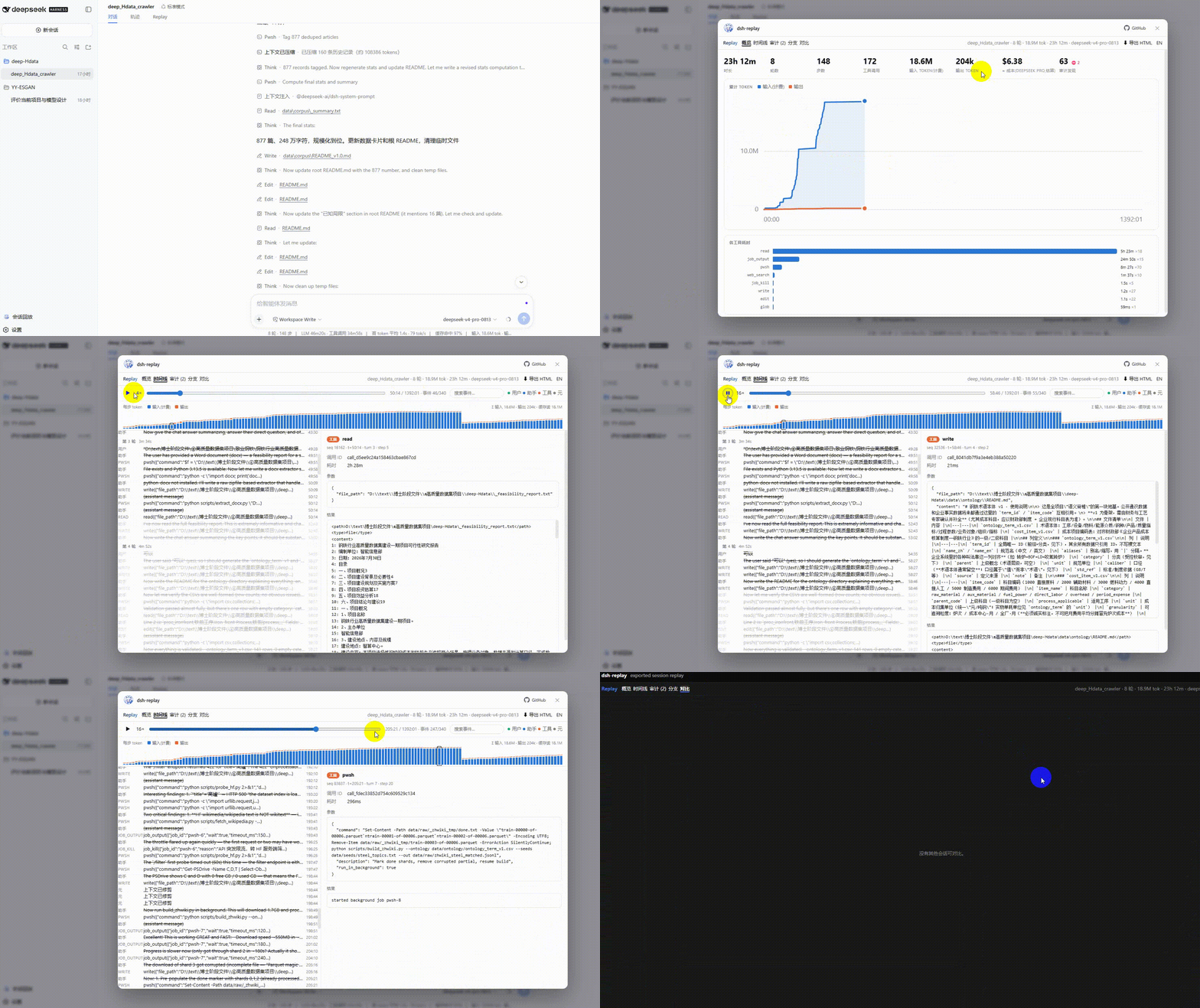
“Replay” here means read-only. dsh-replay never re-sends a session to a model, never writes the log, and never spends tokens. It parses the append-only session log and renders it. See FAQ.
Historical note (preserving the original claim). DeepSeek Harness keeps a beautiful append-only log where everything that reached the model is reconstructible — but ships no viewer for it. dsh-replay is that viewer. That was true when this project started in 2026-08. Since DSH 0.2.1-rc.2, the official Web UI ships the Trajectory (轨迹) view, which covers the current session's event ledger. dsh-replay is now the viewer for the archive: every session, cost, Windows-aware audit, fork/compare, and redacted standalone export. Details below.
Install
DeepSeek Harness Desktop (recommended)
- Open Plugins in the left sidebar.
- Click Add plugin.
- Enter
@mingozhou/dsh-replayand click Install. - Restart Harness.
Desktop profiles are managed by the Electron app.
dsh plugin --profile desktop …is refused by design (profile "desktop" is managed exclusively by the Electron application). Use the Plugins page instead.

Plugins → Installed plugins. This is the 0.4.1 row; 0.4.2 uses the new description.
Web UI / source checkout
# released CLI (npm i -g @deepseek-ai/dsh)
dsh plugin --profile <your-profile> add @mingozhou/dsh-replay

# source checkout
cd deepseek-harness
pnpm dsh plugin --profile web add @mingozhou/dsh-replay
Verify with dsh --profile <your-profile> --dump-config (look for the @mingozhou/dsh-replay / replay row), then restart Harness.
From source (development / unreleased changes)
git clone https://github.com/MingoZhou/dsh-replay.git
cd dsh-replay
npm install && npm run build      # lib/ is a build artifact
npm run demo                      # http://localhost:4173 — no harness needed
Point a profile at the folder:
dsh plugin --profile <your-profile> add <absolute-path>/dsh-replay
Uninstall
- Desktop: Plugins → dsh-replay → Remove.
- Web:
dsh plugin --profile <your-profile> remove @mingozhou/dsh-replay - Manual fallback: remove
@mingozhou/dsh-replayfrom bothdependenciesanddsh.profile.bundlesin the profile'spackage.json, thenpnpm installin the profile directory.
Why not Trajectory?
Trajectory is excellent for the session you are in: a live ledger, timing overview, per-record tokens, thinking, system prompt, virtual scrolling. If that is all you need, use it. dsh-replay is for after the session ends, and for the questions Trajectory does not answer:
| Official Trajectory | dsh-replay | |
|---|---|---|
| Scope | current session | all sessions + archive dashboard |
| Timeline | native, live, virtualized | playback, reasoning, system prompt, tool summaries |
| Cost | token counts | per-model cost, USD/CNY, editable price table |
| Risk | — | Windows-aware audit, baseline suppression, secret redaction |
| Lineage | — | fork tree + exact divergence + cost/risk deltas |
| Sharing | raw session ZIP | redacted, standalone, interactive HTML |
| Data | in the session | local archive; no telemetry |
The two coexist. dsh-replay does not replace Trajectory; it answers “what happened across all of this, what did it cost, what was risky, and how do I show someone?”
What you get
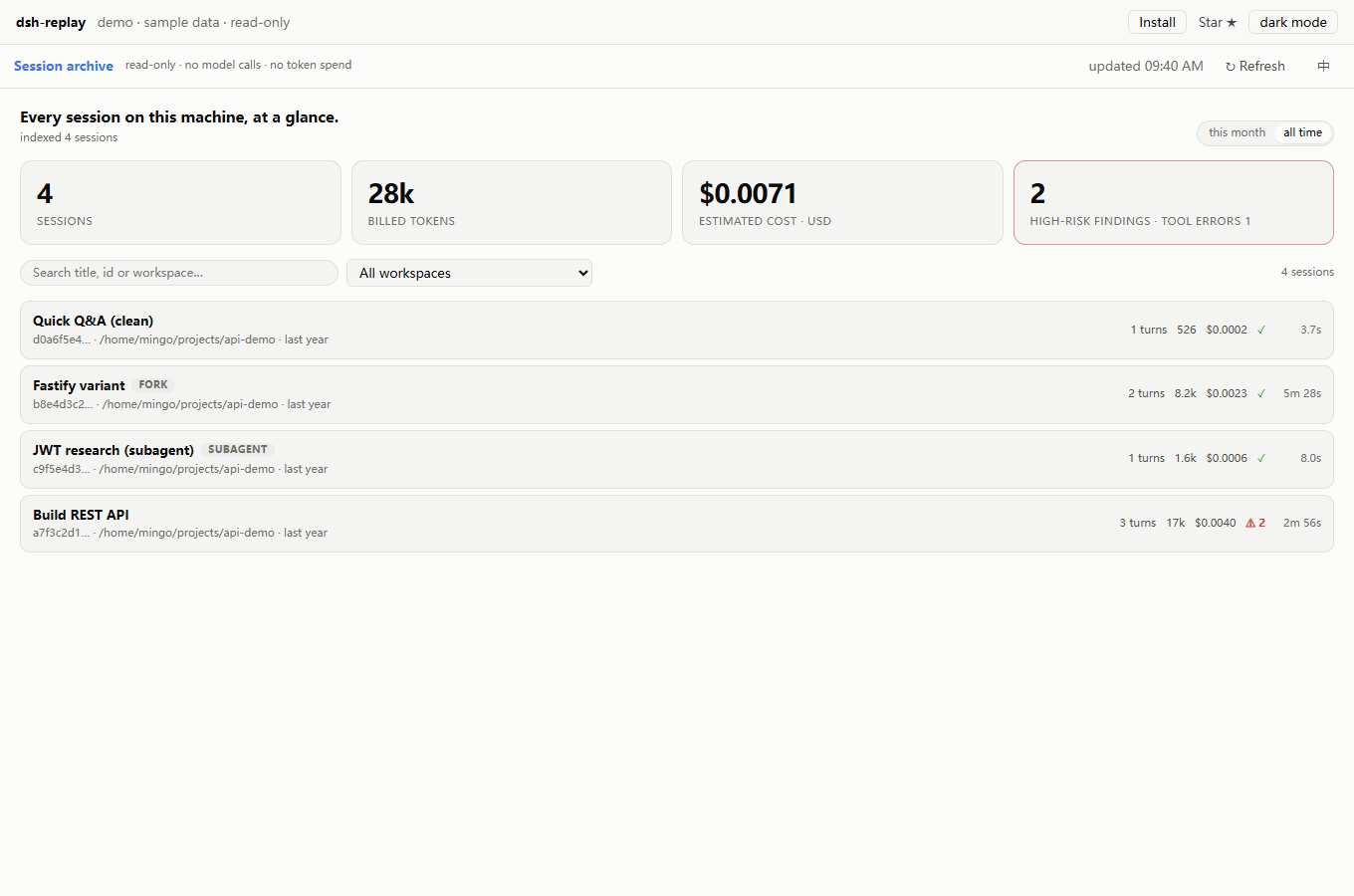
| 📊 Archive dashboard | Every session on this machine: month/all-time tokens, estimated cost, high-risk findings, search by title/id/workspace. |
| 💰 Per-model cost | Cache-aware totals, a per-model breakdown, USD/CNY, and an editable price table. No more charging every token at one model's rate. |
| 🛡️ Windows-aware audit | pwsh/PowerShell/cmd as well as bash; destructive deletes, credential reads, exfil, persistence and policy changes. Initial permission/sandbox state is treated as baseline, not a finding. |
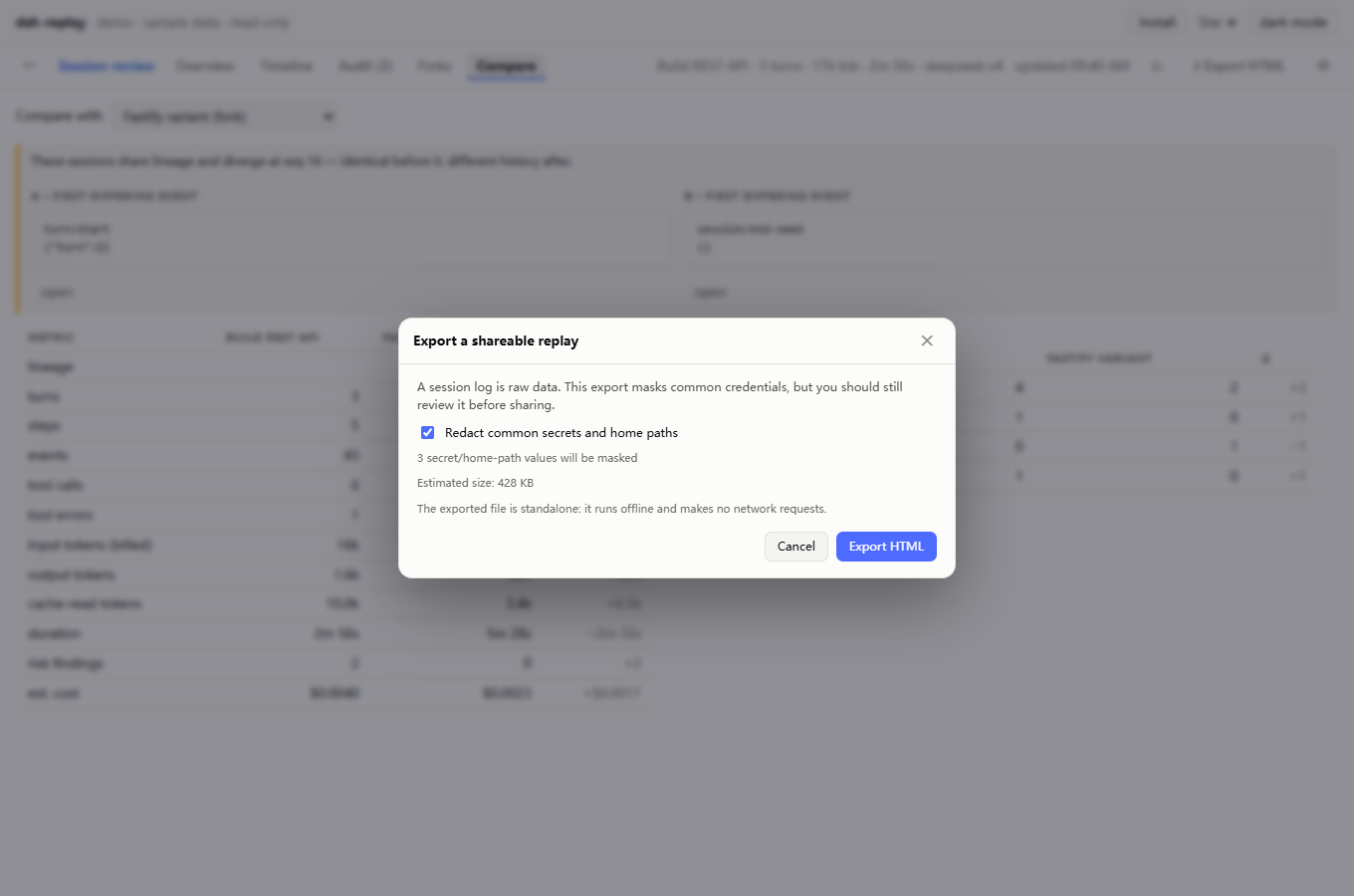
| 🔐 Secret redaction | Common API keys, .env assignments, private keys, home paths. The export dialog shows the redaction count before you share. |
| 📤 Shareable HTML | One session baked into a single offline .html: no install, no network, no model. Ideal for bug reports and post-mortems. |
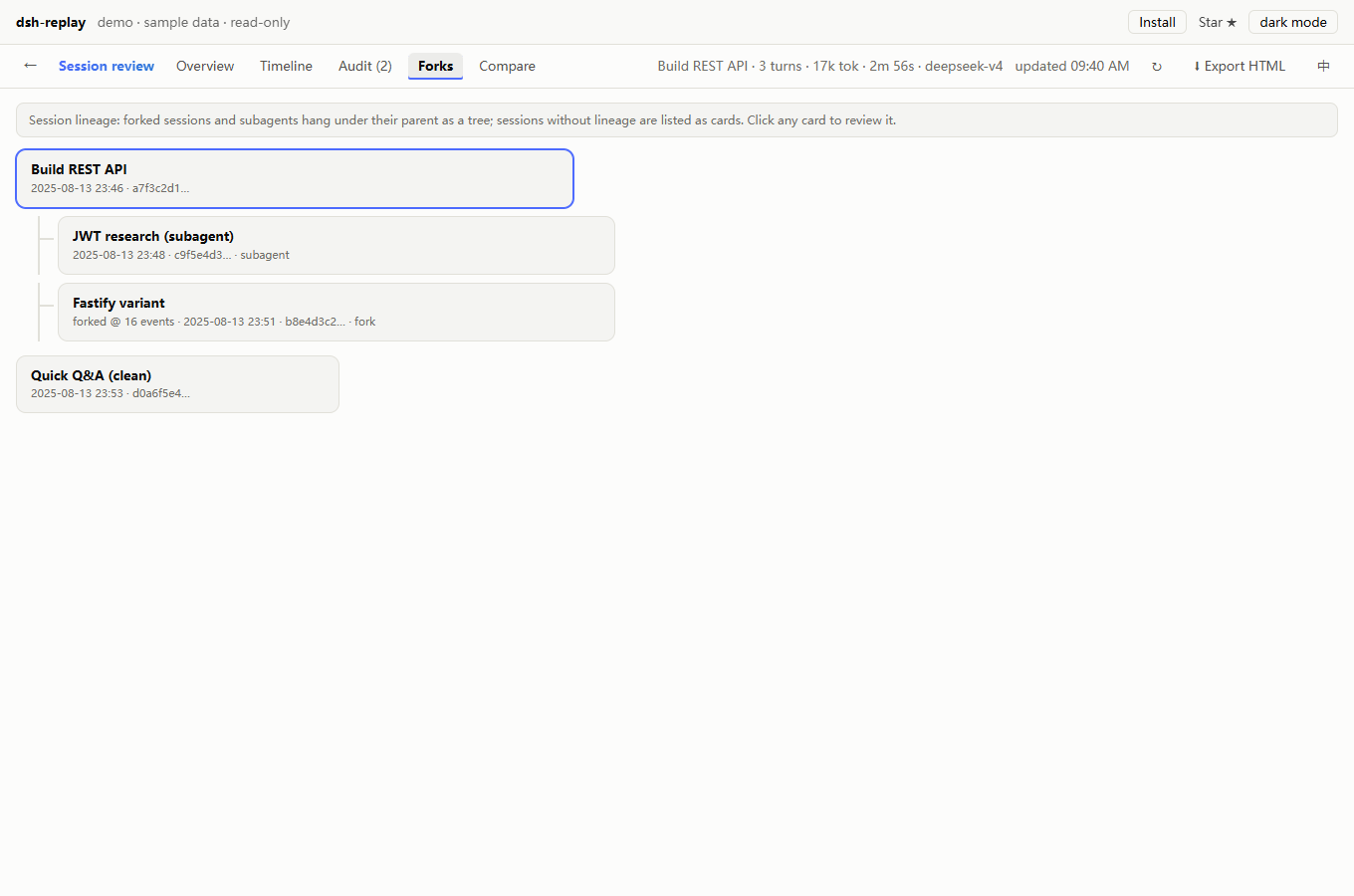
| 🌿 Fork tree | Full lineage, subagents, fork boundaries, click-through. |
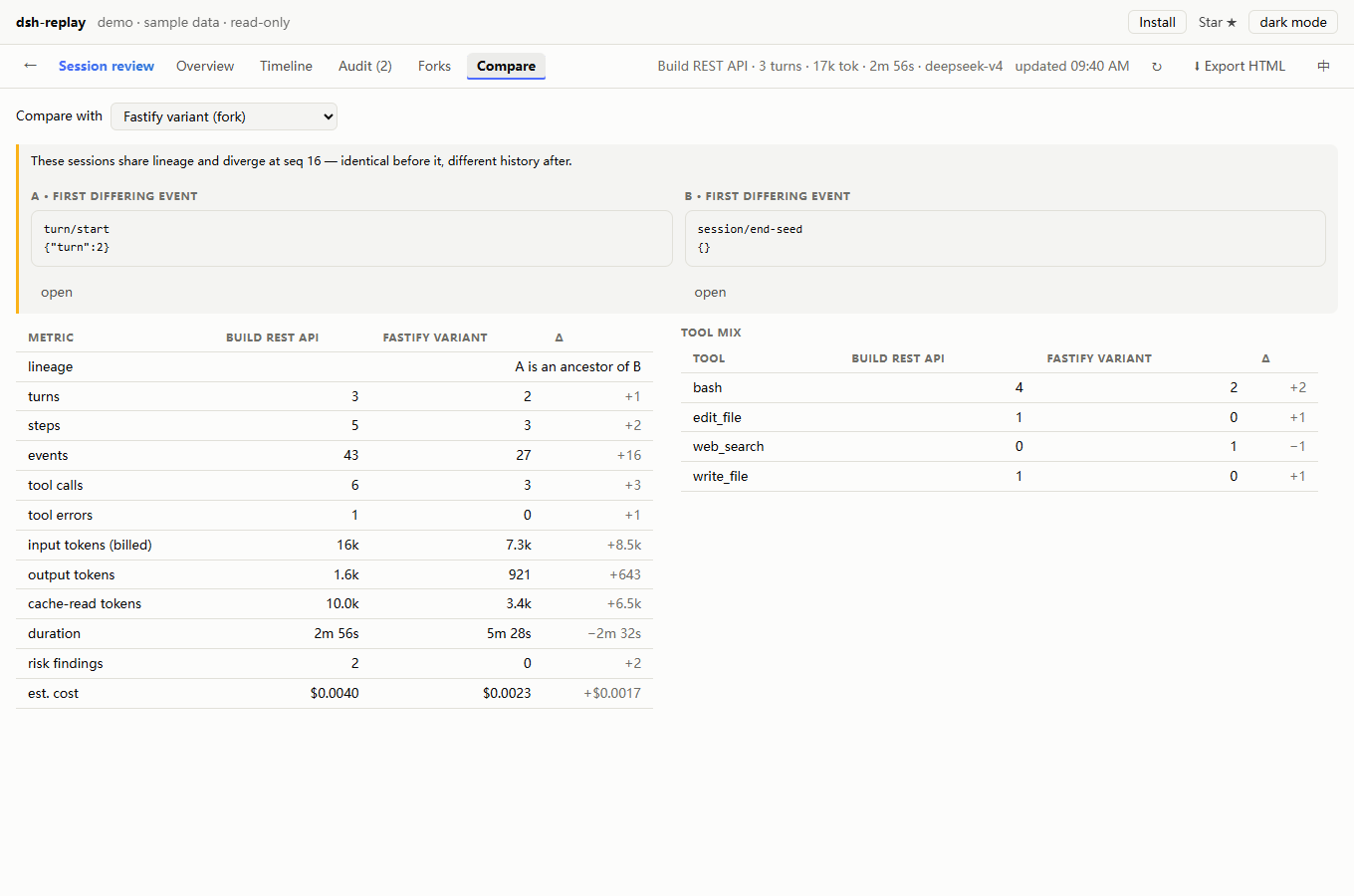
| ⚖️ Compare | Any two sessions: stats, tool mix, cost/risk deltas, full-lineage relation, and the first differing event on each side. |
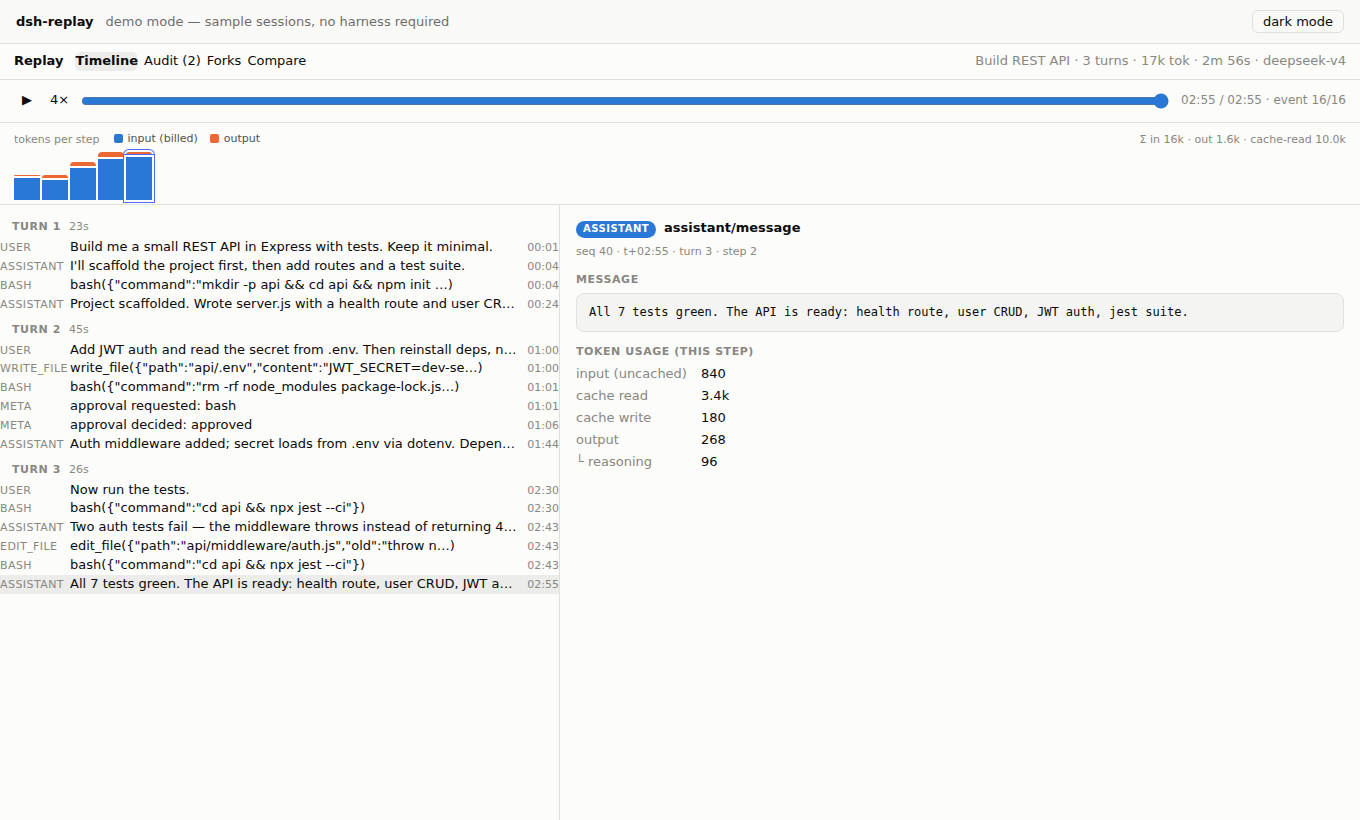
| ⏪ Timeline | 1–16× playback, reasoning, system prompt, search, type filters, keyboard navigation, tool summaries instead of raw JSON. |
| 🌏 English / 中文 | The app UI switches language; DSH-injected view labels remain whatever the host provides. |
Dashboard, cost, audit, export
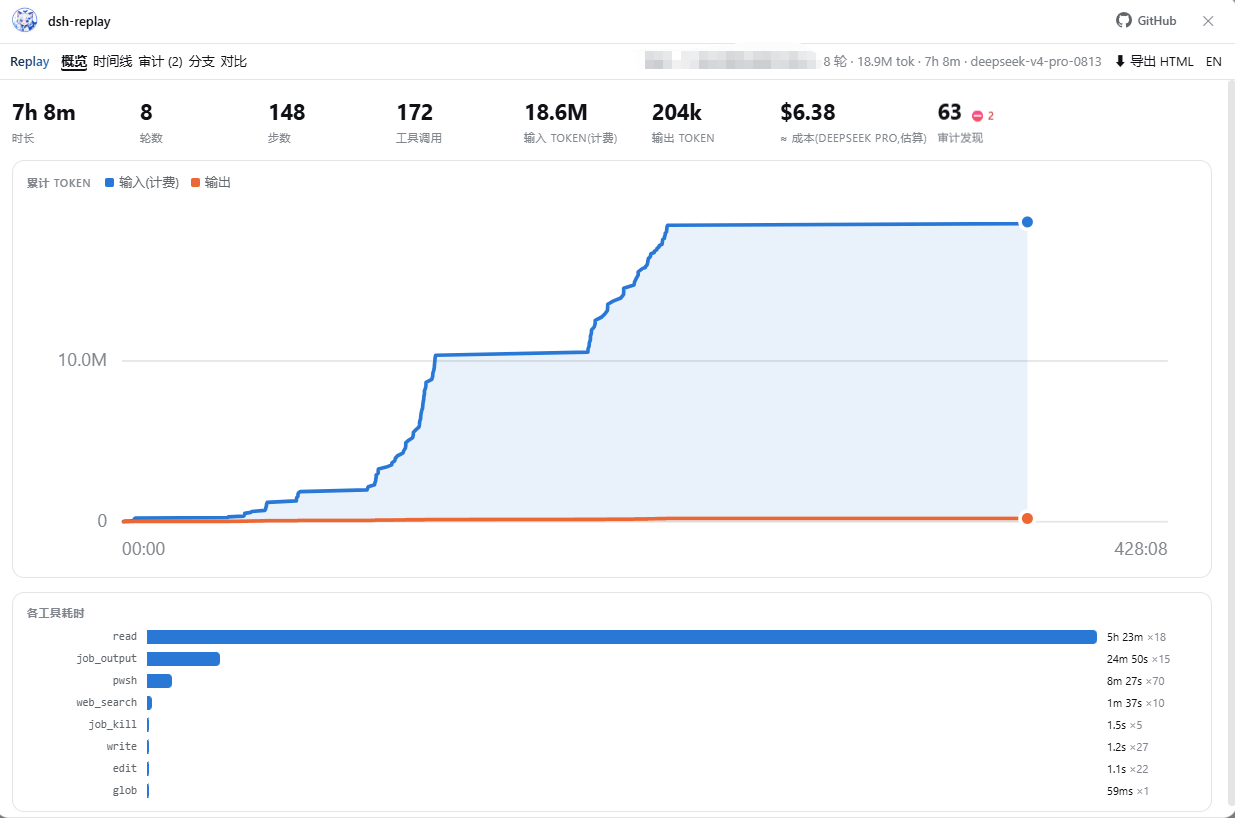
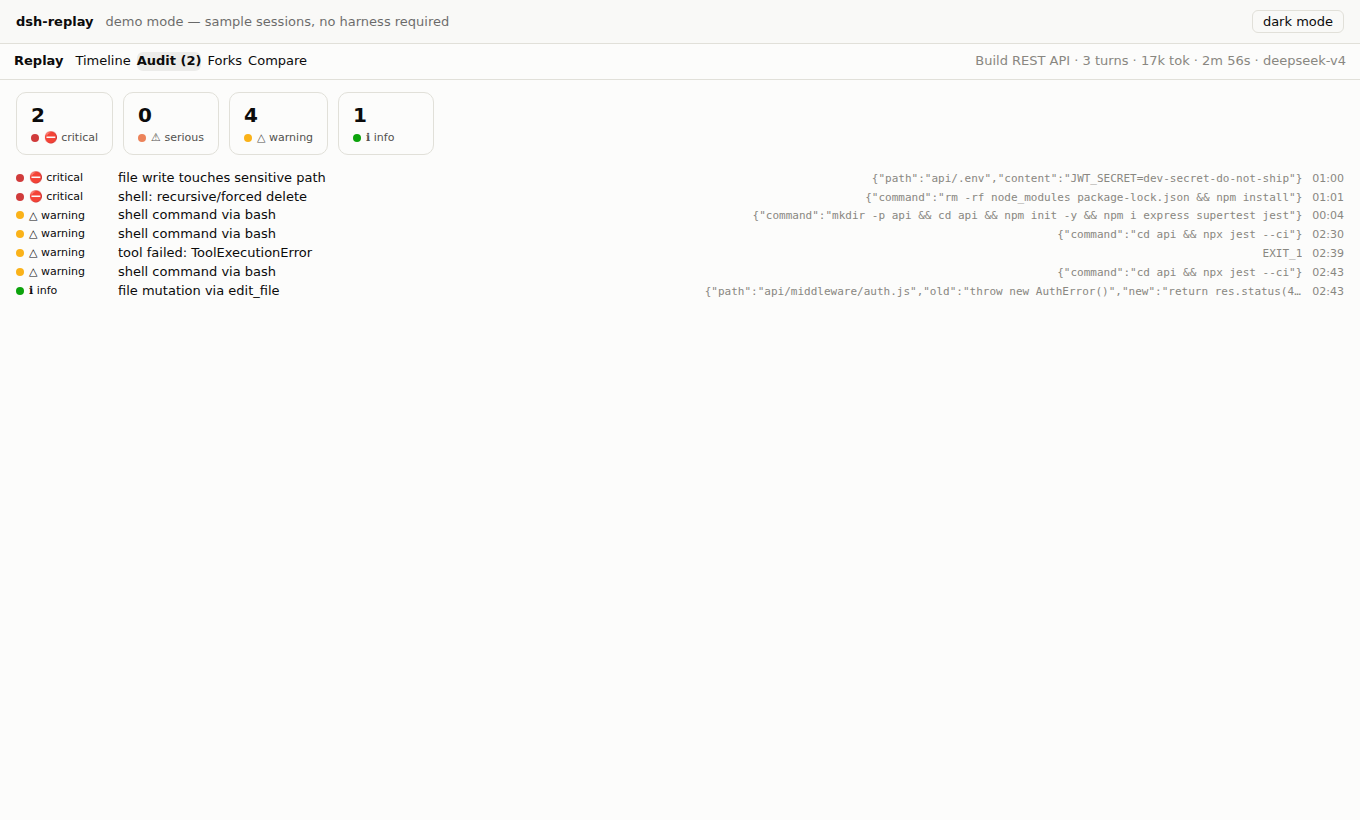
More: dashboard · timeline · forks · compare
What changed in 0.4.2
This is the “still alive” maintenance release, focused on trust and first-run:
- Audit correctness:
pwsh/PowerShell/cmd, Windows destructive commands, credential reads and exfiltration; initialpermission/preset/sandbox/modeno longer raises a finding; routine writes/network reads no longer flood the list. - Cost correctness: per-model totals; mixed-model sessions are priced separately; editable price table; USD/CNY.
- Share safely: redaction preview + count + size estimate; unredacted export is an explicit opt-in; exported viewer has no empty Forks/Compare tabs.
- Actually smaller: client bundle 2.0 MB → 232 KB; mascot 1.4 MB → 73 KB; README GIF 28.8 MB → 164 KB; 15-second WebP 116 KB.
- More useful timeline: reasoning, system prompt, model selection, tool summaries, keyboard navigation, selected-event preservation under filters.
- Archive dashboard: every session, month/all-time, tokens, cost, risk, search, workspace filter.
- Privacy/security: loopback-only API by default; secret redaction; PRIVACY.md and SECURITY.md.
- Compatibility:
engines.dsh; targeted at DSH Desktop 0.2.1-rc.2 (thesessionQuerycontract was checked against the running app; the UI was verified in demo mode).
Compatibility
| Component | Tested / required |
|---|---|
| DSH Desktop | 0.2.1-rc.2 — target / API contract checked |
| DSH Web | 0.2.x expected (same sessionQuery / webServer contract) |
| Node | 22+ |
| Package | @mingozhou/dsh-replay@0.4.2 |
| Plugin API range | engines.dsh >= 0.2.0-rc.8 |
DSH moves fast. If a future release breaks the adapter, npm run demo still works because the analysis/UI layers are independent of the host. Open an issue with the DSH version and the failing route.
Privacy and security
- The plugin reads session logs through
ctx.sessionQuery; it writes no session data. - The UI calls the local DSH origin only; no telemetry, no cloud parser.
- The host API is loopback-only by default and read-only.
allowRemoteis an explicit opt-in and remains unauthenticated — do not expose it to a network. - Exported HTML is self-contained and offline. Session logs are raw data: the export redacts common credentials, but review the file before sharing.
- Read PRIVACY.md and SECURITY.md.
FAQ
Does “replay” re-run the session or call the model? No. It is a read-only projection of the append-only log. No model request, no token spend, no writes. This is also issue #2, now in the FAQ.
Then why is it called replay? The project started before the official view existed; “replay” meant “play back the recording”, like a match recording, not “replay the match”. The UI now says Session Review / 会话复盘 and the README says read-only up front.
Trajectory already exists. Why install this? Trajectory is per-session and live. dsh-replay is archive-wide (all sessions), adds money/risk/lineage/share, and exports a file a teammate can open with zero install. See the table.
Does it work on Windows?
Yes — 0.4.2 added pwsh/PowerShell/cmd rules and Windows path handling. The old audit missed Remove-Item entirely; that is fixed.
Why is the bundle smaller now? The 1.4 MB mascot was embedded into every client bundle. It is now a 73 KB 256px asset; the sidebar still uses the colorful mascot (not a monochrome glyph), and the base client bundle is ~232 KB.
The Plugins page says the plugin is installed, but there is no entry.
Fully restart Harness; client plugin sets are scanned at boot. If the API works but the UI does not, confirm lib/client.js exists (source install: npm run build).
GET /replay/api/sessions returns 404.
The profile did not compose the bundle. Re-add it and check the configuration; on Desktop use the Plugins page, on Web use dsh --profile <profile> --dump-config.
I'm on Desktop and dsh plugin --profile desktop … fails.
Expected: the Desktop app owns that profile. Use Plugins → Add plugin.
Is redaction guaranteed? No. It is pattern-based and best-effort. The dialog shows how many values will be masked; unredacted export is opt-in. Never share a real session without reviewing it.
Roadmap
- File diff reconstruction from
edit/writecalls (the next big differentiator over a raw ledger). - Annotations + share links for exported reviews.
- Deeper audit packs (supply chain, network egress, CI credentials) with a rule editor.
- More archive analytics: per-workspace spend, weekly digest, budget alerts.
- Native Trajectory deep links from audit findings, instead of a second timeline.
Live-follow is intentionally not the focus: Trajectory already does it well. dsh-replay invests in the archive, money, risk, and sharing.
Star
If dsh-replay saved you an afternoon of log spelunking, a ⭐ helps other DSH users find it:
github.com/MingoZhou/dsh-replay · Live demo · Issues · Discussions
Writing about it? A ready-to-edit launch/content pack is in docs/content.
License & credits
MIT. Jing Xiaoshen (鲸小深) is an original character created for this project — not the official DeepSeek logo and not third-party fan art. Mascot artwork lives at assets/jingxiaoshen.png; replace it and rebuild to embed your own version.
The core/ layer is dependency-free and importable as dsh-replay/core if you want to build your own tooling over session logs. It understands packed chunk rows, torn crash tails, seed boundaries, compaction shadowing, reasoning blocks, and per-model usage.
No comments yet. Be the first to write one.