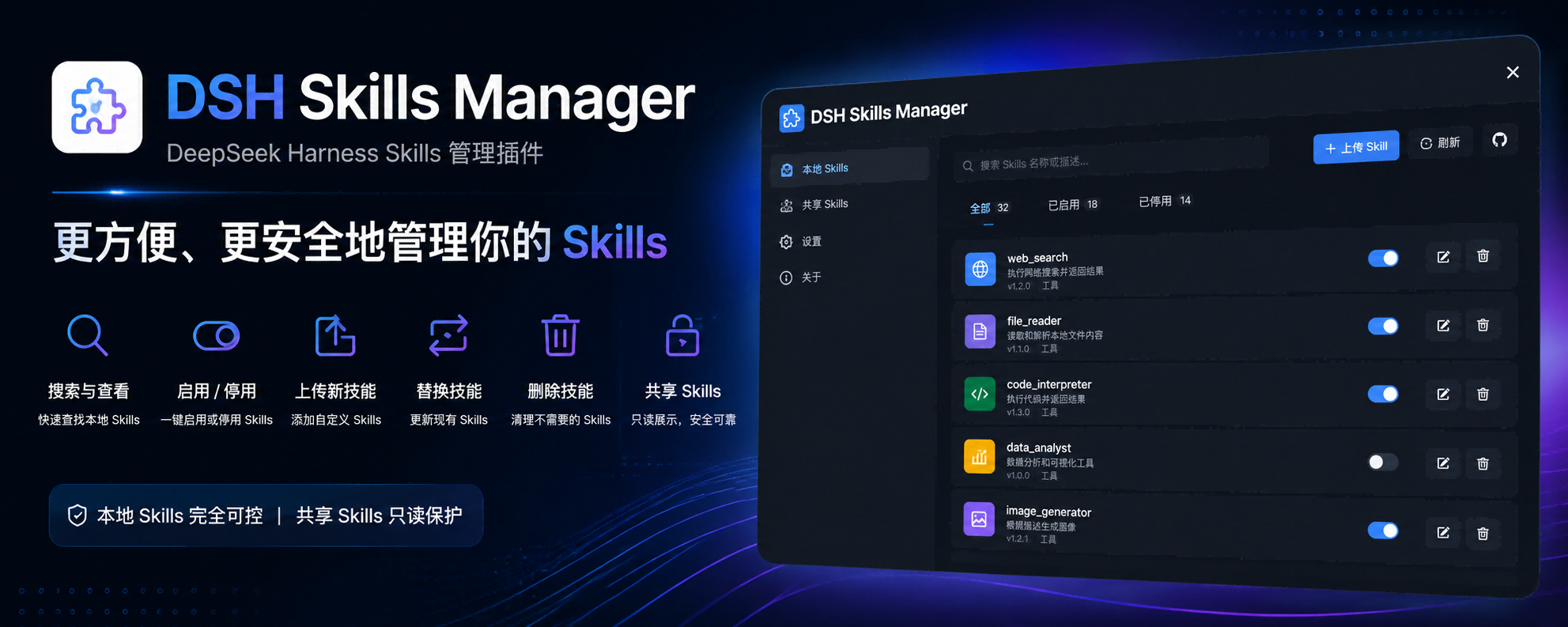
DSH Skills Manager
Load and safely manage skills from DSH and common local Agents
简体中文 · Changelog · Apache-2.0





DSH Skills Manager is a community-maintained DeepSeek Harness (DSH) plugin, not an official DeepSeek AI product.
Features
Bring skills from your computer and projects into one DSH management page. Find skills, read their contents, control availability, and create or import your own.
- Reuse existing skills: discover user skills from
.agents, CC Switch, Codex, Claude, Gemini, OpenCode, and Cursor. - Organize by project: browse DSH and
.agentsskills from active projects, with source filters and search. - Toggle availability: enabling or disabling a skill changes its availability in DSH without editing source files.
- Read before using: inspect the body, source information, format diagnostics, and duplicate-name notices.
- Add your own skills: create user or project skills in Settings, or import ZIP archives, skill folders, and
SKILL.mdfiles. - Recover deleted skills: DSH skills go to Trash first and can be restored to their original location.
Screenshots
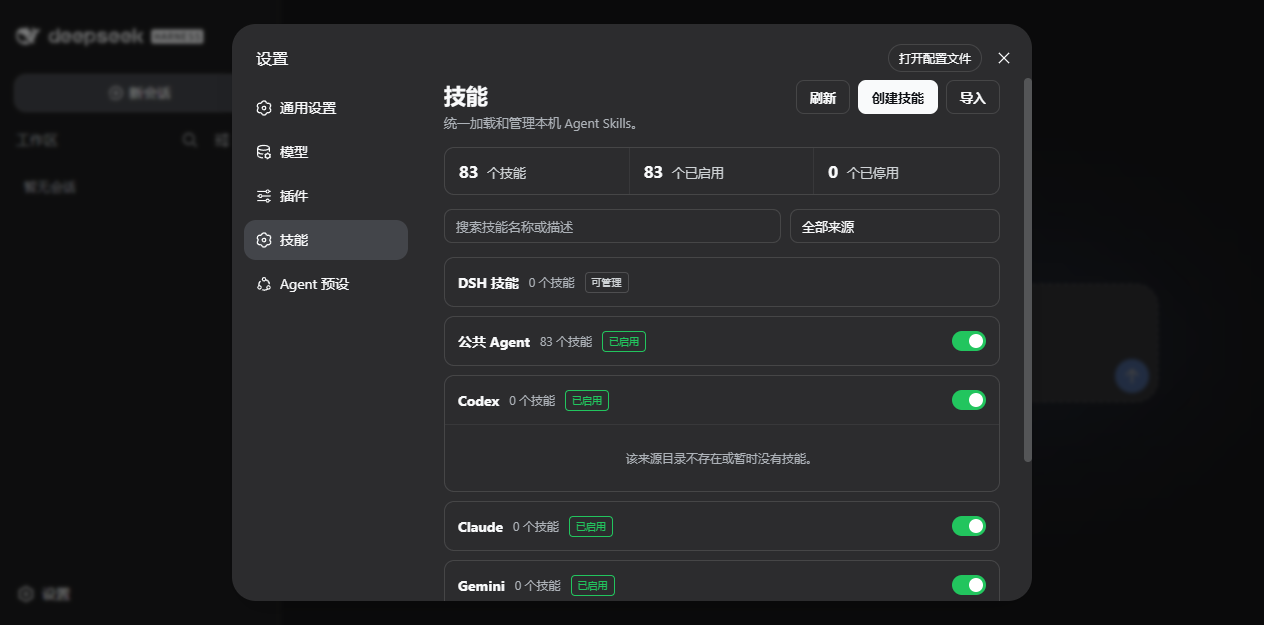
Browse by source or search in Settings → Skills. External Agent sources are made available through manager policy while their files stay read-only:
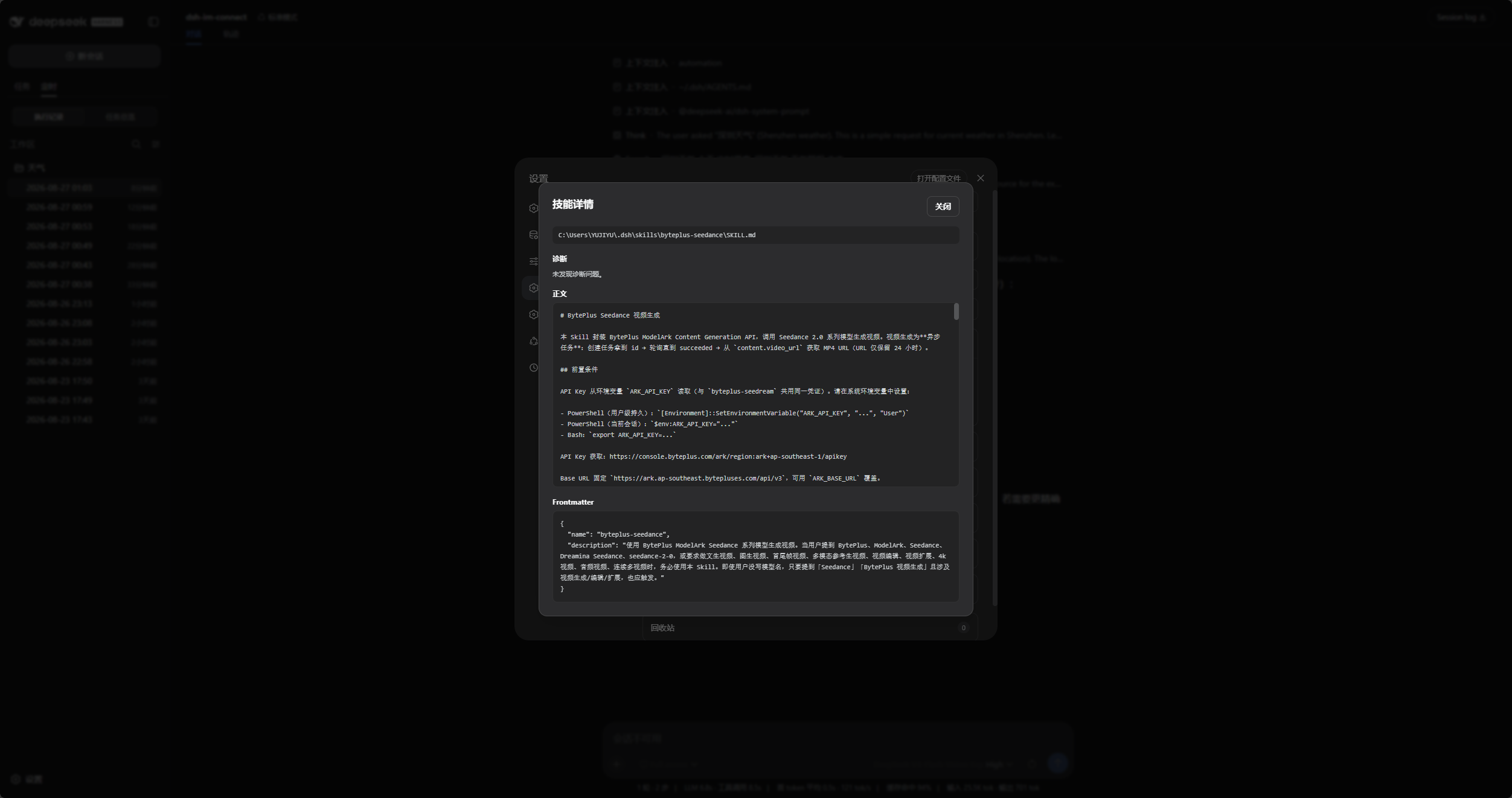
Open any skill to inspect its source path, diagnostics, Markdown body, and parsed frontmatter:
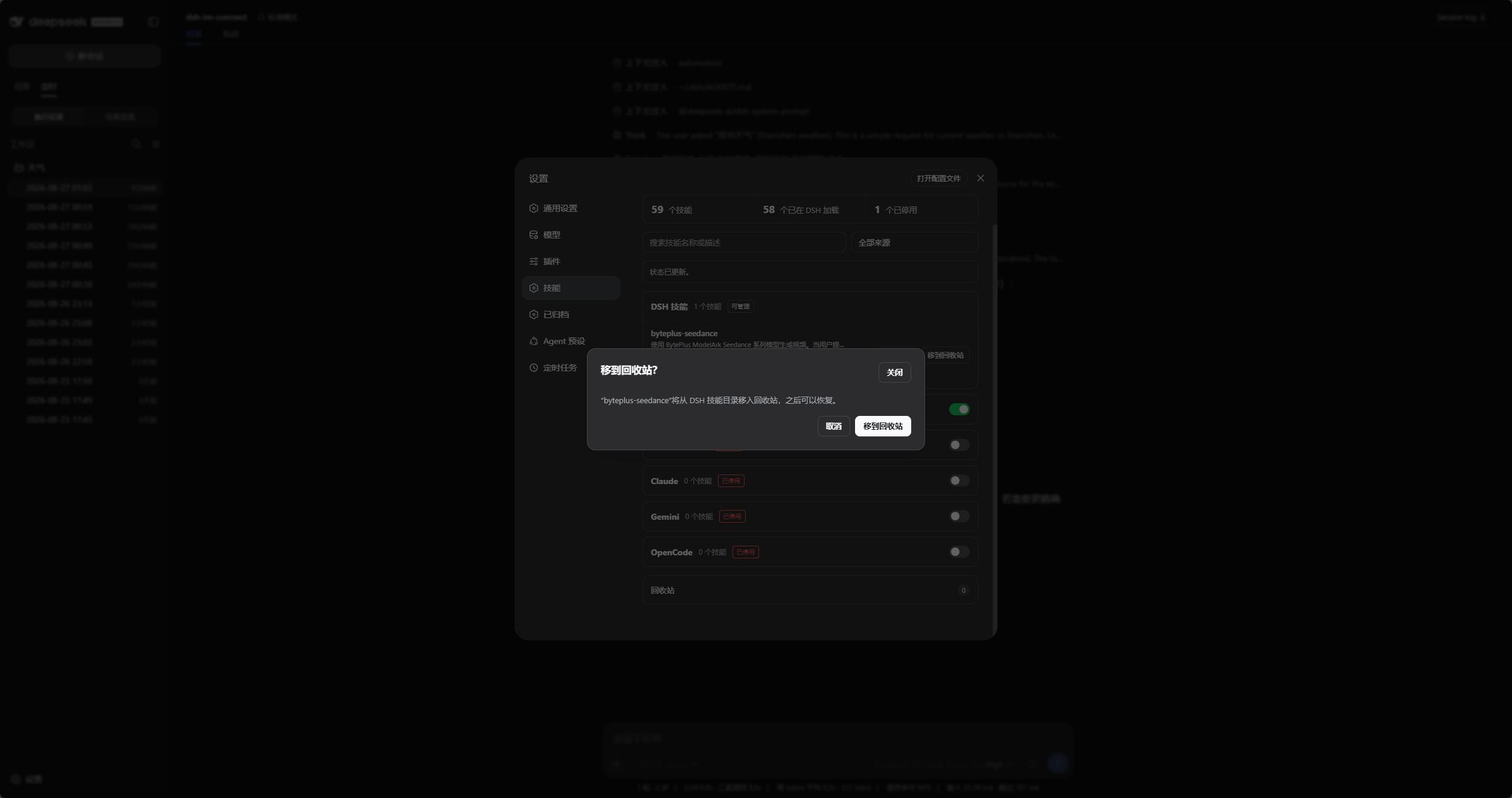
Moving a DSH-local skill to Trash requires confirmation and remains recoverable until it is permanently deleted:
DSH product ecosystem
For a ready-to-use workbench, download DSH Codex Desktop. If you already use DeepSeek Harness, install any of these eight plugins individually. The desktop app includes all eight.
| Plugin | What you can do |
|---|---|
| Codex UI | Organize projects and conversations, search tasks, and navigate chat turns |
| IM Connect | Send tasks and receive replies through your usual messenger |
| Automation | Schedule tasks and review each run |
| Skills Manager | Find, enable, create, and import local skills |
| Archive Manager | Search, restore, or clean up archived conversations |
| Agency Agents | Choose and summon specialists for your task |
| BTW | Ask side questions without interrupting the main task |
| Simplify | Use /simplify to improve code within your Git changes |
Prerequisites
- A working DeepSeek Harness Web installation with
dshavailable in PowerShell. - Examples use the
webprofile; replace it with the target profile. - Plugin
0.1.48is tested with DeepSeek Harness0.1.0-rc.8,0.1.1-rc.2,0.1.2-rc.1,0.1.5-rc.1,0.1.5-rc.2. Development dependencies remain pinned to0.1.5-rc.2; other Host versions are not implicitly supported. - Source installation and development require Node.js
^22.19.0 || >=24.0.0. npm installation does not require runningnpm installin an arbitrary directory.
Installation
The installation commands below use the official npm registry.
Ask an agent to install it (recommended)
Send the prompt below to any agent that can run terminal commands on your computer. Replace web with your actual profile. Once installed, use the plugin in DSH.
Install the DSH plugin @michengai/dsh-skills-manager into my local web profile by running: dsh plugin --profile web add @michengai/dsh-skills-manager@latest --registry=https://registry.npmjs.org/. Then run dsh --profile web --dump-config, confirm the configuration includes skills-manager, and explain how to reload DSH and start using the plugin.
Install the latest package from the official npm registry
Run this from any PowerShell directory:
[Console]::OutputEncoding = [System.Text.Encoding]::UTF8
$OutputEncoding = [System.Text.Encoding]::UTF8
dsh plugin --profile web add @michengai/dsh-skills-manager@latest --registry=https://registry.npmjs.org/
dsh --profile web --dump-config
To pin a release, replace @latest with a version such as @0.1.25.
The configuration output should contain skills-manager. Restart DSH Web and hard-refresh the browser. Do not copy client files manually: dsh plugin add also applies cordis.patch.yml.
Updates
The settings title shows the installed version and a Check for updates button. When a newer release is available, Update automatically runs only when the DSH CLI or Desktop update service is available; otherwise, the dialog provides a profile-specific manual command to copy and run.
Usage
Open Settings → Skills, then use the panel as follows:
| Goal | Action | Scope |
|---|---|---|
| Search or filter | Narrow by source, name, or description. | All sources |
| Inspect details | Review body, frontmatter, path, format diagnostics, and duplicate shadowing. | All sources |
| Enable or disable | Update manager-local invocation policy without modifying the source Skill file. | All valid Skills in user and active-project sources |
| Create or import | Choose a user or active project DSH destination when creating in Settings; imports remain user-level. | $DSH_HOME/skills, active <project>/.dsh/skills for creation |
| Create from conversation | Let an Agent call create_skill; DSH asks for approval before writing. |
$DSH_HOME/skills |
| Delete and recover | Move to Trash, restore to the original source, or permanently delete in a second step. | User and active-project DSH skills |
Toggling never changes a source Skill file; only user or project DSH skills can move to Trash.
Escape closes only the frontmost upload or confirmation dialog and leaves Settings open.
Permissions and safety limits
| Directory | View/load | Enable or disable | Create/import | Delete |
|---|---|---|---|---|
$DSH_HOME\skills |
Yes | Manager state only | Yes | Moves to Trash |
$DSH_AGENTS_HOME\skills |
Yes | Manager state only | No | No |
~\.cc-switch\skills |
Yes, enabled by default | Manager state only | No | No |
%USERPROFILE%\.cursor\skills (or $DSH_CURSOR_HOME\skills) |
Yes | Manager state only | No | No |
~/.codex/skills, ~/.claude/skills, ~/.gemini/skills, ~/.config/opencode/skills |
Yes | Manager state only | No | No |
<project>/.dsh/skills |
Yes, for active Session workspaces | Manager state only | Create in Settings | Moves to Trash and restores to the original project |
<project>/.agents/skills |
Yes, for active Session workspaces | Manager state only | No | No |
- Enable, disable, and delete accept only one ordinary skill-name path segment.
- Project roots are derived only from active Session
cwdvalues; client requests carry an opaque source key and cannot nominate an arbitrary workspace path. - Project sources follow DSH's nearest-
.gitroot convention and rank order (project-dsh100 beforeproject-agents200). The manager re-scans for each state/detail request. Explicit project policy is enforced by workspace-scoped rank 99/199 overlays; user DSH policy uses rank 399. With no override, DSH's official provider remains the owner. Toggle writes are limited to manager state; project file writes occur only for explicit create/Trash/restore actions under.dsh/skills. - Trash falls back to copy-then-hide when a project and
$DSH_HOMEare on different volumes; restore uses the same guarded cross-volume path in reverse. - Project Trash entries retain their original opaque source identity. Restore is allowed only while that original project is still represented by an active Session workspace; the client cannot nominate a replacement path.
- Project writes reject linked
.dshor.dsh/skillsdirectories so a repository cannot redirect creation, deletion, or restore outside its own project root. - User-level read-only and project Agent sources recursively discover
SKILL.mdby default. Skill directories, roots, and parent directories may link to external locations through symlinks or Windows junctions without an opt-in or allowlist. Real-path deduplication and manager-local toggles preserve read-only sources. Skill-file symlinks are ignored, cycles terminate, and scans have depth and size limits. Writable DSH roots, imports, and deletion retain their existing boundaries. - Directories containing
SKILL.mdare bundle leaves; their resources andnode_modulesare not traversed. A root-levelSKILL.mdcan still coexist with nested skills. Project Agent roots that overlap user skill roots by real path are hidden to preserve user disable policies. - Rows and summaries say Enabled/Disabled, not Loaded: these labels describe invocation policy, while full Skill bodies are loaded on demand by DSH. Use Refresh after IDE, Git, or shell changes; the official provider remains responsible for project catalog watching and invalidation.
- Empty project roots stay out of the main source list to reduce noise, but remain selectable in Create Skill so the first project Skill can still be created. Project DSH supports per-Skill toggles only, not a source-wide switch.
- Replacements copy to a temporary sibling path first and keep the original until that succeeds.
- Every endpoint, including GET
/state, accepts only a loopbackHostor a canonicalhost[:port]that the DSH Web runtime already trusts through its LAN bind and--trusted-host; unknown hosts still receive 403. - Browser requests must also carry a same-origin
Originwhen present and must not be marked cross-site; write endpoints continue to require JSON and the DSH client request marker. - Import accepts the local path selected by the user. The Host trust fence prevents DNS rebinding but is not authentication; reverse-proxy and LAN deployments still need authentication, a VPN, or network access controls.
Secondary development
Install from source
Use this for debugging or unpublished changes. The cloned directory becomes the plugin source path:
[Console]::OutputEncoding = [System.Text.Encoding]::UTF8
$OutputEncoding = [System.Text.Encoding]::UTF8
Set-Location D:\Repository\deepseek-harness-plugin
git clone https://github.com/MichengAI/dsh-skills-manager.git
Set-Location .\dsh-skills-manager
npm install
npm test
dsh plugin --profile web add .
dsh --profile web --dump-config
Restart DSH Web and hard-refresh the browser. dsh plugin ... add . reads the package metadata and cordis.patch.yml; do not install by copying lib directly.
Runtime source is maintained under src; lib is generated by npm run build and published with the npm package. Change src, never lib directly.
- src\core.js: file-operation, permission, and import boundary core.
- src\index.js: host service and local skill file operations.
- src\client.js: Settings page, upload, and confirmation interactions.
- scripts\build.mjs: produces Host and browser
libartifacts. test\core-test.mjs: file-operation, permission, and import boundary tests.test\locale-test.mjs: UI locale tests.
After changing the runtime source, test, inspect package contents, and install from the local directory:
[Console]::OutputEncoding = [System.Text.Encoding]::UTF8
$OutputEncoding = [System.Text.Encoding]::UTF8
npm test
npm run verify
dsh plugin --profile web add .
Preserve path validation, temporary-copy replacement, and shared-skill read-only behavior when changing file-mutation code.
Validation
[Console]::OutputEncoding = [System.Text.Encoding]::UTF8
$OutputEncoding = [System.Text.Encoding]::UTF8
npm test
npm run verify
prepublishOnly runs the complete verify gate before publishing: build, tests, package inspection, and generated-artifact synchronization.
License
Licensed under Apache License 2.0.
Host compatibility regression
scripts/hosts.mjs defines supported hosts; contract tests check package peer and development dependencies against it. Tests cover matching official component versions, not mixed versions or unlisted alpha/RC releases.
[Console]::OutputEncoding = [System.Text.Encoding]::UTF8
$OutputEncoding = [System.Text.Encoding]::UTF8
pnpm run test:compat
pnpm run test:compat 0.1.5-rc.2 --keep
Without arguments, all hosts run sequentially. --keep retains the sandbox; --serve keeps the Host available for manual browser checks. Successful runs clean up by default; failures retain diagnostics. Compact evidence always goes to .compat-results/. npm and the project's pnpm must be available on PATH. The manual GitHub Actions compatibility workflow runs a Windows matrix and uploads evidence. It covers real Host APIs and Agent skill policies, not complete UI or external-model end-to-end testing.
To change supported hosts, edit scripts/hosts.mjs, run node scripts/sync-hosts.mjs --write, update the lockfile, and run the compatibility matrix. verify rejects metadata and README drift.
还没有评论,来写第一条。