DSH Codex UI
Organize projects, find conversations, and revisit long chats more easily in DSH Web
简体中文 · Changelog · Apache-2.0





DSH Codex UI is a community-maintained interface plugin for DeepSeek Harness (DSH), not an official DeepSeek AI product.
Working across several projects and conversations in DSH Web? DSH Codex UI helps you organize the sidebar, find tasks quickly, and jump back to earlier questions in long chats. It offers a Codex-style interface with light and dark themes.
What you can do
- Organize projects and conversations: expand or collapse projects, drag to reorder, pin frequently used projects, and see unread and running indicators.
- Find things quickly: search for conversations, settings, and quick actions from the header.
- Manage everyday tasks: rename, archive, or fork conversations, and open project folders from their menus.
- Revisit long chats: select a turn marker to jump directly to the corresponding question.
- Reuse earlier input: press Up/Down in an empty composer to recall text submitted in the current workspace.
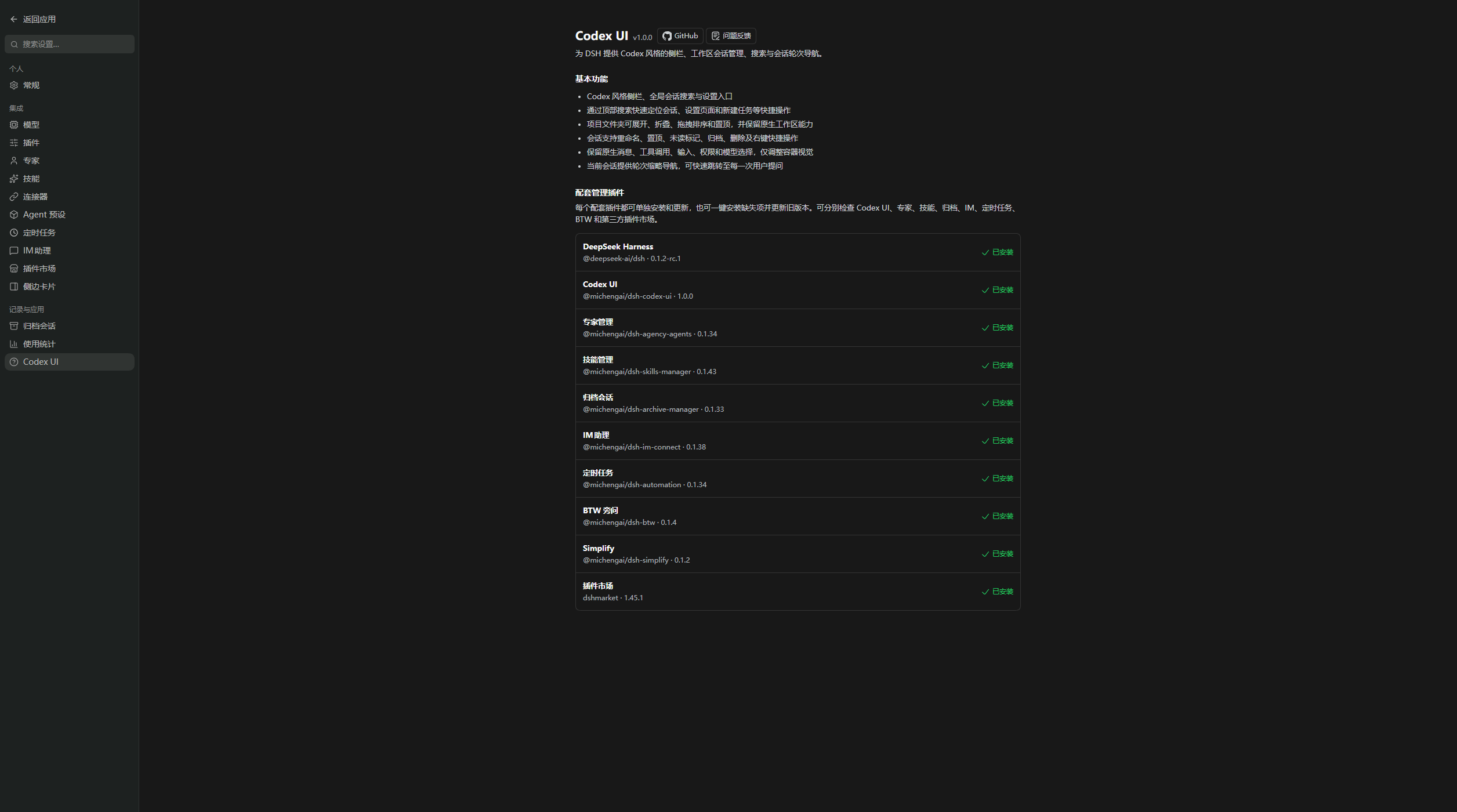
- Add features as needed: check companion plugins in Settings → About and install or update the ones you need.
Screenshots
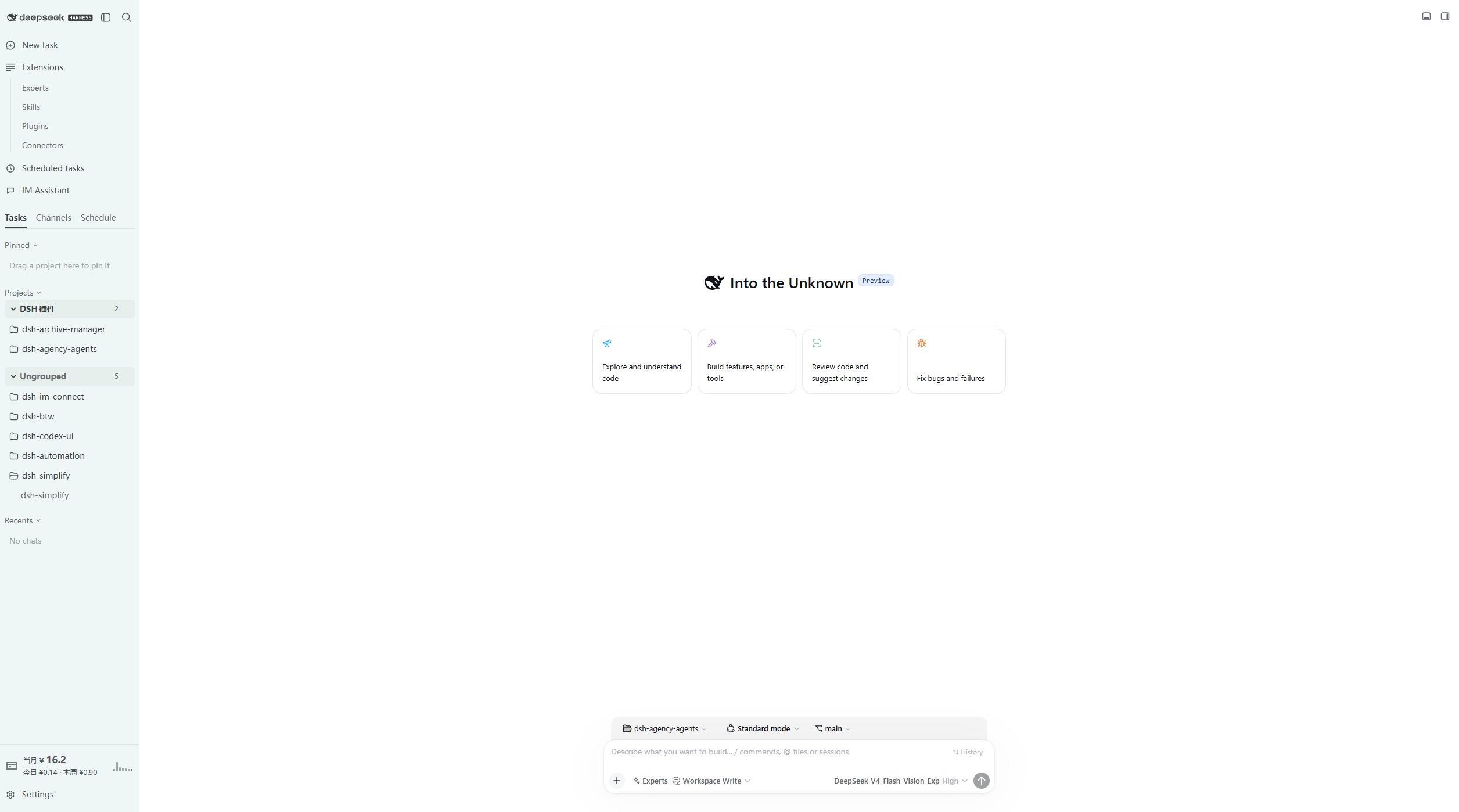
Light theme: workspace tree, new conversation suggestions, and bottom composer.
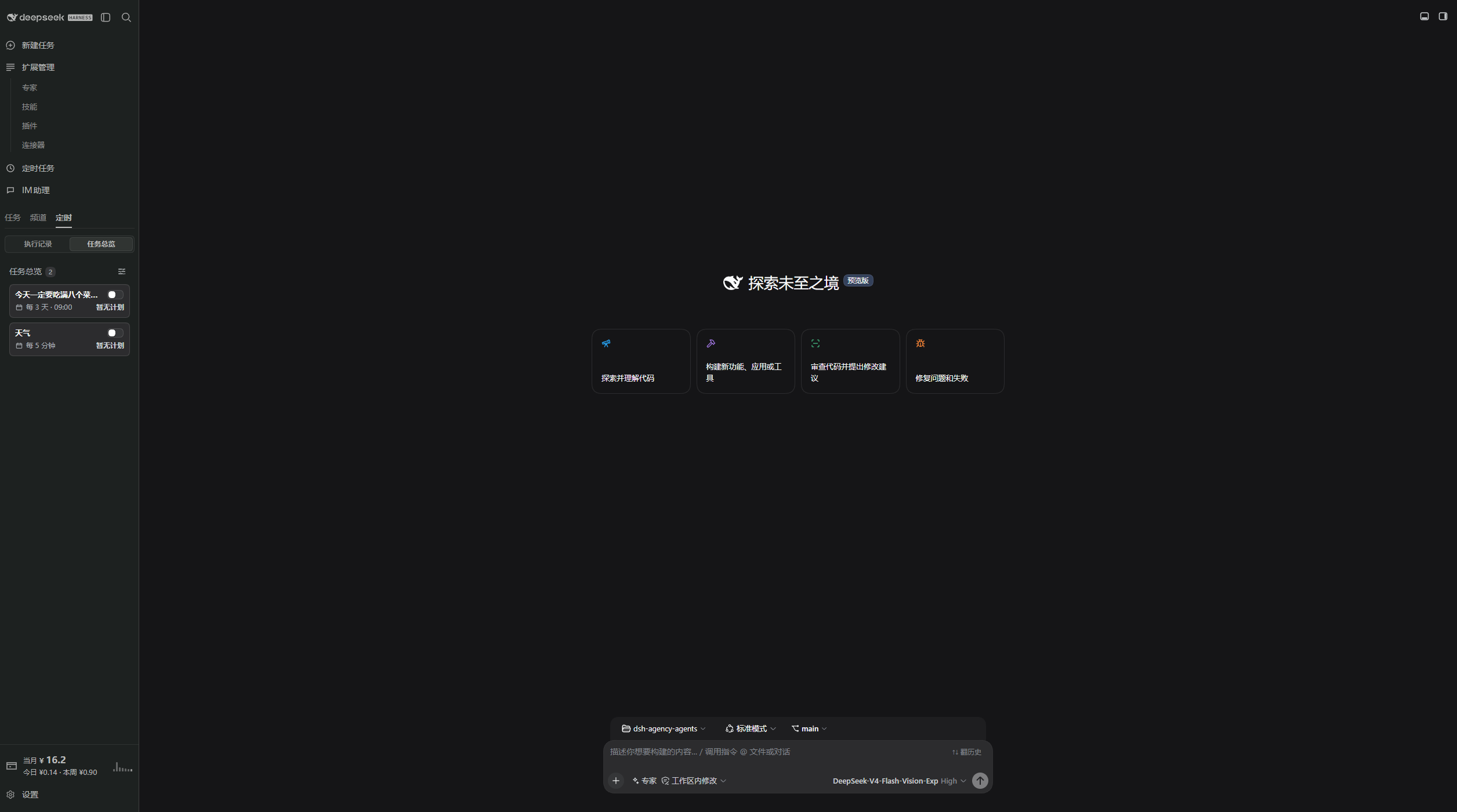
Dark theme: scheduled task overview and new conversation page.
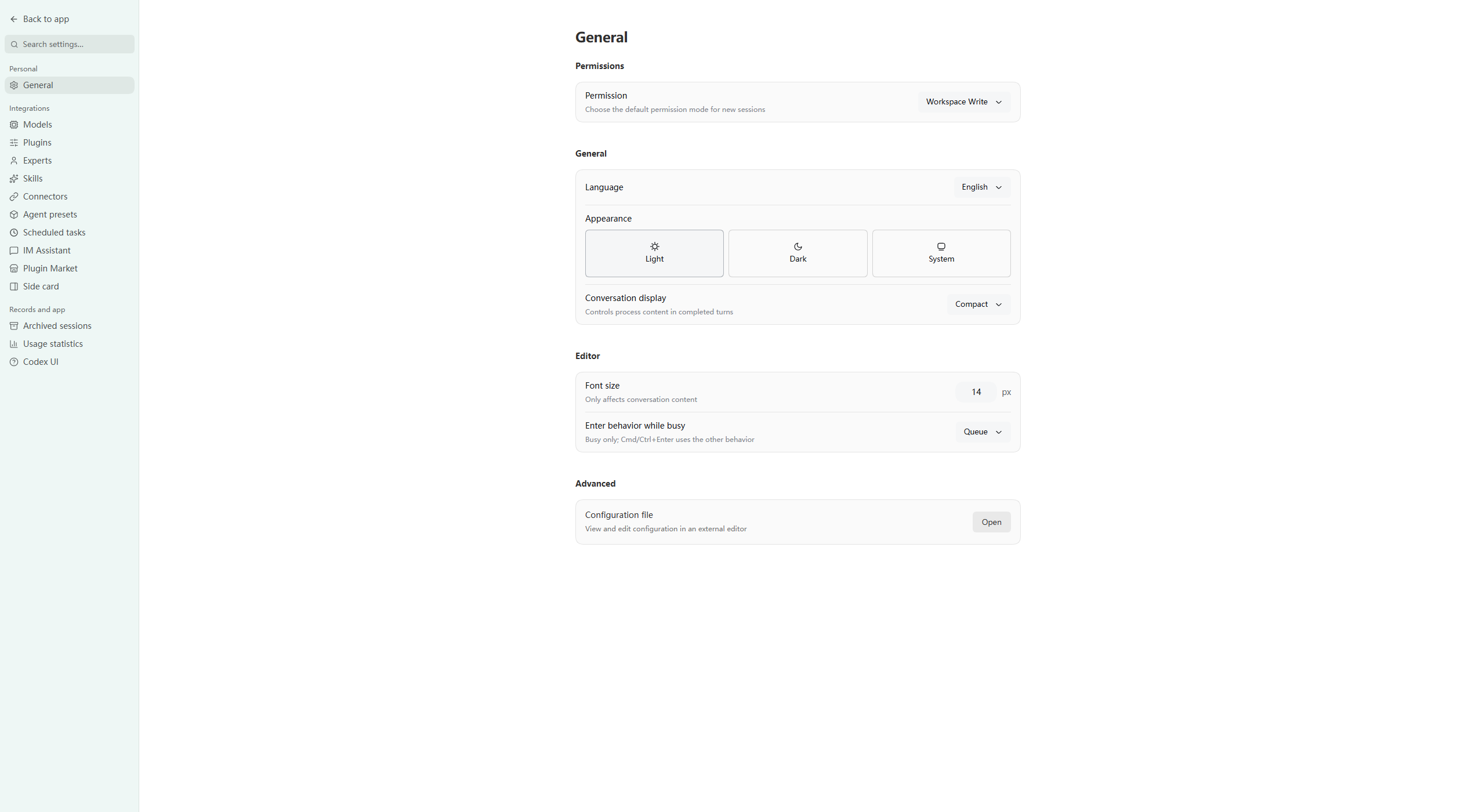
General settings: dedicated settings page with section navigation in the light theme.
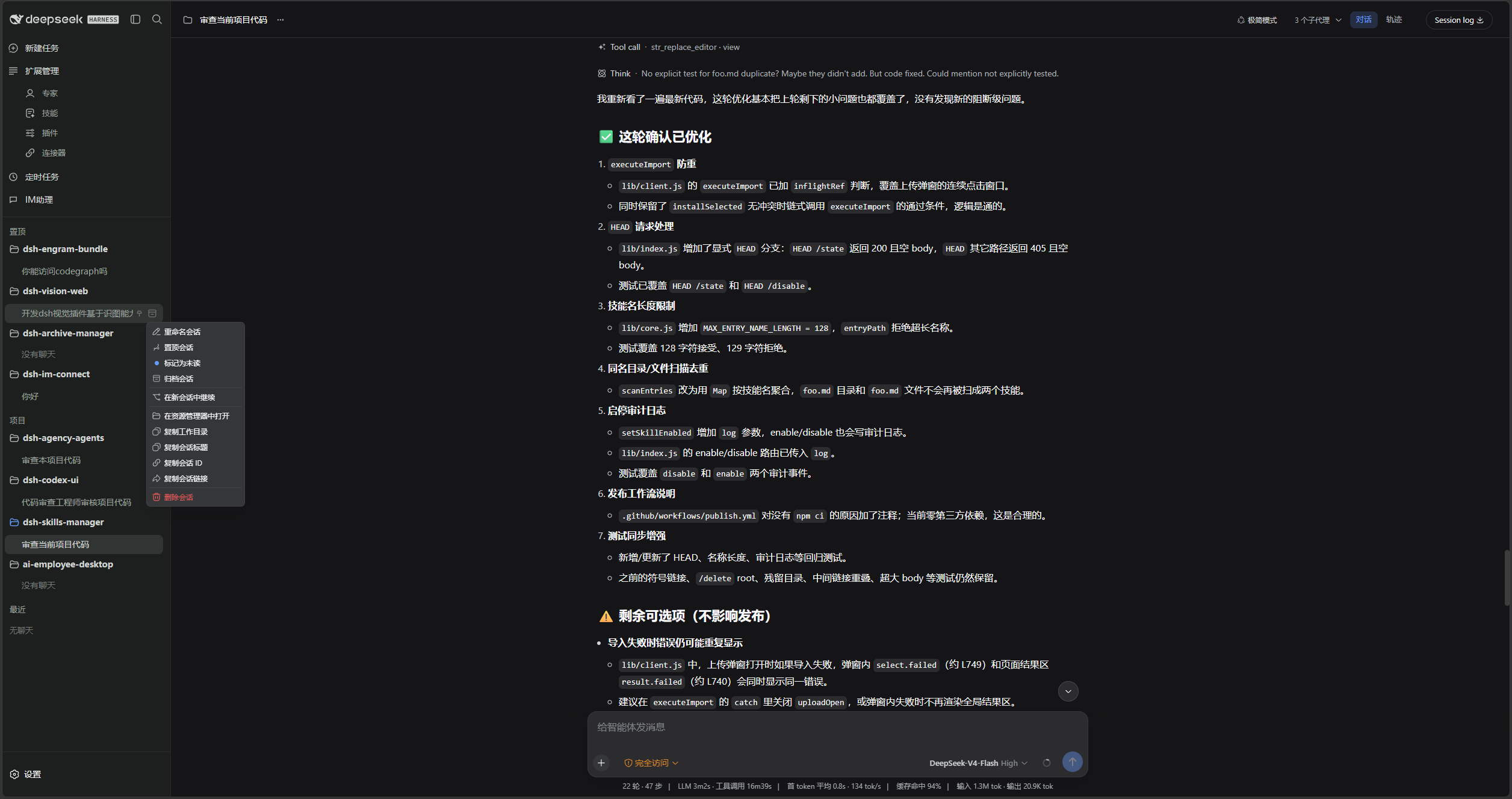
Conversation menu: rename, pin, unread, archive, fork, copy, and delete.
Settings → Codex UI lists the companion plugins and their install state.
Prerequisites
- A working DeepSeek Harness Web installation with
dshavailable in PowerShell. - Examples use the
webprofile; replace it with the target profile. - Node.js must satisfy
^22.19.0 || >=24.0.0. Installing from source also requires pnpm.
DSH product ecosystem
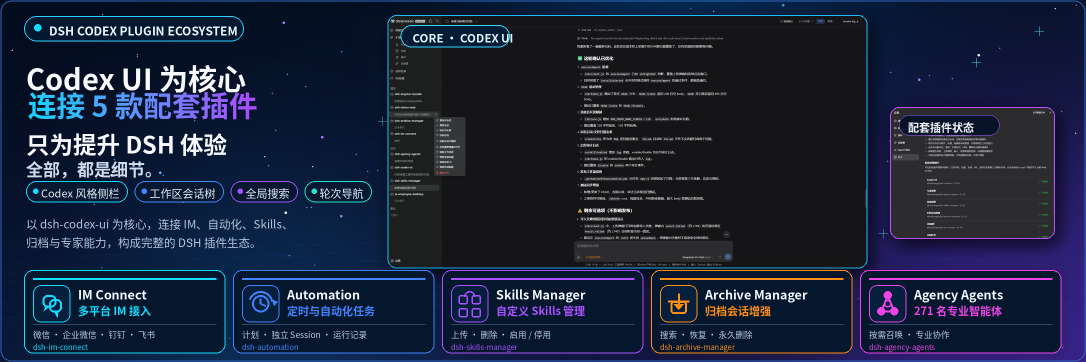
For a ready-to-use workbench, download DSH Codex Desktop. If you already use DeepSeek Harness, install any of these eight plugins individually. The desktop app includes all eight.
| Plugin | What you can do |
|---|---|
| Codex UI | Organize projects and conversations, search tasks, and navigate chat turns |
| IM Connect | Send tasks and receive replies through your usual messenger |
| Automation | Schedule tasks and review each run |
| Skills Manager | Find, enable, create, and import local skills |
| Archive Manager | Search, restore, or clean up archived conversations |
| Agency Agents | Choose and summon specialists for your task |
| BTW | Ask side questions without interrupting the main task |
| Simplify | Use /simplify to improve code within your Git changes |
Installation
Choose agent-assisted or manual installation below. Both use the same command, requesting the latest version from the official npm registry.
Ask an agent to install it (recommended)
Send the prompt below to any agent that can run terminal commands on your computer. Replace web with your actual profile. Once installed, use the plugin in DSH.
Install the DSH plugin @michengai/dsh-codex-ui into my local web profile by running: dsh plugin --profile web add @michengai/dsh-codex-ui@latest --registry=https://registry.npmjs.org/. Then run dsh --profile web --dump-config, confirm the configuration includes codex-ui, and explain how to reload DSH and start using the plugin.
Install manually
[Console]::OutputEncoding = [System.Text.Encoding]::UTF8
$OutputEncoding = [System.Text.Encoding]::UTF8
dsh plugin --profile web add @michengai/dsh-codex-ui@latest --registry=https://registry.npmjs.org/
dsh --profile web --dump-config
Restart DSH Web and hard-refresh the browser (usually Ctrl+Shift+R). Once the new sidebar appears, you are ready to use it. Uninstalling the plugin restores the default sidebar.
Usage
Open DSH Web. The left navigation is rendered by this plugin.
| Goal | Action |
|---|---|
| Start a conversation | Select New task, or use a workspace + / New conversation action. |
| Find a conversation or setting | Use the header search field and choose a session, Settings page, or quick action. |
| Collapse the sidebar | Use the header panel button. The expand control stays on the collapsed rail. |
| Pin a workspace | Drag it into Pinned, or use Pin project in the project menu. |
| Manage a conversation | Open the conversation menu to rename, pin, mark unread, archive, fork, copy, or delete. |
| Reuse input | Press Up/Down in an empty composer to recall text submitted in the current workspace. |
| Jump between turns | Use the turn marks on the left of the current conversation. |
| Inspect connectors | Open Settings → Connectors. Addresses, commands, and credentials are never shown. |
| Check companion plugins | Open Settings → About to install or update individual companion plugins. |
FAQ
Do pinned projects and unread markers persist?
Pinned projects are saved in your DSH configuration and survive restarts. Unread markers are stored only in the current browser and do not sync across browsers.
Why is my earlier input missing?
Input history is stored in the current browser, separately for each workspace, with up to 200 entries per workspace. It records new input while the feature is active and does not import existing conversations. When browser storage is unavailable, history is kept temporarily in memory. The BTW plugin is not required.
Does removing a project delete local files?
Removing a workspace registration does not delete its folder or conversation records. Permanent deletion of archived conversations is provided by the companion Archive Manager plugin.
What if nothing changes after installation?
Check that the installation profile matches the one running DSH Web, then restart DSH Web and hard-refresh the browser. Run dsh --profile web --dump-config to check that codex-ui is mounted.
Development and contributing
Install from source
Use this for debugging or unpublished changes. The cloned directory becomes the plugin source path:
[Console]::OutputEncoding = [System.Text.Encoding]::UTF8
$OutputEncoding = [System.Text.Encoding]::UTF8
Set-Location D:\Repository\deepseek-harness-plugin
git clone https://github.com/MichengAI/dsh-codex-ui.git
Set-Location .\dsh-codex-ui
pnpm install --frozen-lockfile
pnpm build
dsh plugin --profile web add .
dsh --profile web --dump-config
Restart DSH Web and hard-refresh the browser. Do not copy lib manually; local installation reads both package metadata and cordis.patch.yml.
- src\index.ts: host entry and the non-sensitive Connectors directory endpoint.
- src\client\index.ts: client entry for sidebar, workspace tree, turn navigation, and Settings sections.
- src\client\CodexSidebar.tsx: sidebar shell, search panel, and visual styles.
- src\client\CodexWorkspaceBrowser.tsx: workspace and conversation interactions.
tests\*.assert.tsandtests\*.spec.ts: interaction, visual, and runtime integration checks.
After changing src, rebuild, test, and install from the local directory:
[Console]::OutputEncoding = [System.Text.Encoding]::UTF8
$OutputEncoding = [System.Text.Encoding]::UTF8
pnpm build
pnpm test
dsh plugin --profile web add .
New features should reuse existing DSH slots and public services. Do not depend on private host DOM or write conversation records.
License
This project is licensed under Apache License 2.0.
还没有评论,来写第一条。