DSH Branch Map


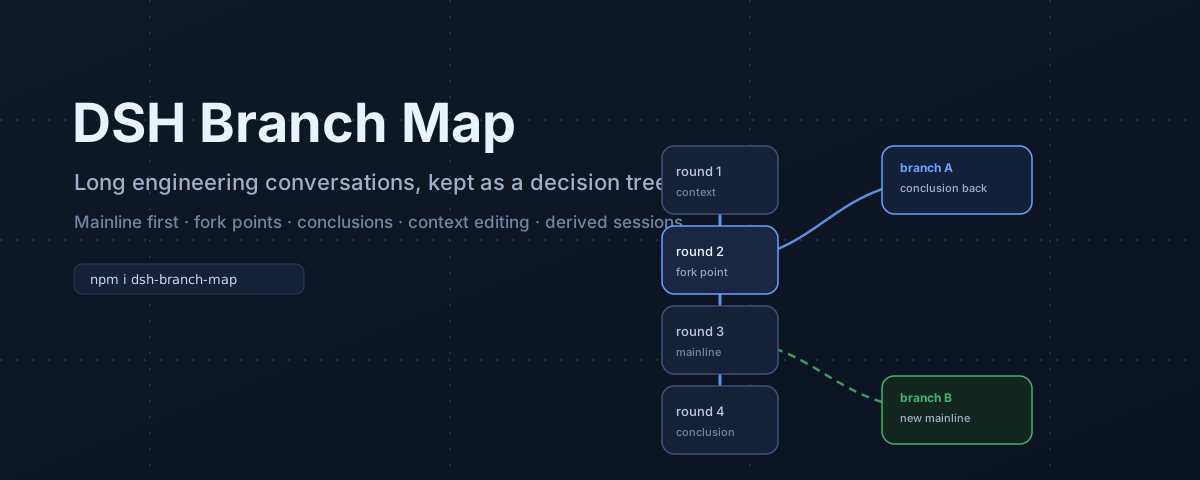
A branch map for long engineering conversations in DeepSeek Harness.
Engineering design is not linear. You compare approaches, one branch fails, you bring its conclusion back, and you continue on another path. A normal transcript hides that structure, so the main conversation keeps re-walking old decisions.
This plugin adds a Conversation View that keeps the mainline clean while preserving every fork, conclusion, and context edit.
Why
- See the decision tree. Every turn is a node; fork points are explicit; the current mainline is visually dominant.
- Stop re-explaining. Save a branch conclusion and return it to the parent conversation as a draft.
- Compare before committing. Switch the mainline, inspect sibling branches, and keep the primary surface free of fork clutter.
- Edit context safely. Hide rounds from the display, preview the path that would be sent, export it, rewind to a point, or derive a cleaned session.
- Stay reversible. All edits work on new branches or new derived sessions. Source sessions are never rewritten.
Features
Mainline view
- Vertical, reading-oriented turn chain. Each card separates AI conclusion (top) from your compressed intent (bottom).
- Conclusion and decision turns are highlighted; a conclusion rail collects saved conclusions.
- Fork points collapse into
⑂Npills by default. Expanding one branch keeps the path to the root visible. - Fixed center anchor and pinned inspector keep both sides steady while the wheel steps through turns.
Follow/Pincontrols; mainline follows the selected branch when you choose it.
Tree view
- Tidy vertical tree of turns and folded gaps. Toggle
Mainline / Treein the toolbar. - Three LOD levels: title + intent (≥80%), title only (≥50%), dots (<50%).
- Current path, current session, selection, and side branches use different visual states.
- The two views keep independent cameras; branch expansion, conclusions, and mainline state are shared.
Context editing
- Hide / restore a round for display only. Hidden rounds disappear from the mainline, tree, inspector, and path preview; the real session log and model context are untouched.
- Context path preview shows the rounds that would go into the next request, marked as a prediction, with hidden counts. Export it as Markdown.
- Rewind here creates a new branch that keeps only the context up to the selected turn. Later turns stay in the original branch.
- Merge conclusions collects saved conclusions from child branches into one editable message and fills the composer.
- Derive session (Phase 5) rebuilds a clean derived session with selected rounds removed, using the Host
agents.create({ seed })path. The source session is preserved; the derived session recordsparentSessionand appears as a child branch.
Install
From the DSH plugin market index
In DSH, open Plugins, enable Experimental plugins → Custom plugin indexes, then add this index URL:
https://cdn.jsdelivr.net/gh/Matthew-Laplace/dsh-branch-map@v0.2.0/market/index.json
The Discover tab will list dsh-branch-map; install it from there.
From npm / plugin manager
The package is a standard DSH bundle. Install with the plugin manager using target dsh-branch-map@0.2.0, or:
npm view dsh-branch-map
Requirements
- DSH
>=0.2.2-rc.1 <0.3.0 - Web UI profile (the plugin registers a
conversation.viewand a composer dock).
Usage
- Open the 分支图 / Branch Map view in the conversation view switcher.
- Start with the mainline. Fork a turn with the
+button or the inspector's Fork from here action. - In a branch, save a conclusion; return it to the parent with Save and return.
- Use
⑂Nto expand only the branch you need. ToggleShow all brancheswhen you want the full picture. - Switch
Mainline / Treeto compare structure versus reading flow. - For context editing, open a turn's inspector, hide rounds, preview the context path, then rewind or derive a new session.
Engineering loop
mainline ──┬── approach A ── conclusion A
           │        └─ return conclusion
           ├── approach B ── conclusion B
           │        └─ choose as mainline
           └── cleaned derivation ── continue
Data and privacy
- Conversation graph data is read through the Host
sessionQueryservice. - Branch metadata (labels, fork points, conclusions, derived-session lineage) is stored as a sidecar file under
$DSH_HOME/plugins/branch-map/meta.json. - Display-only preferences (mainline, hidden rounds, mode, walk state) live in the browser's
localStorage. - Derived sessions are real DSH sessions created through
agents.create; the source session is not modified. - No network calls are made by the plugin itself.
Limitations
- Hidden rounds remove content from the display, not from the real session log or model context. Use Derive session when you need a real cleaned context.
- A derived session can be large: the seed may reach several MB on long conversations. Cross-turn compaction summaries can still mention removed rounds.
- Hiding a round that anchors a fork can move that branch's anchor to the nearest visible turn.
- The plugin is built for the Web UI. It does not change DSH's append-only log format.
Development
# syntax checks
node --check index.js
node --check client.js

# the local smoke harness (SSR + jsdom) is maintained outside this package
The plugin is a single client file (client.js) plus a Host route (index.js), with cordis.patch.yml, locale/, and an SVG icon. It intentionally avoids a bundler so DSH's client module loader can hot-swap it.
Verification performed
- Client smoke test: 14/14 (loading, empty graph, full graph, branch collapse/expand, long-conversation folding, turn walk, style cleanup).
- Host Phase 5 isolated end-to-end: a temporary DSH web instance loaded the bundle; a real 2-turn session was copied in; dry-run produced an 8-event seed; real
agents.createcreated a new session withparentSession+isSeeded; the new log contained one clean turn; the parent graph displayed the derived child.
中文说明
面向工程场景的长对话:反复沟通方案、比较分支、回收结论。DSH 分支图把每轮对话做成节点,把分叉收成 ⑂N,让你在主线上少走弯路。
- 主链视图:竖向阅读;卡片上方是 AI 结论,下方是你的意图压缩;结论和决策高亮;分叉默认收束。
- 树视图:按分叉层级浏览,三档缩放密度;和主链共享主线、结论、展开状态。
- 上下文编辑:隐藏轮次(只影响显示)、路径预览与 Markdown 导出、回退到某一轮、汇总各分支结论、删除隐藏轮生成新派生会话。源会话永远保留。
- 工程闭环:分叉比较 → 保存结论 → 回到主线 → 选择新主线;需要干净上下文时用派生会话继续。
安装:DSH → 插件 → 实验性插件 → 打开「自定义插件索引」,添加上面的 index URL,在 Discover 中安装。
License
MIT © 2026 syc-ai
No comments yet. Be the first to write one.