dsh-tv
English | 中文
Mirror: if
github.comweb pages are slow or blocked (504) in your network, read this README via jsDelivr: https://cdn.jsdelivr.net/gh/MathewWuZJ/dsh-tv@main/README.md. Git-based installs are unaffected.
A DeepSeek Harness (DSH) plugin that opens a short-video / TV panel in the right sidebar, so you can watch something while an agent works. On Desktop it embeds a real Electron <webview> (real browser engine), not an iframe.
Not affiliated with DeepSeek, Douyin, YouTube, Bilibili, Instagram or any listed site. Site names and icons belong to their owners.
Features
- One entry, top-right: a
DSH-TVicon button in the conversation header opens / collapses the panel. - Tab bar with real favicons (no text labels): Douyin, Short-drama, YouTube, Bilibili, Instagram, HackerTube, plus Global TV pinned first.
- Global TV (random): a self-hosted player picks a random public IPTV channel from public playlists (iptv-org / community lists), validates the stream (HLS + first segment fetch, prefers H.264, skips DRM/HEVC-only) before playing, with a "换台 / next" button and a channel picker (countries + search).
- Settings panel (gear): edit each site's URL, choose mobile/desktop UA, drag to reorder, delete, and add from a built-in catalog of mainstream video sites. Saved to
localStorage. - Per-tab keep-alive: switching tabs does not reload the page; last URL / scroll / playback position is remembered.
- Global volume + mute memory: one slider/mute for all tabs; starts muted at 1/3 volume; your changes are remembered.
- Purposely no cookies from Chrome: each site runs in an isolated session; log in once inside the panel.
Screenshots
| Douyin | YouTube |
|---|---|
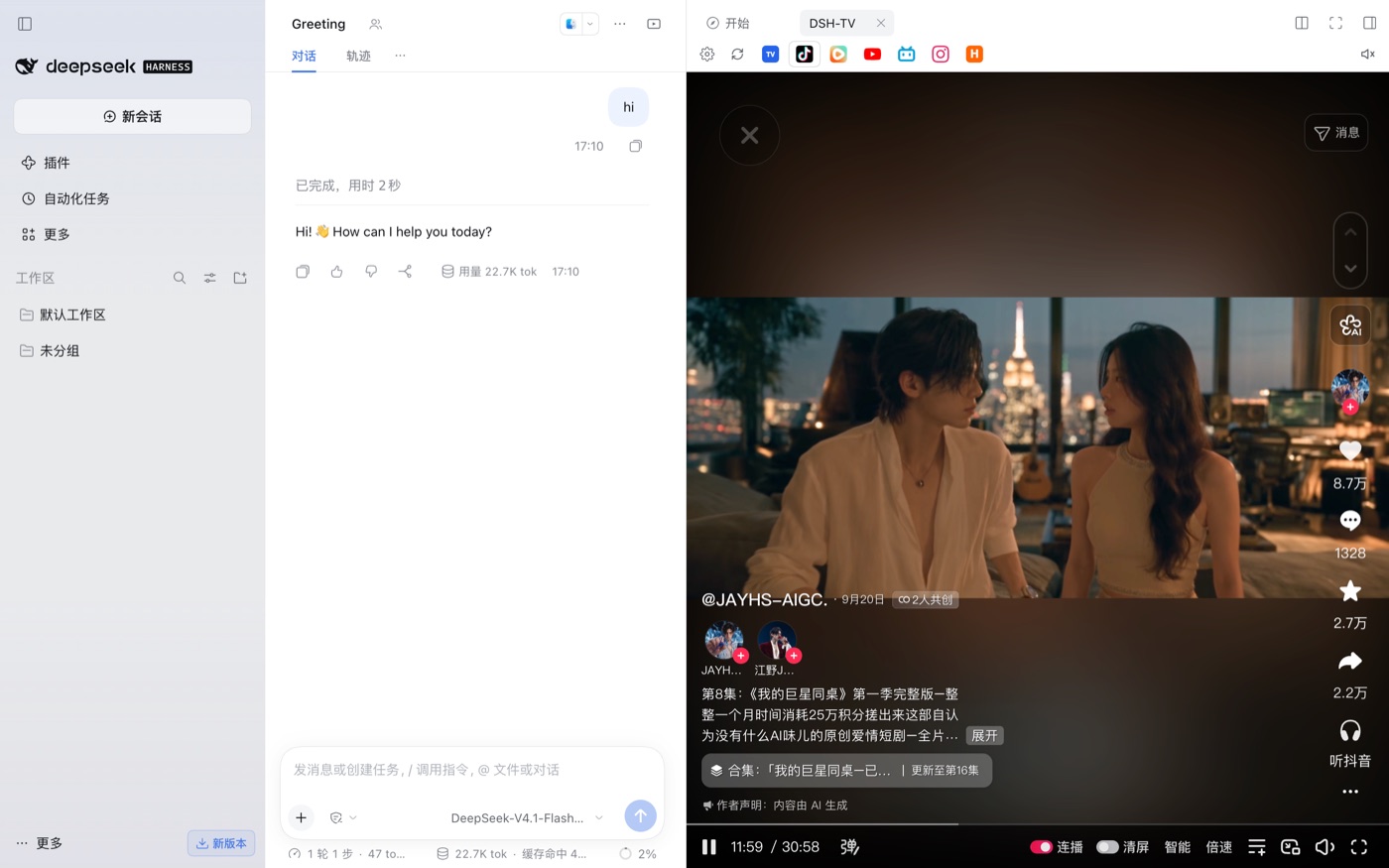 |
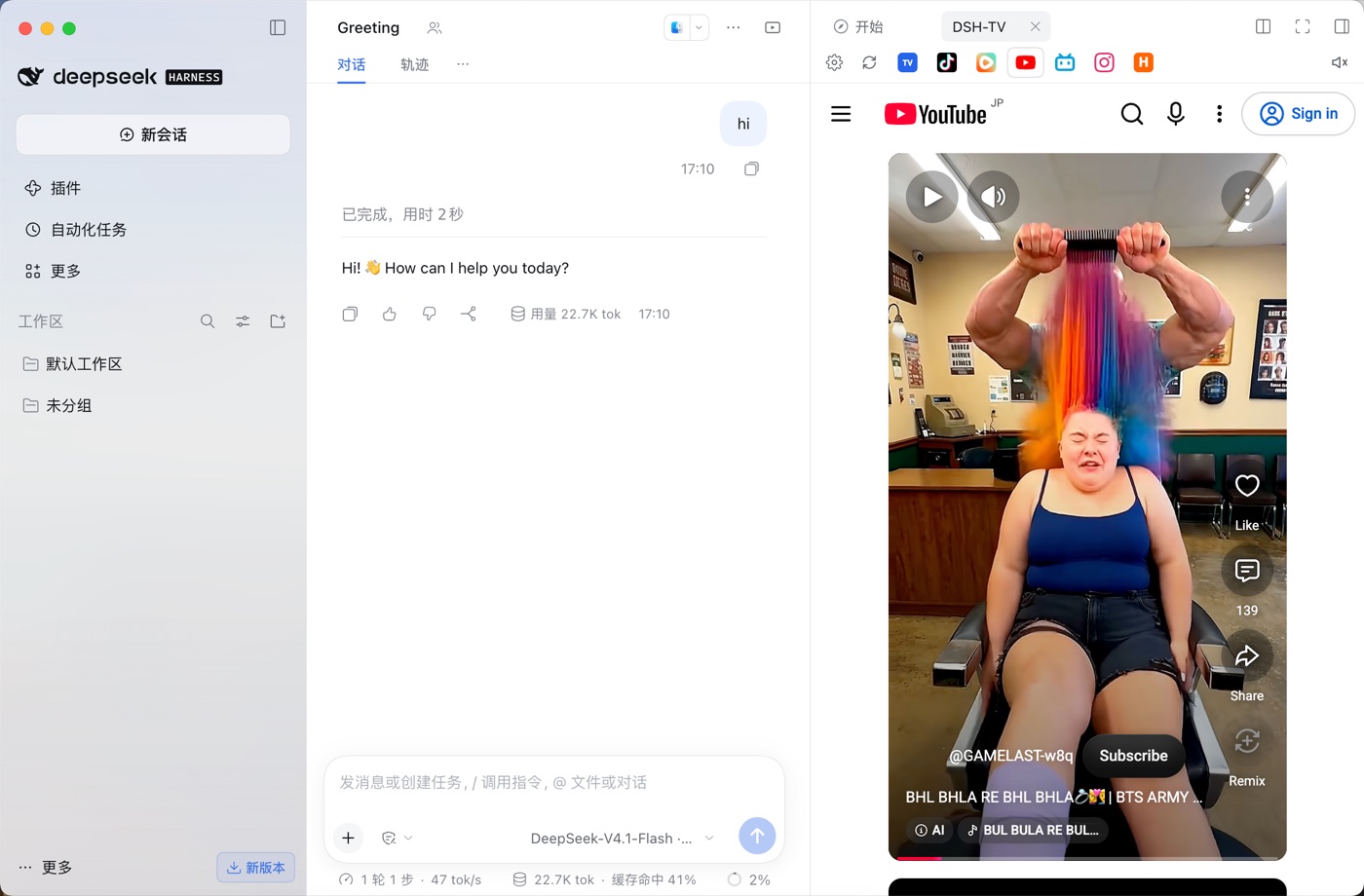 |
| Bilibili | Short-drama |
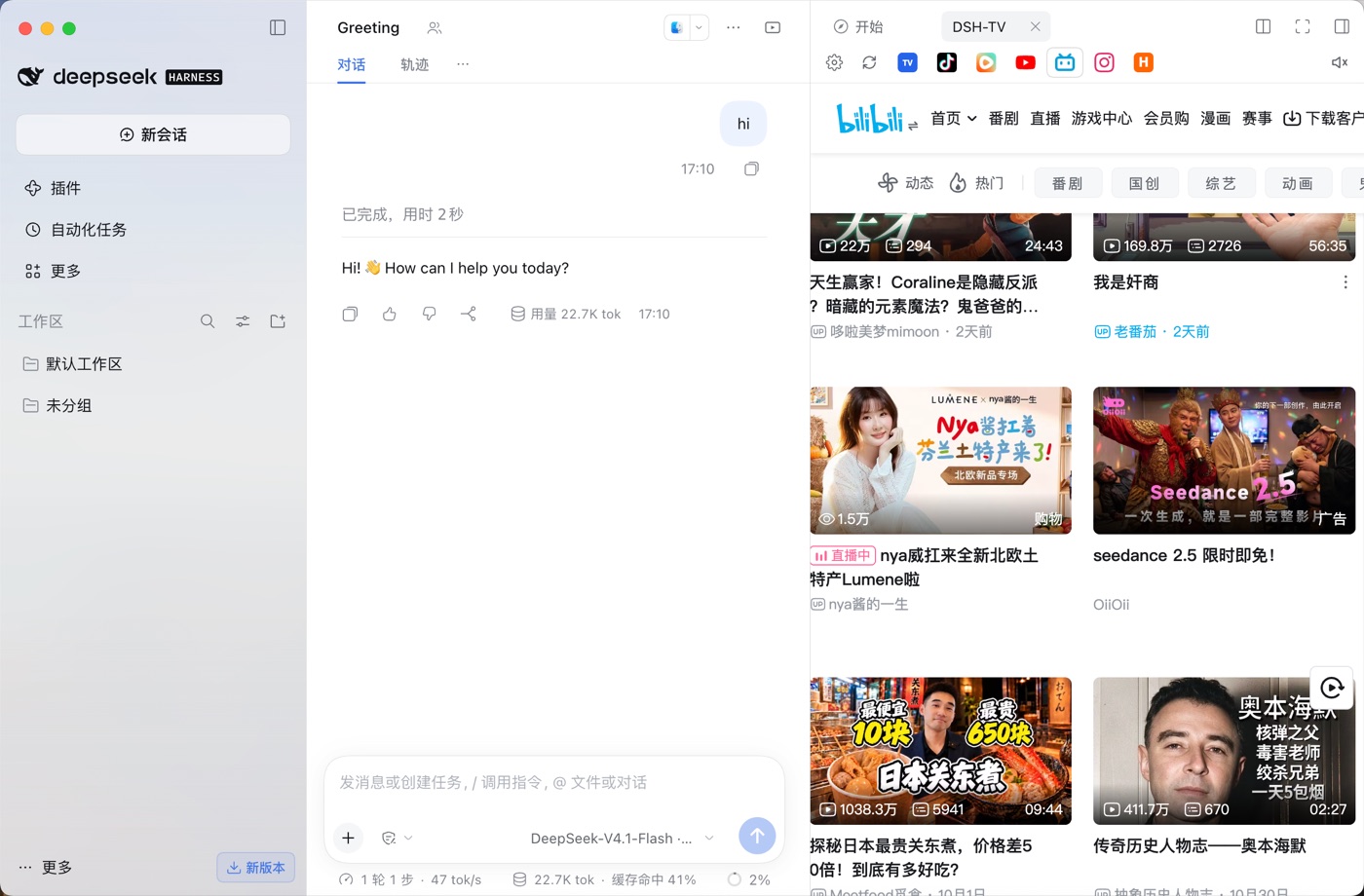 |
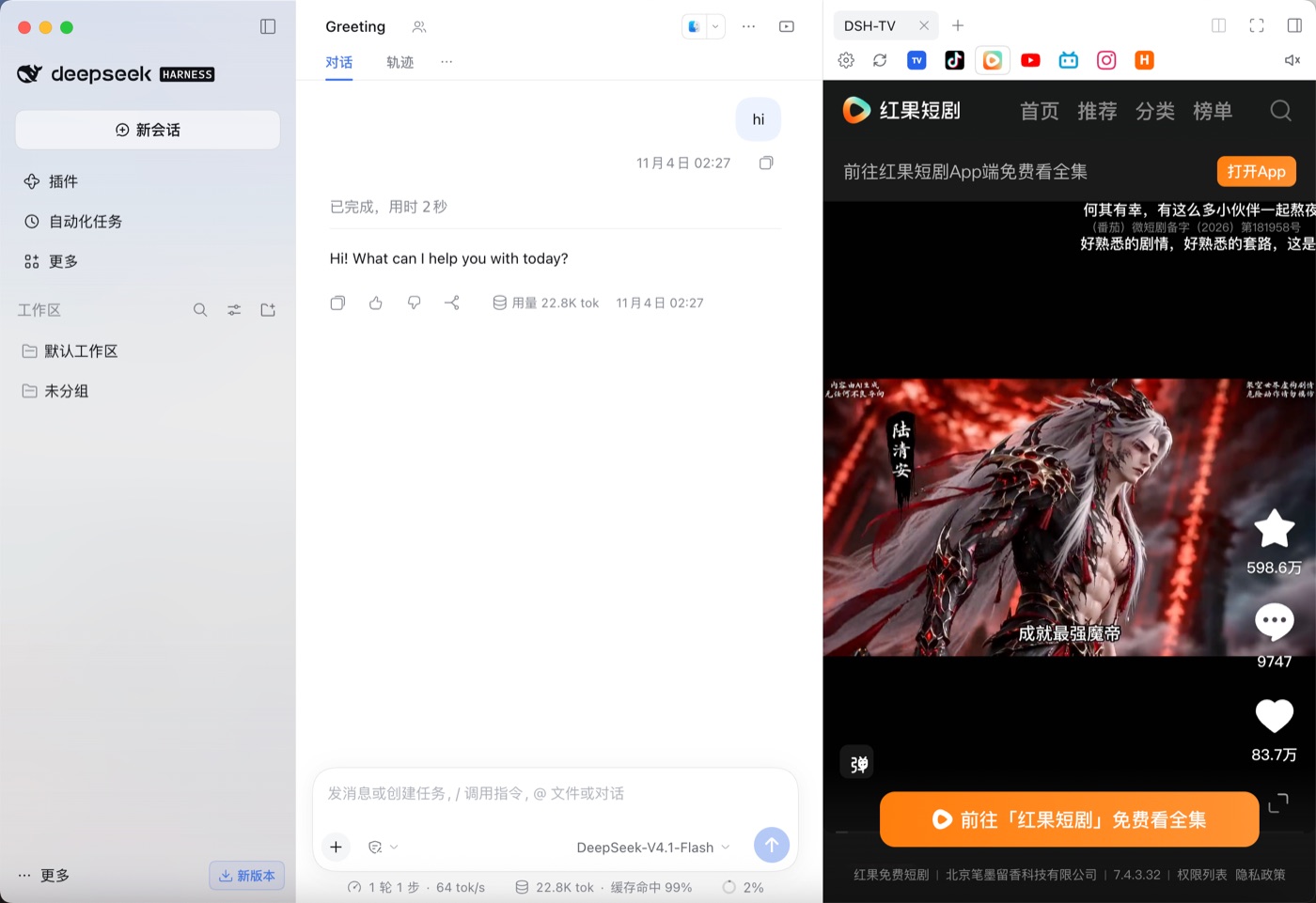 |
| Global TV | HackerTube |
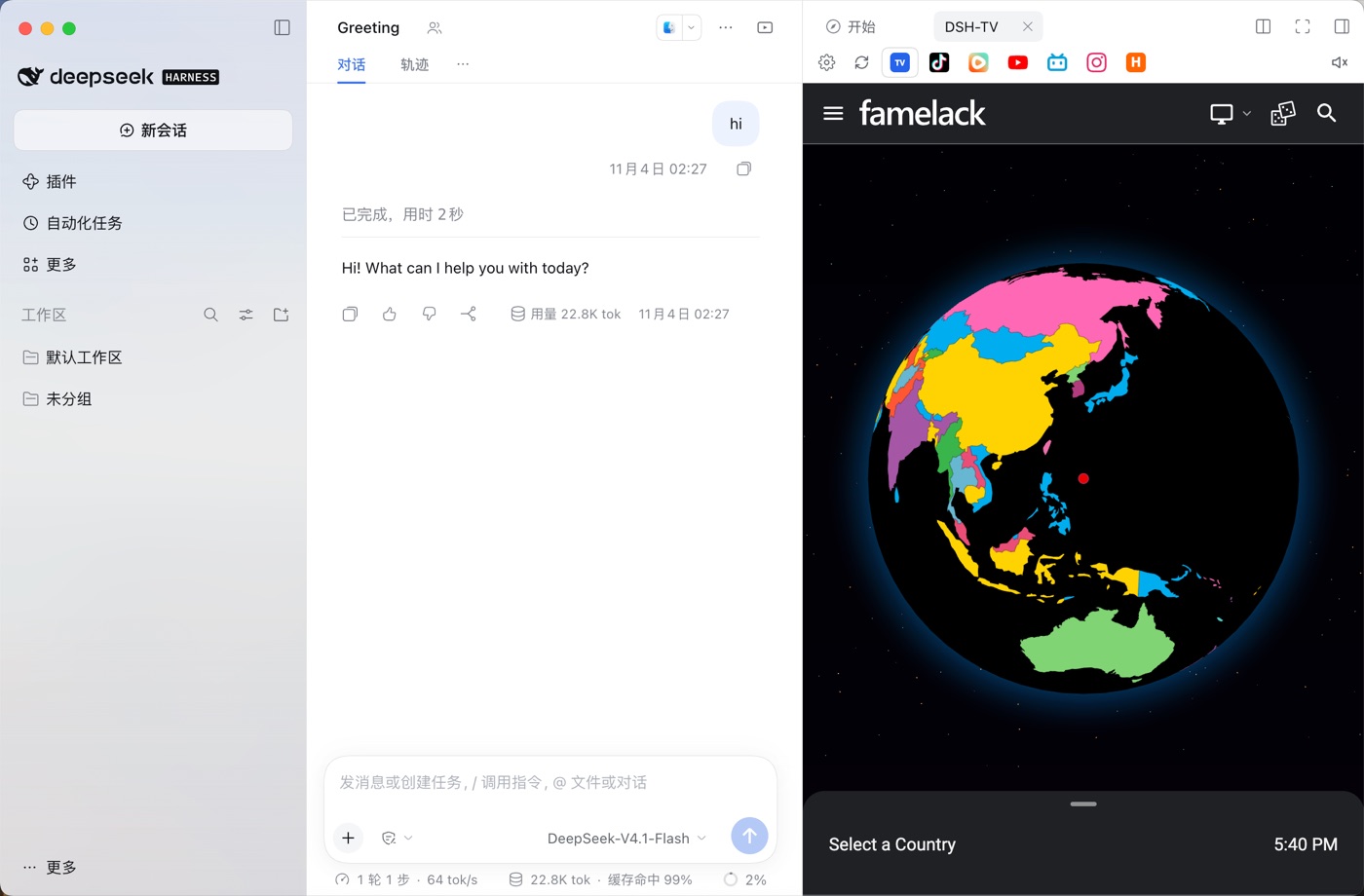 |
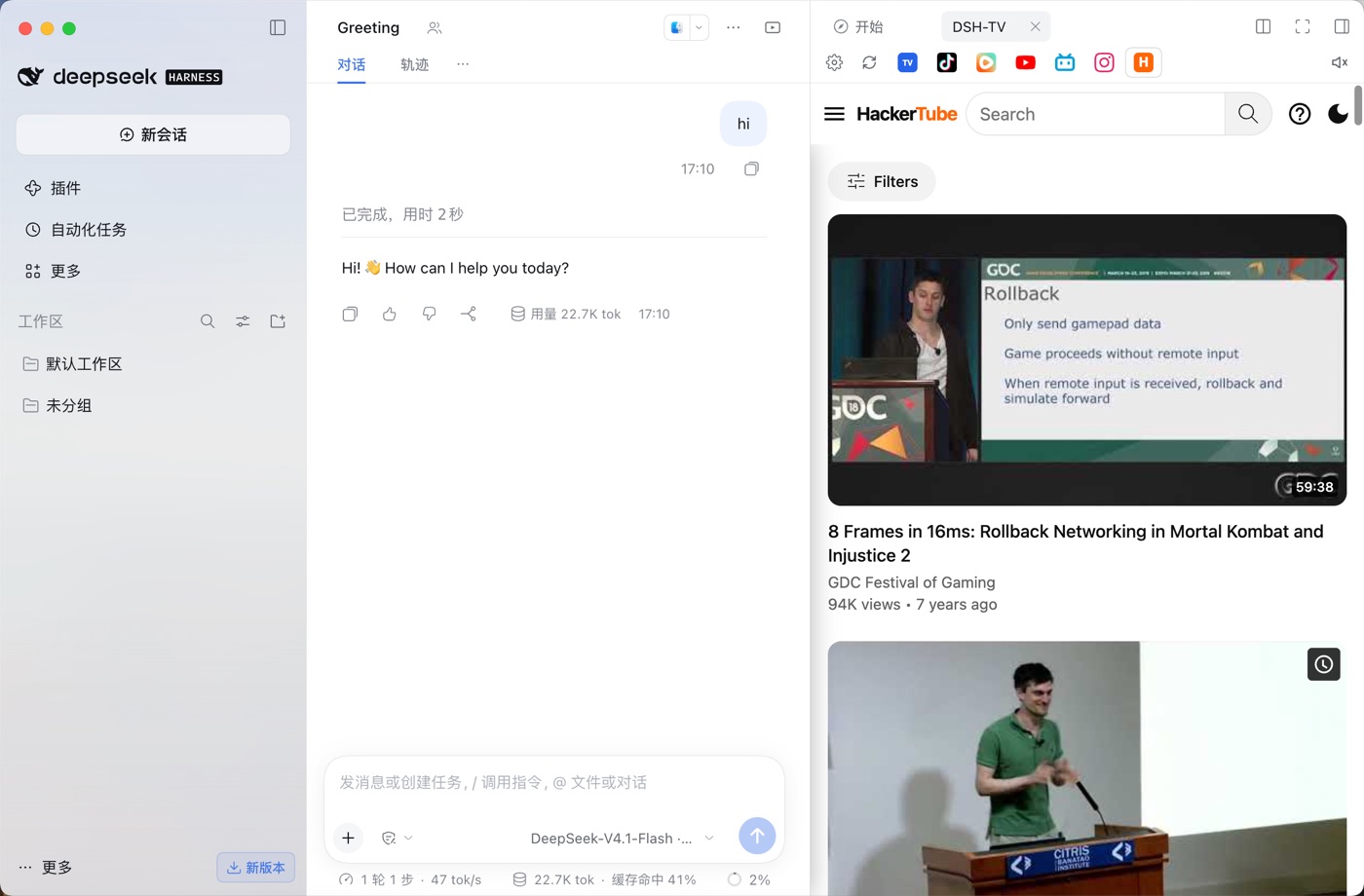 |
Settings panel
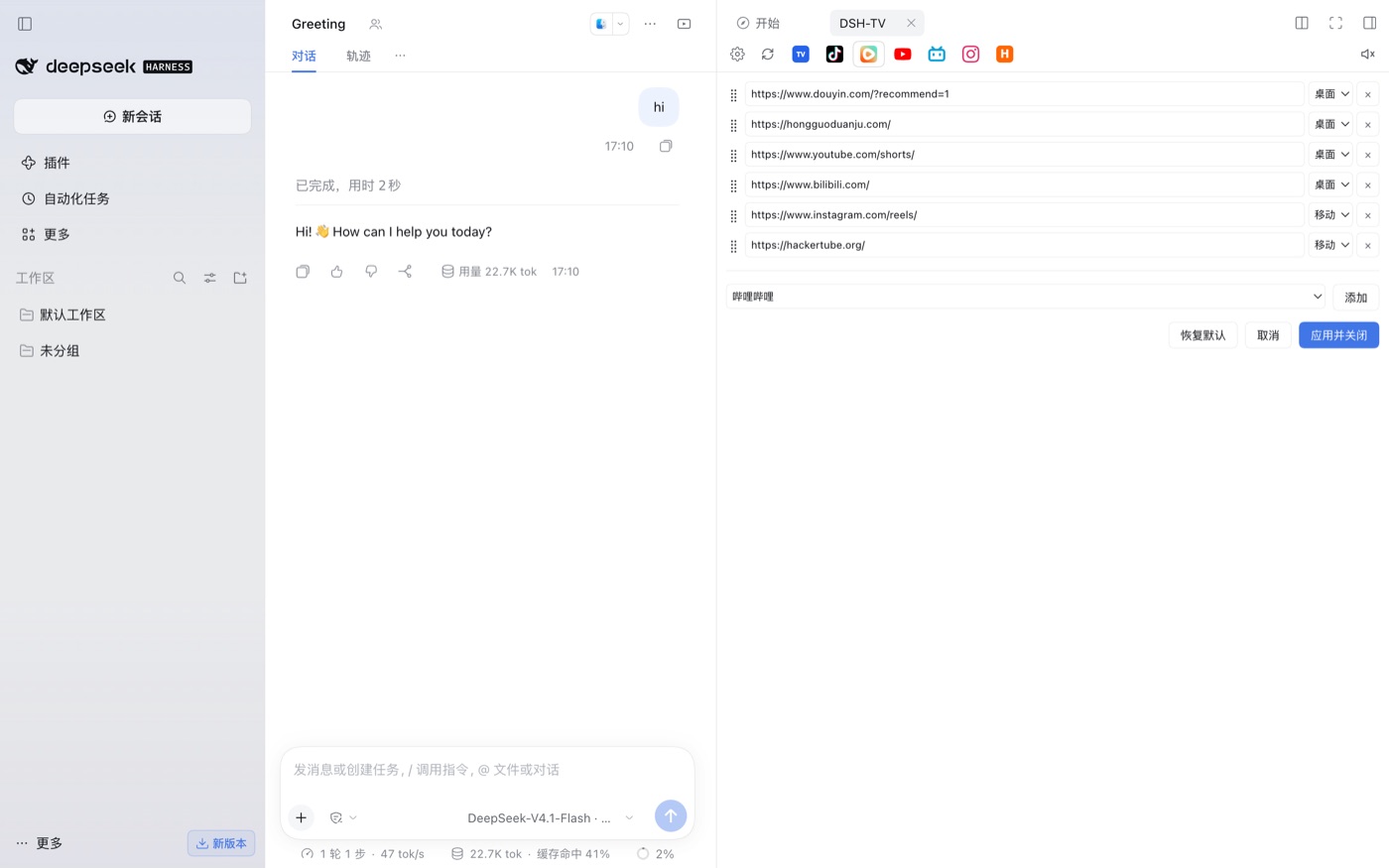
Install
1) From GitHub (recommended)
dsh plugin --profile desktop add github:MathewWuZJ/dsh-tv
Then add dsh-tv to your profile's dsh.profile.bundles (the plugin manager's "Enable"/toggle usually does this), and restart DSH.
2) From a local directory
cd dsh-tv
./install.sh                 # installs into the active desktop profile
3) As a plugin-market index entry
DSH has no central third-party marketplace; third parties publish packages and custom plugin indexes. This repo ships market-index.json (format 1). In DSH enable Plugins → Discover → Custom plugin indexes, add:
https://cdn.jsdelivr.net/gh/MathewWuZJ/dsh-tv@main/market-index.json
then install from the Discover tab.
Compatibility & avoiding "plugin disappeared after DSH upgrade"
DSH enforces each plugin's engines.dsh range; a bundle that does not match is silently skipped (no entry, cannot open). This package declares:
"engines": { "dsh": ">=0.2.0 <0.3.0" }
- The range intentionally allows every
0.2.x. If DSH later moves to0.3.x(or a new major), a new release of this plugin must widen the range. - When a version is skipped you can temporarily allow it per-version:
dsh plugin allow-version(plugin manager) — exact-version exemption only. - Best practice for authors: keep
engines.dsha range (not an exact prerelease), test against the newest DSH, and publish updated releases on major bumps.
Usage
- Open the panel from the
DSH-TVbutton in the chat header (top-right). - Switch sites via favicon tabs. The first visit shows a spinner; the page is revealed only after it loads.
- Global TV: opens a random validated channel; 地图 opens the map/channel picker, 换台 picks another.
- Gear: edit sites; 地图 (player) can fall back to the built-in picker when the external map is unreachable.
- Volume: click the speaker to mute; hover/click to adjust; settings persist.
FAQ / Q&A
Q: After upgrading DSH, the DSH-TV entry disappeared and I can't open it.
A: DSH skipped the bundle because its engines.dsh is incompatible with the new runtime. Update to a plugin release that matches, or grant an exact-version exemption with dsh plugin allow-version. See "Compatibility" above.
Q: A site shows a blank page or stays on the spinner. A: Many sites refuse to be embedded or are region/network restricted. The panel reports a load failure instead of hiding it; try the site's desktop/mobile mode in Settings, or open it in your system browser.
Q: Can it use my Chrome cookies / logins? A: No. The embedded browser is an isolated session and is not allowed to read Chrome's cookie store. Log in once inside the panel; some login state can be remembered locally on a best-effort basis (non-HttpOnly cookies + localStorage).
Q: Where does Global TV come from? A: Public IPTV playlists (mostly iptv-org and community lists). Streams are community-maintained; some are offline or geo-blocked. The player validates a channel before returning it and auto-switches on failure. No streams are hosted by this project.
Q: Is there an official plugin marketplace?
A: Not for third-party plugins. Distribution is: npm package (dsh plugin add <pkg>), GitHub install (github:owner/repo), or a custom market index JSON added in Discover. Official bundles are shipped by DSH itself.
Q: Is my data sent anywhere?
A: The plugin only loads the sites you open and the global TV playlists. Session snapshots (for best-effort login resume) are written under ~/.dsh/social-session/; the TV playlist is cached there too. Nothing is sent to the author.
Disclaimer
- This is a personal, non-official plugin. It does not host or re-distribute video content; it loads public websites and public IPTV playlists in a browser view.
- Respect each site's terms of service and local laws. Content copyright belongs to the respective rights holders.
- Use at your own risk.
Development
dsh-tv/
├── package.json        # DSH manifest: dsh.bundle.patch + dsh.client(platform=web)
├── cordis.patch.yml    # bundle patch: insert the loader entry
├── lib/index.js        # host half: session snapshot routes, global-TV player server (/player,/map,/random,/m3u8,/seg)
├── lib/client.js      # client half: right-sidebar tab type, UI, settings, per-site webviews
├── assets/icons/       # bundled real site favicons
├── assets/hls.min.js   # bundled HLS player for Global TV
└── install.sh          # local install helper
- Host runs in the DSH Host process; the Global TV player listens on its own loopback port so the guest webview may load it.
- Client bundle is plain
window.__ModuleLoader__.load({...})and only requires baseline modules (react).
No comments yet. Be the first to write one.