dsh-deeppilot
English | 简体中文




The open-source DSH companion plugin for DeepPilot, a native iPhone client for using DeepSeek Harness remotely. It connects the app directly to the DSH Host on your own computer and does not replace or modify the DSH Web UI.
DeepPilot is currently in TestFlight review. The invitation link will accept testers after Apple approves the build.
What you get
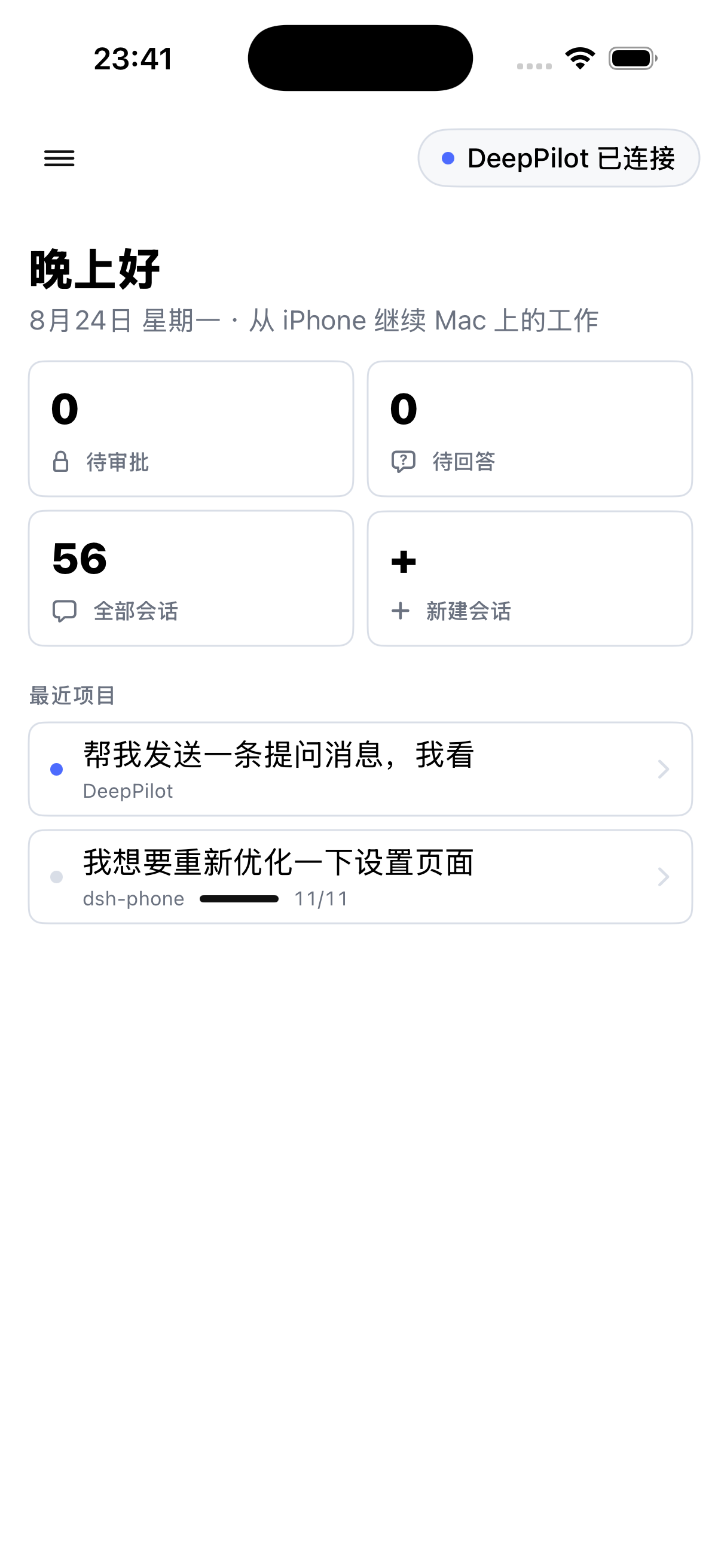
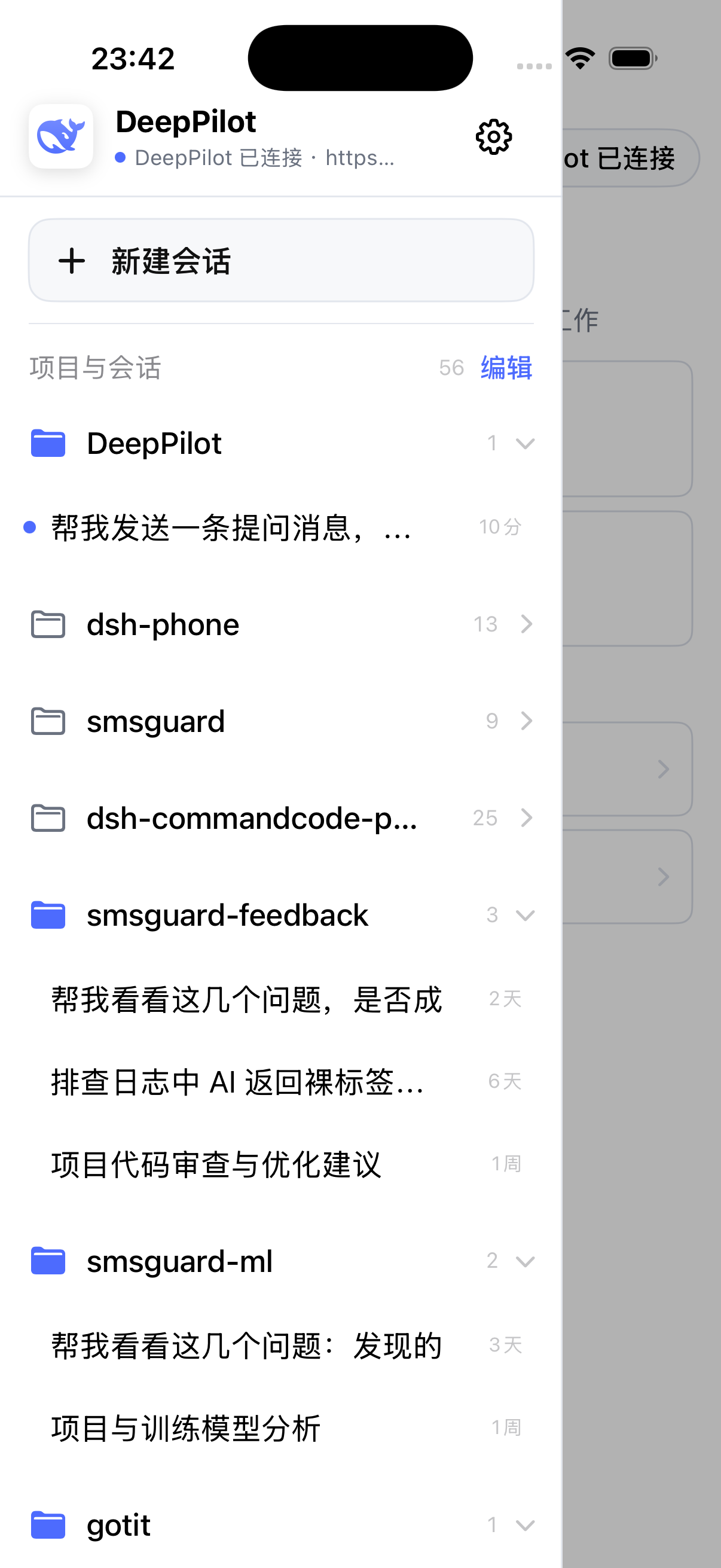
- Browse projects, sessions, history, and live agent output from iPhone.
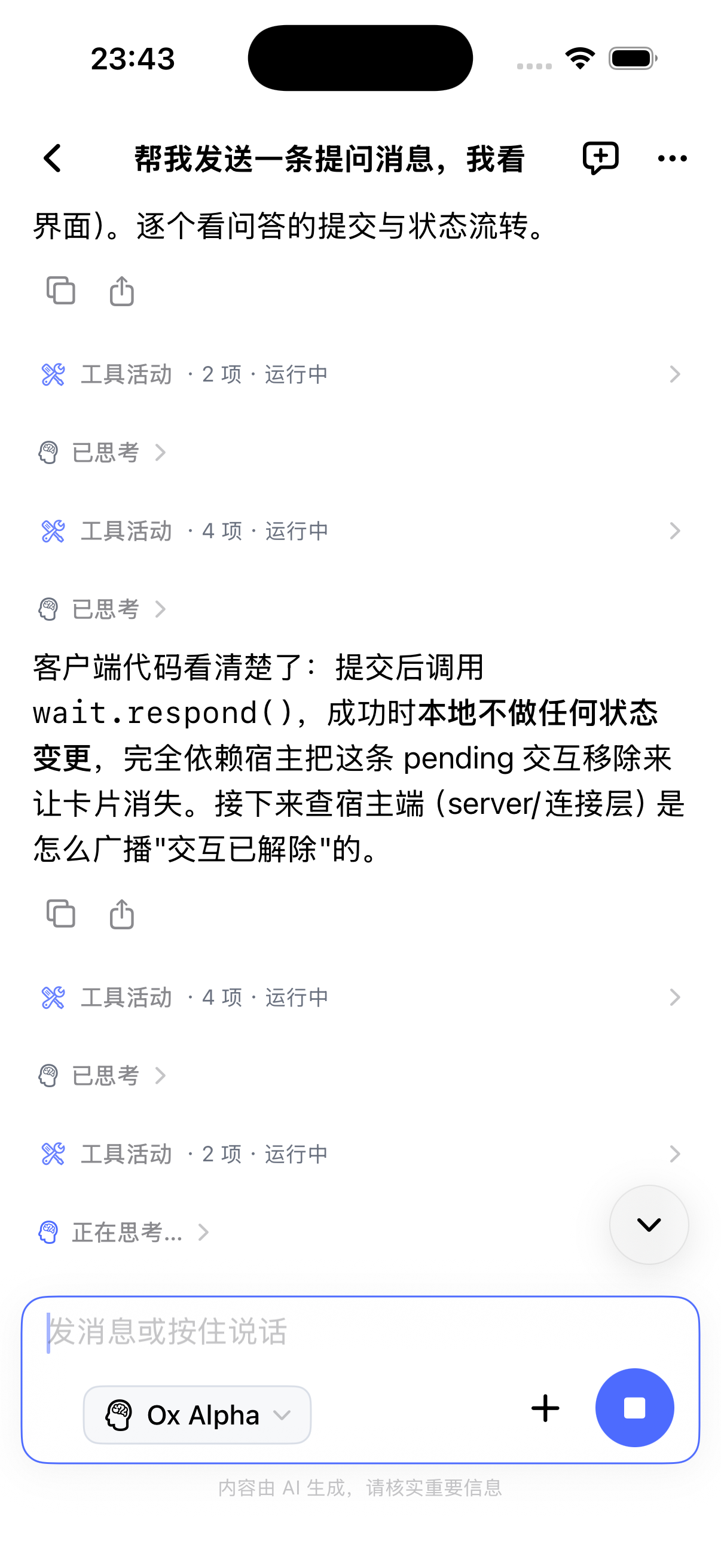
- Stream assistant text and reasoning while viewing a session; reconnects recover the durable history rather than treating partial output as a completed answer.
- Export a full ZIP log archive, or share the conversation body as Markdown when the Host provides that optional route.
- Check plugin updates from the app and install an explicitly confirmed compatible version. The Host handles hot replacement and rollback; without hot reload the app reports that a DSH restart is required.
- Send prompts, switch models, create sessions, and answer approvals/questions.
- Pair with a five-minute single-use code and a per-device P-256 key; physical iPhones keep the private key in Secure Enclave.
- Connect over the LAN (TLS with a Host-issued certificate pinned during pairing) or the optional embedded Tailscale Funnel.
- Receive live notifications and optional APNs notifications while offline.
- Local web preview: open a
http://127.0.0.1:<port>orlocalhost:<port>link from the conversation (a design canvas or dev server the agent started) inside the app, with its live reload intact. - Quiet scheduled runs (DSH 0.2.2+): write a rule into a scheduled task's
prompt, such as "if everything is normal, don't notify me". The agent can
then skip that run's "task completed" notification with the
deeppilot_skip_completion_noticetool. Approvals, questions and errors still notify, and tasks without such a rule notify on every run as before. - Self-update hint: the settings page footer shows the installed plugin version, with an inline "new version" link to the matching GitHub release when one exists (background check, stable releases only, no third-party dependency).
Install from npm
This source checkout targets Node.js 22+ and DSH hosts inside the rolling
compatibility range >=0.2.1-rc.5 <0.3.0-0 with a web profile. The lower
bound is the newest audited rc release at decision time — npm latest and
next both point at 0.2.1-rc.5 — and every later 0.2.x release is admitted
automatically, including the alpha channel release 0.2.2-alpha.2 and later
alphas, later rc releases, and 0.2.x GA. 0.3.0 and its prereleases stay
refused until a fresh audit. DSH checks a plugin's declared requirements before
composing a profile, on every start rather than only on install, so a host
outside the range refuses to activate this plugin. From DSH 0.2.1-alpha.4 on,
that check reads engines.dsh and ignores peerDependencies; older hosts know
only the peer range, so both declare the identical range. The package includes
Funnel helpers for macOS, Linux, and Windows on amd64/arm64; trusted-LAN mode
does not require the helper. The helper is built with Go 1.27, which requires
macOS 13 Ventura or later: on macOS 12 and earlier, Funnel mode cannot
start, while trusted-LAN mode keeps working.
The current working tree declares that range in engines.dsh and
peerDependencies and is built/typechecked against 0.2.1-rc.5. A previously
published plugin package may still carry its own older compatibility
declaration until a release is made from this tree.
dsh plugin --profile web add dsh-deeppilot
dsh web
After DSH restarts, open Settings → DeepPilot, turn on Allow phone connections, and click Add phone beside Paired devices, then scan the QR code in the app. The same panel also shows one copyable piece of pairing info (address, single-use code and certificate fingerprint) that can be pasted into the app in one step — useful for Simulator or when the camera is unavailable. Switching between the LAN and public address issues a matching new QR code and string immediately, with the panel staying open.
LAN access is always on (there is no switch) on the plugin's independent TCP
port 3098 and is TLS-only. After every connection the plugin tells the app
its current LAN addresses and the public Funnel address, so a paired phone
connects over the LAN on the same Wi-Fi and falls back to Funnel elsewhere,
without pairing again. The plugin generates a self-signed certificate on first start
(key under $DSH_HOME/deeppilot/lan-tls/), and the pairing QR code carries its
public-key fingerprint so the app pins that exact Host. DSH may continue
listening only on 127.0.0.1:3080; the plugin no longer registers any /phone
routes on the DSH web server. If a firewall is enabled, allow inbound TCP
3098 on the networks you use. The port can be changed on the DeepPilot
settings page (its exact section may move between DSH versions; go by the
settings page's current layout).
Upgrading from a plugin version that served plain ws:// on the LAN: devices
paired over the LAN must pair again so they receive the certificate
fingerprint. Devices paired through Funnel are unaffected.
Package: npmjs.com/package/dsh-deeppilot
Update or uninstall
dsh plugin --profile web update dsh-deeppilot
dsh plugin --profile web remove dsh-deeppilot
Restart DSH after updating. Uninstalling the package does not delete the local
DeepPilot state under $DSH_HOME/deeppilot/.
Publishing (maintainers)
采用可信发布(Trusted Publishing):GitHub Actions(GitHub 工作流)通过 OIDC 身份认证发布,并生成来源证明(Provenance),无需长期 npm 发布令牌。
- 同步包版本与锁文件版本,按
AGENTS.md完成发布验证;提交、推送并等待 持续集成(CI)通过。 - 从已合入
main的发布提交创建附注标签v<版本>,准备英文与简体中文的 GitHub Release(发布页)草稿。 - 经用户授权后,在该版本标签上手动运行
publish.yml。稳定版使用latest(稳定分发标签),预发布版使用alpha(预发布分发标签)。 - 核对 npm 版本、分发标签、包完整性与来源证明,并在全新 DSH 配置中安装验证, 然后公开 GitHub 发布草稿。
工作流不会因推送标签自动发布。npm 网站绑定、手动命令及首次发布的验证边界见 npm 可信发布说明。
Connection and privacy
Conversation traffic travels directly between the iPhone and your DSH Host and
is always encrypted: the LAN listener on port 3098 serves TLS with a
self-signed certificate whose fingerprint the app receives during pairing, and
Funnel mode uses Tailscale-issued certificates. The app refuses plain ws://.
Both the LAN listener and optional Funnel mode expose only the DeepPilot
connection, one-time pairing, and health endpoints, not the complete DSH Web UI.
Local web preview forwards raw bytes over a separate authenticated connection
to a loopback port on this computer. A port is reachable only after it has
appeared in that session's messages; the plugin's own ports and the DSH Web
default port 3080 are always refused, and only http loopback links with an
explicit port qualify. The settings page's Local web preview switch (on by
default) turns it off for every paired phone; open streams close at once.
The DeepPilot settings page exposes Connections per public source. It
defaults to 8, accepts 1–16, and briefly restarts the Funnel helper when
changed, so connected remote clients reconnect once (its exact section may
move between DSH versions; go by the settings page's current layout). The
device list also supports a custom name for each paired device. Names are
stored in the host registry and survive iPhone reconnects or changes to the
system-reported name; saving an empty value restores the iPhone-reported
default.
Each device's More actions control contains its fingerprint, rename action,
and deletion action; deletion still requires confirmation. Connection options,
connection help, diagnostic tools, and system information start collapsed.
Desktop secondary buttons are 28px high; custom action touch targets remain at
least 44px. Add phone uses DSH's built-in small outlined Button; all
toggles use its Switch. Native controls keep the host's appearance and sizing.
See settings UI and validation.
The settings page's Diagnostic tools group has a debug toggle.
Turning it on prints per-frame and push diagnostics to the DSH host's terminal
output (for example, the actual capability bits sent in s2c.welcome); it
never prints pairing tokens, APNs tokens, or message content. The toggle is
snapshotted per connection, so an already-open connection only picks up the new
value after it reconnects.
Connection failures do not need that toggle. The plugin always records
admission rejections, authentication failures (4401 distinguishes an unknown
device, a revoked device, a bad signature, an expired challenge and clock skew),
TLS handshake failures and pairing failures. They show up in the terminal as
[deeppilot] <time> WARN <event> <reason> src=<source hash> attempt=<attempt ID>
and are appended under diagnostics/ in the plugin data directory (7 days,
5 MB cap). The settings page's Connection diagnostics group lists the most
recent failures with a copy button, and /phone/health additionally returns the
local transport phase and port, the data-plane phase, whether the TLS identity
was rebuilt, the start time and the last failure, so the phone can locate the
cause even while it cannot connect. Records contain only source hashes — never
raw IPs, pairing codes, keys, APNs tokens or message content.
Each connection attempt from the phone carries a random attemptId (the ?at=
query parameter on the WebSocket upgrade, or the X-DeepPilot-Attempt header on
pairing and health checks). The plugin writes it into the log lines and
diagnostic events above, so a user reporting that ID lets you find the exact
attempt in the host log.
Offline push is optional. Relay mode sends only the target APNs device token and a limited notification payload; full conversation history and live output do not pass through the relay. Read PRIVACY.md and SECURITY.md before enabling remote access or push. Protocol-v2 implementation status and remaining release validation are tracked in docs/SECURITY_ROADMAP.md.
Screenshots
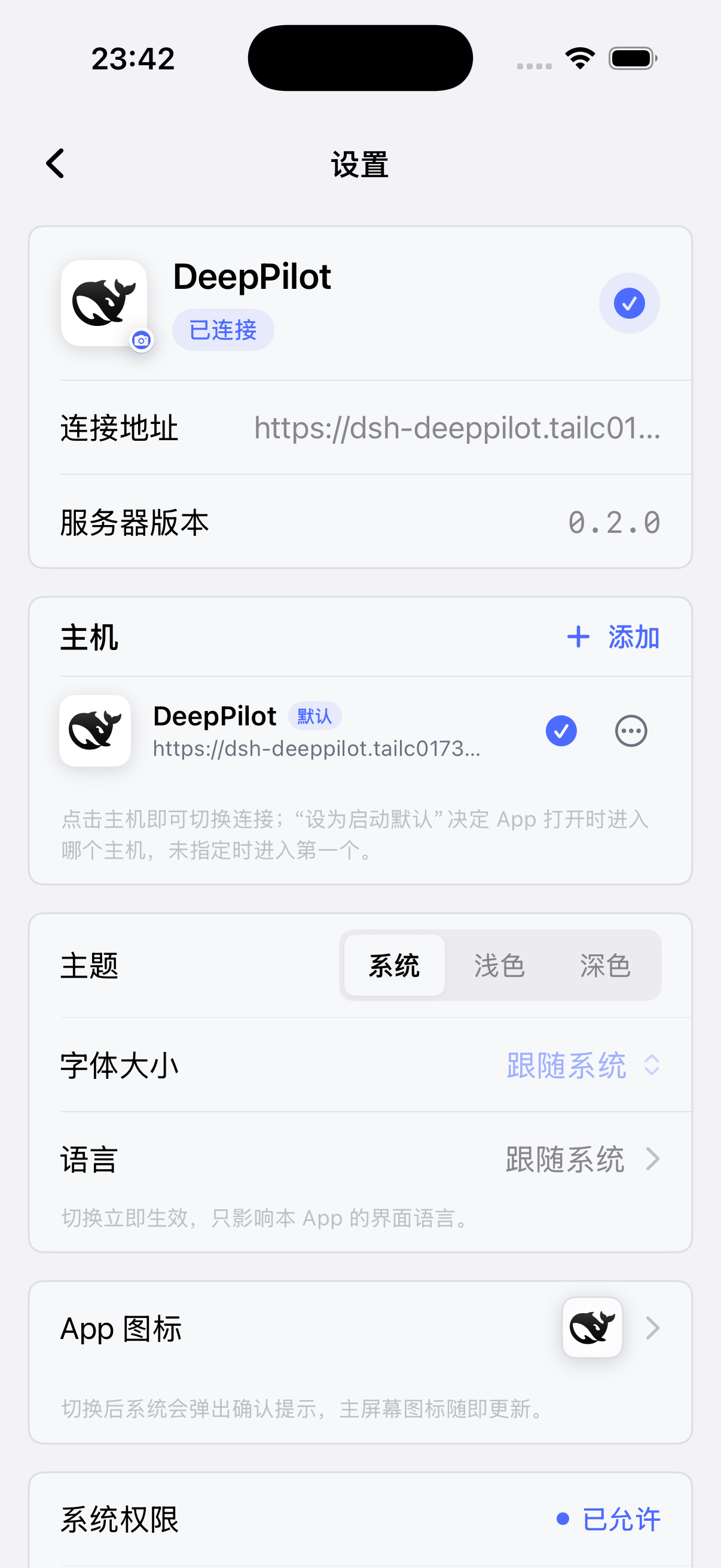
| Home | Sidebar | Chat | Settings |
|---|---|---|---|
 |
 |
 |
 |
Compatibility
See COMPATIBILITY.md for the tested baseline and current limitations. DSH is still evolving; include exact DSH and plugin versions when reporting an issue.
Protocol
PROTOCOL.md is the normative DeepPilot bridge protocol. Any
wire change must update that document and src/protocol.ts together and be
coordinated with the private iOS client. Protocol v2 is the only supported wire
version; upgrades from v1 require re-pairing.
Development
npm ci
npm test
npm run typecheck
npm run build
cd helper && go test ./...
Community and feedback
DeepPilot is an independent community project and is not affiliated with or endorsed by DeepSeek.
License
MIT — see LICENSE.
No comments yet. Be the first to write one.