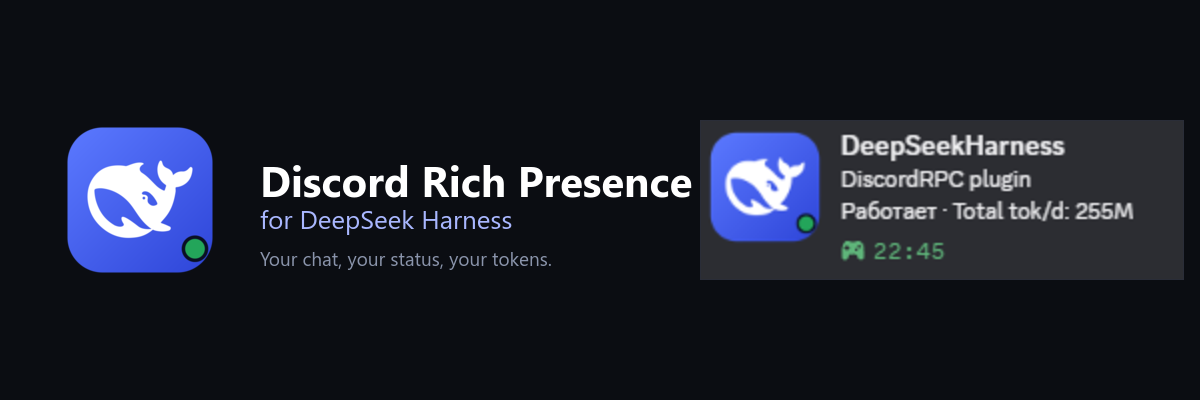



Discord Rich Presence for DeepSeek Harness
Your chat, your status, your tokens — right in Discord.
You know that moment when you look at your Discord profile and it still says "Playing: nothing in particular"? This plugin fixes that small, silly thing.
While you work in DeepSeek Harness, your Discord card quietly shows the chat you have open, whether the agent is working, how many tokens you have used today, and a timer that starts with the turn. No commands, no copy-paste, no dashboards.
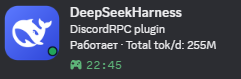
The real card, captured from Discord. The screenshot is in Russian; the plugin also speaks English and Chinese.
What you get
- The chat you are actually in. Switch tabs and the card follows you.
- A living status.
Workingwhile the agent is running,Idlewhen it is waiting for you. - Today at a glance.
Total tok/dis the token total for today, not a lifetime number that never changes. - A timer with a point. It starts when the work starts, so the card shows how long the current turn has been going.
- Zero setup by default. A shared Application ID is already filled in. The card works as soon as the plugin is installed.
- No extra plugin. Token counts come from DSH's built-in token meter. If it is unavailable, the plugin reads the session log directly.
- Three languages. English, Russian, and Chinese for both the settings and the Discord card. English is the default.
Install
Clone the repository:
git clone https://github.com/MakotoNikki/dsh-discord-rich.gitIn DSH Desktop, open Plugins and install the
dsh-discord-richfolder as a bundle. If you prefer a package, runnpm packin the folder and install the resulting.tgz.Restart DSH Desktop.
Keep Discord open. Any client with local Rich Presence IPC works: Stable, PTB, Canary, Vesktop, Equicord, and friends.
Open Settings → Discord Rich Presence. The status dot should turn green and the preview should show your chat. That is it.
The card already works with the shared Application ID. You do not need to create a Discord application just to try it.
Make it yours
The name at the top of the Discord card is the name of the Discord application, not something the plugin invents. The shared app is called DeepSeekHarness. If you want your own name, avatar, or assets:
- Open the Discord Developer Portal and create an application.
- Copy its Application ID from General Information. This is a public ID, not a token.
- Paste it into Settings → Discord Rich Presence and press Save.
- Restart Discord if the old name is still cached.
Languages
The settings header has a small RU / EN / CN switch. It changes everything at
once: the settings page and the Discord card. The choice is saved in the plugin
config, and EN is used when nothing has been chosen yet.
| Language | Status | Tokens today | Hover text |
|---|---|---|---|
| English | Working / Idle |
Total tok/d: 255M |
1.2M tokens in this chat |
| Русский | Работает / Ожидает |
Токенов за день: 255M |
1.2M токенов за чат |
| 中文 | 工作中 / 空闲 |
今日 Token:255M |
本聊天 1.2M token |
The hover detail
Discord can show a small tooltip when someone hovers over the large image. To make it show the token count for the current chat:
- In the Discord Developer Portal, open Rich Presence → Art Assets.
- Upload
assets/icon-1024.pngwith the keydsh. - In the plugin settings, open Icon & tooltip and set the asset key to
dsh. - Leave the custom tooltip empty. The plugin will fill in the chat token count in the selected language.
If you use the shared app, the dsh asset may already be there. If hover does
nothing, a custom app with your own uploaded asset is the reliable option.
Privacy
Everything is local.
- The plugin reads token counts from DSH's built-in session projection cache, or from the session log if that cache is unavailable.
- It talks to Discord over the local IPC pipe.
- It does not read, store, or send your Discord token.
- It does not make network requests.
- Only the activity text and the optional large-image key are sent to Discord.
Troubleshooting
| What you see | What to try |
|---|---|
| Nothing appears in Discord | Make sure Discord is running, then restart DSH Desktop. Check that the status dot is green in the plugin settings. |
| The card says "DeepSeekHarness" | That is the shared app's name. Create your own Discord application to use a different name. |
| The status is stuck on "Connecting" | Click Reconnect in the settings. Make sure Discord's Activity Privacy → Share your detected activities is enabled. |
| Hover does nothing | Upload the icon as an Art Asset with the key dsh and set the same key in the plugin settings. |
| The chat title is wrong | Switch to another chat once, or wait for the 15-second refresh. The card follows the active tab, not the last message. |
| The old app name is still cached | Quit Discord completely and start it again. |
How it works
The web part of the plugin sits in the session header and reports which chat is open to the host. The host reads DSH's built-in session projection cache (or the native session log if that cache is unavailable), builds the activity, and sends it to Discord through the local IPC socket. No server, no account, no cloud.
For developers
index.js          host: Discord IPC, usage cache, HTTP API
client.js         settings page, language switch, active-tab reporter
locale/           en / ru / zh plugin metadata
assets/           plugin icon and Discord Art Asset
test.mjs          activity and session-selection tests
npm run check
npm test
License and credit
MIT. See LICENSE. The code is free to use, change, and share.
The icon uses the DeepSeek whale mark. DeepSeek and the whale logo belong to DeepSeek; Discord belongs to Discord Inc. This is an unofficial community plugin, not affiliated with or endorsed by either company.
No comments yet. Be the first to write one.