READMESource: main@8b2e187e
dsh-side-suite
中文 | English
左栏家族:文件树、文件打开、工具 Tab、局域网服务、长期任务
前置:先装 dsh-vk-suite。
包
| 目录 | 作用 |
|---|---|
dsh-files-tree |
左栏文件 Tab,以及输入区 @ 文件选择 |
dsh-files-open |
在右栏打开任意本机文件 |
dsh-extensions-panel |
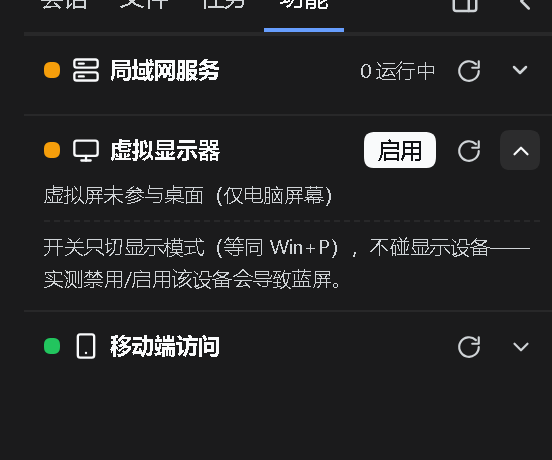
左栏「工具」Tab:局域网服务与移动端访问的开关卡片 |
dsh-lan-services |
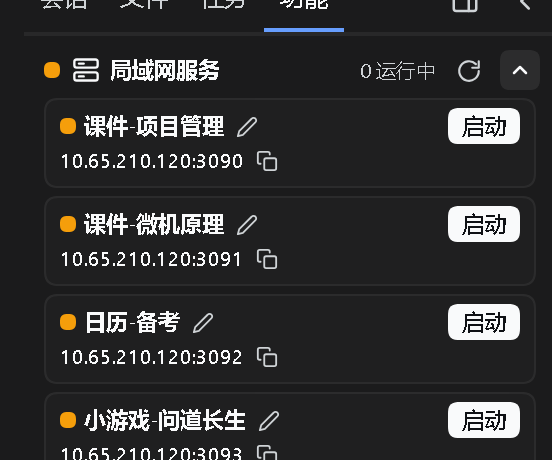
探测 3090~3099 端口的本地服务,列出标题与局域网网址,一键启停 |
dsh-lt-tasks |
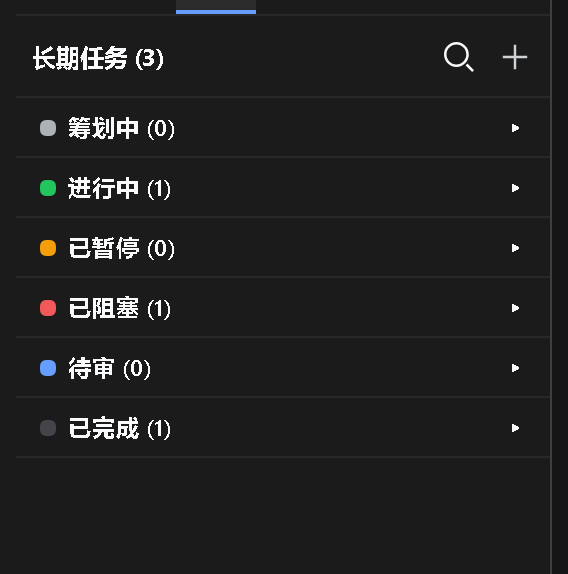
多窗口长期任务管理:一个任务 = 一个持久文件夹 |
版本线
| 版本 | 对应 DSH | 说明 |
|---|---|---|
v0.1.2 |
0.1.7 | 本机 0.1.7 线继续开发的功能(本次同步) |
v0.1.0 |
0.1.6 | 0.1.6 线的最后一版,保留可用、不再更新 |
装
# 只装其中一个包
dsh plugin --profile web add file:<本仓库>/dsh-files-tree
整族一次装完(Windows PowerShell):
./install.ps1
不克隆仓库、直接从 Release 装(一行一个包):
dsh plugin --profile web add "https://github.com/Ln1m/dsh-side-suite/releases/download/v0.1.2/dsh-files-tree-0.1.2.tgz"
dsh plugin --profile web add "https://github.com/Ln1m/dsh-side-suite/releases/download/v0.1.2/dsh-files-open-0.1.2.tgz"
dsh plugin --profile web add "https://github.com/Ln1m/dsh-side-suite/releases/download/v0.1.2/dsh-extensions-panel-0.1.2.tgz"
dsh plugin --profile web add "https://github.com/Ln1m/dsh-side-suite/releases/download/v0.1.2/dsh-lan-services-0.1.2.tgz"
dsh plugin --profile web add "https://github.com/Ln1m/dsh-side-suite/releases/download/v0.1.2/dsh-lt-tasks-0.7.1.tgz"
装的时候若报 UNABLE_TO_VERIFY_LEAF_SIGNATURE(国内出口证书注入,Node 默认不读系统证书库),先执行 $env:NODE_OPTIONS='--use-system-ca' 再装。
装完重启 web 实例。每个包目录里还有它自己的 README。
界面
许可
MIT
No comments yet. Be the first to write one.