DeepClear UI
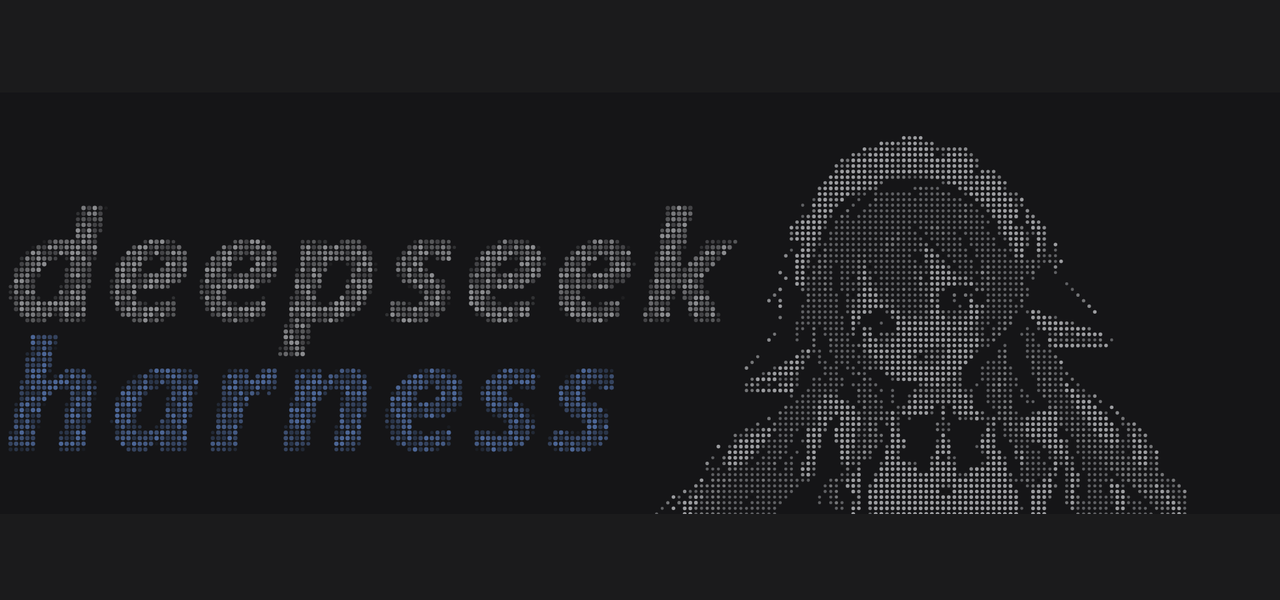
A dot-matrix welcome page and whale-blue accents for the DeepSeek Harness (dsh) web UI.
Welcome page
- Right: the mascot portrait, sampled from an illustration into a halftone dot grid
- Left: the
deepseek/harnessdot-matrix wordmark
Both groups share one dot pitch, scale with the window, sit on the composer, and disappear
once the session starts. The stock headline, brand mark and pixel-whale canvas are hidden
while the page is showing, and a faint deepclear-ui signature sits in the corner.
Interactions: the wordmark fades in as a whole (deepseek first, harness after), hovering
lights the dots up and leaves a short trail, and clicking sends a ripple across the field.
Accents
Whale blue is #7AAAFF, used in three places:
- Bold prose in chat messages turns whale blue and stays bold
- Composer focus: the card's own hairline turns whale blue and an inset ring thickens the edge to about 1.5px, fading over 160 ms — only while the draft editor has focus
- Diffs: added lines take whale blue, deleted lines deep blue, with the code text, gutter
and
+/-markers collapsed into the same blue family
The rules ride public markers ([data-slot="conversation.chat.flow"], [data-composer-card],
[data-diff-line]) and the file-diff elevation tokens; if upstream renames one, that rule
simply stops applying.
Install
npm i deepclear-ui
Or install it by name from the dsh Plugins panel. The bundle ships a patch row, a client half and locale metadata; no host-side code runs.
Customize
Swapping the artwork, painting a mask, or editing the dot grid directly is documented in
scripts/README.md:
scripts\rebuild.cmd    # sample artwork -> splice the hero block -> inject the grids
scripts\preview.cmd    # render a preview strip of both themes
Palette
| Token | Value |
|---|---|
| Whale blue | #7AAAFF |
| Dots, light theme | #666C78 at per-cell alpha |
| Dots, dark theme | #ECEEF2, weight inverted |
Tested against dsh 0.2.2-rc.3.
No comments yet. Be the first to write one.