dsh-plugin-custom-profile
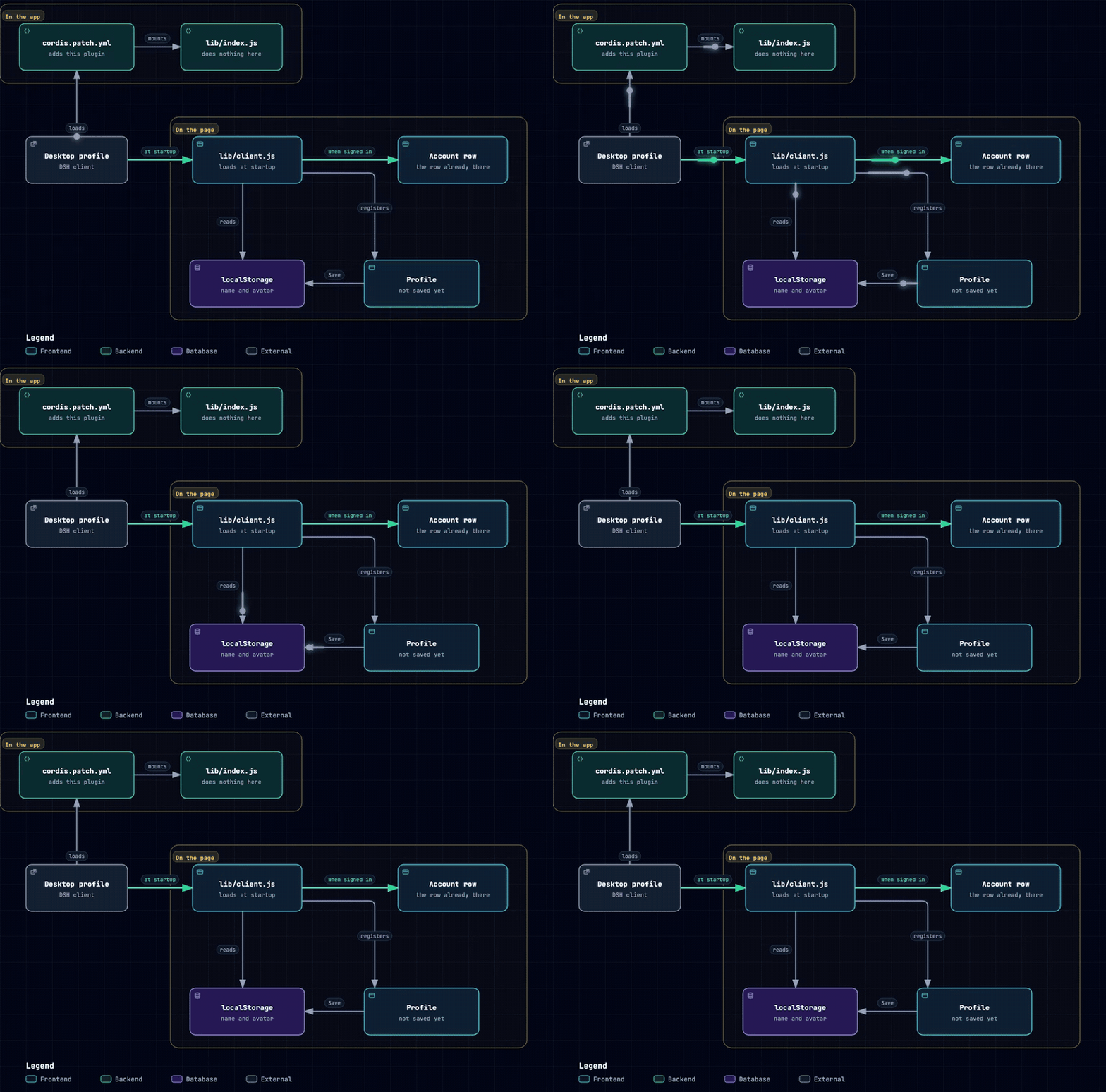
Your own name and avatar, on the account row at the bottom left. Only what this machine shows changes. The account is not edited, and nothing is uploaded.
Package:
dsh-plugin-custom-profile· Plugin id:plugin-custom-profile
Change it at Settings → Profile.
Install
In the app: Settings → Plugins → Install → Local directory, and select this checkout. After the package is published, search for dsh-plugin-custom-profile.
Or quit the app and run:
dsh plugin --profile desktop add /absolute/path/to/dsh-plugin-custom-profile
For another profile, use dsh plugin --profile <profile> add dsh-plugin-custom-profile, or github:<your-account>/dsh-plugin-custom-profile. Nothing to build.
To install by hand, symlink this directory into the profile's node_modules and append this to cordis.patch.yml:
- insert:
    - id: plugin-custom-profile
      name: dsh-plugin-custom-profile
Restart if Profile does not appear.
Use
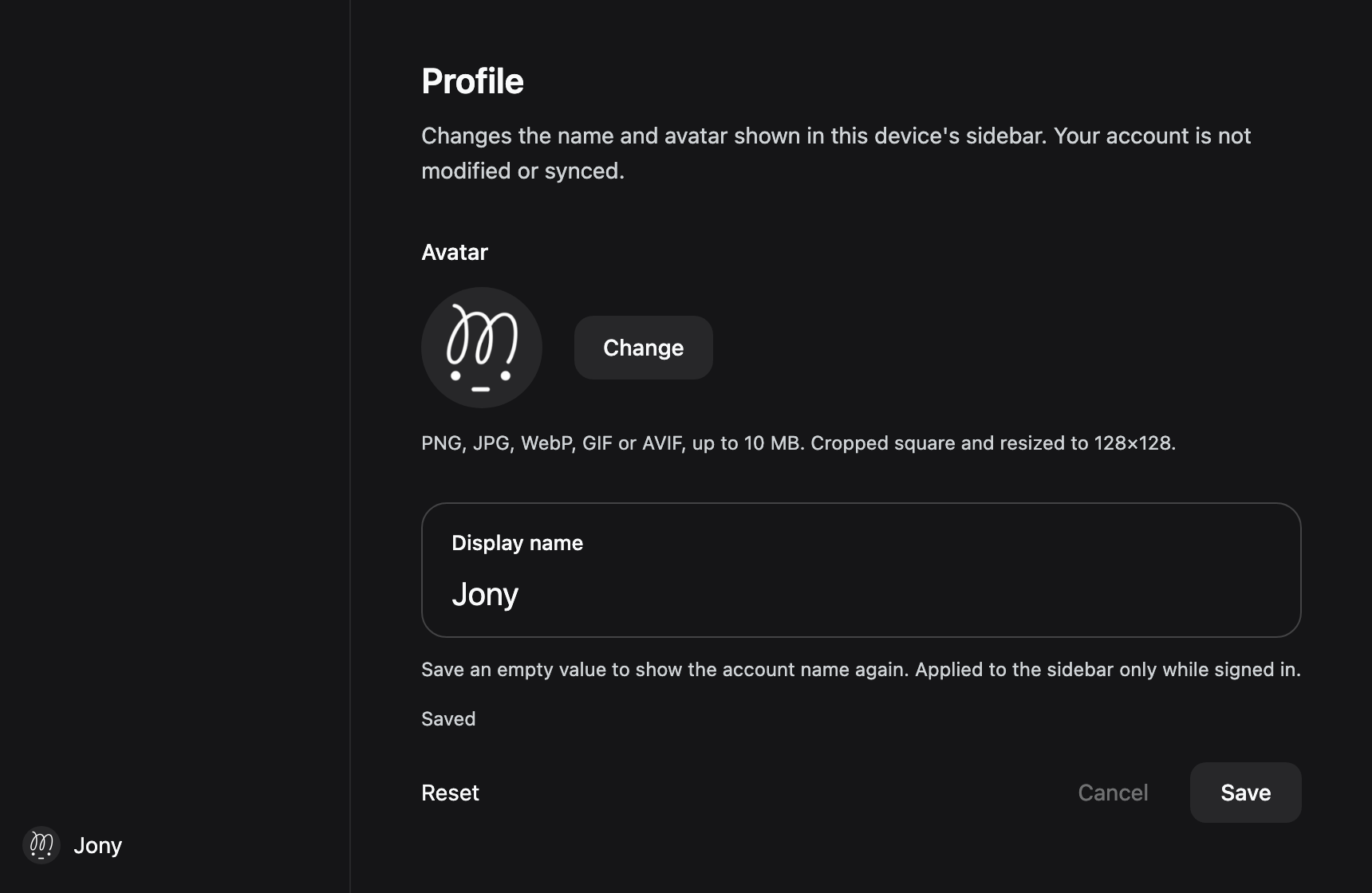
Set a name and an avatar, then Save. An empty name keeps the account name. Reset, then Save, puts the account name and avatar back. Cancel drops unsaved edits.
PNG, JPG, WebP, GIF, or AVIF, up to 10 MB. Cropped to a square and stored as 128×128 WebP, or PNG if that fails. A GIF stays a single frame. Names are at most 32 characters.
Also
- Signed out, the row is left alone. A collapsed sidebar gets the avatar only.
- The custom row follows this device, not the account. Clearing site data or changing devices removes it.
- Do not run another plugin that paints the same row. This one will not import that plugin's saved values.
- Written against client
0.2.1-rc.5. If the account-row markup changes, the plugin stops painting instead of breaking the page.
Development
Node ^22.19.0 || >=24.0.0. npm test runs 57 tests. lib/index.js does nothing. lib/client.js is the browser bundle. A daily GitHub Action watches the Harness page. A newer client opens an issue for the dsh-compat agent.
License
MIT
No comments yet. Be the first to write one.