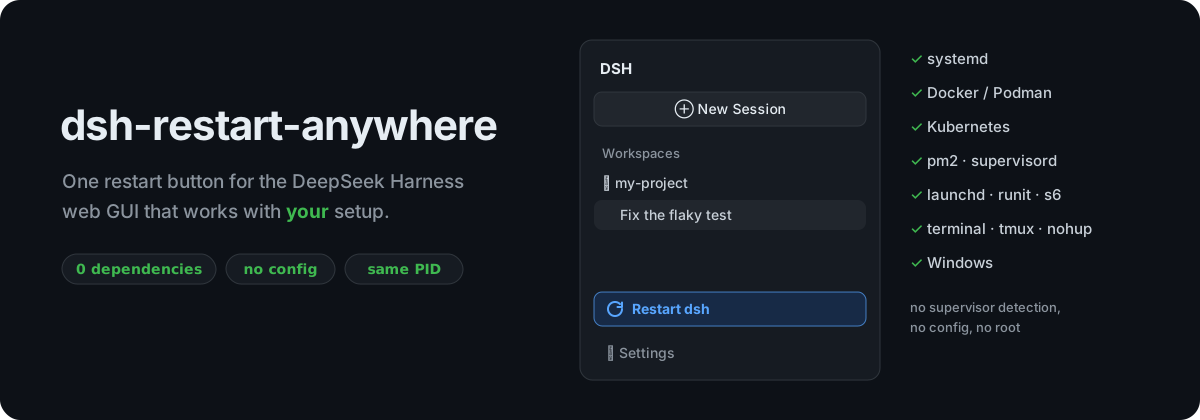





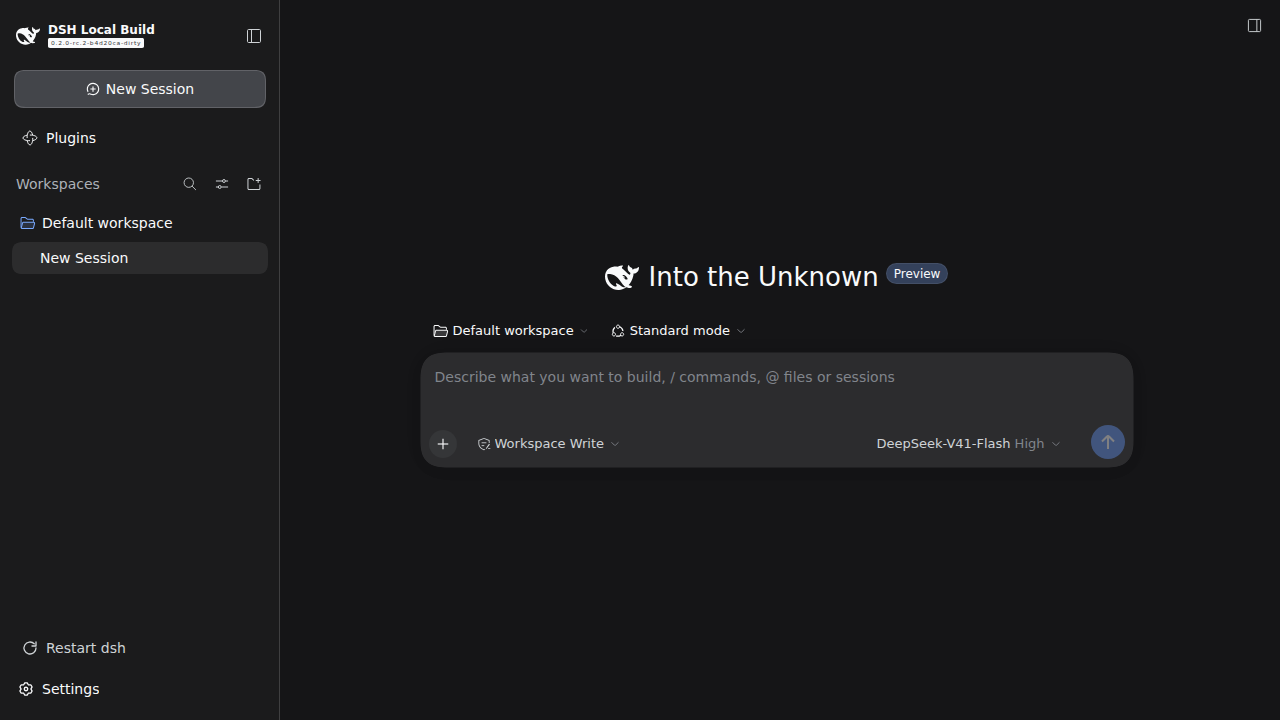
A DeepSeek Harness (dsh) web GUI plugin that adds one small Restart dsh button above Settings. It is for the moments you need a restart: you installed a plugin, changed a config, or fixed a bug in your own plugin.
It works with your setup. systemd, Docker, Kubernetes, pm2, a tmux pane, a plain terminal or Windows: click, and dsh is back in a few seconds. The page reloads by itself.
npx @deepseek-ai/dsh plugin --profile web add dsh-restart-anywhere
Works with your setup
Most restart buttons kill dsh and hope something starts it again. That only works for the setup their author had. A detached "relaunch me" helper gets killed along with a systemd service. A clean exit doesn't trigger Restart=on-failure. A container without a restart policy just stops. And under pm2 or runit, the helper and the supervisor both start dsh and fight over the port.
dsh-restart-anywhere doesn't hand dsh's life to anyone else. It restarts dsh in place:
| Your setup | What happens | Leaves behind |
|---|---|---|
systemd (user or system unit, any Restart= policy) |
Asks systemd to restart the unit, so you get a fresh process, exactly like systemctl restart. If that's not permitted (a system unit, no root), it falls back to in-place. |
nothing |
| Docker / Podman / Kubernetes (with or without a restart policy) | In place: same PID, so the container never notices. | nothing |
| pm2, supervisord, launchd, runit, s6, nssm, forever, … | In place: the supervisor keeps seeing the process it started, still running. | nothing |
| Terminal, tmux, screen, nohup | In place: same PID, and the new dsh keeps printing to the same terminal. Ctrl-C still stops it. | nothing |
| Windows / Node < 22.15 | Wrapper: the old process stays as a thin parent of the new dsh. It forwards Ctrl-C and exits with dsh's exit code. | the parent process |
| dsh desktop app | Button hidden: the app manages its own lifecycle. | n/a |
No supervisor detection, no config, no root, no helper scripts.
How it works
- Graceful shutdown. The plugin calls dsh's own exit hook (
ctx.appExit). Every plugin tears down exactly as on a normal quit, and sessions are flushed. - The process becomes the new dsh.
- Linux / macOS, Node ≥ 22.15:
process.execve()swaps the process image for a fresh dsh with the same command line, environment and stdio. The PID doesn't change, and nothing is left behind. - Windows / older Node: the process stays alive as a small wrapper and starts the fresh dsh as its child. Later restarts reuse the same wrapper, so there's never more than one.
- systemd: systemd restarts the unit itself, via a one-second transient timer, so the HTTP reply reaches your browser first.
- Linux / macOS, Node ≥ 22.15:
- The page reloads. The browser polls until a server with a new boot ID answers, then reloads. That works however fast or slow the restart is.
Details that make it hold up:
--port 0: a random port is pinned on restart, so the page finds dsh again.- No browser-tab spam:
--no-openis added on relaunch. - Double clicks: a second request while a restart is running gets
409.
Install
Into your dsh web profile (web below is the profile name; use whichever profile backs your web GUI). From a source checkout, use pnpm dsh instead of npx @deepseek-ai/dsh:
npx @deepseek-ai/dsh plugin --profile web add dsh-restart-anywhere
This installs the package into the profile and adds it to dsh.profile.bundles. Reload the browser tab, and Restart dsh shows up above Settings. If it doesn't, restart dsh one last time the old way. From then on, the button does it.
Requires dsh 0.2.0 or newer and Node 20+. There's no build step and no runtime npm dependencies.
Using it
Click Restart dsh and confirm. The icon spins while dsh restarts, and the page reloads when the new dsh is up, usually within about 5 seconds.
Running agent sessions are interrupted by a restart, like with any restart. The confirmation dialog says so.
Security
- Login required: the restart route is registered through dsh's own
/apiconnection layer (ctx.connection.fetch). It only answers browsers that are logged in to your dsh, and dsh's Host/Origin fence applies. - Exposed instances are safe: on an instance reachable from the internet, an unauthenticated request gets
401and can't restart anything. - No shell commands: nothing is run through a shell. The only external program is
systemd-run, and only when dsh is a systemd service.
Tested
Verified live with dsh 0.2.0 on Linux:
- systemd: user unit, with
Restart=noandRestart=on-failure. - systemd fallback: in place, when
systemd-runis unavailable. - Plain terminal: in place via
execve, three restarts in a row, then Ctrl-C and SIGTERM. - Wrapper path: Node without
execve, three restarts in a row, then Ctrl-C. - Supervisor that only restarts on failure: dsh stays up and the supervisor never notices.
--port 0, and two clicks at once.
macOS uses the same execve path as Linux, and Windows the same wrapper path as old Node. Neither has been run on real hardware yet, so reports are very welcome.
npm test runs the setup detection and command-line checks.
License
MIT
中文简介 · DeepSeek Harness (dsh) Web 界面插件:侧边栏「设置」上方的一个小小的「重启 dsh」按钮,适用于你的部署方式 —— systemd、Docker / Podman、Kubernetes、pm2、supervisord、launchd、终端 / tmux / nohup、Windows。原地重启(进程 PID 不变),无需检测或配置守护进程,重启完成后页面自动刷新。零运行时依赖,无需配置。
安装:npx @deepseek-ai/dsh plugin --profile web add dsh-restart-anywhere
No comments yet. Be the first to write one.