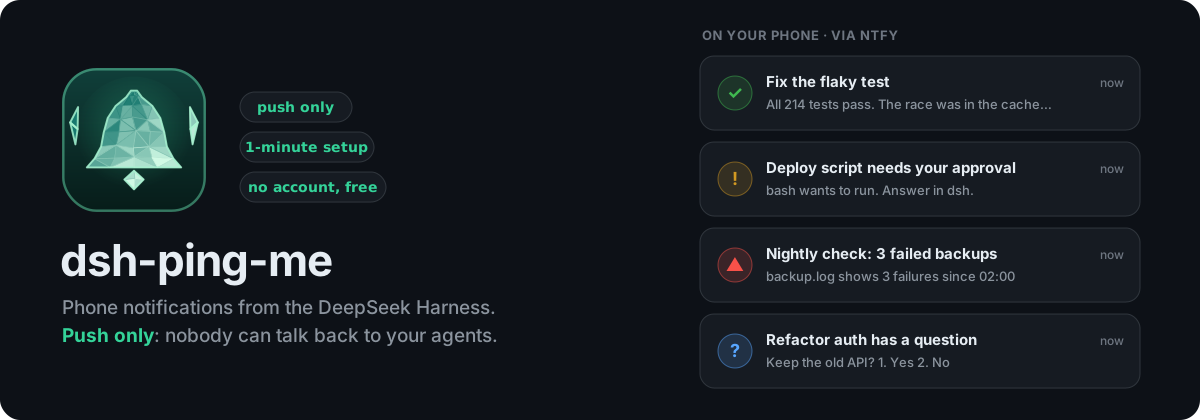


A DeepSeek Harness (dsh) plugin that sends notifications to your phone through ntfy: when a turn is done, when an agent needs your approval or has a question, and when something fails. Start a long task, walk away, and your phone tells you when to come back.
Automation tasks can alert you, too. A ping_me tool lets an agent run by dsh's Schedule ping you only when it actually found a problem. A daily "all fine" stays quiet.
Push only. The plugin publishes and never subscribes. Nothing anyone sends to your topic can ever reach your agents.
npx @deepseek-ai/dsh plugin --profile web add dsh-ping-me
What you get
| Notification | When | Sound |
|---|---|---|
| ✅ Turn finished, with the reply | a turn you started is done | normal |
| ✋ Needs your approval / ❓ Has a question | an approval or ask_user_question is waiting; the question and its options are in the notification |
loud |
| ❌ Failed | error, output limit, policy block. Your own Stop stays silent | high |
| ⚠️ Automation alert | an automation task called ping_me because it found a problem |
high |
| 🟢 Fix the login bug · running bash · 2m 10s (optional) | live status while a turn runs, updated in place, then turns into the ✅ result | silent |
- Open dsh button: every notification has one. It only opens dsh in your browser, and you still need your dsh login. The address is detected from the browser you use dsh in.
- Labelled by session: notifications carry the session's title, so you know which agent it is.
- Subagents stay quiet: their parent reports.
- Long replies are cut to fit ntfy's 4 KB limit and end with "full reply in dsh".
Install
Into your dsh web profile (web below is the profile name; use whichever profile backs your web GUI). From a source checkout, use pnpm dsh instead of npx @deepseek-ai/dsh:
npx @deepseek-ai/dsh plugin --profile web add dsh-ping-me
Restart dsh once, then open Plugins → dsh-ping-me. Requires dsh 0.2.0 or newer and Node 20+. There's no build step; the one runtime dependency is qrcode, for the QR code.
Let your agent guide you: ask any dsh session to "help me set up dsh-ping-me". The ping_me tool points agents to SETUP-GUIDE.md, a step-by-step script with checks and troubleshooting that ships with the plugin.
Connect your phone
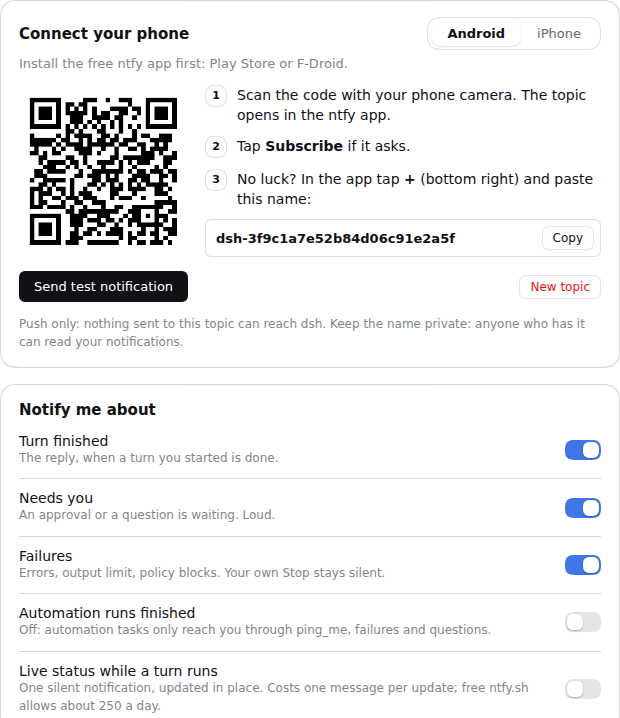
No account, no password: the plugin makes a random topic for you. Think of a topic as a private radio channel that dsh broadcasts on and your phone listens to.
- Install the free ntfy app (Android, iPhone, F-Droid).
- Subscribe to your topic:
- Android: pick Android in the card and scan the QR code with your camera. The topic opens in the ntfy app; tap Subscribe.
- iPhone: the iPhone app can't be opened by a QR code. In the app tap + (top right), enter the topic name from the card, leave Use another server off, and tap Subscribe.
- Press Send test notification.
Missing notifications on Android? Allow notifications for ntfy, and set its battery usage to Unrestricted.
Automation tasks
dsh's Schedule posts a prompt into a session at the time you set. Tell it when to ping you:
Every day at 8:00 Europe/Berlin: check
~/app/logs/backup.logfor the last 24 h. If a backup failed, callping_mewith the evidence. If everything is fine, don't ping.
- Only from automation tasks:
ping_meworks only in turns an automation task started. In a normal chat it refuses, so it can't turn into spam. - Hourly cap: 10 pings by default.
- Quiet runs: the reply of an automation run isn't pushed by default, so the daily "all fine" stays quiet. You'll still hear about failures and questions. Switch on Automation runs finished to get every run.
- Log: every
ping_mecall, sent or refused, is logged to~/.dsh/ping-me/log.jsonl.
For agents: the ping_me tool
ping_me({ title, message, urgent? }): pushes an alert to the user's phone.messagecan be markdown.urgentsets max priority.- Root sessions only: subagents don't get the tool. Schedule delivers to root sessions anyway.
- Cheap to carry: the tool definition is about 160 tokens per request, including the pointer to
SETUP-GUIDE.md.
Security
- Push only: no subscription, no reply handling, no notification buttons that post back. Compare
dsh-ntfy-remote, which injects anything posted to a session's topic as your command, on a topic derived from the session id. - The topic is a secret: 96 random bits, so nobody can guess it. But anyone who has it can read your notifications, and those can include agent replies. Don't share it; New topic in the card replaces it.
- More privacy: run your own ntfy server, or use a reserved topic on ntfy.sh. Enter the server and an access token under Advanced. The token is kept in dsh's credential store and never shown again.
- Login required: the settings routes go through dsh's own
/apilayer (ctx.connection.fetch), so only browsers logged in to your dsh can use them.
Limits
- ntfy.sh free tier: about 250 messages a day. Each live-status update costs one, so leave it off on ntfy.sh or use your own server.
- No "dsh died" alert: ntfy.sh can't cancel or postpone a delayed message (tested 2026-10-25), so a dead-man alert would fire after every turn. Instead, the live status shows an "Updated HH:MM" time: if it stops moving, dsh stopped.
- No "stuck" alarm: model output streams outside the events plugins see, so a model thinking for minutes can't be told apart from a hang.
- Answer in dsh: approvals and questions are answered in dsh, not from the phone. That's the price of push only.
Tested
Verified live with dsh 0.2.1 on Linux, a local 27B model and ntfy.sh, checking every push on the topic:
- Chat turn: ✅ with the reply, the session title and the Open dsh button.
- Question: ❓ loud, with the question and its options.
- Approval: ✋ loud, with the tool and the reason, in read-only mode.
- Automation task:
schedule_create→ ⚠️ fromping_me; the run's own reply correctly not pushed. ping_mein a normal chat: refused and logged, nothing pushed.- Live status: updated in place ("thinking", "running bash"), then turned into the ✅ result.
- Your own Stop: nothing pushed, the live status removed.
- Setup guide: a fresh session asked to "help me set up dsh-ping-me" found the guide and walked through it step by step.
npm test runs the notification rules, the ping_me refusals and cap, the push-only guarantee, label and address detection, and the settings routes against a fake dsh and a fake ntfy.
License
MIT
中文简介 · DeepSeek Harness (dsh) 插件:通过 ntfy 把通知推送到手机 —— 回合完成、需要审批或提问、出错时提醒你。只推送,不接收:任何人都无法通过话题向你的 Agent 发消息。自动化任务(定时任务)可用
ping_me工具在真正发现问题时提醒你。无需账号,扫码(Android)或手动输入话题名(iPhone)即可。
安装:npx @deepseek-ai/dsh plugin --profile web add dsh-ping-me
No comments yet. Be the first to write one.