dsh-plugin-wallpaper


Upload a local image, crop it to the workspace aspect ratio, and set it as the desktop background of the DeepSeek Harness Web surface — all from a dedicated section in Settings.
Features
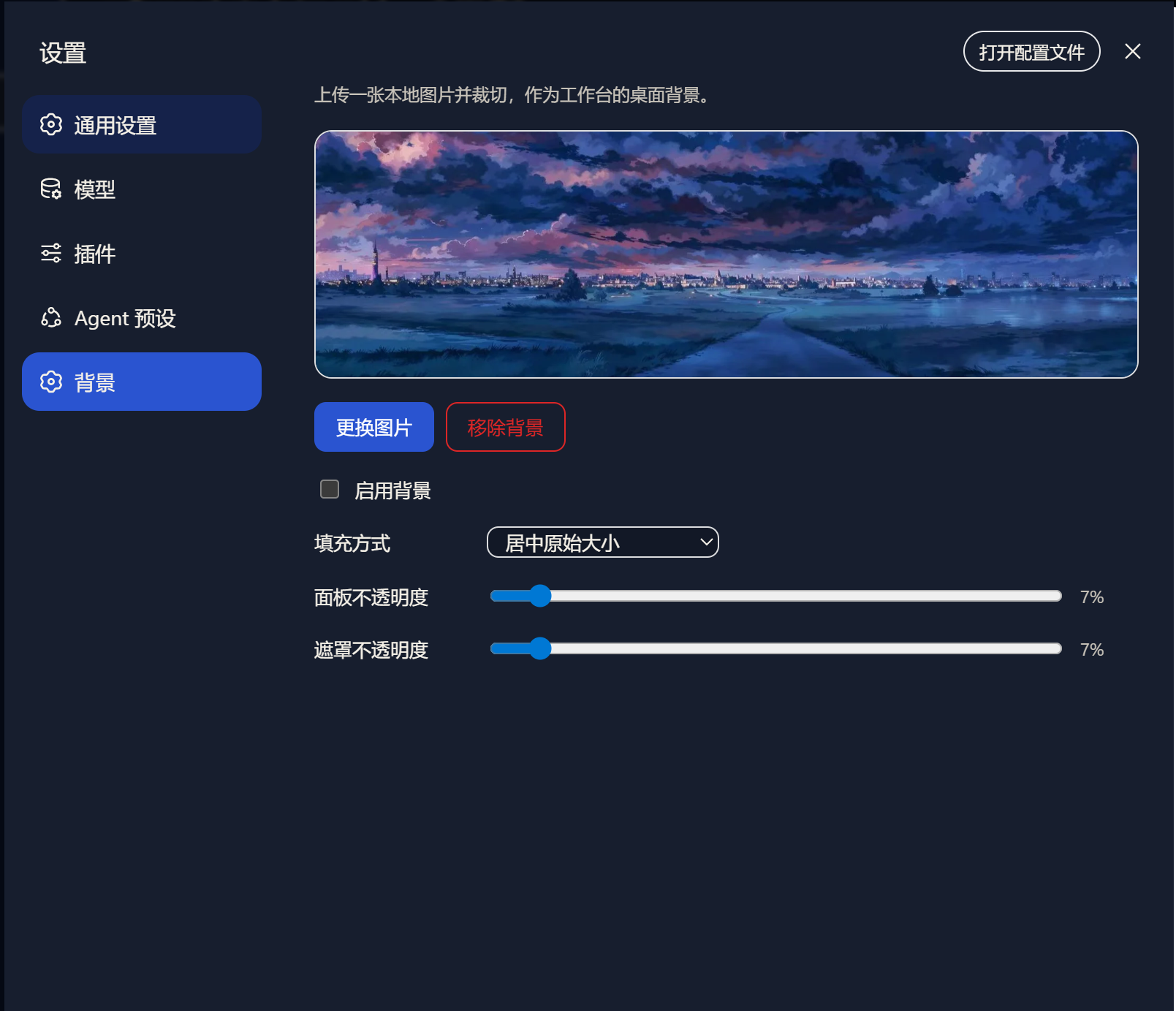
- A dedicated Wallpaper page under Settings: preview, upload, replace, and remove.
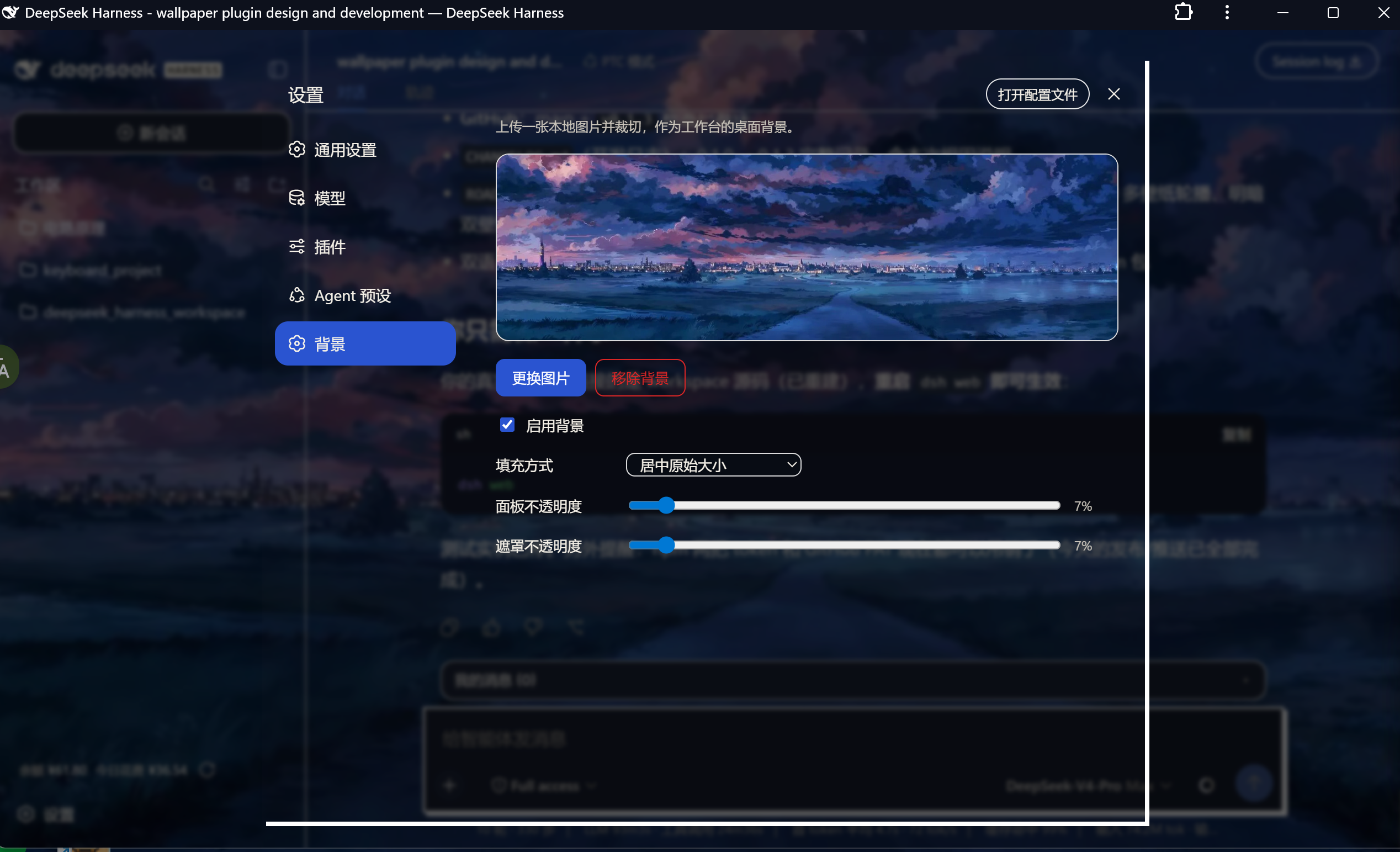
- A crop dialog after upload: drag to move the box, eight handles to resize. The crop aspect is locked to the current workspace window by default (unlockable), with an optional export blur.
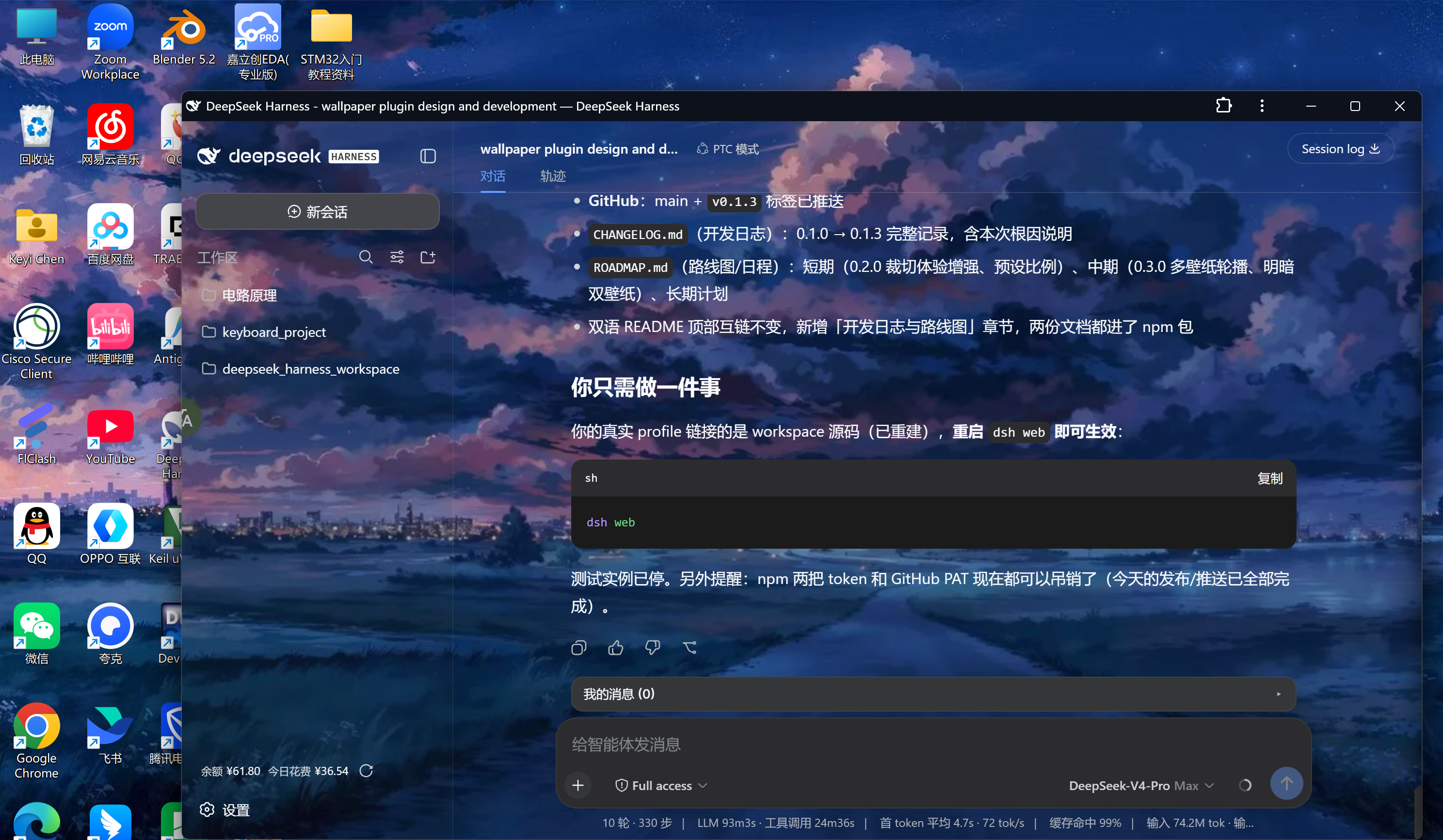
- Applies instantly — no reload needed; restored automatically after a page refresh.
- Tunable live settings: fit mode (cover / contain / center / stretch), panel opacity (how much the wallpaper shows through the app panels), and overlay dimming.
- Cropped and compressed in the browser (WebP, longest edge ≤ 2560 px, quality 0.85); only the final result is uploaded.
- Settings persist in the standard user settings document (
$DSH_HOME/settings.yaml,wallpapersection) and can be hand-edited.
Screenshots
The Wallpaper section in Settings:
Cropping after upload (aspect locked to the workspace, eight resize handles):
The workspace with the wallpaper applied:
Install
From npm:
dsh plugin --profile web add dsh-plugin-wallpaper
From GitHub (the prepare script builds the bundles on install):
dsh plugin --profile web add github:JerryPhoenixCKY/dsh-plugin-wallpaper
Local development:
dsh plugin --profile web add link:<absolute path to this repo>
Then restart dsh web (plugins load at startup):
dsh web # or: dsh --profile web
Remove: dsh plugin --profile web remove dsh-plugin-wallpaper, then restart.
Usage
- Open Settings (the gear in the sidebar) → Wallpaper.
- Click Upload image and pick a local image (≤ 20 MB).
- Frame the region in the crop dialog, optionally blur it, then Apply as background.
- Tune Panel opacity and Overlay dimming to taste; Remove wallpaper restores the default look.
Note: uploading and editing require opening the page from this machine (localhost). Other machines on the LAN can see the background but writes are refused — the write channel only trusts loopback.
Storage
$DSH_HOME/storages/wallpaper/
wallpaper.webp— the latest uploaded crop result.wallpaper.json—{ revision, width, height, updatedAt }; the revision is server-authoritative and monotonic.- Display settings (enabled / fit / overlay opacity / panel opacity / revision) live in the
wallpapersection of$DSH_HOME/settings.yaml.
Architecture
One dual-face bundle (host + browser):
- Host half (
src/index.ts→lib/index.js):ctx.settings.register("wallpaper", schema)— validation, defaults, and persistence. (The rc.6 settings wire allowlist does not cover third-party namespaces, so the browser side never rides the settings API.)- The
/wallpapergeneric-RPC channel (loopback-only):config/get,config/set,put,remove,info. GET /plugins/wallpaper/image?v=<revision>— serves the image keyed by revision (immutable caching; stale revisions 404).
- Browser half (
src/client/**→lib/client.js):- Registers the Wallpaper page into the
settings.sectionslot (upload / crop / preview / controls). - Reads the wire handle via
ctx.get("connection")(the official client-plugin pattern) and reads/writes config throughWallpaperStore, a coalescing writer over the RPC channel. attachBackgroundprojects the config onto the document: thebodybackground image, the theme tokens (--dsw-alias-bg-*) made translucent, and the dimming gradient — kept in sync withtheme/change.
- Registers the Wallpaper page into the
Development
pnpm install
pnpm typecheck     # tsc --noEmit
pnpm build         # esbuild → lib/index.js + lib/client.js
The client bundle follows the web shell module protocol (window.__ModuleLoader__.load({ id, factory })); its externals match the PLATFORM_MODULES seed table of @deepseek-ai/dsh-client-web plus the packages declared in dsh.client.inject. CSS Modules are compiled inline by scripts/build.mjs and injected with the official <style data-plugin-css> convention.
After changes: pnpm build, then restart dsh web.
Changelog & Roadmap
- CHANGELOG.md — release history (开发日志)
- ROADMAP.md — planned work (路线图/日程)
No comments yet. Be the first to write one.