dsh-desktop-windowstatus-saving






The DeepSeek Harness Desktop window, exactly where you left it. Size, position and maximized state are saved while you use the app and restored before the window is painted — no flash back to the default 1280 × 820.
Zero configuration. Windows only. One Host plugin, no extra process, no network.
Español → README.es.md
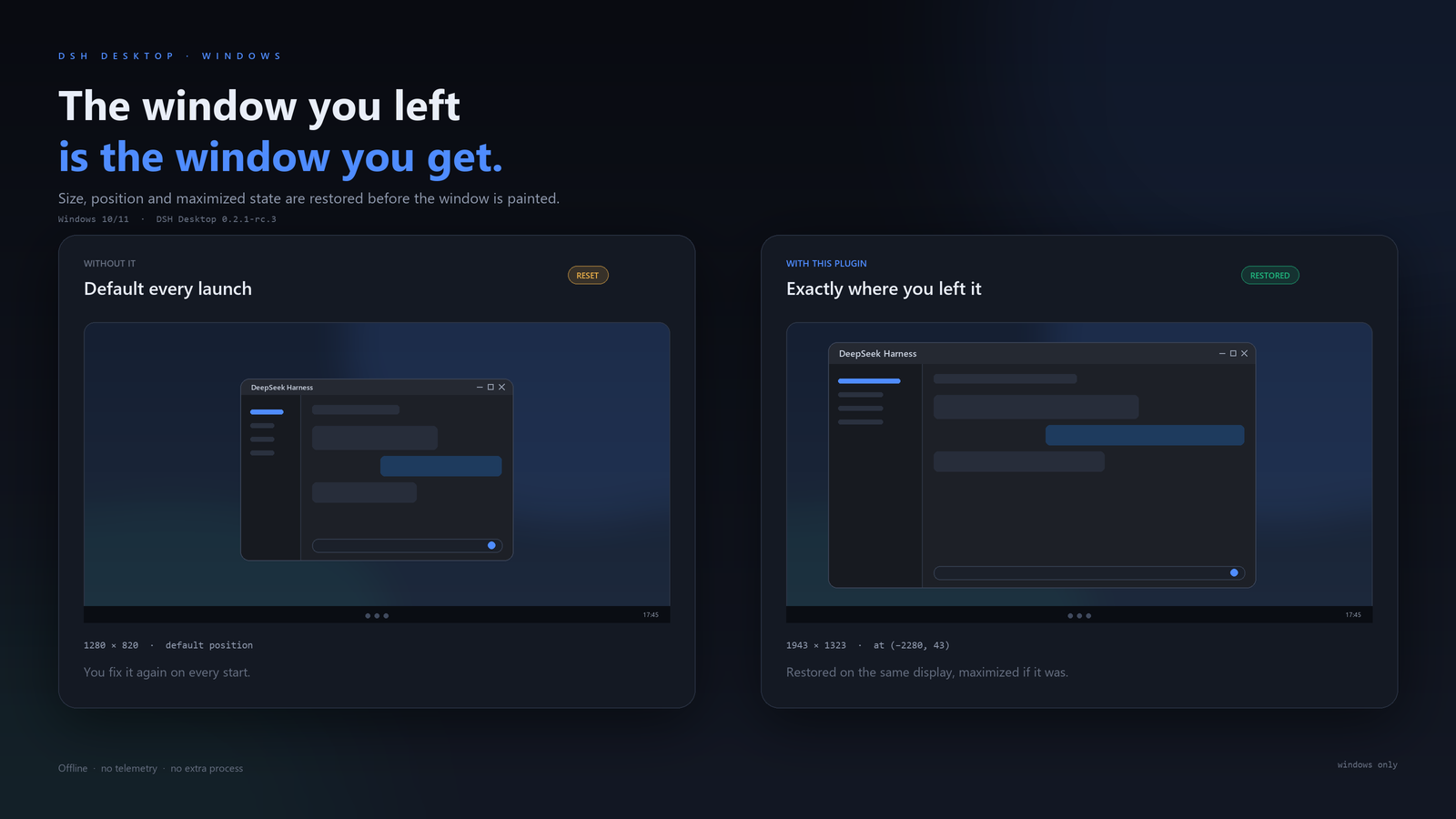
Without the plugin the window comes back at 1280 × 820 in the default position. With the plugin it comes back at 1943 × 1323 on the same display, and the first painted frame is already final.
What it does
- Remembers the size, position and maximized state of the DeepSeek Harness main window.
- Applies the saved placement while the window is still hidden, so the window appears directly at its final geometry instead of resizing after it is visible.
- Detects changes while the app runs (drag, resize, snap, maximize) and saves them within a second.
- Saves a final value when DSH quits, including the quit-to-tray path and a normal window close.
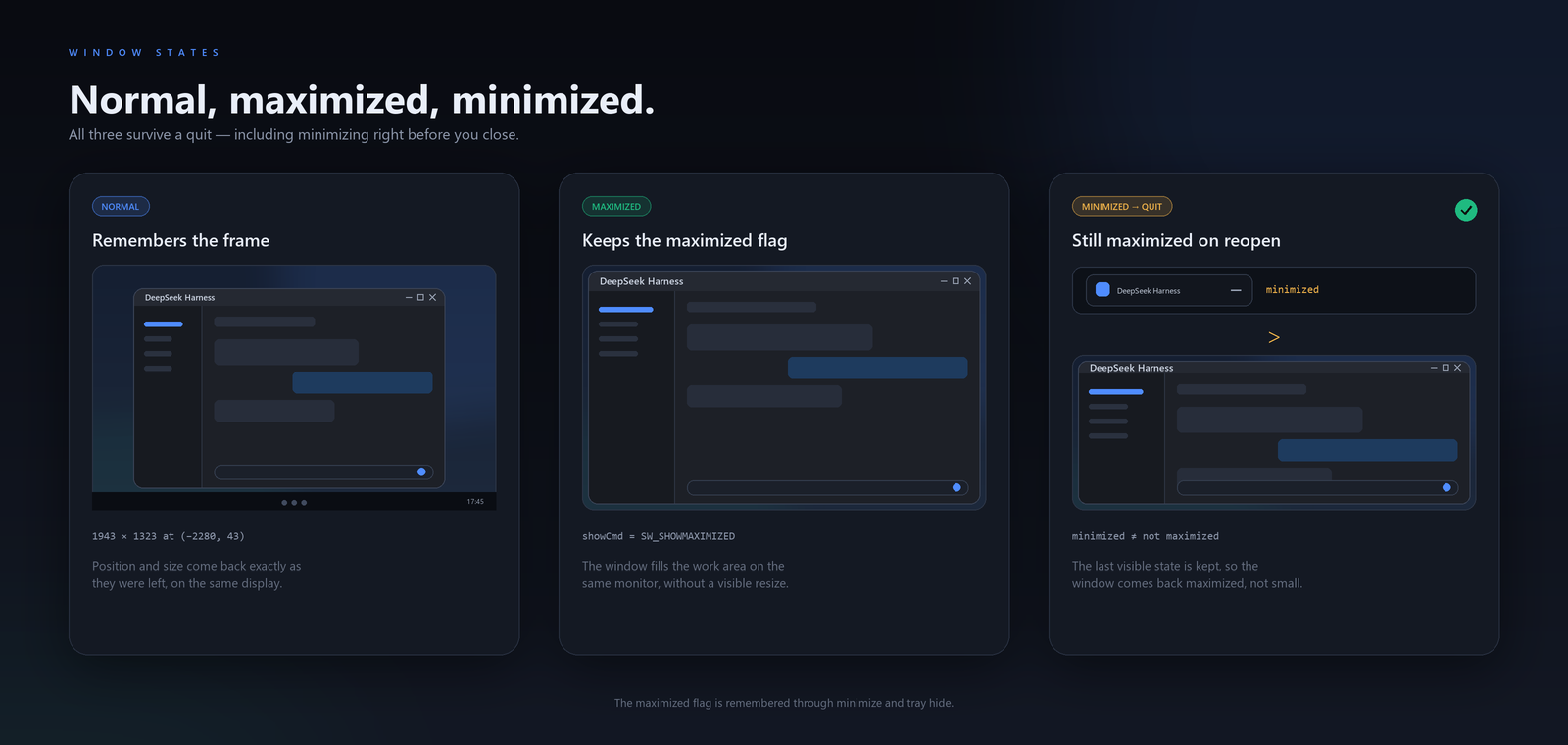
- Keeps the maximized flag through minimize and tray hide: minimizing a maximized window and then quitting still reopens it maximized.
- Restores onto the display where the rectangle was saved, including displays at negative coordinates (left of or above the primary one).
- Moves and shrinks the window into the nearest work area when the saved display is gone.
- Writes the state atomically and only when it changed.
What it does not do
- It does not add UI, commands, tools or settings.
- It does not run a second process or a background service.
- It does not use window titles to identify the app.
- It does not touch windows of other applications.
- It does not restore fullscreen or minimized state (the window always opens visible).
- It does not persist per-profile or per-session geometry: one window, one saved place.
Requirements
- DSH Desktop
>= 0.2.1-rc.3, profiledesktop(tested on0.2.1-rc.3, Windows 11). - Windows 10 or 11. macOS and Linux are not supported.
- Node 22+ (DSH ships its own runtime).
Install
From npm:
dsh plugin --profile desktop add @jamolpe88/dsh-desktop-windowstatus-saving
From the repository:
dsh plugin --profile desktop add github:JaMoLpE88/dsh-desktop-windowstatus-saving
From a local checkout, while developing:
dsh plugin --profile desktop add C:\path\to\dsh-desktop-windowstatus-saving
Restart DeepSeek Harness Desktop after installing. The plugin only restores on startup, so a live install starts saving immediately but waits for the next launch to restore.
Usage
- Move, resize or maximize the main window.
- Close DSH normally, or quit from the tray.
- Open DSH again: the window is already at the geometry you left, on the same display.
There is nothing to configure and no panel to open. To forget the saved window, delete the state file and restart.
How it works
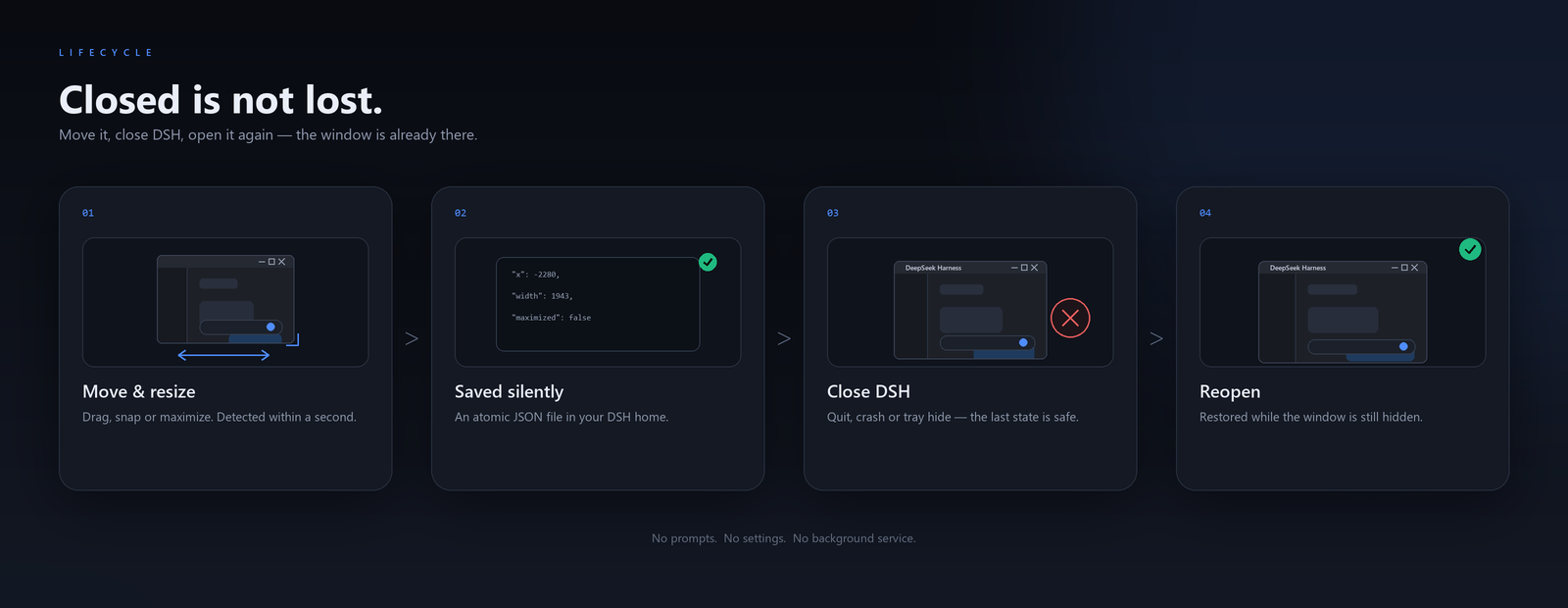
Restore before the first frame
DSH Desktop creates its main BrowserWindow hidden at startup and shows it only after the plugin host is ready and the page has loaded. The plugin runs inside that host and finds the window while it is still hidden:
main window created (hidden, 1280 × 820)
   │
   ├── plugin host starts, plugin loads
   │      └── SetWindowPlacement(saved bounds, maximized)
   │
   └── window.show()  ← the first visible frame is already the saved one
Because the placement is applied while the window is hidden, the usual visible jump from the default size is gone. The state file records this with restore.whileHidden: true.
Window identity
The plugin only acts on the product window: the top-level Chromium window (Chrome_WidgetWin_1) owned by the Electron process that launched the plugin host, with no owner window and a plausible size. It never matches on window titles — a browser tab called “DeepSeek Harness” is not a window of the app.
State file
%USERPROFILE%\.dsh\window-bounds.json, or $DSH_HOME/window-bounds.json when DSH_HOME is set:
{
  "version": 1,
  "bounds": { "x": -2280, "y": 43, "width": 1943, "height": 1323 },
  "maximized": false,
  "savedAt": "2026-10-26T16:45:43.738Z",
  "restore": { "at": "2026-10-26T16:45:43.738Z", "whileHidden": true }
}
- Writes are atomic (temporary file + rename), so a crash cannot leave a truncated document.
- The file is written only when the geometry or the maximized flag changes, and once more during shutdown.
- A corrupt file is ignored and replaced on the next save.
- A file written by a newer plugin version is left untouched.
Window states
Multi-monitor
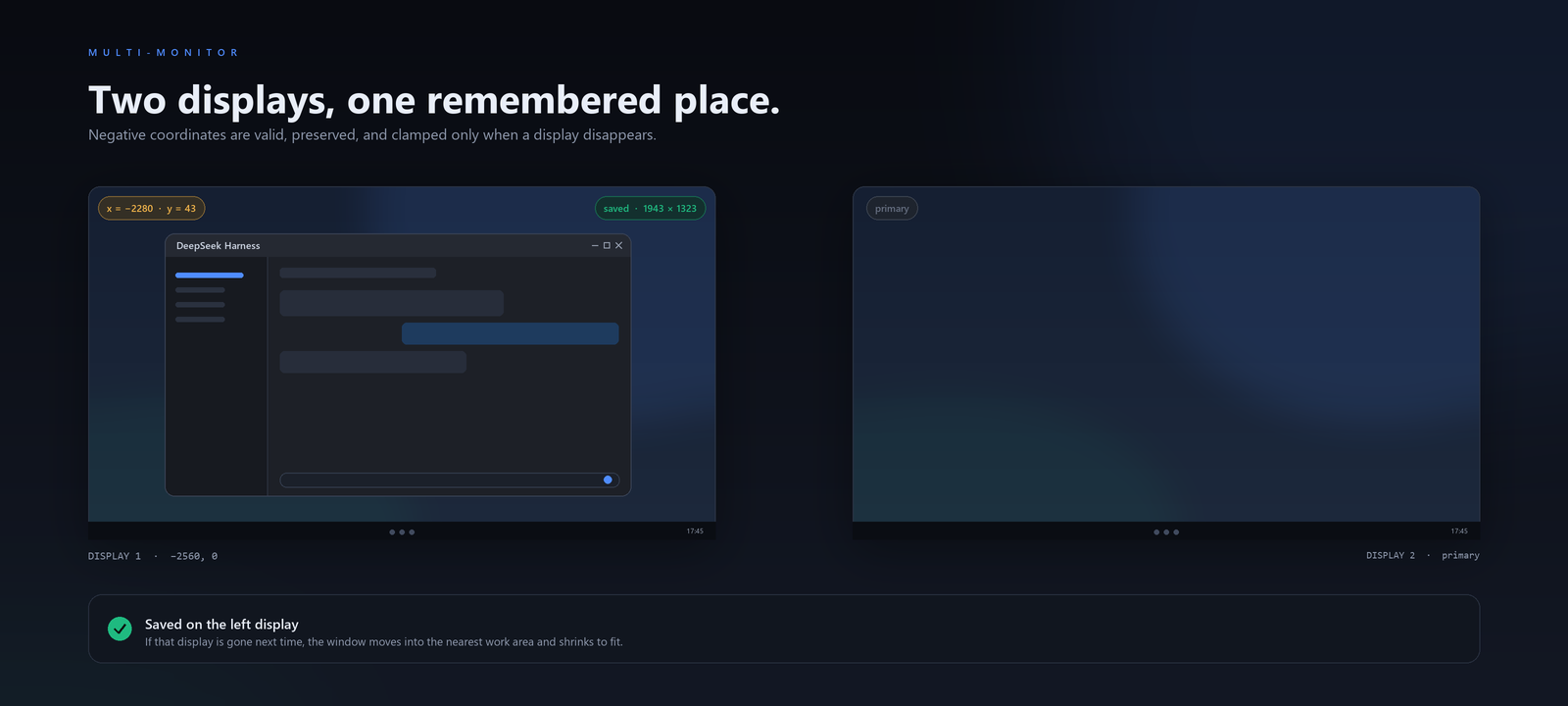
The work area used to fit the window comes from the monitor of the saved rectangle, not from the monitor the window happens to be on at startup. Negative coordinates are valid and preserved. If the monitor is gone, the window moves into the nearest work area and shrinks to fit.
Compatibility
| DSH | >= 0.2.1-rc.3 (the only version tested by the author) |
| Node | >= 22 |
| OS | Windows 11 (tested); Windows 10 untested; macOS and Linux unsupported |
| Profile | desktop |
| Runtime | Host plugin, Win32 through the koffi copy included with DSH |
| Catalog | listed on dsh-plugin.org |
Validation status: tested on Windows 11 with DSH Desktop 0.2.1-rc.3 (2026-10-26) across normal restarts, maximized restarts, maximize → minimize → quit, tray quit, and a two-display layout with negative coordinates. The state file reported restore.whileHidden: true after the restarts, and the saved geometry matched the live window.
Not validated: macOS, Linux, Windows 10, other DSH versions and the web profile.
Limits
- Windows only. The plugin calls
user32throughkoffi; other platforms are skipped. - Physical pixels. Changing display scaling keeps the physical size; it does not rescale to DIP.
- Fullscreen is not restored. Maximized is; fullscreen is not saved as a state.
- Minimized is not restored. The app always opens visible.
- Snap groups are not recreated. Windows 11 snap layouts are not part of the saved state.
- One window. Only the main product window is tracked.
- If DSH ever persists geometry itself, uninstall this plugin.
Privacy
- No network requests, no telemetry, no analytics.
- The plugin reads Win32 window state and writes one JSON file in the DSH home.
- It never reads window contents, titles, session data or credentials.
- It never changes windows of other applications.
See SECURITY.md for the short policy.
Troubleshooting
The window still opens at 1280 × 820.
Confirm the bundle is installed in the desktop profile and restart the app. A live install does not restore until the next launch. Also check that no other window-position plugin is enabled: two savers fight over the same window.
The window flashes at the default size before moving. The plugin was not loaded before the window was shown. Check that the bundle is enabled and that DSH is the Desktop build, not the CLI or the web profile.
I want to reset the saved window.
Delete %USERPROFILE%\.dsh\window-bounds.json and restart.
A different monitor is gone. The saved rectangle no longer touches any display, so the window is moved into the nearest work area and fitted.
Development
npm install
npm test        # 20 tests: geometry, state machine, atomic store, Win32 bindings
npm run check   # syntax check for every module
The Win32 suite is a smoke test (struct sizes, EnumWindows, placement read); the real restore path is validated in the running Harness. The README illustrations are generated by assets/src/render_assets.py (Pillow, Windows fonts).
Local install:
dsh plugin --profile desktop add C:\path\to\dsh-desktop-windowstatus-saving
Third-party
The plugin uses the copy of koffi 3.1.1 (MIT, Niels Martignène) that ships with DeepSeek Harness Desktop, so installing this package does not build or download any native dependency. The repository keeps koffi as a dev dependency for the Win32 test suite.
License
MIT © 2026 JaMoLpE88
No comments yet. Be the first to write one.