iPSS Agent
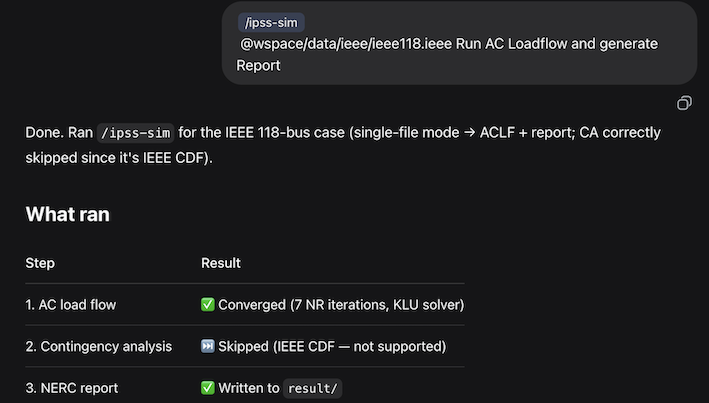
InterPSS Agentic Power System Simulation Agent for AC load flow, DC-based contingency analysis, and report generation, including NERC TPL-001-5 style. This repository ships agent-facing skills for OpenAI Codex Desktop and DeepSeek Harness (build and CLI details in Setup.md; DSH plugin in InstallDSHPlugin.md). The batch run canonical skill is [.agents/skills/ipss-sim/SKILL.md](.agents/skills/ipss-sim/SKILL.md). (see batch chat user guide for details):
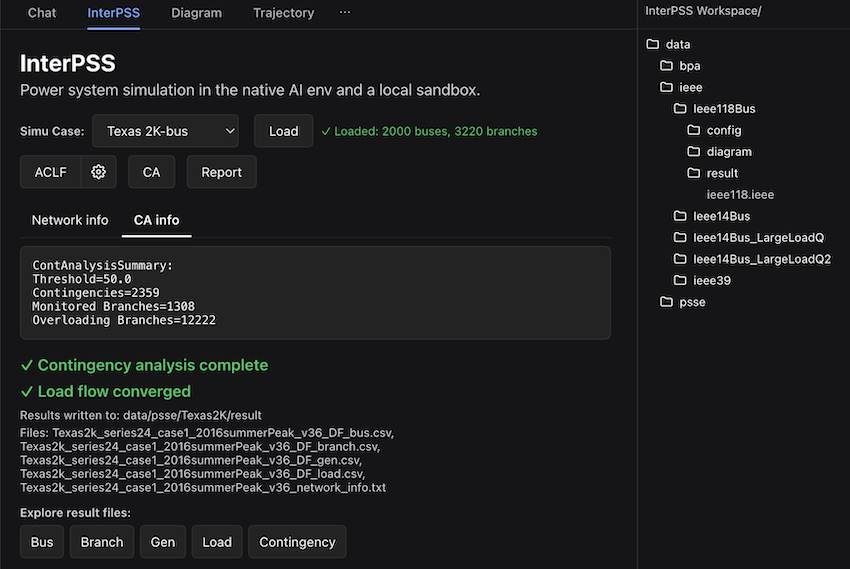
It is also integrated into DeepSeek Harness as a DSH Plugin. You can run power system simulation in the traditional step-by-step way in a local sandbox (DSH plugin user guide):
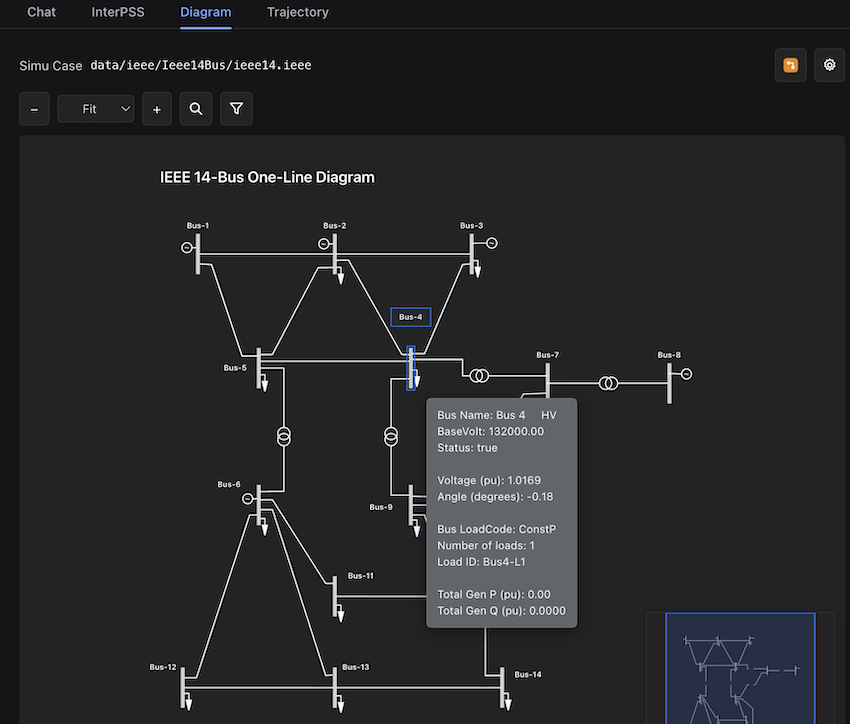
The simulation results can be visualized in a one-line diagram:
Environment setup
Prerequisites: Java JDK 21, Maven (or the included mvnw wrapper).
Prompt Codex, Claude Code, or DeepSeek Harness to clone and build ipss-agent:
Install(Update) and setup ipss-agent from https://github.com/InterPSS-Project/ipss-agent
Depending on your network speed, it may take some time to download dependencies and build the CLI.
Build the Java CLI from the project root:
./mvnw -q clean package
This produces target/ipss-agent-cmd-1.0.0-uber.jar. See Setup.md for the full layout, tests, and configuration.
Test the setup with a sample case directory:
init  # for the first time installation
/ipss-sim data/ieee/Ieee118Bus/ "IEEE 118-Bus Test Case"
DSH Plugin setup
Install DeepSeek Harness (Desktop version is recommended). Prompt DeepSeek Harness to install InterPSS DSH plugin:
Install(update) InterPSS DSH plugin
Open the iPSS Agent folder as a workspace in DSH. You can then run the power system simulation workflow or chat following the DSH plugin user guide.
User Guide
- InterPSS DSH Plugin user guide dsh_plugin_user_guide.md
- InterPSS One-Line Diagram user guide oneline_diagram_user_guide.md
- InterPSS Loadflow Adjustment user guide loadflow-adjustment-user-guide.md
- Generator OptAdj (redispatch) method gen_opt_adjustment.md / skill
$ipss-case-optadj - iPSS Agent Chat (Batch) user guide batch_chat_user_guide.md
Tutorial Video
- 1 Install InterPSS DSH Plugin and run /ipss-sim
- 2 Run InterPSS in GUI or Chat Model
- 3 Run Loadflow Adjustment
- 4 Use or Create Oneline Diagram
Release notes
- Latest: Release-V0.8.0.md (
@deepseek-ai/dsh-interpss0.8.0) - Earlier: docs/release_note/
Reference
| Topic | Document |
|---|---|
| Layout, build, JARs, agent skills | Setup.md |
IpssCmd (Java CLI) usage |
IpssCmd.md |
| Markdown report generator | GenReport.md |
| DeepSeek Harness DSH plugin | InstallDSHPlugin.md |
| InterPSS chat tools | docs/interpss-tools.md |
No comments yet. Be the first to write one.