dsh-tui-marathon
A Marathon-inspired appearance plugin for DeepSeek Harness TUI. Version 0.4.3 provides an Acid Rain theme and a responsive full-screen opening through the stock TUI's public interfaces. Conversations, models, tools and storage remain with Harness / dsh-TUI.
Inspired by the repo ALPDM00/dsh-theme-mls-desktop
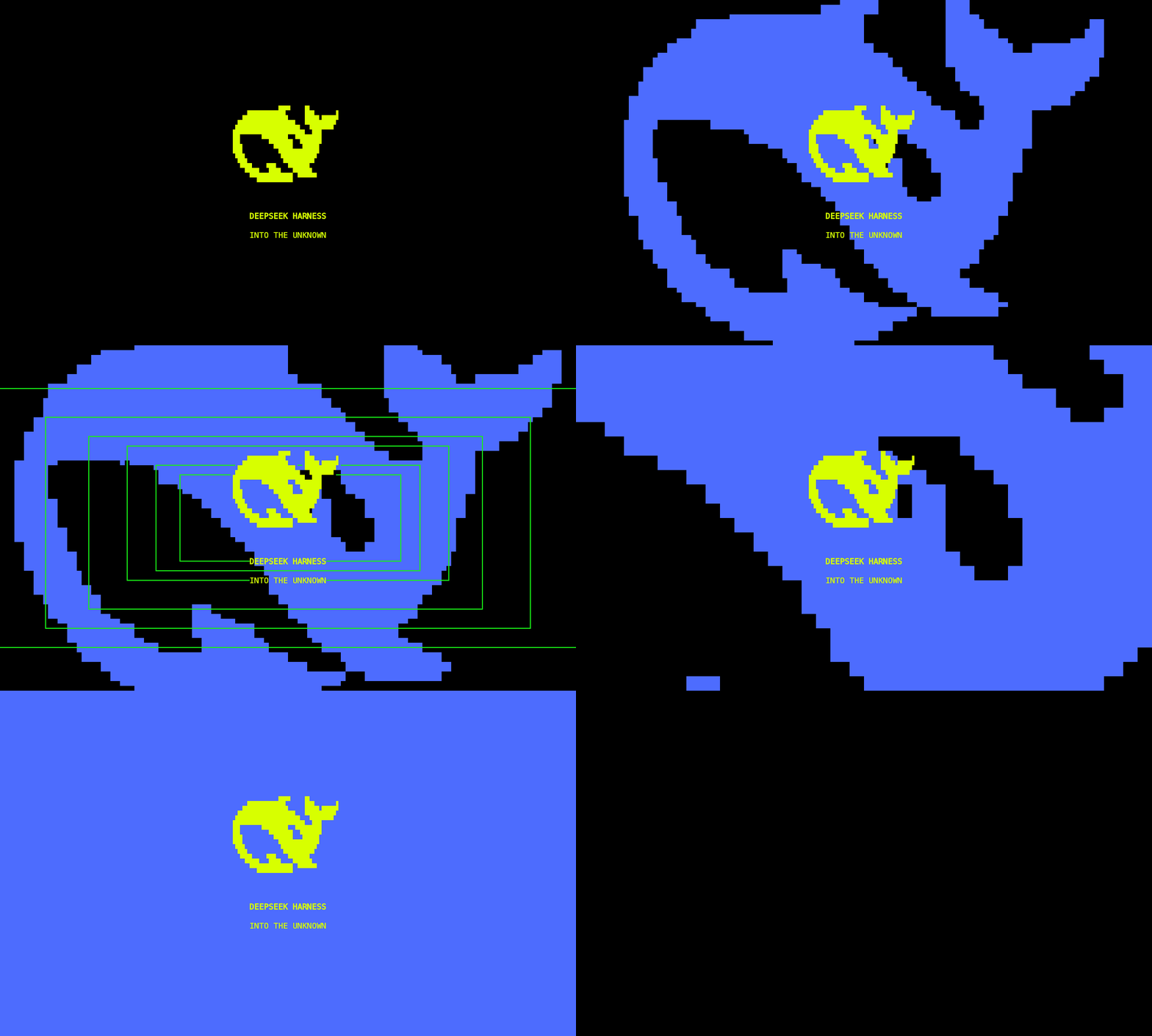
Version 0.4.3: actual 120×36 terminal output, replayed as a 24 fps GIF (about 10.3 seconds). The logo stays visible through the blue hold and maze transition until the red sweep covers it. The native interface returns after the opening.
The repository is named dsh-tui-marathon; the installable Cordis package is dsh-theme-mls-tui.
Install, then run dsh-tui
This assumes dsh, dsh-tui and pnpm are already installed and your existing dsh-tui starts successfully. Supported host: dsh-TUI 0.14.x; verified version: 0.14.0.
Install the theme once:
dsh plugin --profile dsh-tui add https://github.com/Huangmr0719/dsh-tui-marathon/releases/download/v0.4.3/dsh-theme-mls-tui-0.4.3.tgz
Keep using your usual command afterward:
dsh-tui
The plugin joins the launcher's default dsh-tui profile, selects Acid Rain and plays the opening automatically. No source checkout, host build or project-directory launch is needed. If you set DSH_HOME, use the same value during installation and startup. Restart dsh-tui after configuration changes or updates.
First-time host users can complete its normal credential setup after the opening. The theme does not change model, credential or session configuration.
Alternatively, download the v0.4.3 archive and replace the URL above with its local file path.
To remove the theme and keep using dsh-tui:
dsh plugin --profile dsh-tui remove dsh-theme-mls-tui
Appearance and compatibility
- Automatic animation runs only at startup. Successful turns, cancellations and history replay never open an animation.
- Acid Rain yellow
#D7FF00, dark surfaces and neutral body text. The opening retains electric blue, maze graphics and the red panel exit. - Actual terminal text, block glyphs, borders and solid color cells replace the old full-frame sampled renderer.
- Six green scan frames use heavy box-drawing strokes and closer spacing; the scan stage lasts 0.8 seconds longer than 0.4.2.
- Both whale axes share one physical scale. Borders, maze and panels fill the viewport independently, including host page margins.
- The host frame clock drives motion without the former 50ms quantization. Measured moving-frame output is approximately 58 fps; terminal and machine load affect results.
- Resizing works during playback and pause. Validation covers 48–180 columns, 20–54 rows and several physical cell proportions.
The stock pixel whale has hardcoded blue pixels. The plugin hides it through public setWhale(false), keeps the themed native title and restores the previous preference on unload. Set nativeWhale: true to retain that sprite.
Stock tuiScenes replaces the conversation. Panel masks animate within the plugin scene; the original conversation returns on close. Progressive reveal of native content needs an additional host interface. See COMPATIBILITY.md.
Controls and configuration
Alt+M replays the opening. During animation, Esc, Enter, q or click exits; space pauses/resumes. Configure Option as Alt/Meta on macOS when needed.
| Cordis option | Default | Purpose |
|---|---|---|
autoTheme |
true |
Select and save MLS once on activation |
autoBoot |
true |
Play the startup opening |
motion |
full |
reduced: brief static display; off: theme only |
graphics |
cells |
auto: use a supported host image only for the central logo; outer geometry stays native |
cellAspect |
0 |
Read host cell measurements; fall back to height / width = 2 |
nativeWhale |
false |
Keep the unthemeable stock blue whale |
No terminal brand is required. If the host supplies no pixel metrics, arbitrary font proportions cannot be inferred exactly. Optional cellAspect calibration uses cell height / width, such as 1.8 or 2.2. Native cell rendering needs no image protocol.
Development
These steps are for source changes; theme installation does not require them. Source development uses Node ^22.19 || >=24 and pnpm 11.21.0. Keep a stock dsh-TUI/ checkout next to this repository for dev links and integration tests. The revision below is the verified host baseline:
git clone https://github.com/ccch1mneyyy/dsh-TUI.git
git -C dsh-TUI checkout 1d832df3f97e828b1aaea8376657d6b6ecf30b86
pnpm --dir dsh-TUI install --frozen-lockfile
pnpm --dir dsh-TUI build
git clone https://github.com/Huangmr0719/dsh-tui-marathon.git
cd dsh-tui-marathon
pnpm install --frozen-lockfile
npm run build
npm test
npm run verify
For interactive development, npm run setup:local installs the official Harness CLI into ignored .runtime/; then run npm start. That launcher uses isolated development configuration and sessions. Normal use follows the dsh-tui workflow above. Configure API credentials through your shell environment as required by Harness. Do not commit credentials or sessions. Model-free tests need no API key.
Environment variables for the development launcher:
MLS_GRAPHICS=auto npm start
MLS_CELL_ASPECT=2.2 npm start
MLS_NATIVE_WHALE=1 npm start
MLS_MOTION=reduced npm start
npm start -- --inline
Optional development commands:
npm run measure:motion
npm run pack:local
MIT licensed; retain artwork attribution. See QUALITY.md for validation and THIRD_PARTY.md for asset provenance and regeneration.
No comments yet. Be the first to write one.