dsh-rail-zero

English | 中文
English
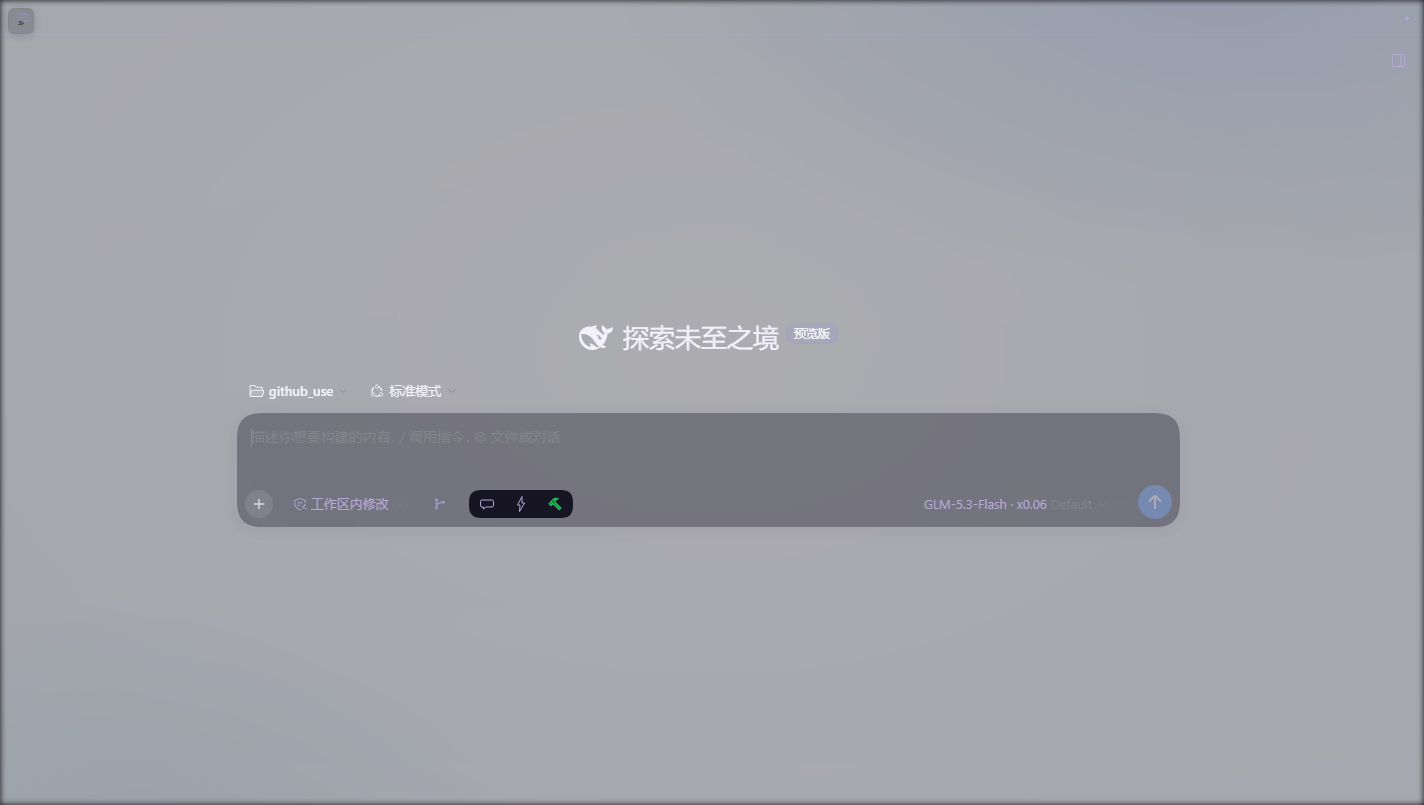
Zero out the 56px rail the DSH left sidebar leaves behind when collapsed — while keeping the sidebar one click away. Pure browser-side CSS/DOM patch: no host API calls, no peer dependencies, effective immediately after restart.
The problem
DSH's collapsed-left-sidebar width is hard-coded in @deepseek-ai/dsh-client-ui-layout's AppFrame:
computeColumns(viewport, sidebar, rightbar, collapsedWidth = 56)
// collapsedWidth = darwin || html[data-windows-titlebar] ? 0 : 56
Only macOS (or desktop shells with a custom titlebar) collapse the sidebar to zero. On Windows/Linux the collapsed rail stays 56px wide and empty. This plugin zeroes it and gives the space back to the conversation pane.
Features
- First track only: rewrites only the leading segment of the frame's inline
grid-template-columns(!importantover inline styles); the right panel's track is untouched. AMutationObserverre-applies after every React re-render (guarded against feedback loops). - Three-tier expand control — never duplicates an existing one:
- dsh-qol installed → uses its always-visible hamburger (
.astb-sidebar-toggle); this plugin's own button hides itself. qol is never modified. - No qol → clicks the official sidebar toggle (note its stateful aria-label: "打开侧边栏" when collapsed).
- Last resort → a tiny 26px floating "»" button top-left.
- dsh-qol installed → uses its always-visible hamburger (
- Zero dependencies:
requires no host module (sidesteps the 0.2.0 client-modules drift), pure DOM/CSS. - Touches no DSH source or bundle files.
Install
# via npm registry (recommended):
dsh plugin --profile web add dsh-rail-zero
# or straight from GitHub:
dsh plugin --profile web add github:HelloQingTao/dsh-rail-zero
Restart dsh web to take effect. Uninstall restores everything.
Compatibility
| DSH version | Status |
|---|---|
| 0.2.0-rc.1 / 0.2.0-rc.2 | ✅ tested |
| 0.1.x | untested (should work in principle, feedback welcome) |
Coexists cleanly with dsh-qol (reuses its hamburger), dsh-better-sidebar and dsh-sidebar-qa.
How it works
See the header comment in lib/client.js.
中文
把 DeepSeek Harness 左侧会话栏收起后那条 56px 空轨道彻底清零,同时保证侧边栏仍然一键可展开。纯浏览器端 CSS/DOM 补丁,零宿主 API 依赖、零 peer 依赖,装上即生效。
解决什么问题
DSH 的左栏收起逻辑写死在 @deepseek-ai/dsh-client-ui-layout 的 AppFrame 里:
computeColumns(viewport, sidebar, rightbar, collapsedWidth = 56)
// collapsedWidth = darwin || html[data-windows-titlebar] ? 0 : 56
只有 macOS(或带自绘标题栏的桌面壳)收起后是完全隐藏;Windows/Linux 浏览器端收起后永远留一条 56px 的空轨道。本插件把这条轨道清成 0,把空间还给对话区。
特性
- 只清第一列:按段改写内联
grid-template-columns的首段(!important压过内联样式),右侧面板轨道不受影响;MutationObserver对抗 React 重渲染(带守卫防循环)。 - 展开按钮三级复用,绝不重复造轮子:
- 装了 dsh-qol → 直接用它顶栏那个常驻汉堡(
.astb-sidebar-toggle),本插件自己的按钮自动隐藏; - 没有 qol → 点击官方 toggle(注意它收起态的 aria-label 是「打开侧边栏」);
- 都没有 → 左上角浮出一枚 26px 的「»」小按钮兜底。
- 装了 dsh-qol → 直接用它顶栏那个常驻汉堡(
- 零依赖:不
require任何宿主模块(避开 0.2.0 的 client-modules 漂移坑),纯 DOM/CSS。 - 不改 DSH 任何源码/ bundle。
安装
dsh plugin --profile web add dsh-rail-zero
# 或 GitHub 直装:
dsh plugin --profile web add github:HelloQingTao/dsh-rail-zero
重启 dsh web 生效。卸载即完全还原。
兼容性
| DSH 版本 | 状态 |
|---|---|
| 0.2.0-rc.1 / 0.2.0-rc.2 | ✅ 实测 |
| 0.1.x | 未测(原理上兼容,欢迎反馈) |
与 dsh-qol 完全共存(复用其汉堡按钮);与 dsh-better-sidebar、dsh-sidebar-qa 无冲突。
原理
见 lib/client.js 头注释。
No comments yet. Be the first to write one.