Threadline / 脉络
A read-only DSH plugin that turns what a conversation did to your workspace into a drillable timeline.





Overview
Threadline is a plugin for DeepSeek Harness (DSH) that answers a narrow question well: what did this conversation actually change in my workspace?
It collects the files a turn touched, the commands it ran, the subagents it spawned and the relations between turns, then presents them as one drillable timeline embedded in the DSH session view. Everything is read-only: the plugin never writes to your workspace, never stores anything, never opens an extra entry point.
It is built for people who let an agent work in a repository and then need to review the result — not for planning, task assignment or code editing.
Features
- Relation graph of the current directory. A deterministic force-directed layout where folders are
rounded cards and files are dots. Edges are layered (skeleton, top-3 co-occurrence, the rest on hover),
capped at
1.6 ×node count so the graph never turns into a spider web. - Folder-to-folder links. Aggregated from real cross-directory relations only. Folders with no real relation go to a perimeter ring and are never connected by a fabricated edge.
- Node cap with an honest switch. Up to 40 files by default; a persistent
Show N/Mchip switches to the full set in place and auto-degrades density, labels and radius. Hard ceiling 300. - Dual-track timeline. An activity histogram per time bucket on the upper track, one row per session on the lower track, a single playhead label, and exactly three scale ticks.
- Turn strip with lock-first selection. Click a turn to lock it, hover another turn without losing the lock, click again to release. Double-click the timeline to snap back to "now".
- Workspace file browser. Starts at the workspace root, navigates to any depth, breadcrumb / back / refresh, card or list view, virtualization beyond 200 rows.
- Zero third-party runtime dependencies.
dependenciesis an empty object; React and@deepseek-ai/*are peer dependencies provided by the host.
Installation
Threadline is a DSH plugin. Install it through the DSH plugin manager, or with npm:
npm install dsh-plugin-control-your-development
Requirements:
- DSH with runtime
0.2.1-rc.5or later (@deepseek-ai/dsh-session >= 0.2.0-0) - React 18 and React DOM 18 provided by the host (not bundled)
Restart DSH after installing or replacing the package. Replacing an already-loaded plugin requires a process restart; a page refresh alone does not reload it.
Usage
Three surfaces, no fourth entry point:
| Surface | Where | What you get |
|---|---|---|
| Threadline tab | conversation.view, id threadline |
Left column: relation graph of the current directory + dual-track timeline + turn strip. Right column: workspace file browser. Both columns scroll independently. |
| Impact count | assistant message actions, id threadline-impact |
Files / commands / subagents touched by that turn. Clicking jumps to the Threadline tab focused on that turn — no dialog. |
/threadline |
input box command (also /脉络) |
Jumps to the Threadline tab for the current session. |
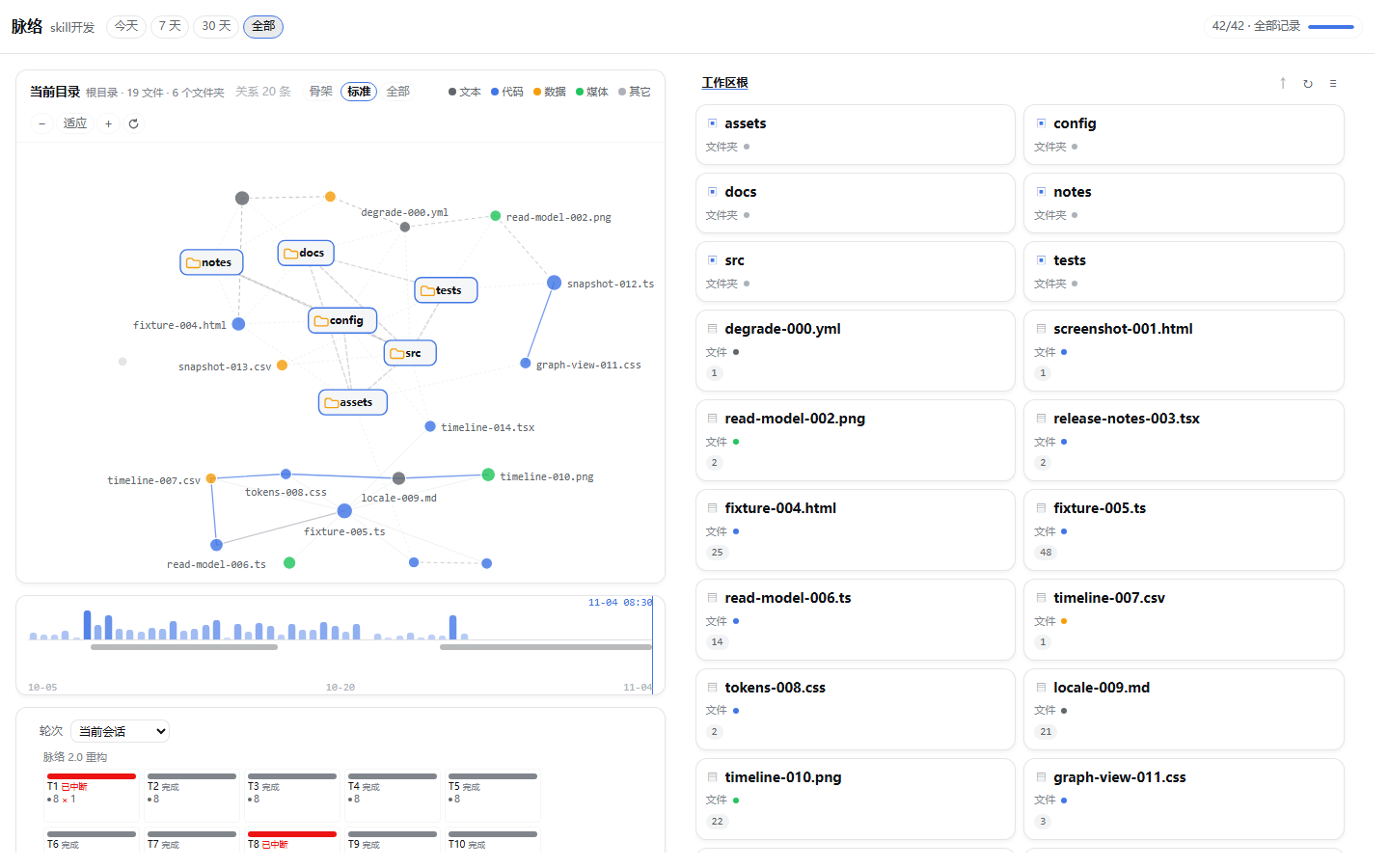
Typical flow:
- Open a session and switch to the Threadline tab.
- The left graph shows the current directory. Click a folder card to enter it; the right column follows.
- Hover a file to highlight its relations; click to pin the evidence panel.
- Click a turn in the strip to lock that turn's file graph. Click it again to release.
- Drag a folder card or a file dot to rearrange. Use
Fitto reset the camera andResetto clear drags.
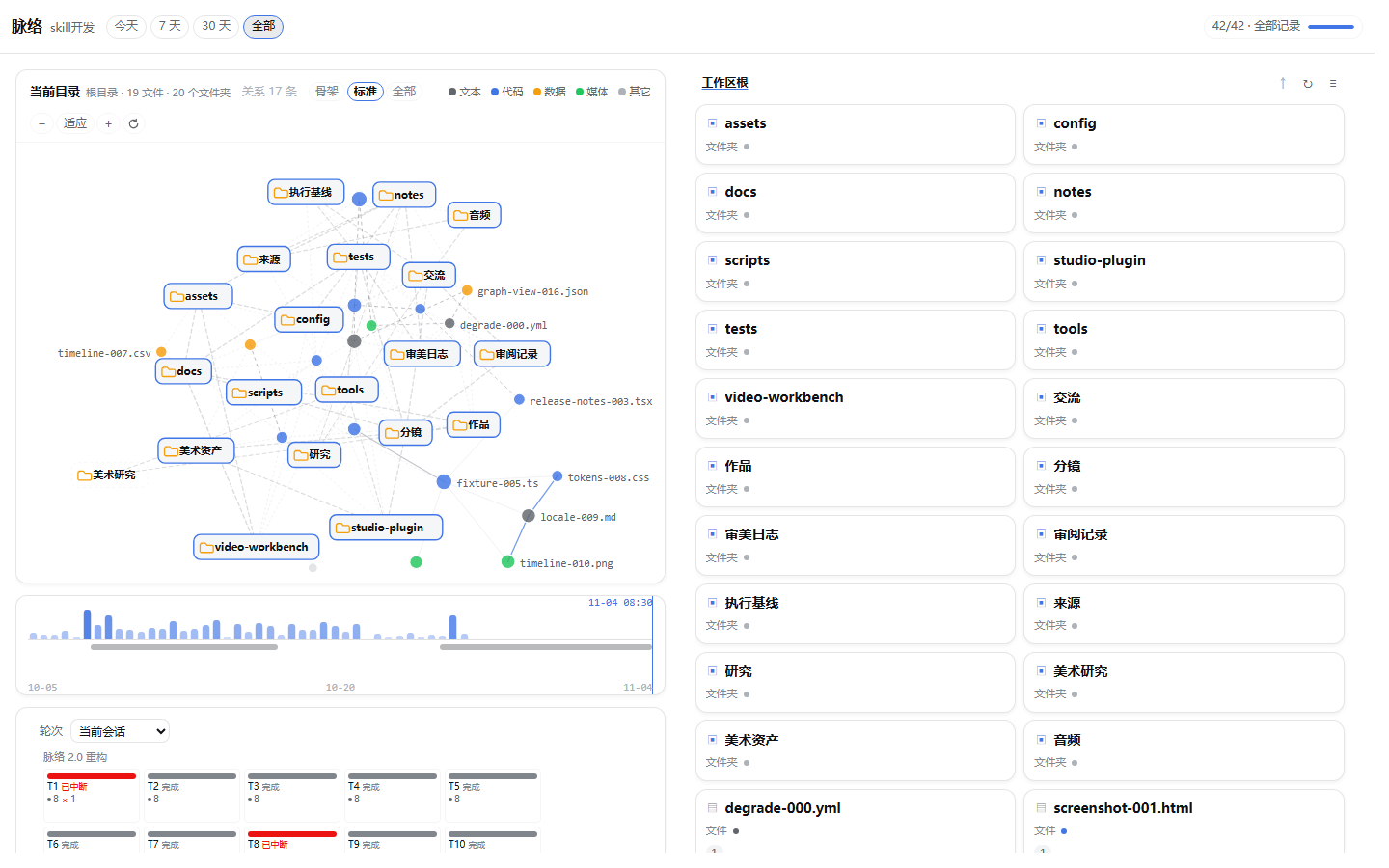
Folder-to-folder links
A directory with many subfolders is not a scatter of isolated cards: folders that really exchanged files are connected, so you can see which parts of the workspace move together.
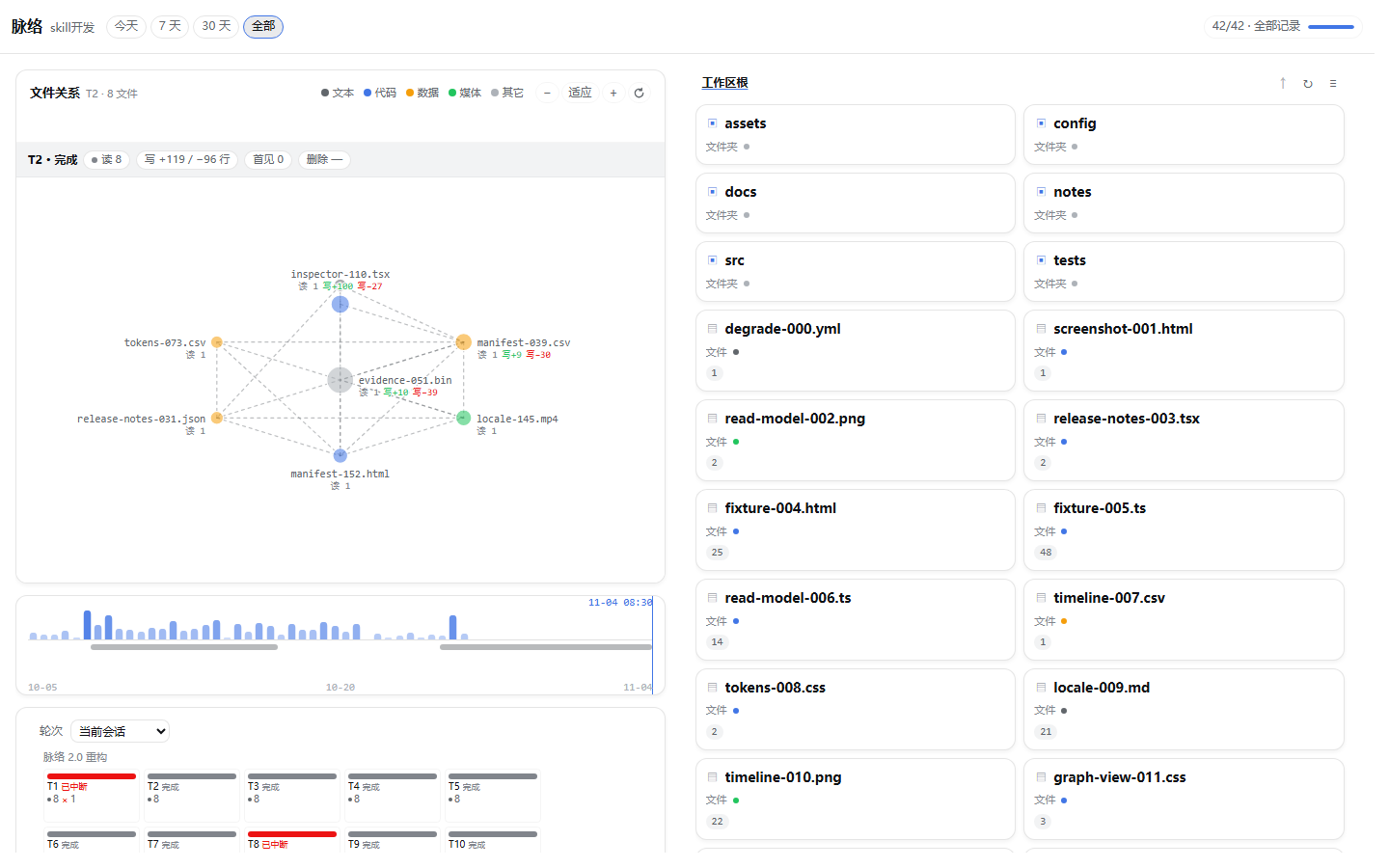
One turn in isolation
Clicking a turn switches the left graph to that turn's files and overlays the read / write line counts.
Node cap
Directories with more than 40 files keep the most active ones and show a persistent Show N/M chip.
Switching to the full set degrades density, labels and radius automatically.
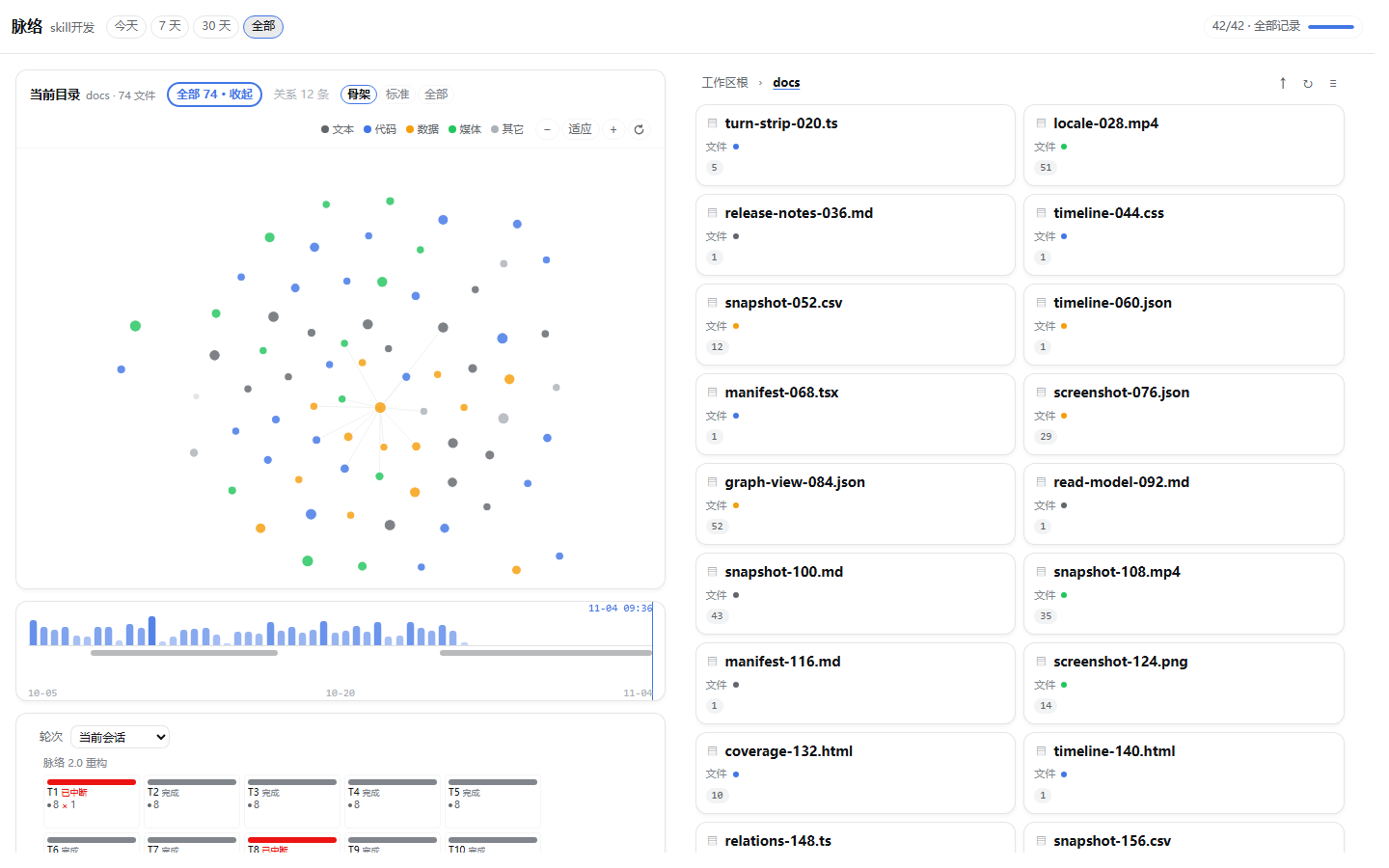
The screenshots above are rendered from the real component with a synthetic fixture dataset, so the file names are test data; the interface itself is not a mock-up.
Configuration
No configuration is required. The plugin reads the session's working directory from DSH and needs no environment variables, tokens or storage paths.
Project structure
plugin/
  src/host/       read-only directory listing, routes, session scan
  src/client/     UI: graph, timeline, turn strip, file browser, inspector
  src/shared/     relation model, path utilities, parsers
  lib/            build output (generated; never edit by hand)
  tests/          node --test suites and browser harness
Releases
Current release: panel plugin v1.4.0 (stable).
- Changelog: CHANGELOG.md
- GitHub Releases: https://github.com/HaoyanZhang123/dsh-plugin-control-your-development/releases
License
MIT — see LICENSE.
No comments yet. Be the first to write one.