English · 简体中文
dsh-paperpanel
Turn papers (PDF/Word/TXT/MD) and data (CSV/TSV/Excel) from your local folders into a Zotero-style library, presented as a right-side floating drawer in DSH Web — browse papers on the right, read in a centered window, jot notes as you read, and edit spreadsheets in place.
Features
- Library panel (right-side floating drawer via
shell.overlay; does not occupy the built-indetailsslot): item list + type filters (All/Papers/Data/Notes). The Import button imports a whole folder or individual files (choose a target directory; duplicate names get a timestamp suffix automatically). Hit Refresh after importing to see the new items.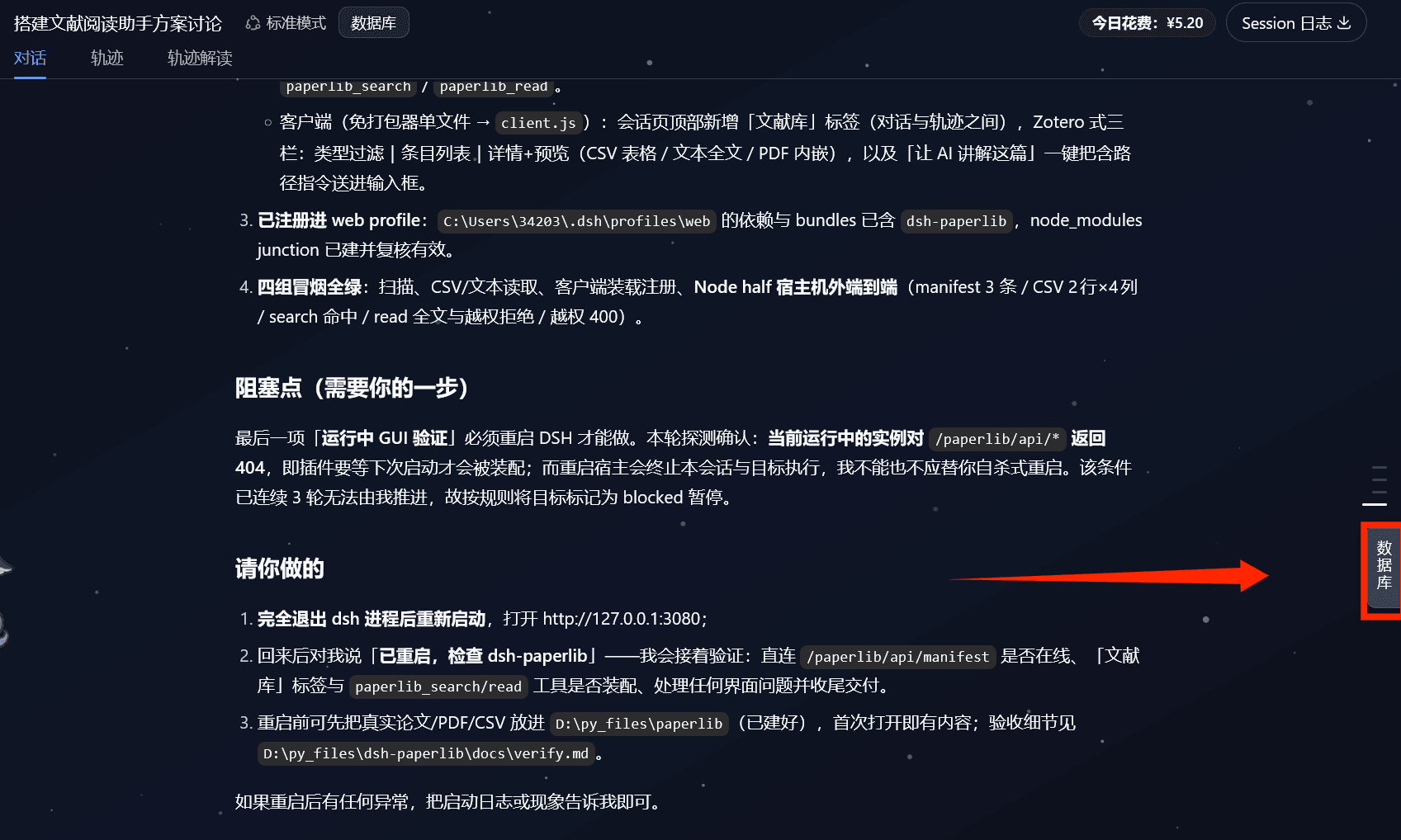
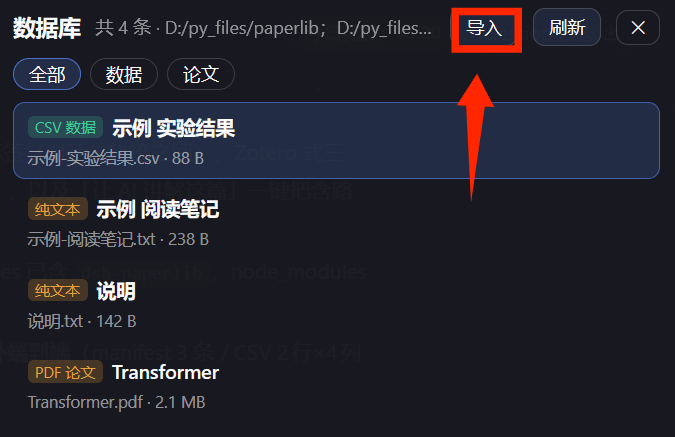
- Centered reading: double-click a PDF/Word item to open it in a centered window with zoom (− / + / reset) and a
black/white background toggle (button text flips to keep high contrast against the background).
- PDF: rendered with
pdf.js(multi-page, selectable text layer)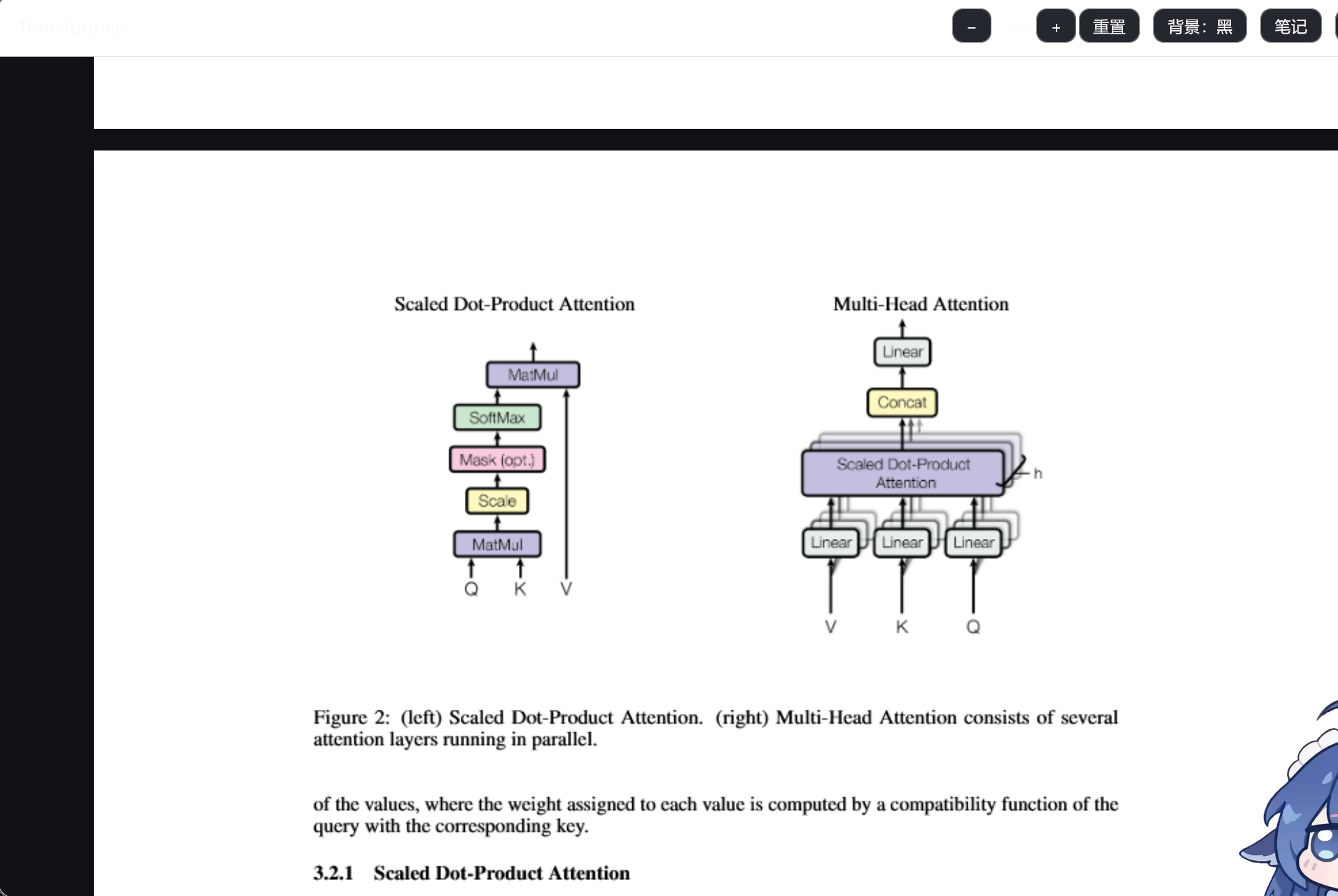
- Word: rendered with
docx-preview(keeps headings/bold/tables); legacy.docprompts you to resave as.docx
- PDF: rendered with
- Select-to-note: select text in a PDF/Word → click “记笔记 / Take note” → the quote is appended to your note as a Markdown blockquote
- Note while reading: a note panel on the right of the reading window lets you write and save anytime; each item maps to
a sibling
同名.notes.md(<name>.notes.md) file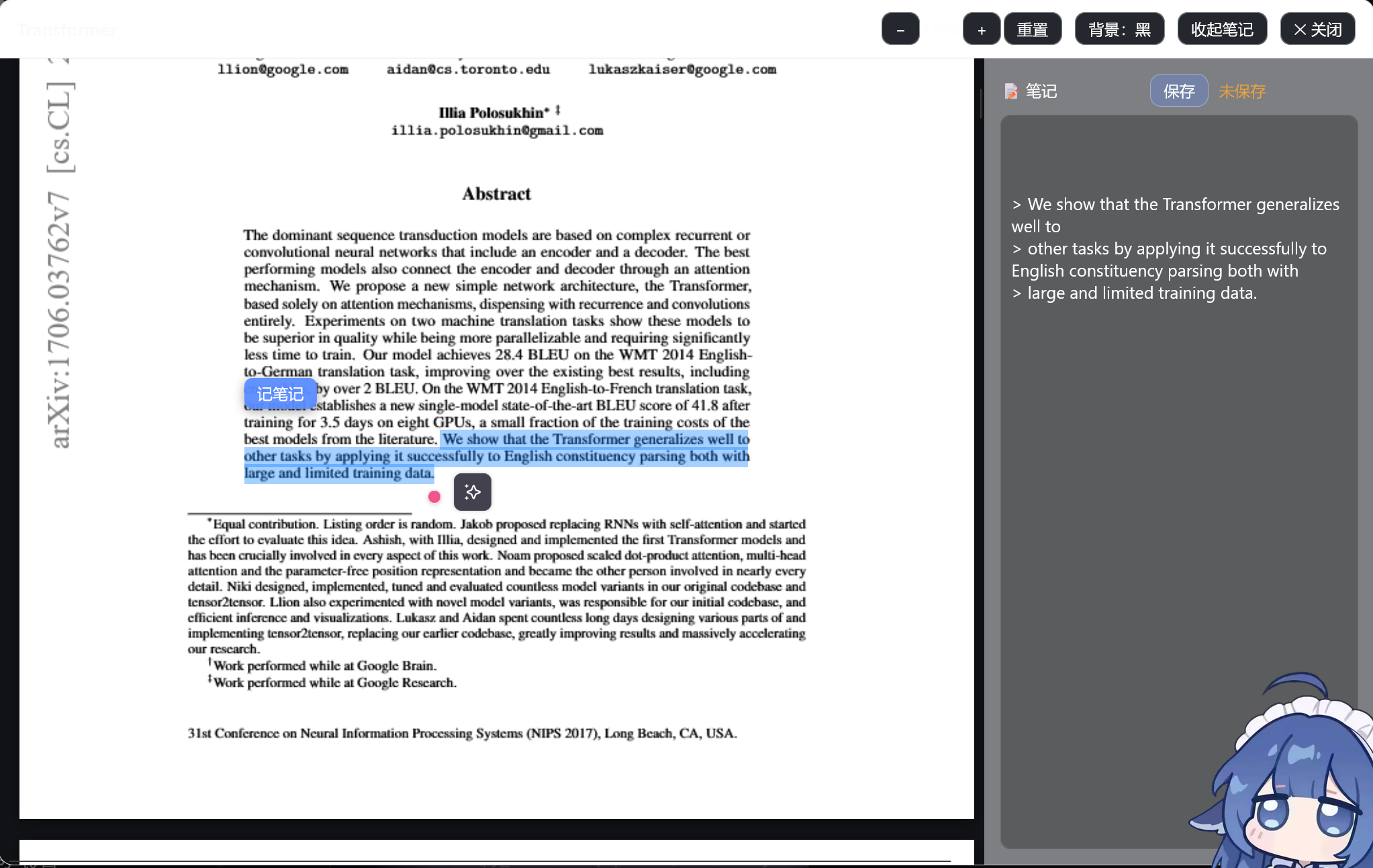
- Spreadsheet workbench: CSV/TSV/Excel(.xlsx/.xls) cells are editable and save back to the original file
(an automatic
.bakbackup is made first); sorting, search, pagination, ECharts charts (bar/line/pie) and column stats; rows beyond 2000 become read-only automatically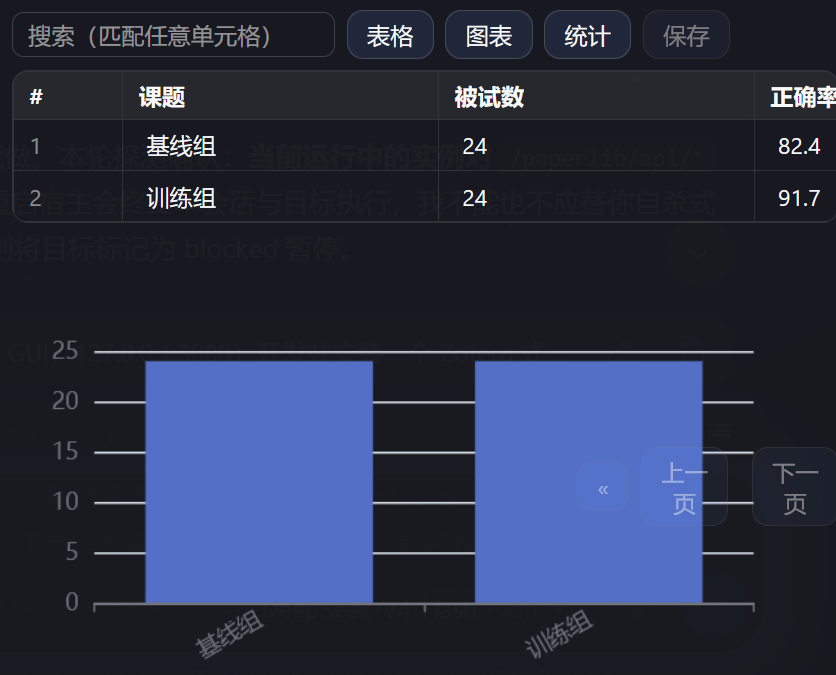
- Ask AI to explain: sends the item path into the host input so the agent can read it with
paperpanel_readand explain/summarize - Bundler-free client:
client/paperpanel-client.js(a single CommonJS file) →scripts/build-client.mjsbuildsclient.js; frontend libs (JSZip/docx-preview/SheetJS/ECharts/pdf.js) are inlined at build time — works fully offline - Scan/read core:
lib/scan.mjs,lib/read.mjs(pure Node, zero third-party deps)
Install
# Option 1: npm (once published)
dsh plugin --profile web add dsh-paperpanel

# Option 2: GitHub source
dsh plugin --profile web add github:Floatingfur/dsh-paperpanel

# Option 3: local development (link)
# In the web profile's package.json dependencies add "dsh-paperpanel": "link:<absolute path to this repo>"
# and add "dsh-paperpanel" under dsh.profile.bundles, then restart dsh web
After installing, restart dsh web and the Library drawer appears on the right.
Configure the data folders
Set the scanned root folders under config.libraryRoots in cordis.patch.yml (the sample points at samples).
Drop papers/data into those folders (or subfolders) and press Refresh in the drawer, or use the Import button to bring files in.
Local commands
npm run build:client # regenerate client.js after editing client/ sources
Start dsh (auto-cleans a stale instance holding port 3080 first, to avoid EADDRINUSE multi-instance conflicts):
powershell -NoProfile -ExecutionPolicy Bypass -File scripts\start-dsh.ps1
Project layout
dsh-paperpanel/
  package.json            # exports / dsh.bundle / dsh.client
  cordis.patch.yml        # bundle insert declaration (default libraryRoots)
  index.mjs               # Node half: HTTP routes + agent tools paperpanel_search / paperpanel_read
  lib/scan.mjs            # recursive scanning core
  lib/read.mjs            # text/CSV preview core
  client/paperpanel-client.js  # client source (drawer + centered reader)
  scripts/build-client.mjs     # bundler-free build (inlines vendor)
  scripts/start-dsh.ps1        # start script (clears port 3080 stale instance)
  scripts/vendor/         # frontend third-party UMD files (inlined into client.js at build)
  client.js               # build artifact (shipped with the plugin)
  samples/                # smoke-test samples
Backend API (same-origin fetch, no token needed)
GET /paperpanel/api/roots→{ ok, roots }GET /paperpanel/api/manifest→{ ok, scannedAt, roots, itemCount, items[] }GET /paperpanel/api/preview?path=…→ text previewGET /paperpanel/api/file?path=…→ raw file (used by PDF/Word rendering and the spreadsheet workbench)POST /paperpanel/api/import?name=…&dir=…→ import a file into a data folder (allow-listed)POST /paperpanel/api/save→{ path, content, encoding }writes the file back (backs up the original to.bakfirst)GET/POST /paperpanel/api/note?path=…→ read/save the item's.notes.mdnote
Agent tools
paperpanel_search: search the catalog by title/path keyword or type.paperpanel_read: read an item's content (text body / CSV headers+rows / PDF metadata).
Listing in the plugin marketplace
To appear in DSH's plugin marketplace (dshmarket), submit to the curated list
awesome-dsh-plugin: add an entry
(plugin name, npm package, GitHub repo, description, screenshots, …); the site and marketplace pick it up
automatically, usually within a day. The marketplace only installs sources on the curated list — anything
else must be installed manually with dsh plugin add.
Notes
- The right-hand
detailsslot is a single seat and this plugin deliberately does not occupy it; it usesshell.overlay(the official additive overlay seat) instead. - The drawer is root-scoped;
inputActionsare bridged in through the session-header button — Ask AI to explain is disabled when there is no active session. - Save/note/import all do a root-folder allow-list check; spreadsheet saves back up the original to
原文件.bak. *.notes.mdnote files are excluded from scanning so they never pollute the catalog.- No
dsh.engines.dshis declared, so it stays compatible across dsh versions and never breaks boot on a version mismatch.
No comments yet. Be the first to write one.