Liquid Glass — a theme for DeepSeek Harness
简体中文 · README.zh.md
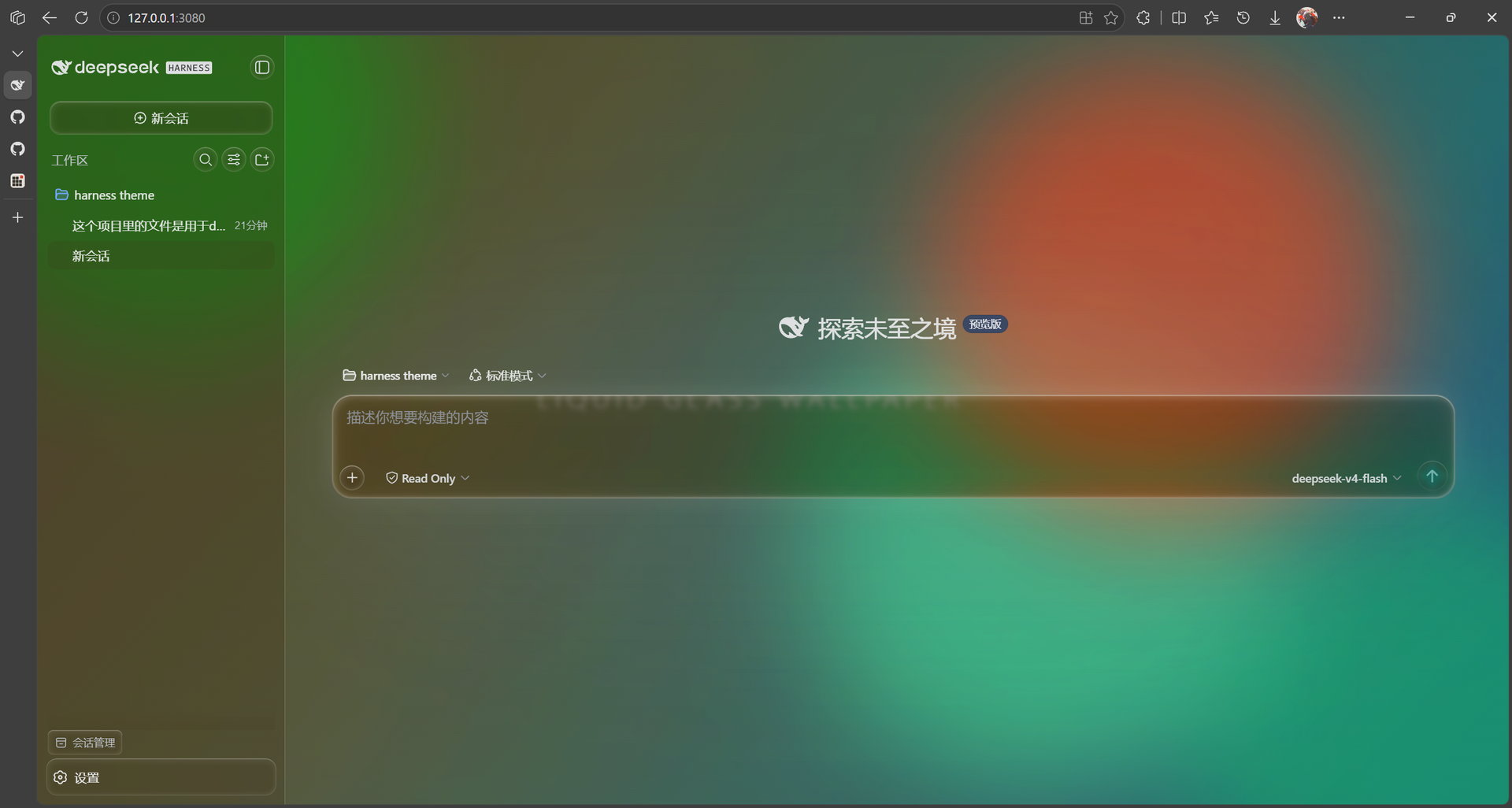
A frosted-glass rewrite of the DeepSeek Harness interface: real SVG edge refraction on the controls you touch, a wallpaper you choose, and a session bar that shares the window's own title bar instead of stealing a row of its own.
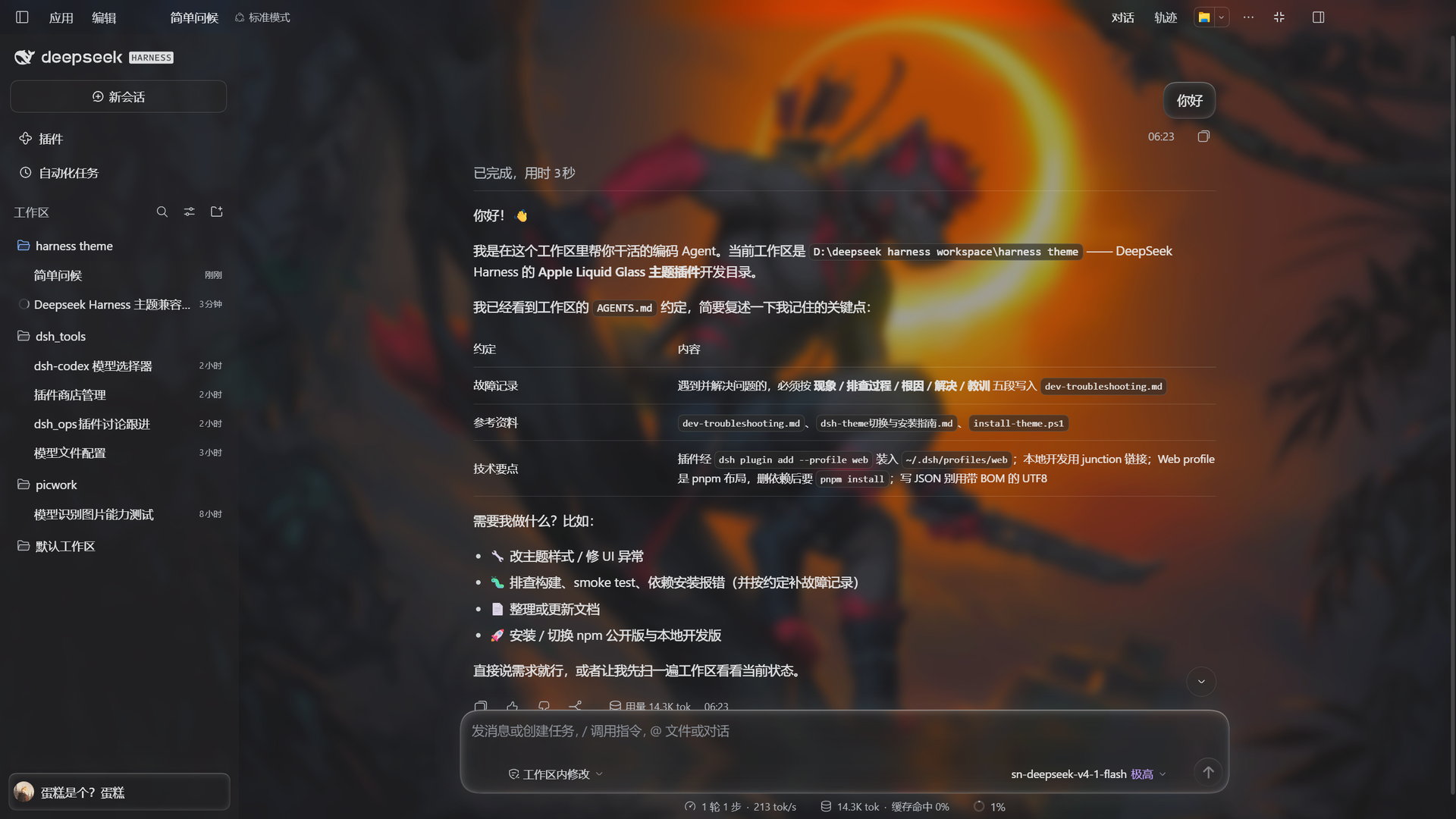
🤖 Written end-to-end by an agent
Every line of this plugin — the client bundle, the desktop chrome work, the smoke tests and these docs — was written autonomously by the DeepSeek V4.1 Flash agent running inside the DeepSeek Harness desktop app. No human-written code.
It worked the whole time inside the app it was theming: reading the harness's own bundles to find real DOM anchors instead of guessing selectors, driving its own edit → build → test → typecheck loop, and checking each change against the bundle the running window was actually serving. See How this was built.
⚠️ Please use dark mode
This theme is designed for dark mode and it is the only mode it looks right in. The whole point is translucent glass over your wallpaper — in light mode a bright wallpaper leaves the glass washed out and the text on top of it hard to read.
The theme does darken the light-mode secondary/tertiary greys to recover some contrast, but that is a mitigation, not a fix. If you use light mode, expect readability to suffer. Switching DSH to dark mode fixes it completely.
What you get
Desktop build
- The session bar is the title bar. DSH's own header stacks the 对话/轨迹 tabs on a second row, 76px tall. This theme moves the whole bar into the 40px system caption — same row as 应用菜单/编辑 and the window buttons — and lays it out as one line. You get that vertical space back: the transcript starts 40px from the top instead of 56px, and the tab buttons become small rounded buttons instead of oversized glass capsules.
- A fullscreen button. DSH's desktop build ships no fullscreen entry point at
all — the frameless caption only has minimize/maximize/close, no F11 or
togglefullscreenaccelerator is registered, and the main process never callssetFullScreen(true). The theme contributes a 28px button in the header that requests document fullscreen and toggles back out; the icon follows the state, and DSH's own fullscreen-aware layout takes over from there. - The caption band is frosted too, top-down, exactly like the session bar — the strip is no longer a flat translucent rectangle.
- Panels that used to be see-through now have a background: the choice dialog (the panel DSH shows when it asks you to pick an option), the file preview that appears when you hover a row in the "已编辑 N 个文件" card, that card itself, and the question/answer receipt bubble in the transcript. Each gets a blur plus a glass fill at a readable opacity.
- Readable light-mode text (within the limits of the note above): the secondary / tertiary / caption greys are pushed one to two shades darker.
The glass itself
- Genuine edge refraction, not just blur. An
feDisplacementMapfilter bends what is behind each surface at its rim, the way thick glass does. It rides the composer card, the send button, message bubbles, the queue dock, dialogs, menus and sidebar buttons. Strength is a slider — 0 turns it off, 1 is a full lens. - Every glass parameter is yours: glass tint colour, tint opacity, material brightness, frost blur radius, edge refraction strength, and the code-block opacity. All of it applies live — no reload, no restart.
- Glass-lens buttons and the water-drop settings icon that replaces the stock gear.
The wallpaper
- Six sources: none, a web URL (iframe, with an optional host proxy for sites
that send
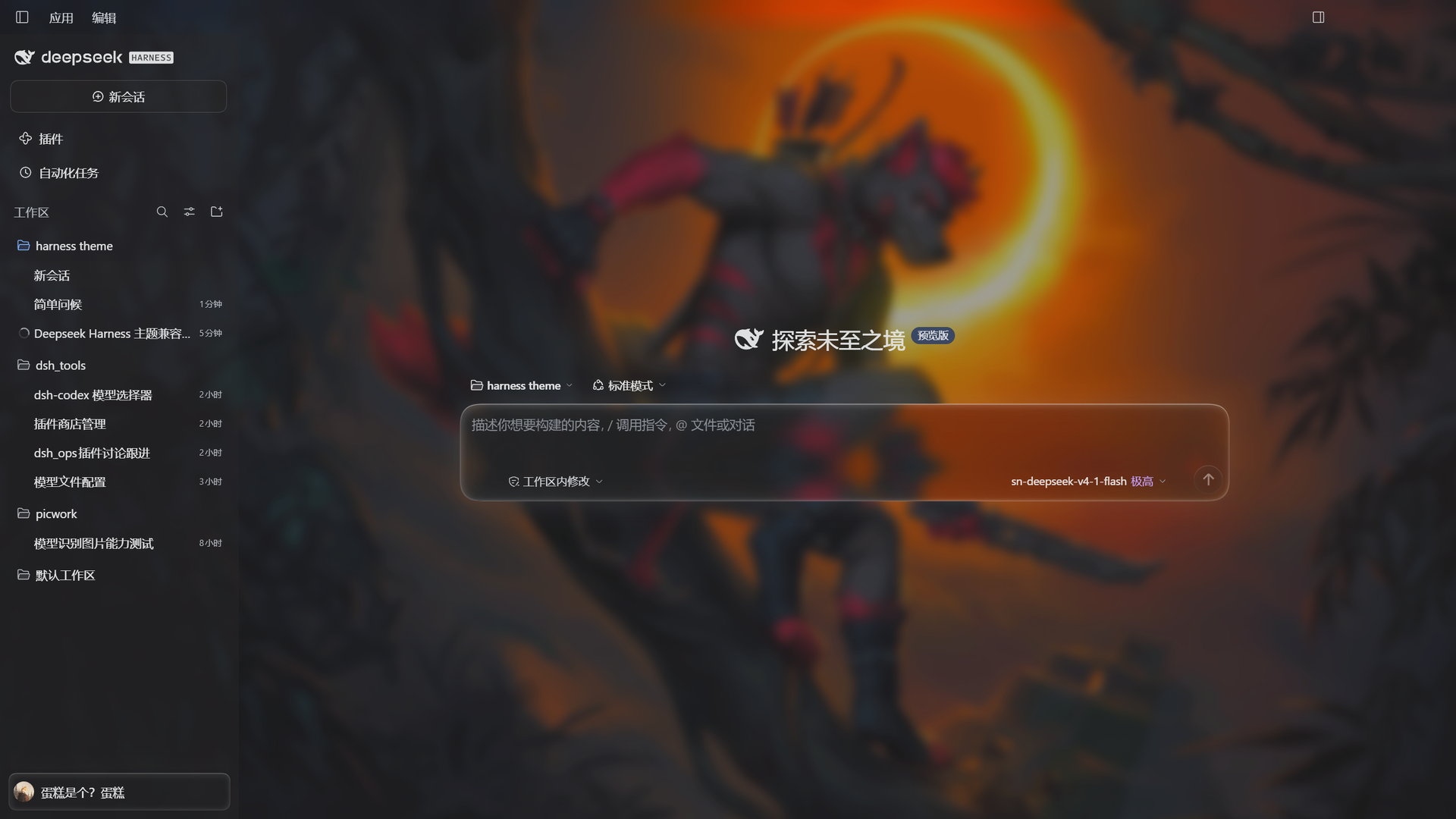
X-Frame-Options), a local HTML file, a local image, a local video, or the built-in animated demo wallpaper that works out of the box. - Independent background controls: wallpaper blur and wallpaper brightness are separate from the card frost, so you can keep the background soft while the glass stays crisp.
- The demo wallpaper is tunable: speed, blob count, colour cycling, blob blur and opacity, plus a background wash toggle.
Everything else
- One-row header even on the web GUI — sidebar toggle, conversation title, then the tabs, the "open in…" dropdown and the right-sidebar toggle all on one line.
- Nothing fights your other plugins. The model-selection list is left exactly as DSH ships it (an earlier version restyled it, which collided with other theme plugins), and hover styling is deliberately scoped to the surfaces this theme actually changes.
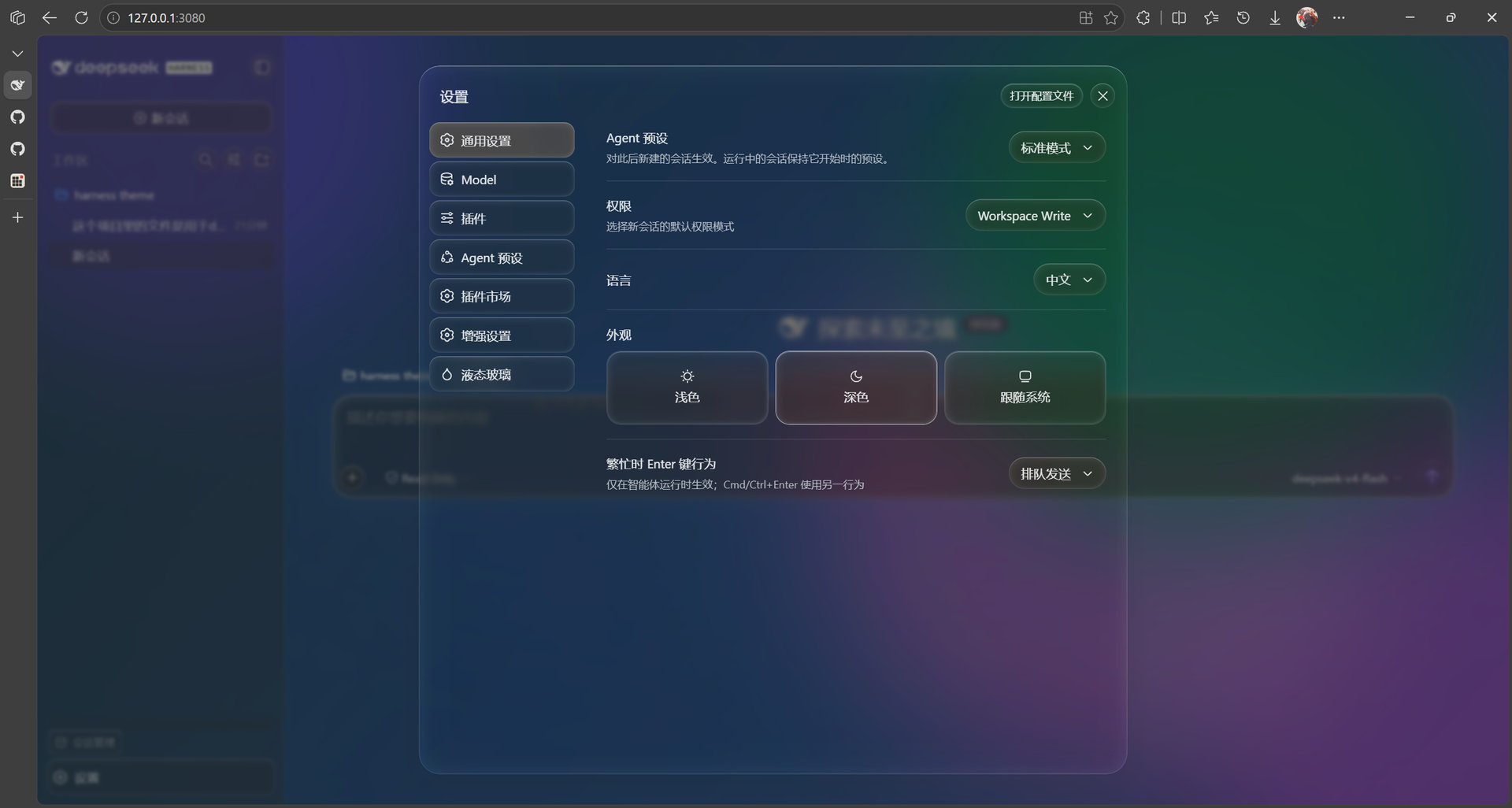
- A dedicated settings page — "Liquid Glass" is a top-level section beside General / Model / Plugins, with live preview and a one-click reset.
- A clean master switch. Everything visual is gated on one class; disabling the theme strips every token override, removes the wallpaper and turns off all frosted/lens rules at once, leaving no residue.
Screenshots
|
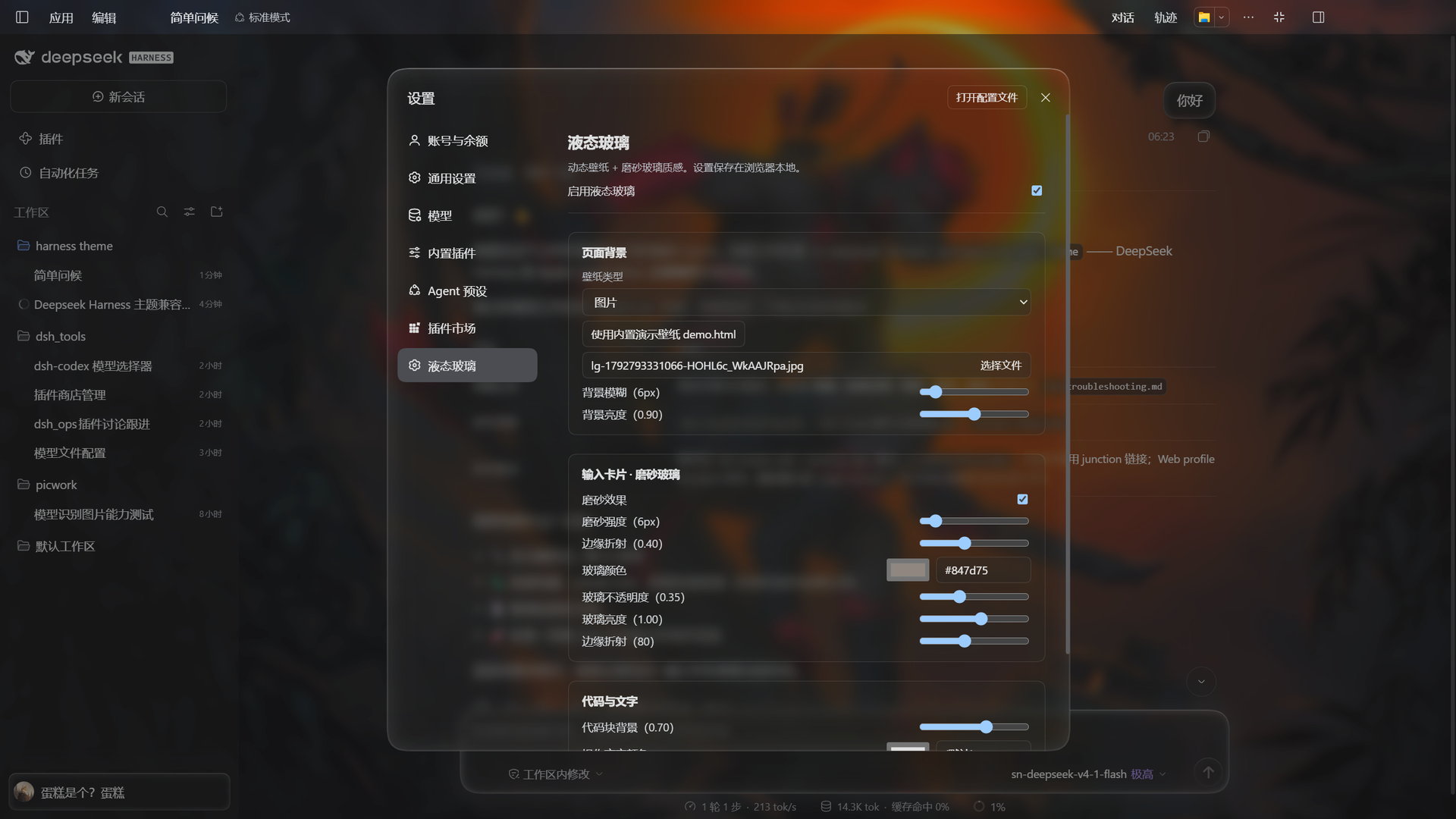 |
| Desktop build — one row holds 应用菜单/编辑, the session title, 对话 / 轨迹, the "open in…" dropdown, the fullscreen button and the right-sidebar toggle | The Liquid Glass page: frost blur, edge refraction, glass colour, opacity, brightness and code-block opacity |
 |
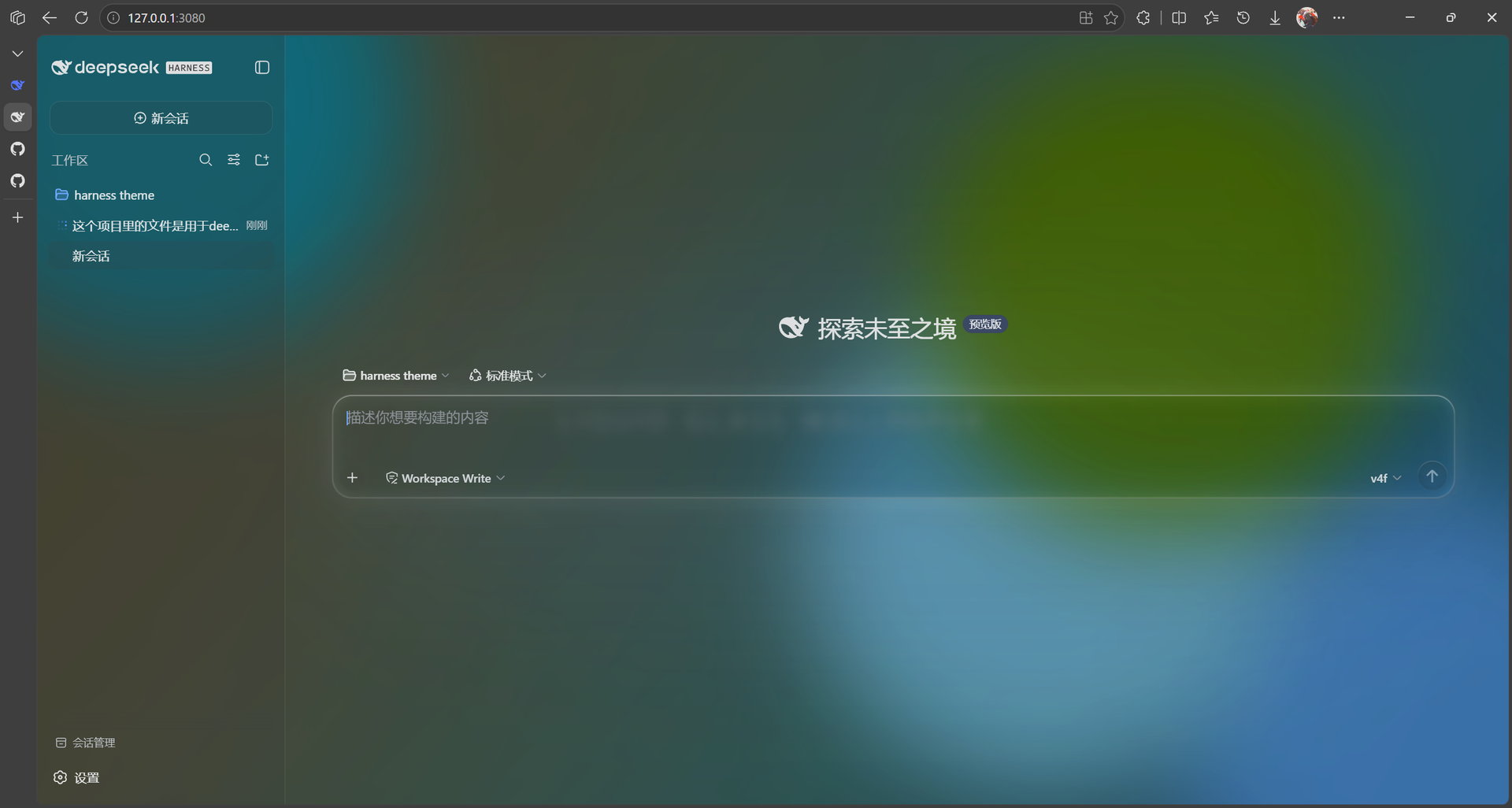 |
| A custom wallpaper under the glass, on the new-session screen | The built-in animated wallpaper |
 |
 |
| Composer card, edge refraction close-up | Transcript with glass bubbles |
 |
|
| The Liquid Glass settings page |
Install
Desktop app
The desktop build uses its own profile, named desktop. It is created by the app
on first launch, so quit the desktop app before installing:
dsh plugin --profile desktop add dsh-theme-liquid-glass
Then start the app again.
Web GUI
dsh plugin add --profile web dsh-theme-liquid-glass
Refresh the browser.
Compatibility — requires DeepSeek Harness ≥
0.1.2-rc.1, and supports the 0.2.x runtime, which is what the desktop build ships. Both the web GUI and the desktop app use the same client bundle: everything above is available in both, with the desktop-only items marked as such. Harness versions before0.1.2-rc.1are not supported.
From source
git clone https://github.com/FAVKTOXIC/dsh-theme-liquid-glass
cd dsh-theme-liquid-glass
npm install
npm run build
Then link the directory into a profile. On Windows use a junction — a plain
dsh plugin add "<absolute-path>" can create a broken relative symlink and drop
the plugin from the profile's bundles list:
dsh plugin remove --profile web dsh-theme-liquid-glass
New-Item -ItemType Junction -Path "$env:USERPROFILE\.dsh\profiles\web\node_modules\dsh-theme-liquid-glass" `
  -Target "<absolute-path-to-theme-source>" -Force
dsh plugin add --profile web dsh-theme-liquid-glass
Settings
The Liquid Glass page (Settings → Liquid Glass) has two groups: Page Background and Input Card · Frosted Glass.
| Setting | What it does | Range |
|---|---|---|
enabled |
Master switch — off removes every visual change | on / off |
wallpaper.kind |
Wallpaper source | none / url / html / image / video / local |
wallpaper.value |
URL, or a path relative to the wallpapers directory | text |
wallpaper.proxy |
Route web URLs through the host proxy (bypasses X-Frame-Options) |
on / off |
wallpaper.muted |
Mute video wallpapers (autoplay policy blocks unmuted) | on / off |
demo.speed |
Demo wallpaper animation speed | 0.1 – 4 |
demo.blobs |
Demo wallpaper blob count | 1 – 6 |
demo.colorCycle |
Demo wallpaper colour cycling (0 = static) | 0 – 10 |
demo.blur |
Demo wallpaper blob blur | 10 – 140px |
demo.opacity |
Demo wallpaper blob opacity | 0.2 – 1 |
demo.wash |
Demo wallpaper background gradient wash | on / off |
glass.frosted |
Frost (backdrop blur) on card / bubbles / dock | on / off |
glass.blur |
Frost blur radius | 0 – 60px |
glass.bgBlur |
Wallpaper blur, independent of the card frost | 0 – 60px |
glass.refraction |
Edge refraction strength | 0 – 1 |
glass.tint |
Glass colour | hex |
glass.tintOpacity |
Glass colour opacity | 0 – 1 |
glass.glassBrightness |
Material brightness of the tint | 0.2 – 1.6 |
glass.brightness |
Wallpaper brightness | 0.2 – 1.6 |
glass.codeBlockOpacity |
Code-block background opacity, independent of the tint | 0.2 – 1 |
glass.toolTextColor |
Tool-call text colour (empty = default) | hex |
Settings live in localStorage under dsh-liquid-glass.settings, so they are
per browser — a different browser or cleared site data starts from defaults.
See Why localStorage below.
Compatibility and deliberate choices
| Harness | ≥ 0.1.2-rc.1, including the 0.2.x desktop runtime |
| Surfaces | Web GUI and the desktop app (same client bundle) |
| Peer packages | the five @deepseek-ai/dsh-client-* packages, declared as optional peers over ^0.1.2-rc.1 || ^0.2.0-0 |
| Model-selection list | left to DSH. An earlier release restyled it; other theme plugins style the same menu and the two overwrote each other, so the theme backed off |
| Hover styling | scoped to the composer, queue dock, dialogs/menus, view tabs and sidebar only — it will not restyle another plugin's controls |
| Light mode | supported, but the glass reads washed out — see the note at the top |
| DSH tooltip bug | known harness bug, reproduces without this theme: hovering the send button or the context-percentage button scrolled the page to the top. The theme works around it by switching container-type off on three composer/transcript boxes, which costs four narrow-window layout tweaks — see CHANGELOG.md |
| Settings storage | localStorage (per browser) |
Development
npm install
npm run build      # one-shot build → lib/index.js + lib/client.js
npm run watch      # watch mode (pairs with client HMR)
npm run dev        # build + smoke test
npm test           # client smoke test
npm run typecheck  # tsc --noEmit
src/index.ts         Host half: wallpaper file routes, upload endpoint, web proxy
src/client/index.tsx Client half: token overrides, background layer, glass params, panels
src/shared.ts        Shared settings types and constants (no runtime deps)
build.mjs            SWC build pipeline → loader-format bundles
test/client.smoke.mjs  Smoke test: DOM + CSS + registration assertions
Notes for anyone reading the source
- Frost is never a
backdrop-filteron#root. A non-nonebackdrop-filtermakes an element the containing block for everyposition: fixeddescendant, which would re-anchor menus, popups and toasts. Frost therefore rides a dedicated background layer, or a::beforepseudo. - The stylesheet is one template literal. Every rule lives inside
const SHEET = ...insrc/client/index.tsx, so a stray backtick inside a CSS comment would end the template early.build.mjsguards against it. - Selectors are anchored on the harness's own stable attributes —
data-slot,role,data-conversation-scrolland friends. The CSS-module class names are build-time hashes and are only ever matched by their logical suffix ([class*="_bubble"]), never by a full name. - Every rule that touches harness chrome carries both anchors where the harness changed its markup between 0.1.x and 0.2.x (for example the session header and the message bubbles), so one bundle serves both runtimes.
Why localStorage
The harness settings gateway exposes only hard-coded product namespaces to
browser clients, so a third-party namespace stays loading forever even when the
host half registered it. The shipped appearance and skin plugins hit the same
wall and also use localStorage. The trade-off is that settings do not follow you
between browsers.
How this was built
This plugin is the output of the DeepSeek V4.1 Flash agent working inside the app it was changing. The loop it ran, and what it did when it could not verify something itself:
- Real anchors, read from the harness's own bundles. Rather than guessing selectors, the
agent unpacked DSH's client bundles and read the actual markup —
data-slotattributes, slot anchors that render asdisplay: contents,data-conversation-scroll,rolevalues — and how the desktop wires its 40px caption band (including that the harness seats its own window-chrome controls in that band withposition: fixed). - Every change through the same gate: edit →
node build.mjs→ smoke test →tsc --noEmit→tsc -p tsconfig.types.json, then fetch the bundle the running app was serving and confirm the new rules were actually in it (HMR hands out a new revision hash on every rebuild). - Verification it could not do itself was handed back as a question, not assumed: whether window dragging still works, whether the native caption buttons are cleared, how a dialog reads on a bright wallpaper. Those were decided by a human looking at the window.
- Its own mistakes are on the record. A selector traced to the wrong component (a sampling window that crossed a function boundary in a minified bundle), a stray backtick that broke the build twice, a test fixture that silently stopped exercising a new slot registration. The development workspace keeps all of them as symptom → investigation → root cause → fix → lesson.
No comments yet. Be the first to write one.