dsh-netassist
When GitHub is unreachable or the proxy is not taking effect: one command that says which link in the chain broke, and what to change.
When you need this
- DSH cannot reach GitHub or npm and you do not know whether it is DNS, TCP or the proxy
- Your system proxy is configured but traffic is not going through it — TUN mode, routing rules, or a stale hosts entry
- You would rather not run ping, nslookup and tracert by hand and interpret four outputs yourself
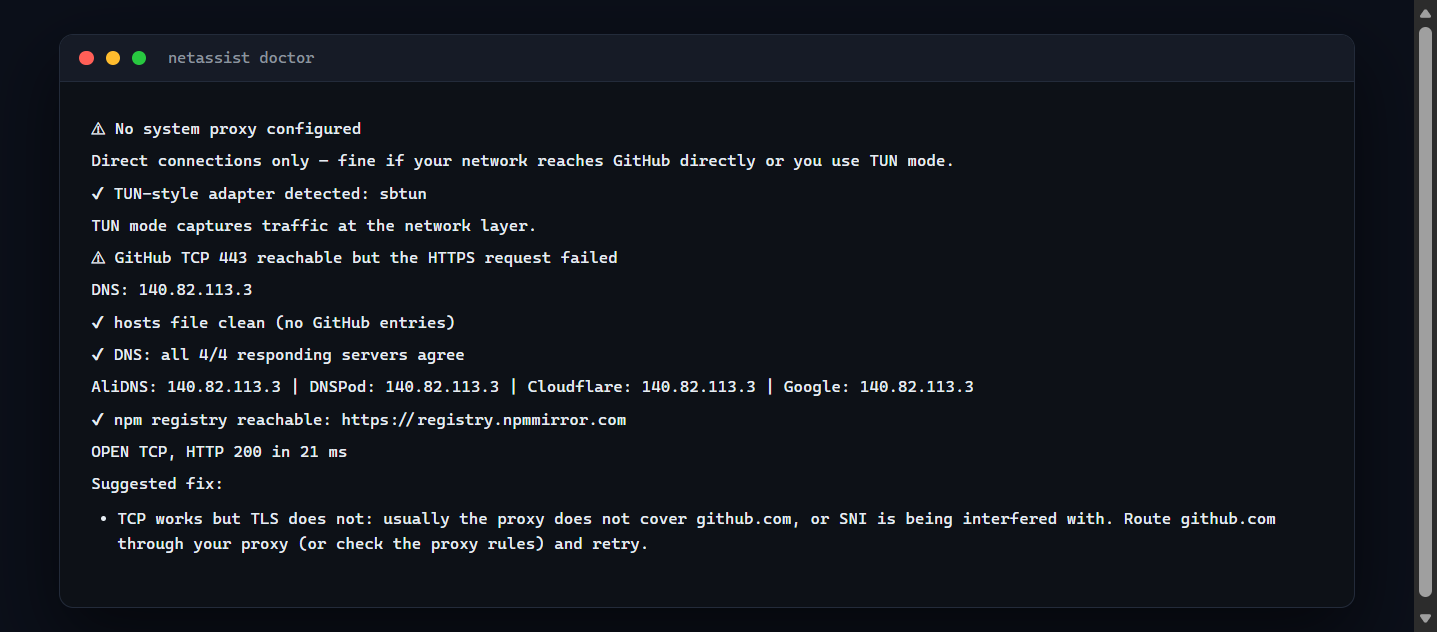
Every conclusion carries the premise it depends on, so the report cannot contradict itself — a port is only reported as a problem when a proxy is actually configured to use it.


Born from real-world China-network pain: GitHub flaky, proxies everywhere, hosts conflicts, TUN vs system proxy confusion. This plugin gives your agent one-shot answers to "is GitHub reachable?", "what proxy is my system using?", "is my proxy port alive?", plus a full diagnosis chain — all read-only, all injection-safe.
中文文档见 README.zh.md。
Feedback
Installs are visible in the download counts; whether this helps is not. If you use it, one line about the actual task is worth more than a star — particularly if it did not work, which is the case that never gets reported:
- what you were trying to do
- whether it did it
- what was missing or wrong
Tell me in an issue — or if something is already broken, just open a normal bug report.
Platform
Windows. Proxy detection reads the Windows registry and the checks shell out to
powershell.exe. On other platforms the tools start but their checks cannot run, and they say
so (spawn powershell.exe ENOENT) instead of reporting a clean result.
Timing
The Windows checks spawn a powershell.exe, and a cold one costs roughly 20 seconds to start; the
DNS comparison and npm registry checks use Node's own network stack and add well under a second. So
on a freshly booted Windows machine:
- the individual tools answer within about half a minute
net_doctorcan exceed a minute, because it runs six checks in parallel (system proxy, GitHub reachability, hosts file, TUN adapters, DNS comparison, npm registry) plus a port probe
Most MCP clients default to a 60-second request timeout, so net_doctor may time out on a cold
machine even though it is working. If that happens, call the individual checks (net_github_status,
net_proxy_status, net_hosts_check, net_dns_compare, net_registry_check) instead, or raise
your client's request timeout. Once PowerShell has been used a few times the cost drops sharply.
Tools
| Tool | What it answers |
|---|---|
net_github_status |
Is GitHub reachable right now? (DNS + TCP 443) |
net_proxy_status |
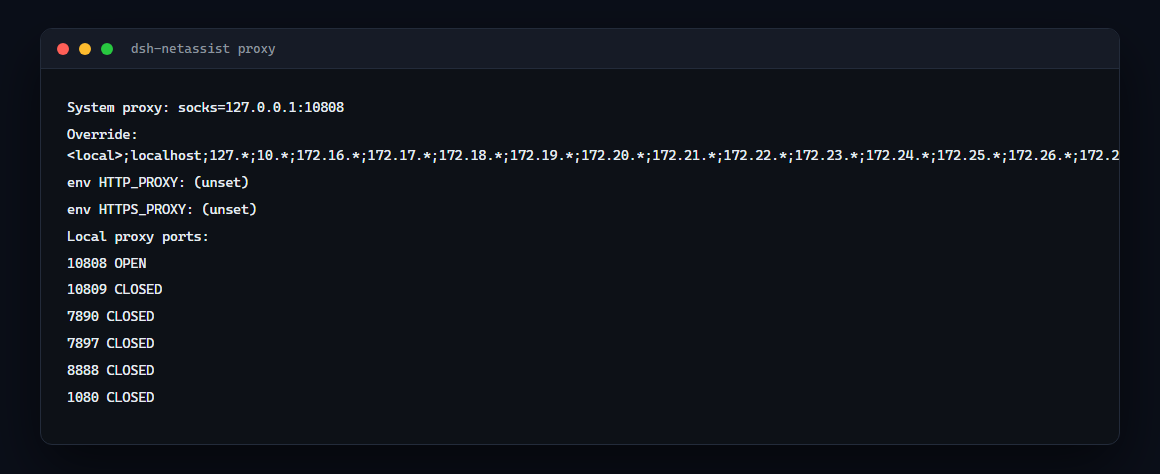
System proxy config: registry ProxyEnable/ProxyServer/ProxyOverride + proxy env vars |
net_proxy_probe |
Which common local proxy ports are alive? (default 10808/10809/7890/7897/8888/1080) |
net_diag |
Full chain for any host: DNS → TCP → HTTPS status code |
net_hosts_check |
GitHub entries pinned in the hosts file (proxy conflict scan) |
net_dns_compare |
Ask AliDNS / DNSPod / Cloudflare / Google the same question and compare — is the system resolver returning a stale address? |
net_registry_check |
Is the npm registry npm is configured to use actually reachable? Checks the configured one and the official one. |
Install
dsh plugin --profile web add dsh-netassist
dsh web   # restart
Then ask your agent:
- "check if github.com is reachable" →
net_github_status - "what proxy is my system using?" →
net_proxy_status - "is my proxy running?" →
net_proxy_probe - "why can't I reach api.example.com:8443?" →
net_diaghost=api.example.com port=8443 - "any github entries in my hosts?" →
net_hosts_check - "why does github.com resolve but not work?" →
net_dns_comparehost=github.com - "why does npm install fail?" →
net_registry_check
How it works
Every tool runs a short read-only PowerShell snippet through powershell.exe -NoProfile -NonInteractive. All user input crosses the script boundary as Base64 — injection-proof by construction. No writes, no admin rights, no dependencies.
- Config:
psTimeoutMs(default 25000) — per-call PowerShell timeout, settable in your profile'scordis.patch.ymlunder thenetassistentry. - Windows-only: tools fail loudly on non-Windows platforms.
Real-world example (this machine)
net_github_status → DNS: 20.205.243.166, TCP 443: OPEN
net_proxy_status  → ProxyEnable: 1, ProxyServer: 127.0.0.1:10808
net_proxy_probe   → 10808 OPEN, 10809/7890/7897/8888/1080 CLOSED
net_hosts_check   → no github entries in hosts (clean)
Troubleshooting
- "PowerShell failed": usually execution-policy or anti-virus interference. The plugin uses
-NoProfile -NonInteractive; checkGet-ExecutionPolicy— it does not require RemoteSigned. - Port probes use a 5s connect timeout each, so a full probe takes ~5-10s worst case.
Links
- npm: https://www.npmjs.com/package/dsh-netassist
- GitHub: https://github.com/Edge-Echo/dsh-netassist
- License: MIT
Related
Part of the dsh-toolkit family — small, independently useful pieces for DeepSeek Harness:
- dsh-mcp-bridge — install six curated MCP servers, verified in CI
- dsh-win-toolkit — clipboard, notifications, hosts, port checks on Windows
- dsh-netassist — network and proxy diagnosis with a concrete next step
- dsh-driftwatch — behaviour-drift reports between two session logs
- dsh-ledger — what the agent did to your files, provably unaltered
- dsh-release-evidence — one verifiable artifact per release
- mcp-netassist — the same network checks as an MCP server, any client
No comments yet. Be the first to write one.