dsh-usage-replay
中文 | English
Cross-session per-model token usage for DeepSeek Harness: a usage panel tab, a per-conversation per-model popover, and two local read-only HTTP routes. Every number is replayed from the harness's own persisted session logs — nothing is accounted in a side channel, so uninstalling never loses data and history predating this plugin counts too.
Tokens only. No cost estimates, no price tables, no network calls.
What you get
Usage panel tab (needs dsh-better-sidebar ≥ 0.28): register a 用量 / Usage tab in the right sidebar.
- Models — per provider/model: sessions, requests, uncached input, output, cache read, cache write, total.
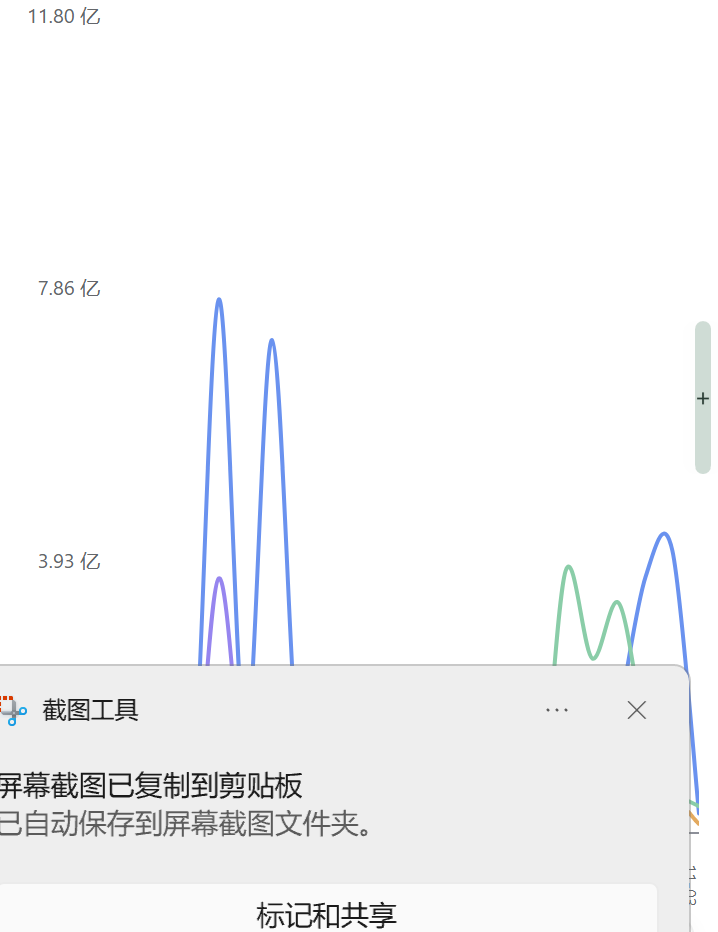
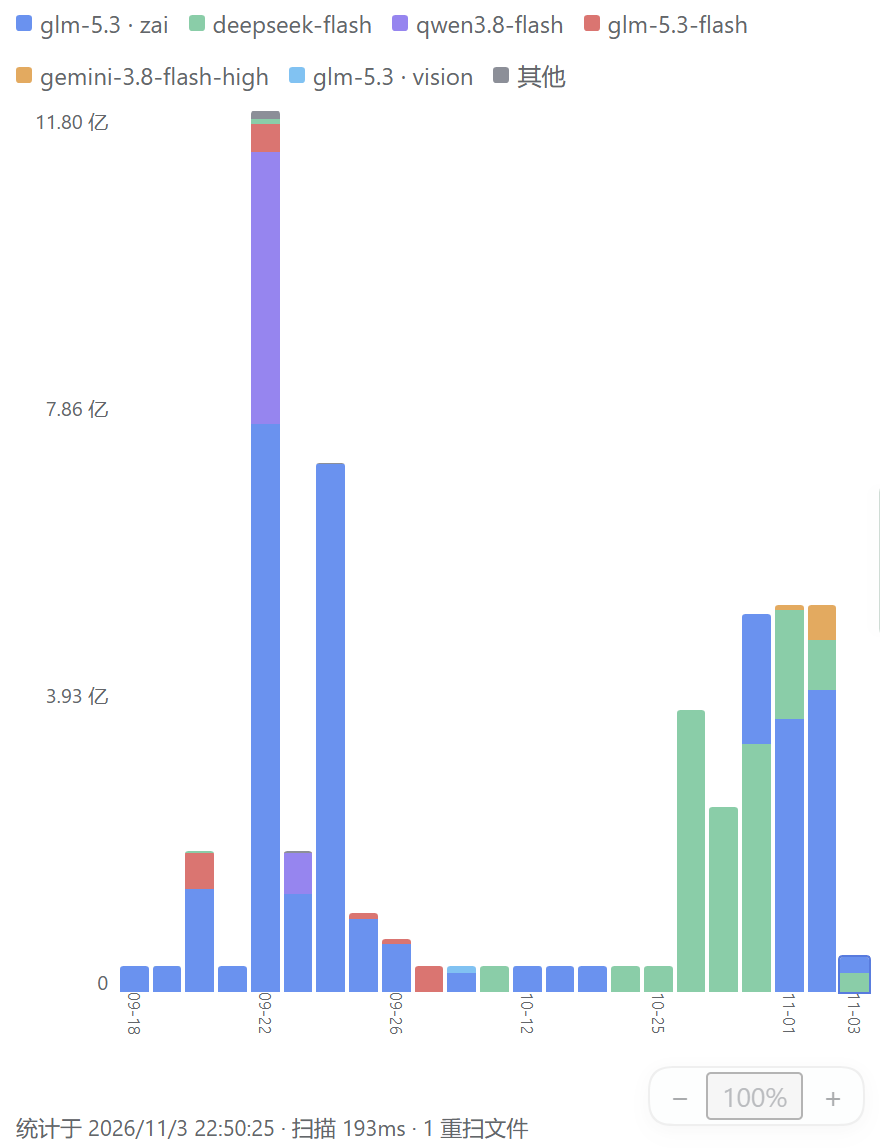
- By day — last 30 days. Toggle stacked bars ⇄ per-model smooth curves; hover for an immediate tooltip (date · day total · per-model rows). The curve view y-scales to the largest single-model day so the highest line reaches the plot top. Log-scale toggle for long-tail data (a single huge day otherwise flattens everything else). Bars stack by real token share.
- Workspaces — usage ranked by session
cwd, with each workspace's model mix.
Composer-dock pill — a neutral 分模型 / Per-model chip next to the native activity/usage pills; click to open this conversation's per-model table (model / requests / input / output / cache read / cache write / total). No duplicated totals in the dock row.
Optional: session-scoped changed files
The native changed-files card summarizes each turn from git working-tree snapshots, so in a workspace shared by several sessions (or edited by a running watcher) it can list files this conversation never touched. Enabling sessionScopedEdits: true narrows that card to the files this conversation's file tools actually touched in the turn:
- Tracks
fs/write-intent/fs/edit-intentper session and turn (the same events the recorder itself uses) and filters theworkspaceChangesservice summary in place, remapping per-file diff indexes so the card UI keeps working unchanged. Reversible on unload; turns the plugin did not observe fall back to the native summary. - Subagent file-tool edits count for the parent conversation's turn.
- Trade-off: files changed only through shell commands are not attributed and stay hidden while this option is on.
Off by default (it changes another plugin's observable behavior). Enable it in the plugin row config:
- id: usage-replay
  config:
    sessionScopedEdits: true
How it measures
- Walks
$DSH_HOME/sessions(default~/.dsh/sessions) forsession[.vN].jsonl[.zstd]artifacts, decodes the multi-frame Zstandard container frame by frame (torn tail tolerated), and foldsassistant/messageusage events into the provider/model of the most recentrequest/headerenvelope. - Applies to the whole session log (not the visible/compacted window), so pruned or compacted turns still count.
- Results cached per file by
size + mtime; unchanged files are never re-read. - Retries/attempts count where the provider reported usage — the same billing-shaped semantics as the official token meter.
Privacy
- Reads local session logs only. No network requests, no telemetry, no uploads.
- Routes:
GET /usage-replay/api/summary,GET /usage-replay/api/session?sessionId=…— loopback/trusted-host admission through the host's Connection service, same fence as every other plugin route. Nothing sensitive is returned beyond per-model token numbers. - The plugin adds no model-visible prompt, tool, or schema.
Install
Requires DeepSeek Harness 0.2.1+ (uses the 0.2.1 Connection service).
# from the community market (dsh-market) or npm
dsh plugin --profile <profile> add dsh-usage-replay

# or straight from this repo
dsh plugin --profile <profile> add https://github.com/Eclipse-NotFound/dsh-usage-replay
Desktop app profiles are managed by the app: install from its Plugins page with the package path/spec instead of the CLI. A new host half needs an app restart; client-only updates apply after a hard refresh.
dsh-better-sidebar is an optional peer: without it the sidebar tab is not registered and the composer-dock pill still works.
Develop
No dependencies, no build step. Node 22.19+ / 24 (host runtime) is enough.
node test/offline-check.mjs # self-contained: synthetic multi-frame zstd logs + route checks
License
MIT
No comments yet. Be the first to write one.