READMESource: main@46e649c6
Notes Wall · 便签墙
A sticky-notes wall pinned to the DSH sidebar: click the icon, capture the thought, keep going.
挂在 DSH 左侧栏的一面便签墙:随手写下想法、灵感和待办,停笔即存。
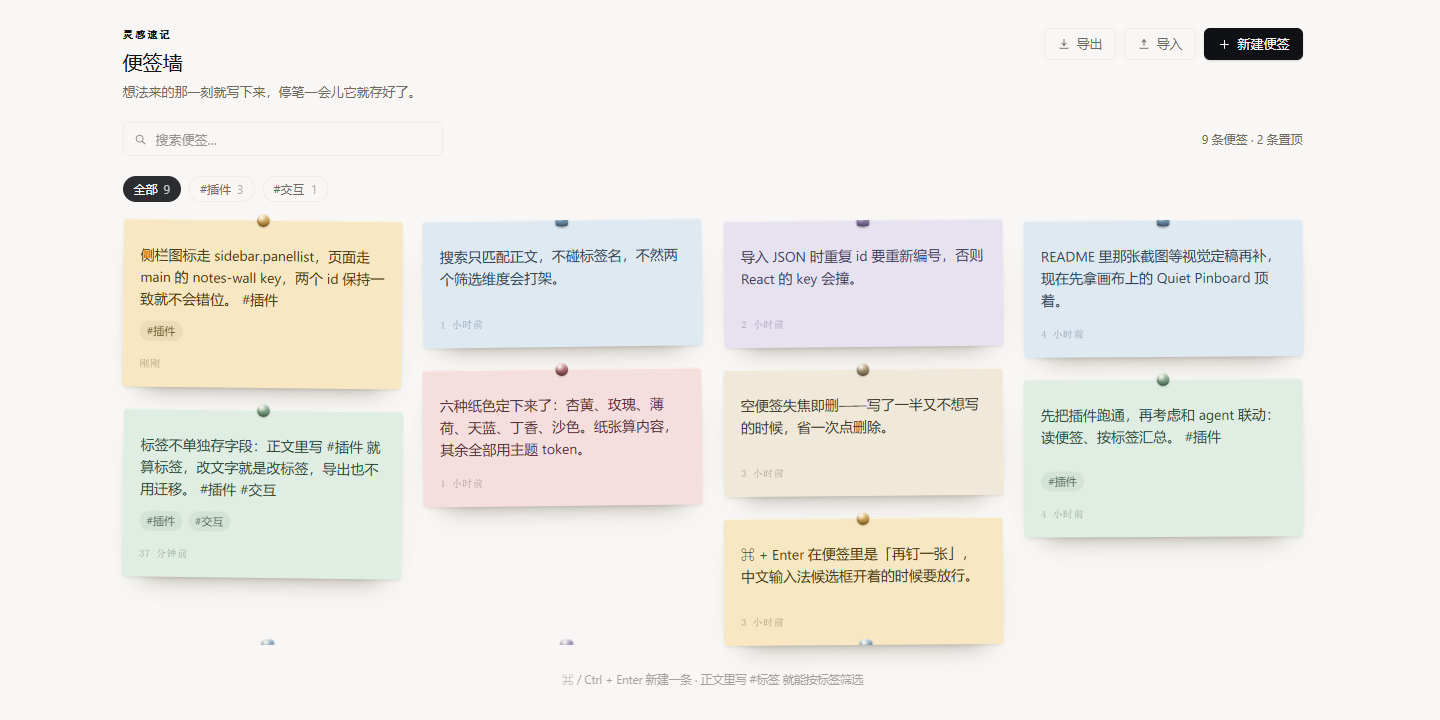
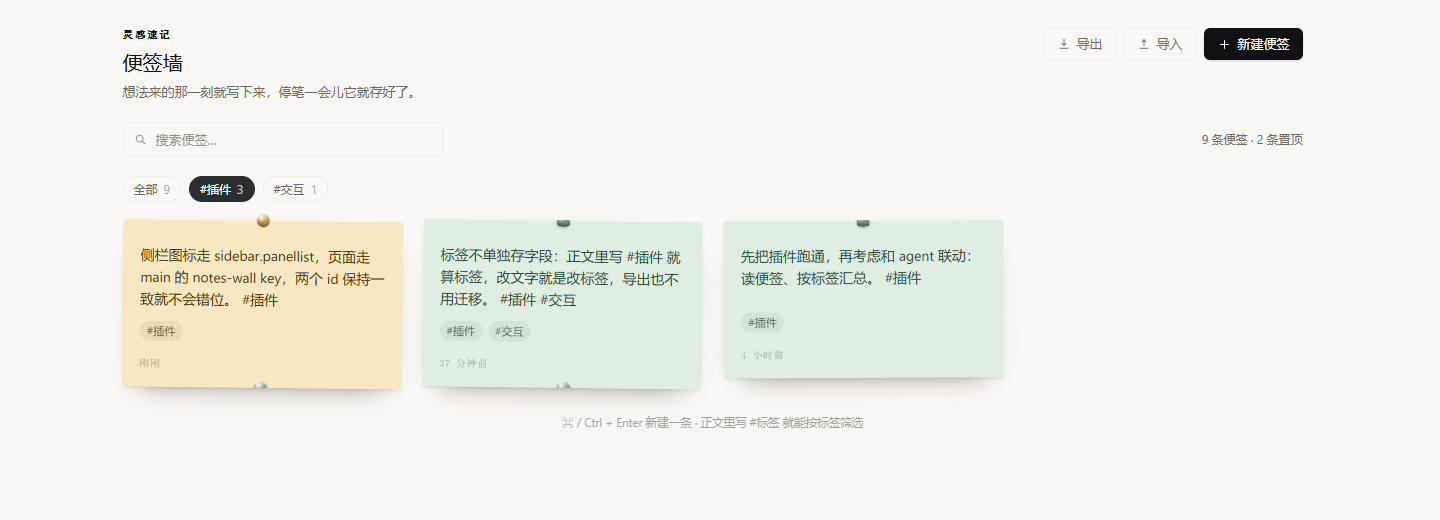
What it does / 功能
- Sidebar entry + full page. The plugin registers an icon in
sidebar.panellist(order12) and a panel page on themainslot under its ownnotes-wallkey — it never takes over the conversation panel. - Write where you see it. Every note is a live textarea; text is saved 240 ms after you stop typing.
- Six paper colors, a real pin for the ones that matter, and a two-step delete (auto-cancels after 4.5 s).
- Tags without a tag field. Type
#插件inside a note and it becomes a tag. The toolbar grows a filter chip per tag (sorted by usage); clicking a chip or the pill on a note filters the wall. Tags are parsed from the text, so editing the text edits the tag and exported files need no migration. - Search across note bodies,
Escclears it. - Export / import as JSON; duplicate ids are renumbered on import.
- Empty notes clean themselves up — a note with no text disappears when it loses focus.
- Local only. Everything lives in
localStorageunderdsh.notes-wall.notes.v1. Nothing is uploaded, nothing enters the session, and the Host half is an emptyapply().
便签纸的颜色是「内容」(artwork);页面、工具栏、按钮、空态全部走宿主主题 token --dsw-alias-*,跟随明暗主题。
Install / 安装
The package ships a dsh.bundle manifest, so it is installable like any DSH plugin:
- Plugin Manager — install from this folder (or from the GitHub repo once published).
- Or, from a checkout:
dsh plugin add <path-or-git-url>. - Or, straight from GitHub:
dsh plugin add https://github.com/EchoTint/dsh-notes-wall.
After the first install (and after every edit to client.js), restart DSH so the new JS generation is loaded; then refresh the page and the notebook icon appears in the sidebar.
Keyboard / 键盘
| Keys | Action |
|---|---|
⌘ / Ctrl + Enter |
Pin a new blank note (also available from the toolbar) |
Esc |
Close the color palette, or blur the note (an empty note is then dropped) |
Structure / 结构
package.json      dsh.bundle.patch + dsh.client(web, immediately)
cordis.patch.yml  insert: id notes-wall
index.js          Host half — empty apply(), data lives in the browser
client.js         ModuleLoader factory: locale dictionaries, CSS, NoteCard, page, slot registrations
locale/zh.json    meta.title / meta.description (shown by the plugin manager)
locale/en.json
icon.svg          Original notes artwork, 64×64
icon-180.png      Storefront tile, 180×180
screenshots.json  Storefront screenshots (1–8 image paths)
screenshot-1.png  The wall itself
screenshot-2.png  Filtered by #插件
Development notes / 开发注意
- The client half is plain JS wrapped in
window.__ModuleLoader__.load({ id, factory(require) {...} })— no JSX, build elements withReact.createElement(aliased toh). - Only host modules such as
require('react')are available. Do not require@deepseek-ai/dsh-client-ui-primitivesor any other Harness Client package; every icon here is hand-drawn SVG. - All visible text goes through
ctx.locale.register/bind, and the zh/en dictionaries must keep exactly the same keys. - Styles are injected via
ctx.effectinto<style data-dsh-notes-wall>and removed in the cleanup; class names are prefixed.nw-. - Offline self-test:
node ../../.dsh-asar/notes-wall-stub.cjs— it renders the real component tree on a miniature React, and asserts registration, rendering, edit persistence, tag filtering and pill clicks, empty-note disposal, and locale key parity.
License
MIT — see LICENSE.
No comments yet. Be the first to write one.