hy-memory4dsh
中文 | English
Three layers of long-term memory for DSH: session, project, personal.
The problem
DSH has no long-term memory. AGENTS.md is a static set of rules you maintain by hand, and session history only lives inside one session. Start a new conversation and every convention, preference and past mistake has to be explained again. hy-memory4dsh records them automatically, recalls the relevant ones before a turn, and consolidates them after it, across sessions and across projects.
How it works
The plugin runs inside DSH; the memory engine is Hy-Memory 2.0's Python SDK, hosted in a sidecar process with its own venv, so there is no service for you to start.
- Recall on
agent/pre-step: search the personal tier, the current project and the current session, then inject the hits as one sourced user message labelled as background data that may be stale and is never an instruction. - Capture: batch a window of turns with their tool calls and hand the batch to the sidecar, which routes it to the chat, working or coding store.
- Promotion: session memories consolidate into project conventions, and those into personal preferences, giving a session to project to personal chain.
- Storage under
$DSH_HOME/integrations/hy-memory/; model calls reuse the route you already configured in DSH, and embeddings are local ONNX by default with an optional remote endpoint.
Features
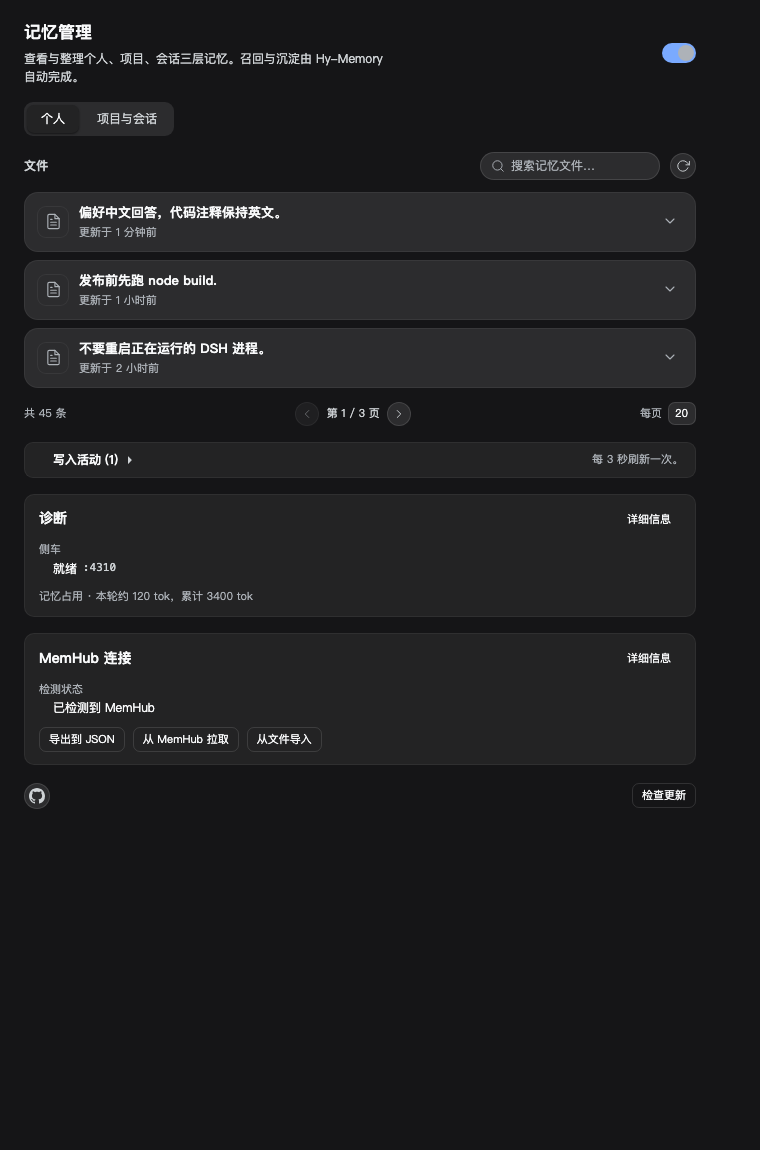
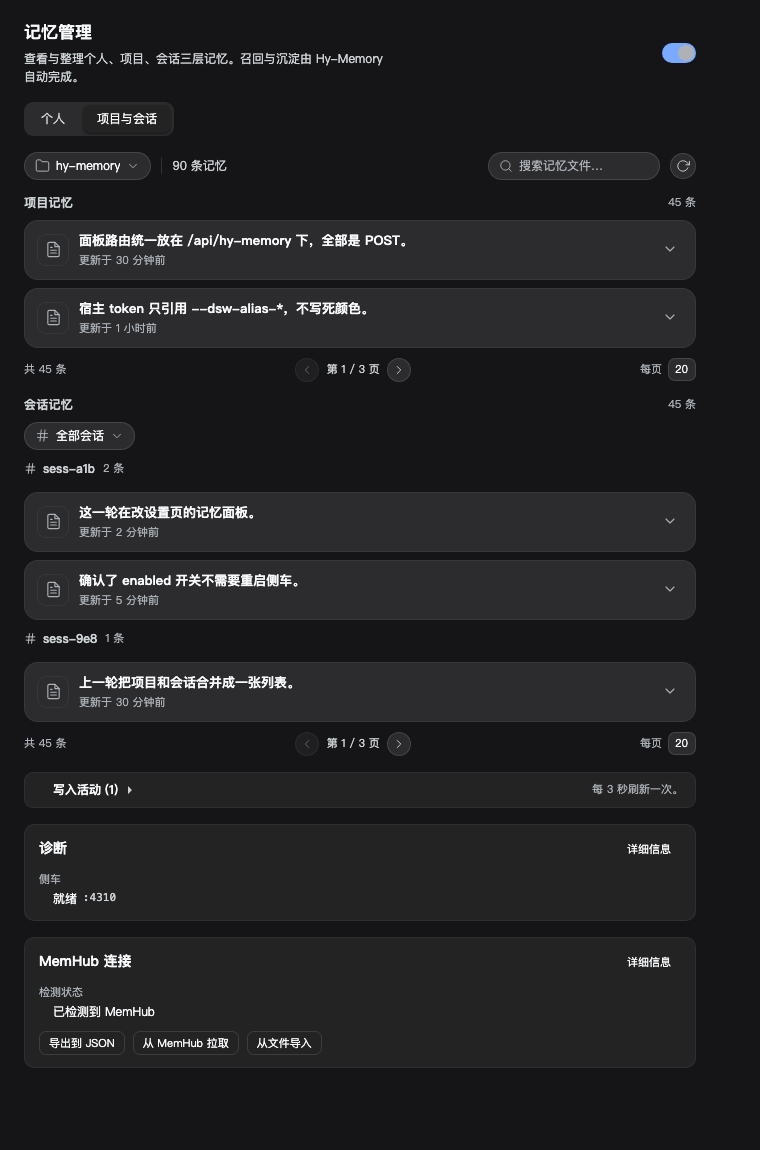
- Three tiers: personal, project, session-within-a-project. Browse, search, paginate, edit and delete them in the panel.
- Three scenes: chat by default; working and coding use separate productivity stores keyed by workspace id.
- Automatic recall and capture, including tool-call traces.
- Settings > Memory panel: a personal tab and a project/session tab, project picker, independent pagination, master switch, memory-footprint estimate.
- MemHub coexistence: detection, export, pull (refused with the holder's pid while MemHub runs) and de-duplicated import.
- Cross-project search on demand; everyday recall never mixes other projects in.
- Manual memories:
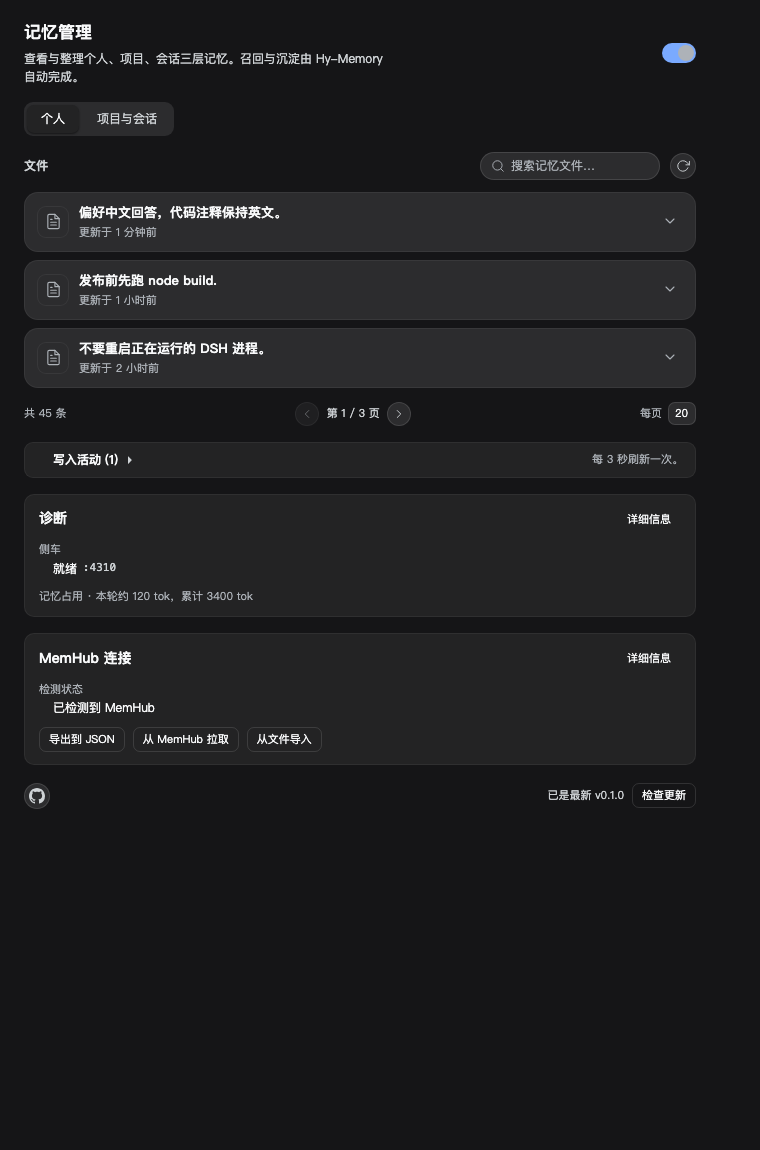
memory_addinfers the personal or project tier from the content and reports where it landed. - Update check and a GitHub link in the panel footer.
Install
dsh plugin --profile desktop add link:$(pwd)
Then open Settings > 记忆. First use bootstraps the Python environment; the model route comes from your existing DSH settings, so there is no extra key to fill in.
Requirements: DSH 0.2 preview, Python 3.10+ (installed into the plugin directory on first use), optional git for workspace ids.
Dependencies
This repository ships the DSH side only: the host plugin, the client panel, the bridge scripts, and docs. The Hy-Memory 2.0 framework itself is not vendored here. On first use the plugin creates a Python virtual environment under $DSH_HOME/integrations/hy-memory/venv and installs the PyPI package hy-memory into it; the bridge then imports hy_memory from that environment.
- Network access is needed once, for that install (and for the optional local embedding model download).
- The package is installed by name, so a fresh install resolves to the latest available version. Set
HY_MEMORY_SDK_PACKAGE=hy-memory==<version>when installing to pin it. - Upstream code and its license belong to the Hy-Memory project; this repository only depends on it and does not redistribute it.
- Everything else in this repository is MIT.
Configuration
Settings live in $DSH_HOME/integrations/hy-memory/settings.json; the panel edits the same object.
| Key | Default | Meaning |
|---|---|---|
enabled |
on | master switch; off pauses recall, capture and tools, and the panel becomes read-only |
recall.maxItems / maxChars |
5 / 1600 | recall budget per step |
capture.windowTurns |
3 | turns per captured batch |
capture.productivity |
off | route batches to the working/coding stores instead of chat |
promotion.everyTurns |
8 | turns between promotion passes |
embedding.mode |
local | local ONNX (384 dims, ~80 MB downloaded once into ~/.cache/chroma) or remote with baseURL/model/apiKey/dims |
Screenshots
| Personal | Project and session | Update check |
|---|---|---|
 |
 |
 |
MemHub not installed: dashed card

Compatibility and limits
- Project memories belong to a project; session memories follow the project they were created in, so switching projects hides them.
- Productivity stores are only visible to a search that carries a workspace id, so capture writes to the chat store unless
capture.productivityis on. - During a model outage, reconcile fails; writes retry with backoff, and a final failure keeps the raw text in the lite layer with an activity entry.
- The bundled embedder is English-first; Chinese recall leans on a token-overlap fallback. A remote multilingual embedder removes that fallback.
Verifying a change
npm run check         # syntax of entry points and the built bundle
npm test              # 85 host tests
npm run test:smoke    # panel smoke, reads the built client.js
npm run eval:recall   # recall fixtures: hit, noise, budget, injected size
CI runs the same four commands on every push and pull request. The recall harness already paid for itself: it caught a case where one oversize memory ignored maxChars and was injected whole.
What is planned next, in order, is in docs/ROADMAP.md: real-data recall fixtures, multilingual embeddings, lifecycle and dedupe, explainable recall, privacy controls, MemHub's own sync path, scene verification, and operations.
Contributing
Issues and pull requests are welcome. A reproduction with the version, the steps and the relevant part of $DSH_HOME/integrations/hy-memory/sidecar.log saves time; changes should come with a test or a reproducible verification.
License
MIT
No comments yet. Be the first to write one.