Delete chat — DSH plugin



dsh-plugin-delete-chat adds a permanent Delete chat action to every chat's
"…" menu in the
DeepSeek Harness Web UI, with a
confirmation dialog.
Deleting a chat stops any work still running in it, then permanently removes its stored data from this device:
- the session log directory under
<DSH_HOME>/sessions/--<project>--/<session-id>/, - the derived projection-cache records for that session,
and the row disappears from the sidebar immediately. Files in the chat's workspace are never touched.
Screenshots
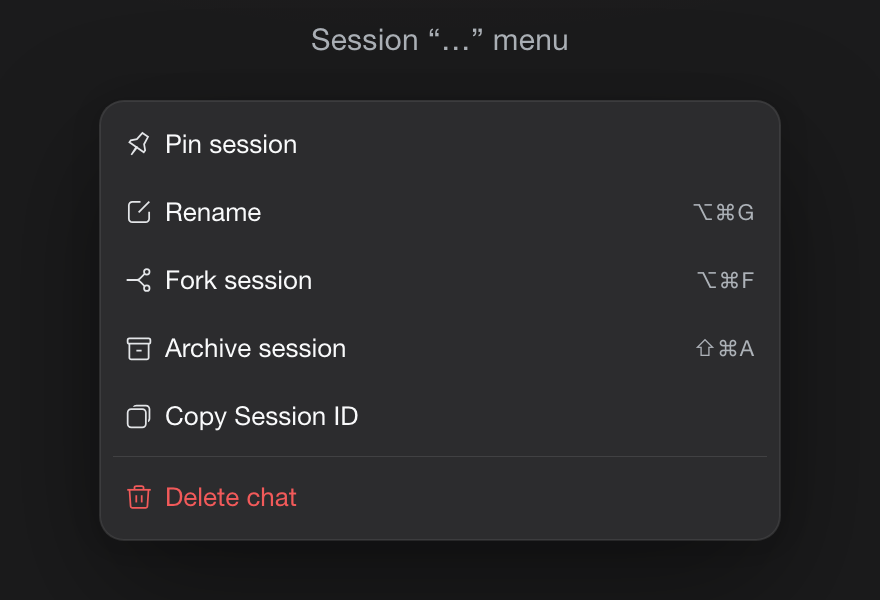
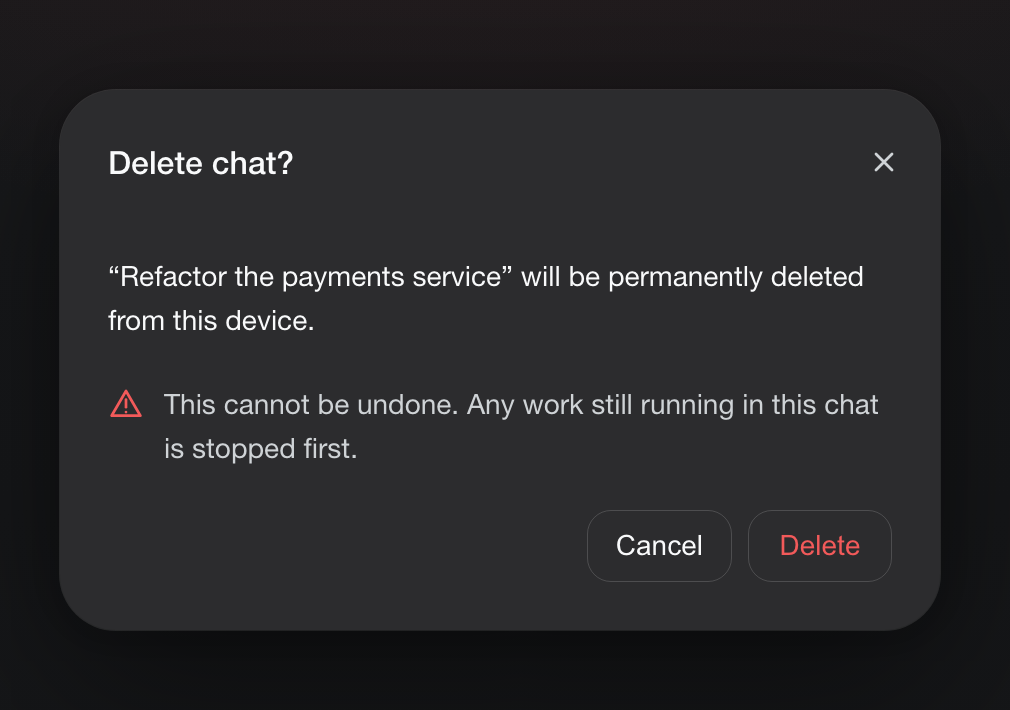
The row sits after the shipped actions and is drawn exactly like the shipped Delete workspace row — error-red label and trash glyph, danger-tinted hover fill. Confirming opens the host's own dialog style with a clear warning; Delete then stops running work and removes the chat's stored data.
Features
- Chat row menu → Delete chat, placed after the shipped rows (Pin, Rename,
Fork, Archive, Copy Session ID) and drawn exactly like the shipped
Delete workspace row: error-red label plus the shipped
IconTrashOutlineRegulartrash glyph (same paths, 16×16 viewBox, 1px stroke), with the danger-tinted hover/focus fill. - Confirmation dialog in the host's own Modal style with a clear "cannot be undone" warning, Cancel/Delete, Escape and a focus trap.
- Stops running work first through the same activity seam the shipped archive flow uses (in-progress turn, subagents, background jobs, scheduled reminders).
- Immediate row removal by announcing
api-session/removedafter deletion. - Switches to a new chat if you delete the chat currently open in the main view.
- English and Chinese UI, following the app's language setting.
- User-only: no agent tool can delete chats, and subagent chats are refused (they are removed with their parent chat).
Install
Requires DeepSeek Harness 0.2.1-rc.5 or newer (declared in engines.dsh).
In the Harness UI — open Plugins → Add plugin, enter
dsh-plugin-delete-chat
and confirm. The Host half activates immediately and the "Delete chat" row appears in the connected page.
From a plugin market — add this index source in Plugins → Discover → Add index source:
https://eyadagharire.github.io/dsh-plugin-delete-chat/index.json
then install the Delete chat card. You can also add any other market index that lists the package.
From source — point the plugin manager at the package directory (the
plugin manager's install_bundle action accepts its absolute path).
Uninstall
Disable or remove the bundle in Settings → Plugins (or via the plugin manager). Already deleted chats stay deleted — deletion is permanent.
Compatibility
Requires DeepSeek Harness 0.2.1-rc.5 or newer (engines.dsh). The Host half
needs the connection, webServer, and sessionPersistence services; the
Client half registers into the sidebar.workspaces.session.menu.item and
shell.overlay slots. Session storage layout follows the shipped JSONL
persistence backend (<DSH_HOME>/sessions); DSH_HOME defaults to ~/.dsh.
Safety
Deletion is permanent and irreversible by design. The action is available only from the UI after an explicit confirmation; the agent cannot call it.
No comments yet. Be the first to write one.