dsh-coding-time
Local coding-activity timing for the DeepSeek Harness (DSH). It measures
wall-clock active time per project (cwd), counts added/deleted lines from real
diff metadata, and can optionally time human edits. All data stays on this
machine under ~/.dsh — no account, no network service, no telemetry.
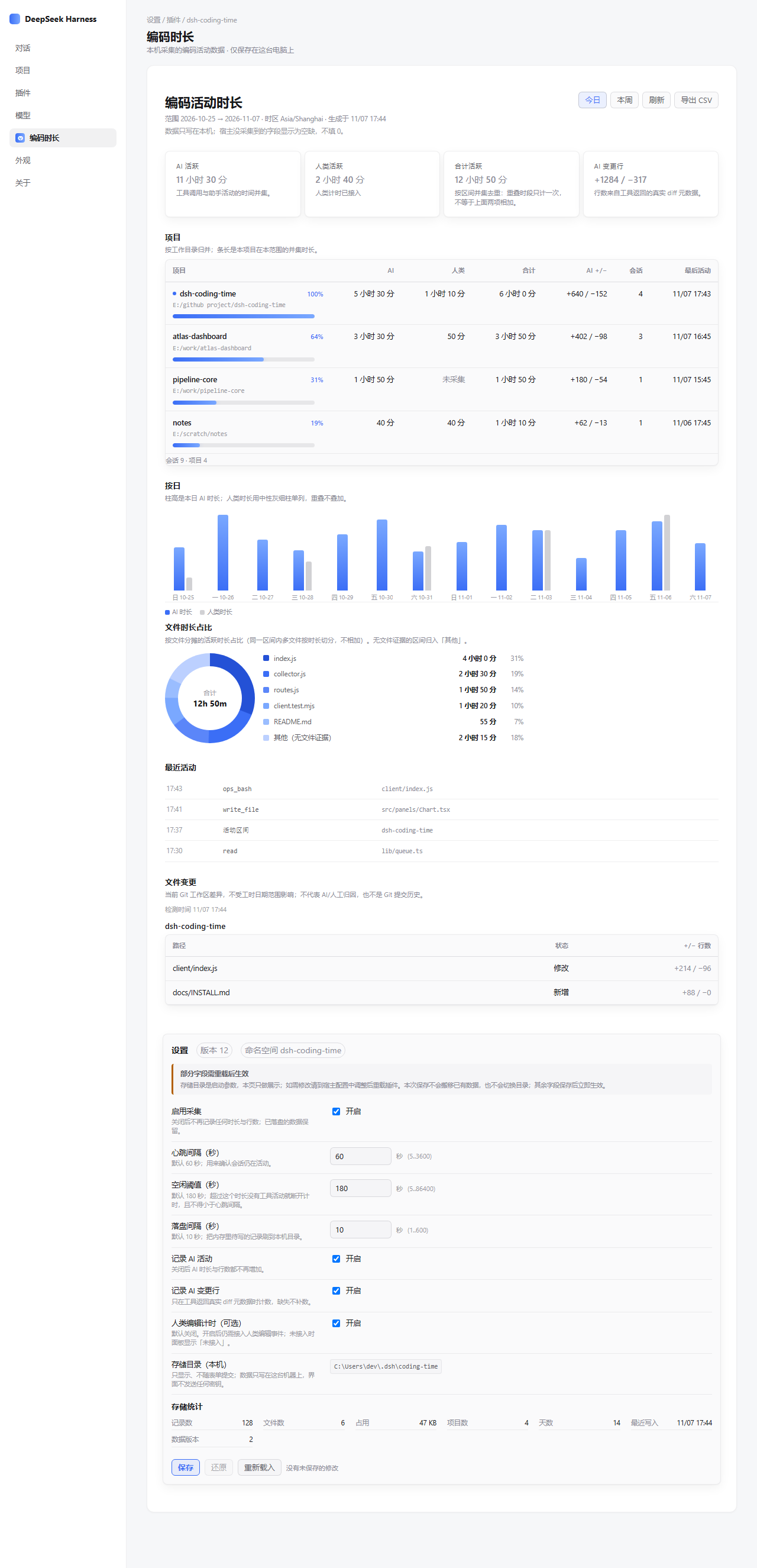
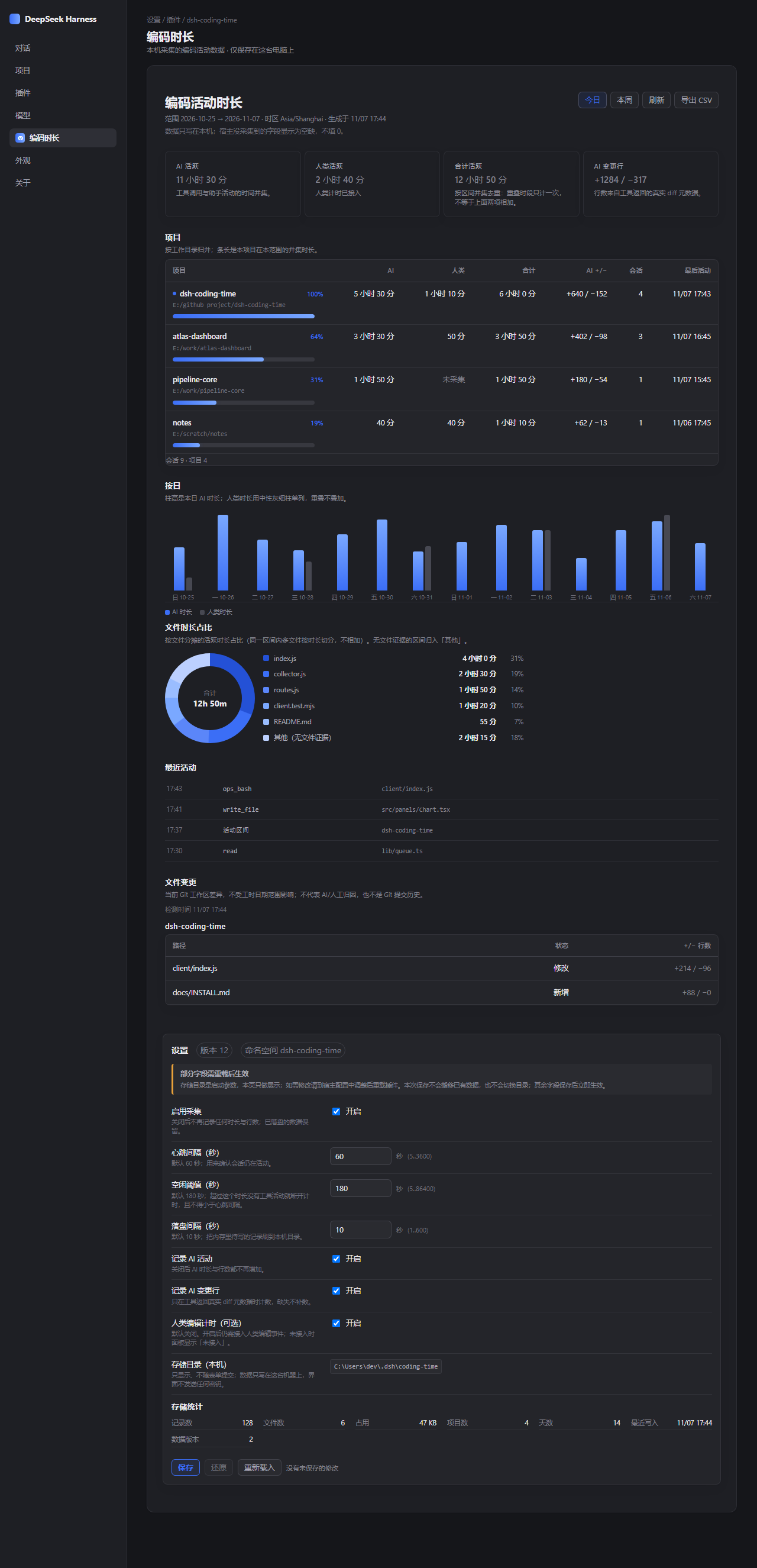
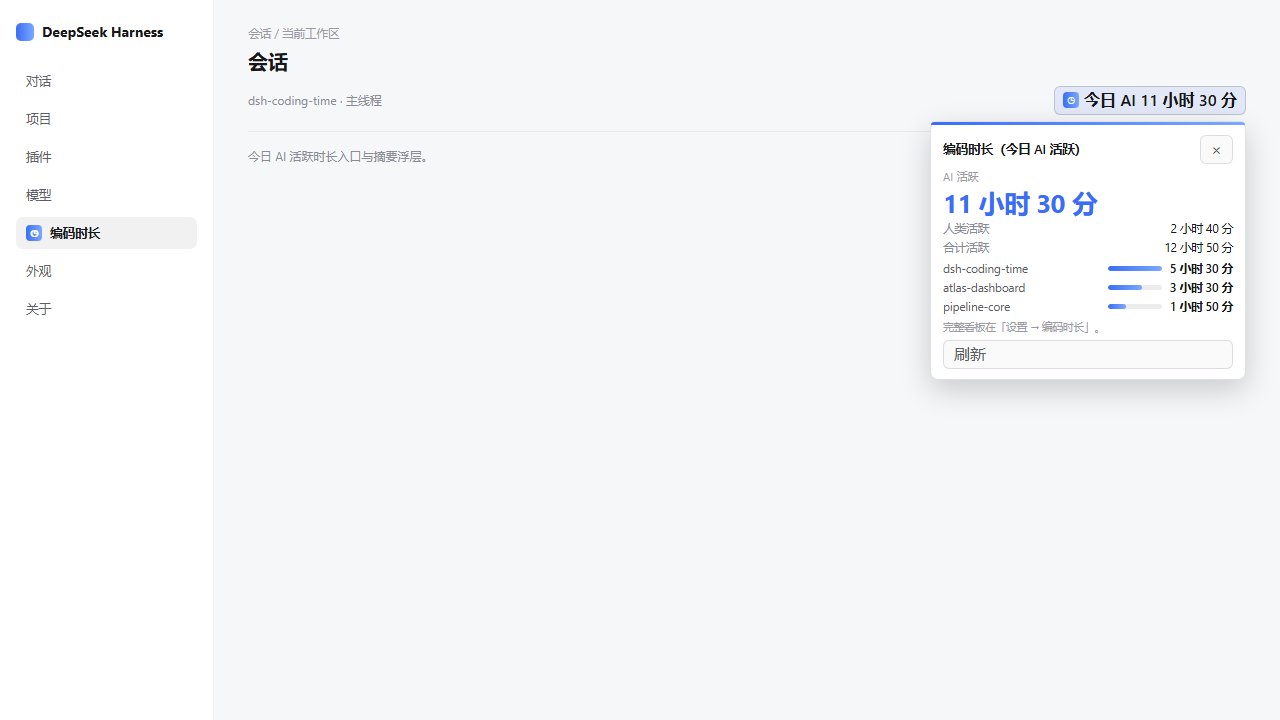
The session header shows today's AI active time at a glance and opens a compact summary popover.
What it does
- Active time by project. Records wall-clock intervals of AI activity (tool calls and assistant events), grouped by working directory. Overlapping intervals are merged into a union, so the total is never a simple sum.
- Real line accounting. Added and deleted lines come only from explicit diff metadata returned by tools. Missing metadata stays unknown — it is never filled in as zero.
- Optional human timing. Off by default. It becomes available only when an editor integration supplies explicit real-input evidence.
- Time by file. Active intervals are apportioned across the files they touch and shown as a donut chart, with a per-file share breakdown.
- Project ranking. Projects are listed by union active time with a duration bar and a percentage of the leading project.
- Daily activity. A bar chart of AI (and, when connected, human) time per day.
- Recent activity and file changes. A short timeline of recent events, plus a read-only snapshot of the current Git working tree per project.
- Settings. Heartbeat, idle and flush intervals, collection switches, the local storage directory and storage statistics — all editable in the Host's settings page when a writable config namespace is available.
- CSV export. Download the summary as CSV; unknown values stay distinct from zero.
How it stays local
The Web dashboard mounts onto the Harness's existing webServer — the plugin
adds no HTTP listener of its own. It reads from same-origin local routes and
writes JSONL under <storageDirectory>/<profile>/. There is no third-party
API call, no outbound statistics, and no credentials stored or read by the UI.
Runtime code uses only Node built-ins; the settings form uses the Host-provided
@deepseek-ai/schemastery peer dependency to build its config schema.
Uncollected or not-connected values are shown as such (for example "not
collected" or "not connected"), never as a fabricated 0.
Install
From npm:
npm install dsh-coding-time@0.1.0
dsh plugin --profile web add dsh-coding-time
Or straight from the GitHub repository:
dsh plugin --profile web add 'https://github.com/Dclef/dsh-coding-time'
Requires Node >=22.14.0 and a running Harness with the dsh CLI on PATH.
See docs/INSTALL.md for details.
Configuration (defaults)
| Field | Default |
|---|---|
enabled |
true |
heartbeatIntervalSeconds |
60 |
idleThresholdSeconds |
180 |
flushIntervalSeconds |
10 |
trackAgentActivity |
true |
trackAiLines |
true |
humanTracking.enabled |
false |
storageDirectory |
~/.dsh/coding-time |
timezone |
local IANA zone |
weekStartsOn |
1 (Monday) |
exclude |
common build, VCS and secret paths |
idleThresholdSeconds must be at least heartbeatIntervalSeconds. Unknown
fields, credential fields, invalid numbers, invalid timezones and non-absolute
directories are rejected rather than silently clamped.
Development
npm test                                   # full test suite
npm run check                              # syntax-check every .js source file
node --test test/summary-contract.test.mjs # real apply + /summary HTTP contract
npm pack --dry-run                         # offline packaging check
Status
Experimental, local-only, published as source for review and self-hosting. Settings are editable only when the Host exposes this plugin's own writable Config namespace; otherwise the client shows an explicit read-only state and sends zero save requests. Automated tests passing is not a claim of manual browser acceptance.
License
MIT — see LICENSE.
Chinese documentation: README.zh.md.
No comments yet. Be the first to write one.