dsh-import-agents
English · 简体中文



dsh-import-agents imports sessions, chat history, and agents from pi, opencode, codex, and claude-code into DeepSeek Harness (dsh). Imported sessions appear in the session list and can be resumed with the full conversation history as context; custom agents and mode prompts become discoverable dsh skills; a one-click Sync button in the composer runs the whole import.
| Resource | Link |
|---|---|
| 中文文档 | README.zh.md |
| npm package | dsh-import-agents |
| Source code | github.com/Chang-Tong/dsh-import-agents |
Table of Contents
Features
- Four sources, one command. Import sessions from pi (JSONL), opencode (SQLite), codex (JSONL), and claude-code (JSONL) — as real, resumable dsh sessions.
- Truly resumable. Browse the full original history (text, reasoning, tool calls) and continue the conversation — the model gets the complete context.
- Agents become skills. pi agents / mode prompts and opencode agents are converted into dsh skill bundles under
$DSH_AGENTS_HOME/skills, with provenance recorded in frontmatter (metadata.source/metadata.kind). - One-click Sync button. A small control in the composer tool row runs
/import-alland shows the result inline. - Migration prompt on session start. When a new top-level session starts and unimported history exists, the plugin asks whether to migrate — per-project decisions are remembered, so it never nags twice.
- Workspace placement. Imported sessions attach to a workspace matching their original
cwd(created on demand);/attach-workspacesretro-fits existing imports. - Idempotent. Stable ids (
pi-<uuid>/oc-<id>/codex-<id>/claude-<id>); re-imports skip what already exists. - Zero runtime dependencies. Node built-ins (
node:zlibzstd,node:sqlite) plus dsh platform modules.
Screenshots
Taken from a clean Docker demo environment (English UI) with sample pi / codex sessions.
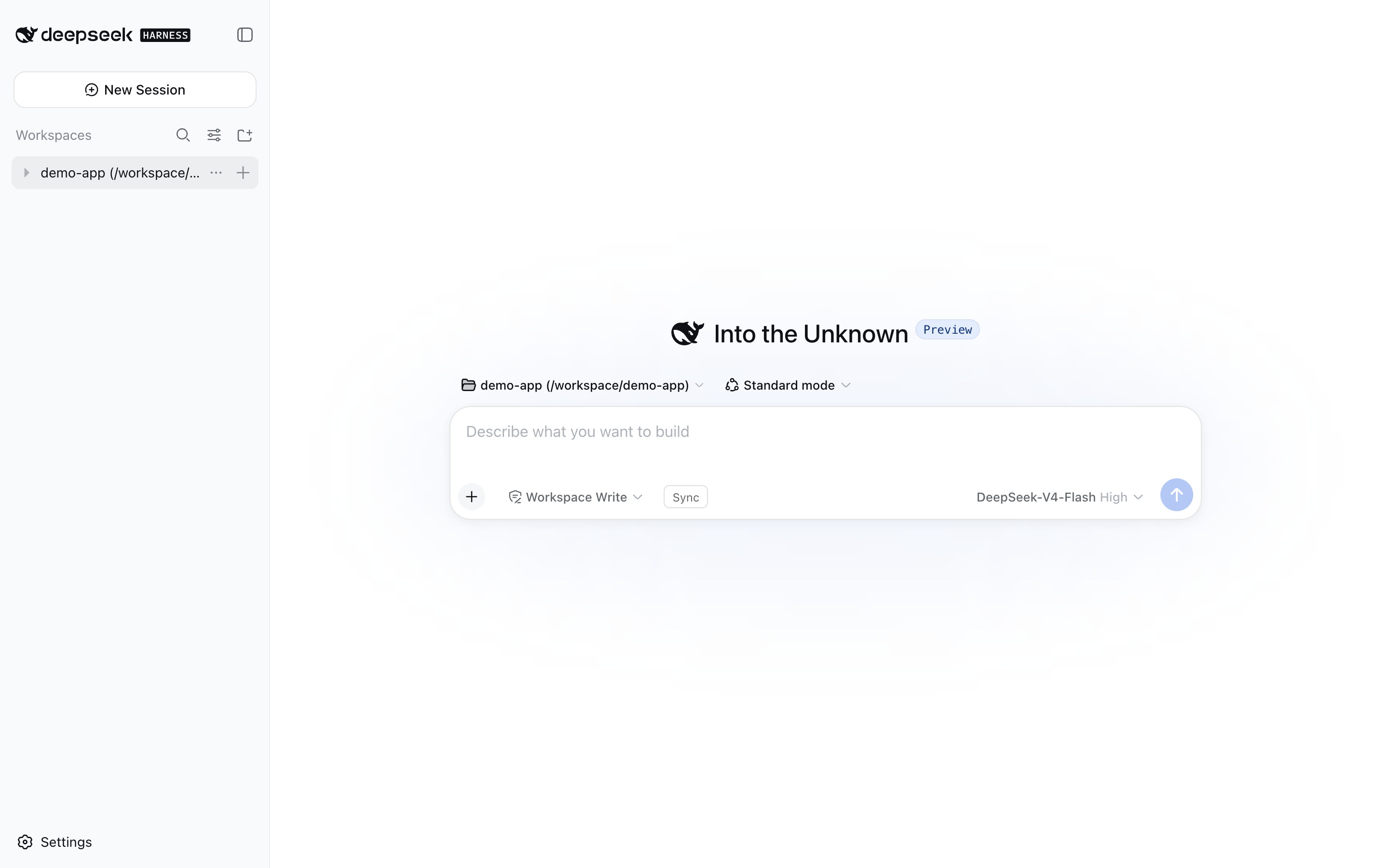
The dsh web UI with the Sync button in the composer tool row:
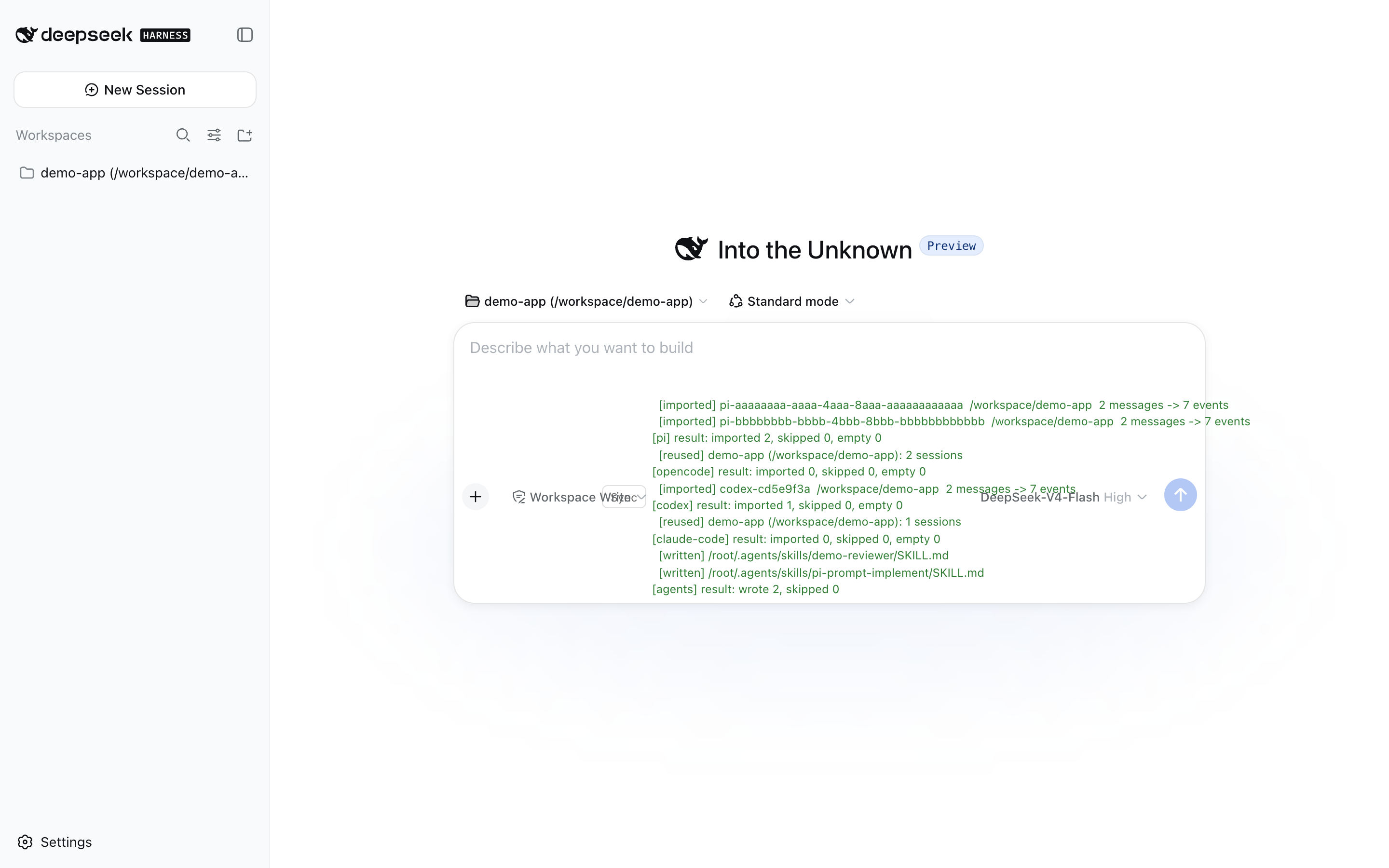
Clicking Sync runs the full import and shows the result inline:
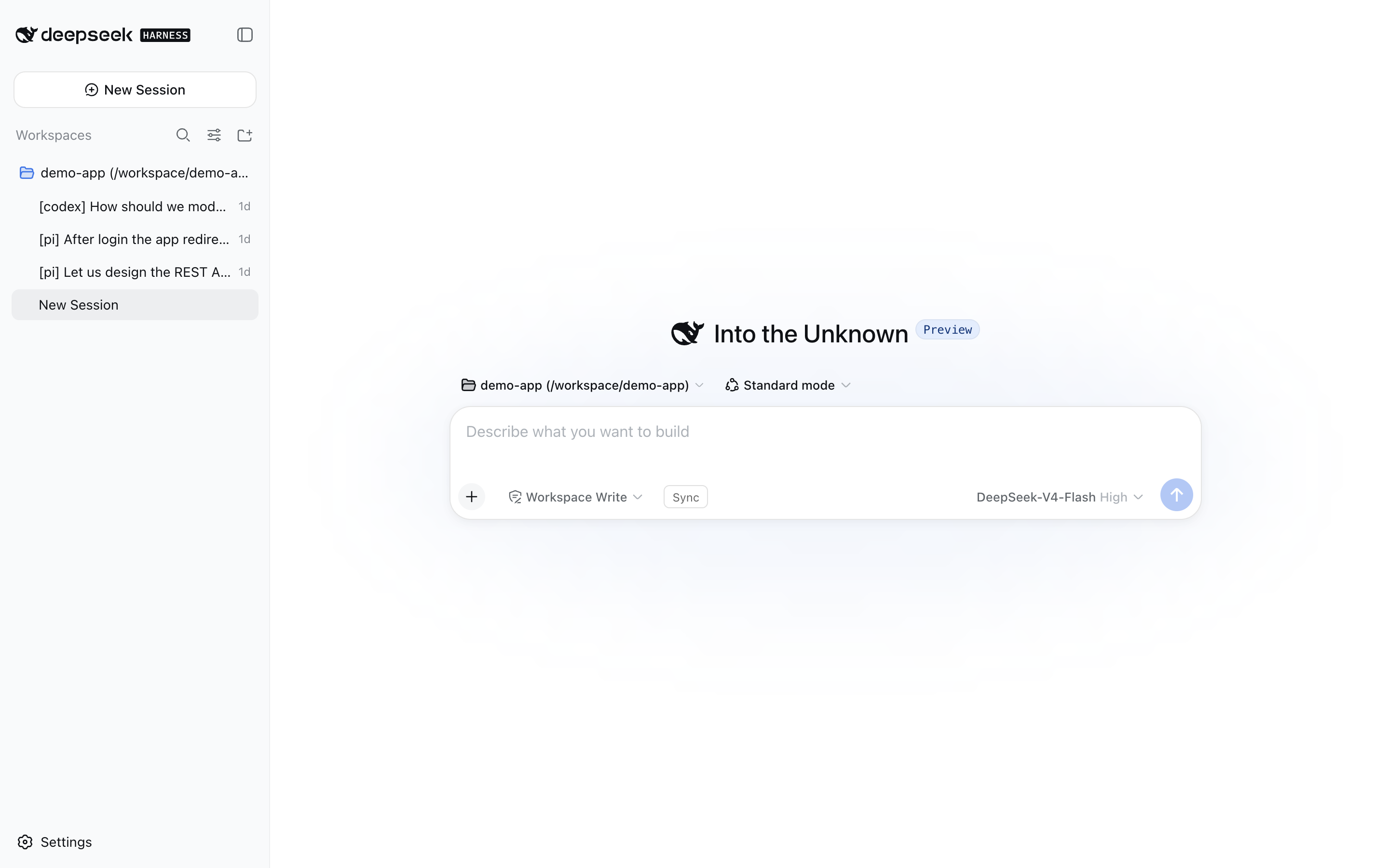
Imported sessions land in a workspace matching their original project folder, with source-tagged titles ([pi], [opencode], [codex], …):
An imported session opens like a native dsh session — text, reasoning, and tool calls are preserved, and you can keep talking:
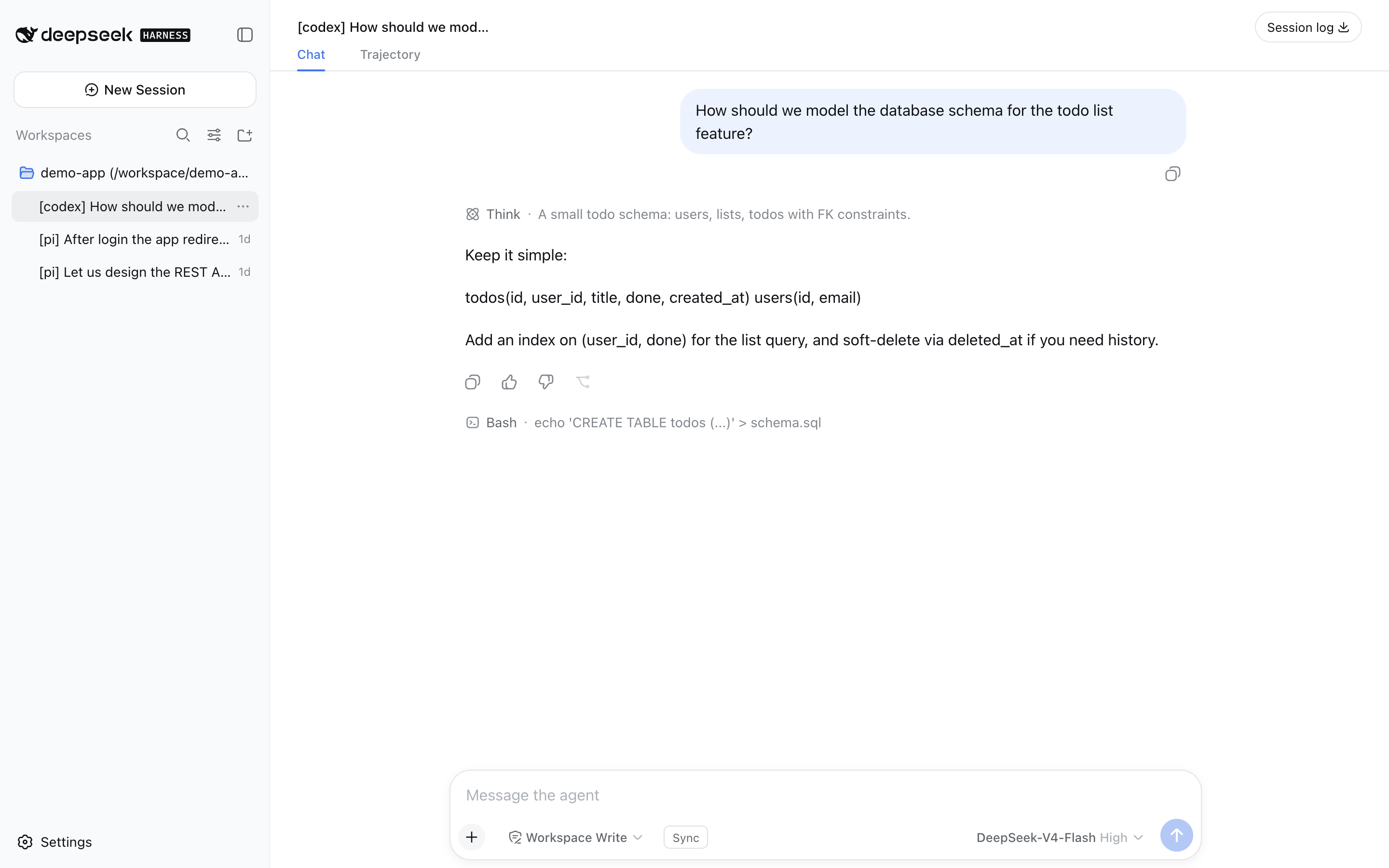
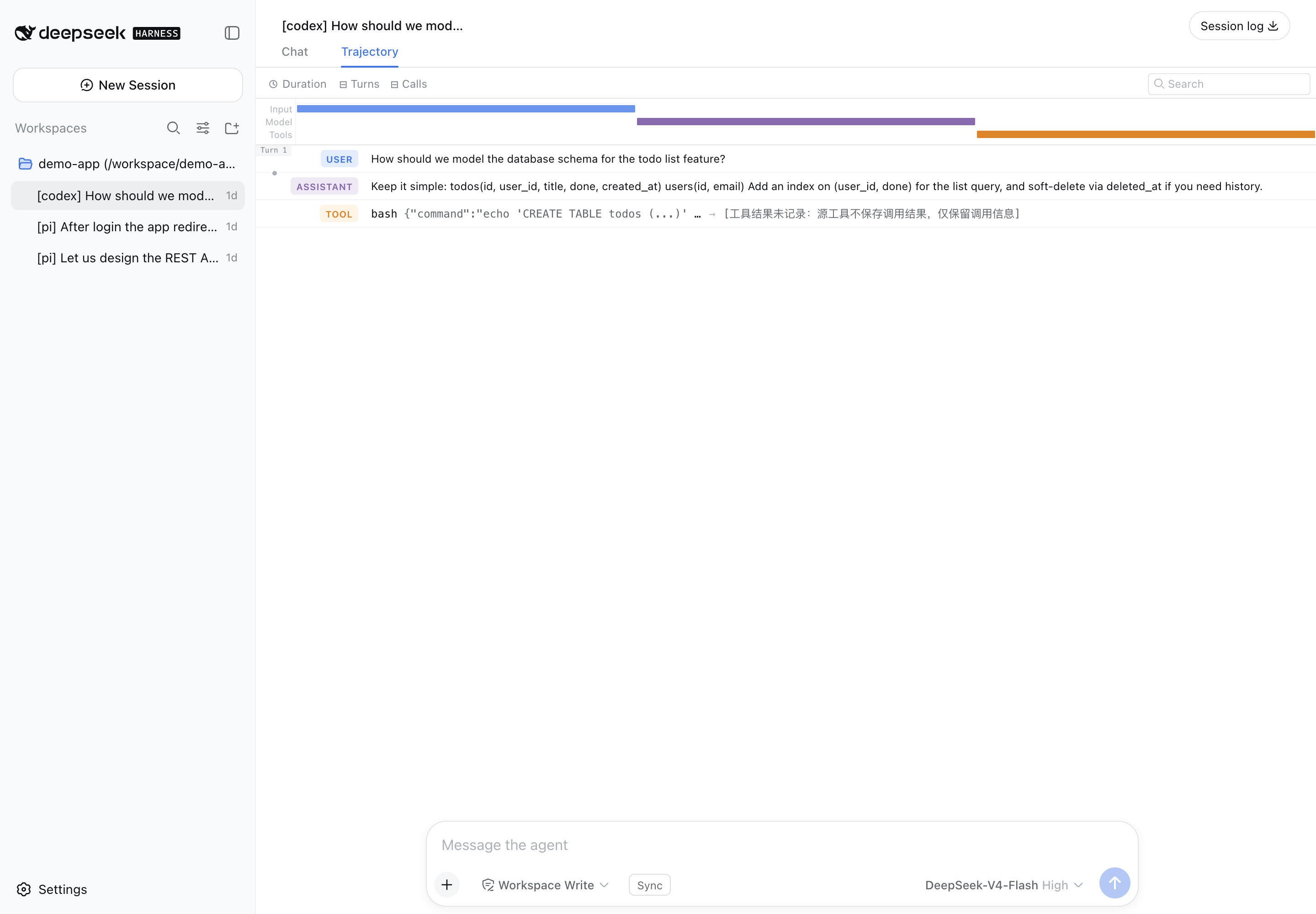
Tool calls survive the import as real trajectory entries — the Trajectory tab renders a card per call (here a bash call from the imported codex session):
Installation
The plugin is published on npm as dsh-import-agents and declares a dsh.bundle, so the official one-command installer activates it automatically.
One command (recommended)
dsh plugin --profile web add dsh-import-agents
dsh plugin add installs the package and appends it to the profile's bundle list (the layer is active — no manual config). Then restart dsh web and refresh the page.
Every
pnpmverb works throughdsh plugin --profile <name>— e.g.dsh plugin --profile web remove dsh-import-agentsuninstalls.
Install sources (spec)
The <spec> argument is a standard pnpm package spec:
| Source | Command |
|---|---|
| npm (latest) | dsh plugin --profile web add dsh-import-agents |
| npm (exact / range) | dsh plugin --profile web add dsh-import-agents@0.2.4 · @^0.2 |
| GitHub (short) | dsh plugin --profile web add github:Chang-Tong/dsh-import-agents |
| GitHub (pinned commit) | dsh plugin --profile web add github:Chang-Tong/dsh-import-agents#<sha> |
| Git URL | dsh plugin --profile web add git+https://github.com/Chang-Tong/dsh-import-agents.git · #v0.2.4 |
| Local checkout | cd <checkout> && dsh plugin --profile web add . or file:/path/to/dsh-import-agents |
| Dev link | dsh plugin --profile web add link:/path/to/dsh-import-agents |
| Tarball | dsh plugin --profile web add ./dsh-import-agents-0.2.4.tgz (or an https://… URL) |
Notes:
- Relative specs (
.,../plugin, and theirfile:/link:forms) are anchored to the invoking directory —add .from a plugin checkout installs that checkout. - Git-hosted plugins that build during install run their
preparescript, which pnpm ≥ 10 blocks until allowed: the firstaddfails with anallowBuildshint — copy the printed key into the profile'spnpm-workspace.yamland re-run. Installing a built tarball or a local checkout needs no allowance. - After every install, dependencies whose manifest declares
dsh.bundlejoin the layer stack automatically; bundle-less packages install as plain dependencies (one-time warning).
Restart and verify
- Restart
dsh web— the host plugin registers its slash commands at startup; the client bundle (the Sync button) is served automatically. - Refresh the page — the old page's RPC connection is gone after a restart.
- Verify: the composer tool row shows the Sync button, and
/import-allanswers in the input.
# optional sanity checks
npm view dsh-import-agents version     # latest published version
pnpm list dsh-import-agents            # installed in the profile
Disable the session-start migration prompt with
config: { offerOnStart: false }on the inserted row. Source paths and defaults are overridable the same way — see Configuration.
Usage
Quick start
- Refresh the page after a restart.
- Click Sync in the composer tool row — or type
/import-allin the input. - Imported sessions appear in the session list (grouped by workspace); imported agents appear as skills.
Everything is idempotent — run it as often as you like; already-imported sessions are skipped.
Slash commands
| Command | What it does |
|---|---|
/import-pi [options] |
Import pi sessions |
/import-opencode [options] |
Import opencode sessions |
/import-codex [options] |
Import codex sessions |
/import-claude-code [options] |
Import claude-code sessions |
/import-agents |
Convert pi/opencode agents & prompts into dsh skills |
/import-all [options] |
All of the above (4 sources + agents) |
/attach-workspaces |
Attach imported sessions to cwd-matched workspaces (retro-fit) |
Options: --limit N · --project <substr> · --since <iso|ms> · --no-tools · --tools-as-text · --tool-truncate N
CLI (no dsh needed)
node import.mjs all                # dry-run preview (writes nothing)
node import.mjs all --apply        # write sessions + skills
node import.mjs sessions codex --apply --limit 20   # one source at a time
node import.mjs agents --apply     # agents/prompts → skills only
node export.mjs                    # export sessions as Markdown for any agent to read
import.mjsdefaults to dry-run; pass--applyto write.allimports pi + opencode + codex + claude-code + agents — the same four sources as the in-GUI/import-all.export.mjswrites$DSH_HOME/exports/<source>/<session-id>.md(--source,--project,--limit,--since,--out,--no-reasoning,--no-tools).
How it works
flowchart LR
    subgraph sources["Local data"]
        PI["pi sessions<br/>~/.pi/agent/sessions/*.jsonl"]
        OC["opencode sessions<br/>~/.local/share/opencode/opencode.db"]
        CX["codex sessions<br/>~/.codex/sessions/**/*.jsonl"]
        CC["claude-code sessions<br/>~/.claude/projects/**/*.jsonl"]
        AG["pi agents & prompts<br/>opencode agents"]
    end
    subgraph plugin["dsh-import-agents"]
        R["readers<br/>pi / opencode / codex / claude-reader"]
        C["convert<br/>turn structure + tool events"]
        W["write<br/>dsh JSONL persistence<br/>or ctx.sessionPersistence"]
        S["skills<br/>SKILL.md bundles"]
    end
    subgraph dsh["DeepSeek Harness"]
        SL["session list & resume"]
        TR["trajectory & tool cards"]
        SK["ctx.skills.list()"]
    end
    PI --> R
    OC --> R
    CX --> R
    CC --> R
    AG --> S
    R --> C --> W --> SL
    W --> TR
    S --> SK
The importer is a pure converter: lib/ parses each source format into a normalized message stream, then emits the exact dsh JSONL event layout (checksummed zstd frames, project-dir encoding) — byte-for-byte the format the dsh persistence backend reads back with its own list / load / prepare.
Sessions. Each user message opens a turn (turn/start + user/message); following assistant messages join it with increasing step numbers; every turn closes with turn/end. pi thinking → dsh reasoning blocks. pi toolCall, opencode tool, claude tool_use, codex tool_use → tool-call content blocks plus paired tool/call + tool/result events: the trajectory UI renders call cards, and the placeholder tool/result answers every tool_calls so OpenAI-compatible APIs accept resumed requests. --tools-as-text switches to plain text (no trajectory cards); --no-tools drops tool calls. Mechanical records (step-start, patch, compaction, …) are skipped.
Agents & prompts → skills. Written to $DSH_AGENTS_HOME/skills/<name>/SKILL.md (default ~/.agents/skills/), discoverable via ctx.skills.list(). Name conflicts are renamed <name>-<source> (e.g. k3-reviewer-opencode); existing bundles are only completed, never clobbered; identical content is skipped; frontmatter records metadata.source / metadata.kind.
Configuration
| Key | Default | Meaning |
|---|---|---|
offerOnStart |
true |
Ask about migration when a new top-level session starts |
piRoot |
~/.pi/agent/sessions |
pi session root |
piAgentRoot |
~/.pi/agent |
pi agents & prompts root |
opencodeDb |
~/.local/share/opencode/opencode.db |
opencode SQLite path |
opencodeConfig |
~/.config/opencode |
opencode agents root |
codexRoot |
~/.codex/sessions |
codex session root |
claudeRoot |
~/.claude/projects |
claude-code projects root |
skillsRoot |
$DSH_AGENTS_HOME/skills |
skills output root |
toolTruncate |
1000 |
tool-call arguments truncation (chars) |
The migration prompt only fires for brand-new top-level sessions (startup, not subagents) that have a cwd and unimported history. Per-project decisions and the global agents decision are stored in $DSH_HOME/import-pi-opencode-state.json; headless environments without a UI provider silently skip the prompt.
Testing
verify.mts— mounts the real dsh JSONL backend + skill provider on staged output (node --import tsx/esm ../dsh-import-agents/verify.mts <sessions-root> <skills-root>from the dsh checkout) → expectsSESSIONS ALL PASS / SKILLS ALL PASS.plugin/plugin-test.mts— end-to-end: loads the plugin on a real cordis context, runs the commands and the session-start migration offer, asserts idempotency and state persistence.tests/— Vitest component tests for the Sync button (sync-button.spec.tsx,sync-button-hide.spec.tsx), plusopencode-reader.spec.tsandattach-workspaces.spec.ts.- CI (GitHub Actions,
macos-latest, Node 22):pnpm install→pnpm run build→npx vitest run.
pnpm install          # devDependencies (esbuild, vitest)
pnpm run build        # rebuild lib/client.js (Sync button bundle)
npx vitest run        # component tests
FAQ
Why does Sync say "new imports 0, skipped N"? Idempotency working as intended: those sessions were imported before, so they are skipped. Nothing is duplicated.
Tool call results are missing — why?
The source formats do not store tool results, only the calls. Imports keep the calls as tool-call blocks with placeholder tool/result events, so the trajectory renders cards and resumed requests stay API-legal.
Will it keep asking me to migrate?
Only while unimported sessions exist, and only per project. Once you decline or an import completes, the decision is remembered in $DSH_HOME/import-pi-opencode-state.json.
Why do I need to refresh after a dsh restart? The old page's RPC connection is gone after a restart; commands (and the Sync button) fail until you refresh.
Node version requirement?
Node ≥ 22.19 — same baseline as dsh (node:sqlite, zstd via node:zlib).
License
MIT — see LICENSE.
还没有评论,来写第一条。