BrowserRig
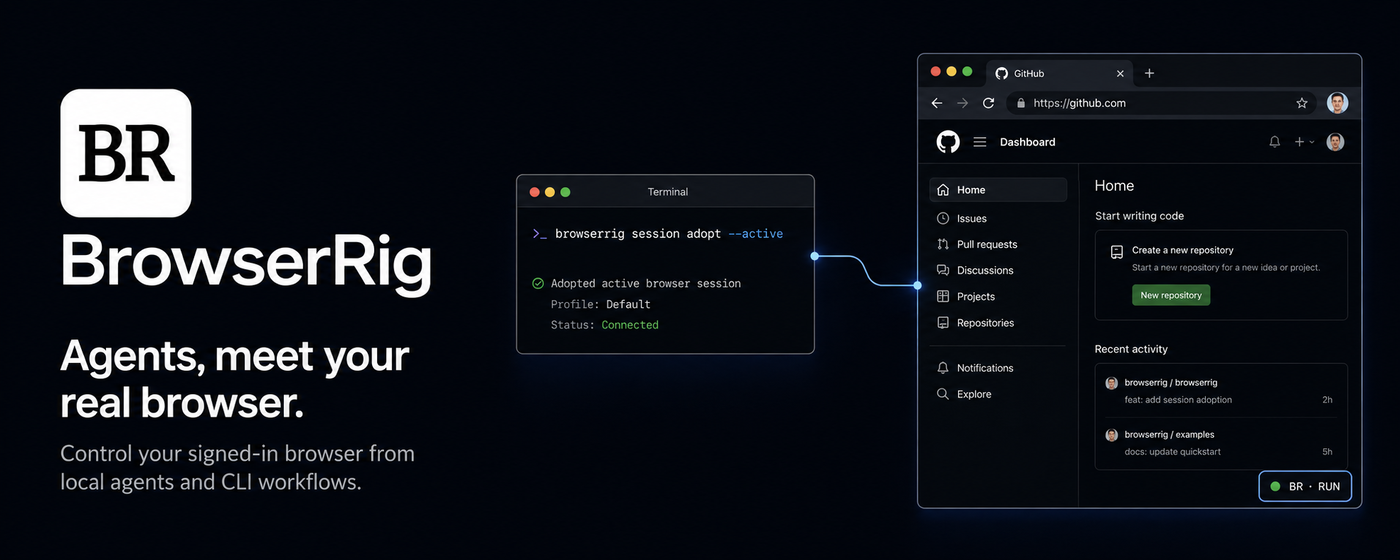
BrowserRig lets trusted coding agents run Playwright against your existing Chromium-family browser. It uses your real browser profile, including logged-in sessions and installed extensions, instead of launching a separate headless browser.
BrowserRig is the independent open-source product—not an authorization middle layer for another browser-agent ecosystem. It is derived from the MIT-licensed upstream driver while owning its CLI, npm, extension, and Store identity.
Why BrowserRig
It is built for the awkward gap between browser automation and a person's daily browser:
- Your real, signed-in browser. Reuse the Chrome window, cookies, sessions, and extensions you already have.
- No blocking remote-debugging approval. BrowserRig does not connect to Chrome's browser-wide remote-debugging endpoint, so it does not trigger the recurring Allow remote debugging? dialog.
- No toolbar click for the active tab.
session adopt --activefinds, attaches, and adopts the active tab in the last-focused browser window in one command. - Background work that keeps your focus. A normal
executecreates a background tab in the same browser profile instead of switching the visible tab or launching another browser. - A complete local driver, not an agent wrapper. The CLI, Playwright execute sessions, MCP server, recording, network capture, and human handoff remain available without bundling an LLM or requiring a hosted service.
How BrowserRig compares
BrowserRig combines an open-source, CLI/skill-first driver with durable access to the signed-in browser you already use. The comparison below focuses on that core workflow.
| Capability | BrowserRig | Kimi WebBridge | agent-browser | Chrome DevTools MCP |
|---|---|---|---|---|
| Open-source core | ✅ | ❌ | ✅ | ✅ |
| CLI / skill-first | ✅ | ✅ | ✅ | ❌ MCP-first; tool schemas consume context |
| Reconnect to your signed-in Chrome without another browser approval | ✅ | ✅ | ❌ Reconnects and browser restarts can require another “Allow remote debugging?” click |
❌ Each auto-connect attempt requires Remote Debugging approval |
The extension still uses Chrome's debugger API to carry CDP commands. The
difference is the transport and authorization scope: extension attachment
instead of Chrome's browser-wide remote-debugging connection. Chrome may show
its standard non-blocking debugging infobar while a tab is attached, but no
per-tab approval click is required.
Agent (DSH plugin, CLI, or MCP) -> local relay -> browser extension -> your browser
The driver runs locally and does not contain an LLM or make planning decisions. Its primary interface is code: an agent sends a Playwright snippet and receives the result, logs, warnings, and a summary of what changed.
Quick Start
BrowserRig requires Node.js 22.22.0 or newer and a Chromium-family browser such as Chrome, Brave, Edge, Arc, or Chromium.
Setup has two required parts: connect BrowserRig to the agent runtime you use, then install the browser extension. DeepSeek Harness uses the native DSH bundle; other coding agents can use the CLI skill or MCP server.
1. Connect your agent
DeepSeek Harness
The root browserrig package follows DSH's
official bundle installation model.
Install it into the DSH profile you run, then inspect the composed layer:
dsh plugin --profile web add browserrig
dsh --profile web --dump-config
This route needs neither a global browserrig CLI nor a separately installed
BrowserRig skill. The bundle carries its matching package-local CLI runtime,
six typed browserrig_* tools, and concise operating guidance. It binds one
persistent BrowserRig session to each DSH agent session without exposing or
asking the model to remember BrowserRig session IDs.
CLI and skill-driven agents
Install the independent package globally:
npm install --global browserrig
This installs browserrig for CLI and skill-driven agents and
browserrig-mcp for MCP clients.
The packaged skill teaches coding agents how to inspect before acting, preserve session identity, handle human-only steps, and recover from browser failures. Install it with the skills CLI:
npx skills add Castor6/BrowserRig --skill browserrig -g
Choose the agents you use when prompted. The global -g installation makes the
skill available across projects.
Castor6/BrowserRig is BrowserRig's independent repository identity.
BrowserRig does not edit agent configuration itself. To inspect or install the
skill manually, print the exact bundled text:
browserrig skill
Optional MCP server
The skill and MCP server do different jobs. The skill teaches the workflow; MCP exposes BrowserRig as tools. Agents that can run shell commands need only the skill. Add MCP when your client prefers MCP tools.
For OpenCode:
// opencode.json
{
  "mcp": {
    "browserrig": {
      "type": "local",
      "command": ["browserrig-mcp"]
    }
  }
}
For Claude Code:
claude mcp add browserrig -- browserrig-mcp
CLI and MCP clients share the detached relay, but each execute session keeps its
own default page and persistent JavaScript state. Restarting an MCP process
does not stop the relay or interrupt an active CLI session.
2. Install the extension
Install BrowserRig from the Chrome Web Store, then optionally pin its toolbar button for manual attach/detach. Store installs receive extension updates automatically after each new version passes Chrome Web Store review.
For source development or a browser that cannot use the Store listing, load the packaged development build instead:
Print the extension directory for the installation route you chose:
# DeepSeek Harness profile (replace web if you use another profile)
printf '%s\n' "${DSH_HOME:-$HOME/.dsh}/profiles/web/node_modules/browserrig/extension/dist"

# Global npm installation
printf '%s\n' "$(npm root --global)/browserrig/extension/dist"
Open
chrome://extensionsor your browser's equivalent, such asbrave://extensions.Enable Developer mode.
Select Load unpacked and choose the printed directory.
Optionally pin the BrowserRig toolbar button for manual attach/detach.
3. Run your first browser command
Start the configured DSH profile and ask its agent to use BrowserRig:
dsh --profile web
For a direct CLI installation, verify it with:
browserrig execute 'await page.goto("https://example.com"); return { title: await page.title(), url: page.url() }'
Both routes start the same detached local relay when needed and open a
background tab in your existing browser profile. Direct CLI calls print a
readable session ID with the exact --session command needed to continue; the
DSH plugin keeps that continuity internal. The relay listens on
127.0.0.1:19990 and stays running between calls.
A successful run returns the Example Domain title, a generated session ID,
and a continuation command. browserrig status then reports the extension
as connected.
Check the installation at any time with:
browserrig doctor
browserrig status
doctor and status are read-only. They report a stopped relay but never start
one. Use browserrig serve only for foreground debugging.
Native DeepSeek Harness Integration
The DSH bundle is a thin, native adapter over BrowserRig rather than a second browser driver or an MCP wrapper. It contributes these tools directly to DSH:
browserrig_executeruns Playwright JavaScript in the DSH session's persistent page and returns structured values, logs, warnings, aftermath, and DSH image attachments when available.browserrig_adopt_activeadopts the user's active signed-in tab directly.browserrig_statusreports readiness and only this DSH session's projected browser state.browserrig_resetresets that session without closing an adopted user tab.browserrig_journalreads its recent BrowserRig execute history.browserrig_issue_reportrecords a sanitized BrowserRig product or operational issue without exposing the internal session id.
Each DSH agent session maps durably to one BrowserRig session at the configured
relay endpoint. First use creates the mapping atomically; an explicitly missing
BrowserRig session is replaced once, while unrelated DSH tasks remain isolated.
Only the stable session-not-found code permits that replacement; active-worker,
ownership, endpoint, persistence, and other failures preserve the mapping.
Internal BrowserRig IDs and the global target list are not returned to the model.
The adapter invokes the CLI shipped in the same npm package with fixed argument arrays, validated JSON envelopes, bounded output, and DSH cancellation. There is no arbitrary shell or CLI passthrough, no separate global executable to drift out of version, and ambient CLI session or target selectors cannot override the DSH task binding. There is also no duplicate click/fill/navigation micro-tool layer. Direct CLI, MCP, and library users remain independent of DSH.
TypeScript Client
The package also exports an Effect client for applications that need structured browser-authenticated requests without executing generated JavaScript:
npm install browserrig effect@4.0.0-beta.97
import { BrowserRigClient } from "browserrig"
import { Effect, Schema } from "effect"

const program = Effect.gen(function* () {
  const client = yield* BrowserRigClient.make()
  const browserSession = yield* client.ensureSession({ id: "my-app" })
  const account = yield* browserSession.authenticatedOrigin({
    origin: "https://app.example.com",
    startUrl: "/account",
  })

  const sensitive = yield* account.json({
    path: "/api/session",
    method: "POST",
    body: {},
    response: Schema.Struct({ accessToken: Schema.String }),
    sensitive: true,
  })
  const credentials = BrowserRigClient.reveal(sensitive)

  const profile = yield* account.json({
    path: "/api/profile",
    response: Schema.Struct({ name: Schema.String }),
  })
  return { credentials, profile }
})
Requests use window.fetch in the session's current page, so ambient browser
cookies stay in the browser. Paths must be same-origin, redirects are blocked,
responses are bounded, and mutations are never retried automatically. Set
sensitive: true to receive Redacted<A>; sensitive requests bypass execute
journals and are rejected while session network capture is active. Reveal a
sensitive result with BrowserRigClient.reveal; this keeps unwrapping in
the same Effect runtime that created the redacted value, including when an
application and BrowserRig resolve separate Effect package instances.
Client construction waits through a bounded extension reconnect window even
when the matching relay was already running. A session summary reports
connected: true only when its Playwright transport and live default page are
both available.
Use resetSession(id) to replace a persisted session generation that is no
longer connected before creating a new authenticated-origin capability.
Work in Sessions
A bare execute creates a fresh session. Pass its ID to continue with the same
page and state:
browserrig session new docs
browserrig execute --session docs 'await page.goto("https://example.com/docs"); state.visits = (state.visits ?? 0) + 1; return state.visits'
browserrig execute --session docs 'return { url: page.url(), visits: state.visits }'
browserrig journal --session docs
The journal is a best-effort local activity record stored under
~/.browserrig/sessions/<id>/journal.jsonl. It includes bounded script and
result previews and remains after session deletion. Do not embed passwords,
tokens, or other credentials directly in execute code.
Single expressions return automatically, so this shorter form also works:
browserrig execute --session docs 'await page.title()'
Use --file script.js for longer programs and --json for a machine-readable
result envelope. Delete the session when you finish:
browserrig session delete docs
Deletion is idempotent for a resolved session id, so cleanup can be safely retried when that session is already absent.
Control an Existing Tab
Relay-created pages are isolated from other BrowserRig sessions. To adopt the active tab in the last-focused browser window, no extension click or URL matching is needed:
browserrig session new github
browserrig session adopt --session github --active
browserrig execute --session github 'return { title: await page.title(), url: page.url() }'
--active resolves and attaches the tab inside the extension, then adopts it
through the same ownership transaction used by existing attached tabs.
The toolbar remains useful when you deliberately want to expose several tabs at
once or select a non-active tab later. Click the toolbar button on those tabs,
then choose exactly one with --target-url or --target-index:
browserrig session adopt --session github --target-url github.com
Adoption is exclusive to one BrowserRig session. Resetting or deleting the session releases an adopted user tab without closing it.
Inspect Before Acting
Execute code receives normal Playwright browser, context, and page
objects, plus BrowserRig helpers. snapshot() is the compact default for
reading a page before interaction:
browserrig execute --session github 'return await snapshot()'
Snapshot controls include refs such as [ref=e12]. Use a ref in the next call:
browserrig execute --session github 'await ref("e12").click(); return await snapshot({ diff: true })'
Refs belong to the latest snapshot and become stale after navigation. They combine structural and accessible identity so DOM drift fails closed instead of silently targeting a different control.
Other inspection helpers include:
ariaSnapshot()for a deeper accessibility-tree view with native text-control values, custom ARIA range values, and editable content omitted; concurrent guarded snapshots are supported, but await them before other same-page workscreenshotWithLabels()for an annotated screenshot and element metadatafillInput()andfillInputs()when browser extensions interfere with Playwright's normallocator.fill()
The native DSH bundle supplies its own concise operating guidance. For direct
CLI and MCP agents, the packaged skill gives the full workflow and canonical
examples; command --help output remains the source of truth for detailed
options.
Pause for Human-Only Steps
Use handoff() for CAPTCHA, 2FA, payment confirmation, or another step that a
person must complete:
await handoff("Complete 2FA, then use the in-page continue control")
await page.getByRole("heading", { name: "Dashboard" }).waitFor()
return page.url()
If the click itself can block on native WebAuthn or payment UI, register the handoff before triggering it:
await handoff("Complete the security-key prompt, then continue", {
  timeoutMs: 600_000,
  start: () => page.getByRole("button", { name: "Use security key" }).click({ timeout: 600_000 }),
})
The page displays an accessible completion control and the script waits. Always
verify the expected URL or element after the handoff; human acknowledgment does
not prove that the requested step succeeded. After the handoff resolves,
BrowserRig waits through transient destination context replacement so the same
execute can perform that verification. BrowserRig waits for the extension to
acknowledge WAIT before calling start. If the handoff times out or its target
disappears first, it disconnects that sandbox's Playwright connection before
releasing the execute permit, preventing a still-pending prompt action from
mutating the page later. Keep start limited to the bounded browser action that
opens the native prompt.
Use Read-Only Sessions
Read-only sessions reject mouse and keyboard CDP commands while allowing navigation, inspection, and screenshots:
browserrig session new inspect --read-only
browserrig execute --session inspect 'await page.goto("https://example.com"); return await snapshot()'
Read-only mode prevents accidental Playwright input. It is not a security
sandbox: trusted code can still mutate a page with page.evaluate().
Record a Session
browserrig recording start ./demo.webm --session github
browserrig recording status --session github
browserrig recording stop --session github
Automatic mode prefers browser tab capture for user-owned tabs and uses CDP
screencast for relay-created tabs. Chrome grants tab/audio capture only after a
user invokes the extension on that tab. If a no-click adopted tab lacks that
grant and audio was not requested, automatic mode falls back to CDP. Explicit
--mode tab-capture and --audio still require one toolbar invocation; if the
click detaches an already controlled tab, rerun session adopt --active before
recording. Tab capture writes WebM and can include audio. CDP writes WebM or MP4,
requires ffmpeg on PATH, activates the recorded tab, and has no audio.
Derive a Direct Client
Capture authenticated API exchanges across as many execute calls or human handoffs as the workflow needs:
browserrig network start --session github --url /api/ \
  --resource-type fetch --resource-type xhr
browserrig execute --session github --file ./perform-flow.js
browserrig network stop --session github \
  --output ./github.har --secrets github
BrowserRig records normalized request/response exchanges itself; HAR is an
interoperable export, not the internal capture model. Written artifacts replace
cookies, authorization headers, CSRF tokens, API keys, and token-like query or
body fields with stable ${BROWSERRIG_SECRET_N} references. Lossless values are
stored separately in a mode-0600 profile under ~/.browserrig/secrets.
Bodies that cannot be reliably redacted, including binary and file-bearing
multipart content, are omitted and reported as truncated.
Unknown-length and compressed response bodies are also omitted so BrowserRig
never materializes them before it can enforce the configured budget.
Generated clients read the referenced environment variables and run without printing or embedding the values:
browserrig secrets status github
browserrig secrets run github -- ./github-cli repositories
browserrig secrets refresh github --session github
secrets refresh reloads the session page and preserves references while
updating values observed at the same source. If reauthentication requires a
human flow, log in through the browser and repeat the capture with the same
profile name instead. Child stdout and stderr are redacted before BrowserRig
returns them.
Report BrowserRig Problems
Agents can retain a BrowserRig-owned operational record without writing a todo or tracking file into the caller repository:
browserrig issue report \
  --classification operational \
  --component relay \
  --summary "Relay recovered after a failed start" \
  --actual "The first start failed and the retry succeeded" \
  --error-code relay/start-failed \
  --recovery "Retried once"
CLI, MCP issue_report, and DSH browserrig_issue_report share the same local
sink under ~/.browserrig/issues/. Reports are sanitized, written with
restrictive permissions, and aggregated by a stable fingerprint. Relevant
session journal timestamps are referenced without copying execute code or
results. Reporting does not require or start the relay.
Use operational for recoverable BrowserRig events, suspected-bug for
repeated or unrecovered BrowserRig product behavior, and security for
potentially sensitive findings. Ordinary locator, assertion, and changing-site
failures stay in the session journal. Security reports never create public
issues.
GitHub submission is off by default. A user may opt in when starting the agent:
export BROWSERRIG_ISSUE_AUTO_SUBMIT=true
Only eligible suspected-bug reports then check for an installed, authenticated
gh and deduplicate against Castor6/BrowserRig before creating an issue.
BrowserRig never enables this setting, starts GitHub authentication, or discards
the local report when GitHub is unavailable.
Safety Boundaries
BrowserRig trusts the local agent code it executes. It is a driver, not an untrusted-code sandbox.
These capabilities are dual-use. The npm package declares that classification
and includes a concrete DISCLOSURE covering intended use,
security boundaries, and prohibited unauthorized access.
The extension privacy policy explains BrowserRig's local data handling, retention, user controls, and Chrome Web Store Limited Use commitment.
The extension requires broad browser permissions, including debugger,
tabCapture, and a status content script on all URLs. Attaching a user tab gives
BrowserRig access to that tab through your existing browser profile.
BrowserRig does not enable or connect to Chrome's browser-wide remote
debugging endpoint. Extension attachment displays Chrome's debugging infobar;
closing that infobar detaches the tab, and a later session adopt --active can attach it again without a blocking approval dialog.
The relay blocks destructive browser-wide CDP commands that clear cookies, clear cache, or close the browser. It also keeps session-owned tabs private from other BrowserRig sessions. These guardrails reduce accidents, but scripts still have access to the selected page, its logged-in state, and a limited set of Node.js filesystem and network APIs.
Current limitations:
- One relay uses one connected browser-profile extension at a time. With
multiple Chrome profiles,
--activeapplies to the profile whose extension is currently connected and that profile's last-focused window. - Browser-internal pages such as
chrome://extensionscannot be attached through Chrome's debugger API. - Playwright download artifacts are unavailable because Chromium blocks the
required download commands through
chrome.debugger. Fetch exposed response bytes and write them with the providedfsmodule instead. - CDP recording requires
ffmpeg, activates the recorded tab, and has no audio. - BrowserRig is intended for trusted local use. It does not provide an authenticated remote relay.
Troubleshooting and Upgrades
- DSH tools are missing: run
dsh --profile <name> --dump-configand confirm thebrowserrigbundle layer is present, then restart that profile. browserrig: command not found: for direct CLI/MCP setup, confirm npm's global binary directory is onPATH, then rerun the global install. Native DSH setup does not require this global command.- Extension disconnected: confirm the Store extension is installed and enabled, then reload it from the browser's extensions page if its reconnect loop does not recover. For source development, reload the unpacked build.
- Another tool is debugging the browser: if BrowserRig repeatedly connects and disconnects while Chrome shows that another product is debugging the browser, end that browser-wide debugging session and reload BrowserRig. Chrome does not let BrowserRig attach the same targets concurrently.
- Active tab is controlled by another debugger: close DevTools or detach the
other debugging extension for that tab, then rerun
session adopt --active. - After an npm upgrade: a Store installation updates independently and does not need to be reloaded manually. Extension and relay release versions may differ when they use the same reported protocol version.
- Stale relay warning: run
browserrig doctor, stop the old relay process it identifies, then rerun a relay-backed command.
For PowerShell development installs, print the unpacked extension path with:
# DeepSeek Harness profile
$dshHome = if ($env:DSH_HOME) { $env:DSH_HOME } else { Join-Path $HOME ".dsh" }
Join-Path $dshHome "profiles/web/node_modules/browserrig/extension/dist"

# Global npm installation
Join-Path (npm root --global) "browserrig/extension/dist"
Development
git clone https://github.com/Castor6/BrowserRig.git
cd browserrig
pnpm install
pnpm build
npm link

pnpm typecheck
pnpm test
pnpm build
SMOKE_CASE=oopif-reconnect pnpm smoke
Extension source changes require pnpm build:extension and reloading the
unpacked extension. Relay-only changes require rebuilding or restarting the
relay, not reloading the extension.
See PLAN.md for architecture and roadmap decisions,
AGENTS.md for contributor invariants,
CONTRIBUTING.md for development and review expectations,
SECURITY.md for private vulnerability reporting,
docs/RELEASING.md for the 2FA-gated npm and Chrome Web
Store release process, and
skills/browserrig/SKILL.md for the
complete agent workflow.
BrowserRig is derived from the MIT-licensed
anomalyco/browser-control
project. The upstream copyright and license notices remain in this repository.
No comments yet. Be the first to write one.