DeepSeek Balance — DSH plugin
Português | English
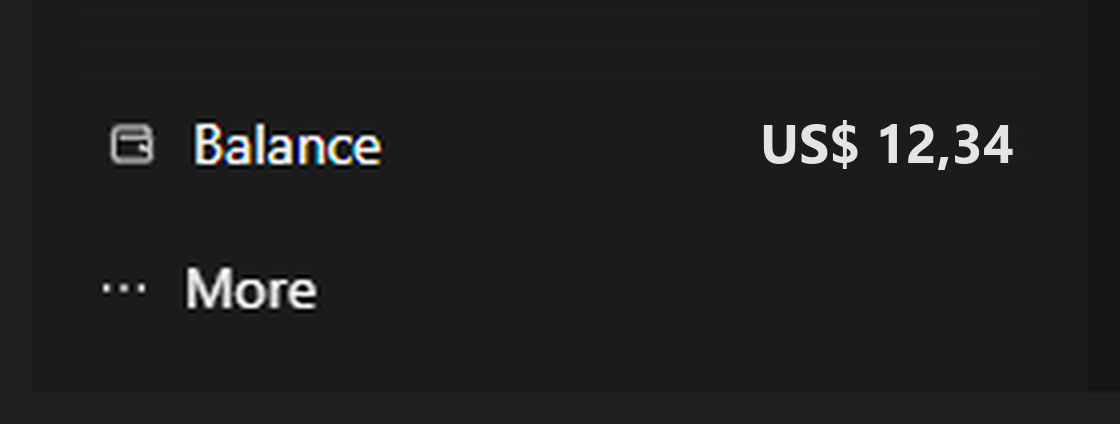
Shows the money balance of your DeepSeek account in the left sidebar, right above the "More" button.
[icon] Balance                    US$ 12.34
[•••]  More
What it does
- Reads the balance from
GET https://api.deepseek.com/user/balanceusing the sameDEEPSEEK_API_KEYcredential the DSHdeepseek-officialprovider uses. - Shows the total balance (topped up + granted) in the currency returned by
the API (usually
USD), formatted with the browser locale. - Refreshes itself every 60 seconds while the window is visible.
- Click the row to force a fresh read (bypasses the 30 s host cache).
- Hover for details: granted, topped up, last read time and a usage hint.
- On failure it shows
—with the reason in the tooltip:DEEPSEEK_API_KEYmissing from credentials/launch environment;- key rejected by the API (HTTP 401/403);
- network failure/timeout;
- balance below the minimum for new requests (value in warning color).
Requirements
- DSH 0.2.1-rc.2 (tested on that version; it uses the client slot API and the authenticated harness Connection).
DEEPSEEK_API_KEYconfigured — on DSH's Models page or as an environment variable of the process that starts the app.- No third-party dependencies and no install scripts.
Install
Clone this repository and install the package folder:
git clone https://github.com/Brunojomosi/dsh-plugin-deepseek-saldo.git
With DSH open, ask the agent:
install the plugin from the folder
C:\path\to\clone
plugin_manager accepts the absolute path of the package. After installing, the
row appears on its own; no restart is needed on the first install.
Repository and issues: https://github.com/Brunojomosi/dsh-plugin-deepseek-saldo
Privacy and security
- The only external address is
https://api.deepseek.com/user/balance. - The key stays inside the host process: the page receives only the number,
currency and timestamp, through an authenticated DSH Connection route
(
/api/deepseek-balance/state). - No telemetry, no file writes, no cookies/localStorage reads, no command execution.
Layout
| File | Role |
|---|---|
lib/index.js |
Host half: registers the authenticated Connection route and calls the DeepSeek API. |
lib/client.js |
Browser half: registers the row in sidebar.footer.action (the space right above the account menu). |
cordis.patch.yml |
Inserts the deepseek-balance entry into the profile Loader. |
locale/en.json, locale/zh.json |
Title and description shown in Settings → Plugins. |
icon.svg |
Plugin icon in the plugin list. |
Where it lives and how to remove
DSH installs the package as a link to a folder on your computer, so that folder must keep existing. A common choice is:
%USERPROFILE%\.dsh-plugins\dsh-plugin-deepseek-saldo
Keep the folder out of Downloads and out of the app installation folder, so
cleanups and DSH updates cannot affect the plugin.
To remove: Settings → Plugins → DeepSeek Balance → uninstall (or
plugin_manager with remove_bundle). Restart the app if the removal asks for
it.
Reinstalling: the browser module id is
dsh-plugin-deepseek-saldo. If you remove and reinstall this same package, DSH may cache the old module as "absent" and the row only comes back after restarting the app — that is harness behavior, not the plugin.
Limitations
- Only visible with the sidebar expanded; in the 56 px rail the row is hidden.
- The balance is the API account balance (
DEEPSEEK_API_KEY). If the key is changed in the environment, the next cycle reads the new balance. - The currency comes from the API and is limited to CNY or USD; when both wallets exist, the row shows USD first and the other currency in the tooltip. Other currencies are not provided and there is no conversion.
License
MIT.
No comments yet. Be the first to write one.