dsh-custom-mode
English | 中文
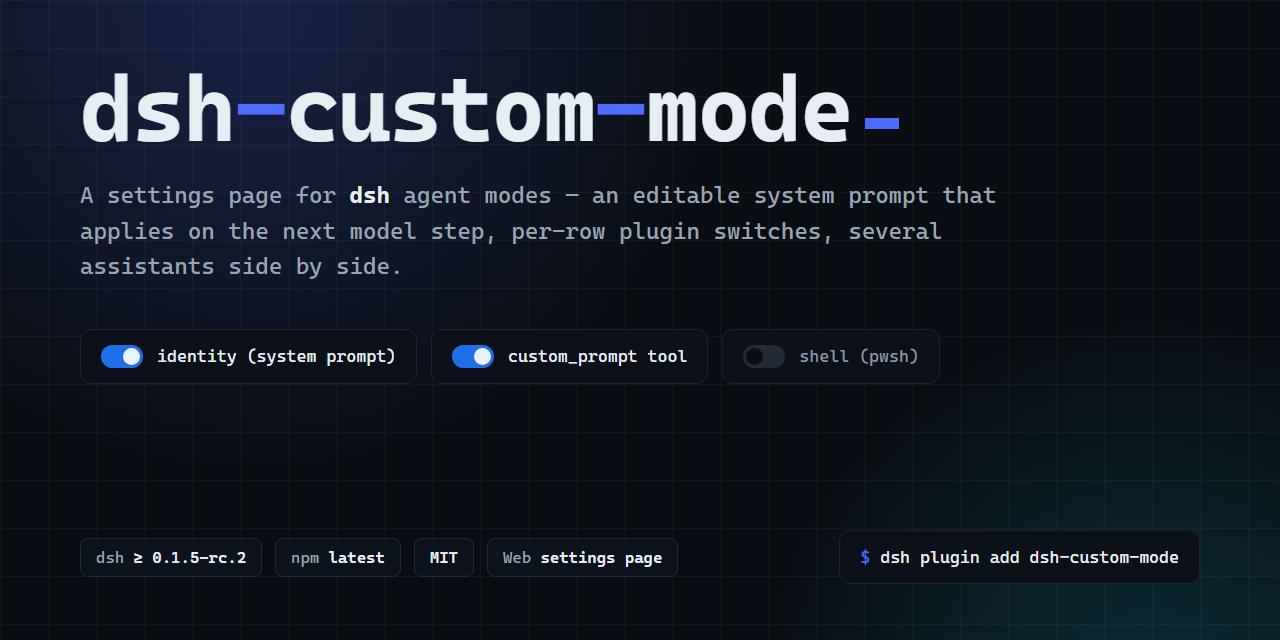
Edit your DeepSeek Harness (dsh) assistants' system prompts, base modes and plugin switches. Keep separate assistants for different tasks.
Install · First use · Updates · Screenshots · Compatibility · Help
Install and make the first request
These instructions describe version 2.3.0. Confirm that the exact version is available in Releases, and check the exact-host results and acceptance limits before installing or updating.
Start with an installed DeepSeek Harness and a model configured through its own interface. Check dsh --version against the exact hosts in the compatibility record. This package does not install the host or configure model credentials.
Web / CLI
Pin the plugin version; a bare name can resolve an older build during pnpm's release cooldown:
dsh --version
dsh plugin --profile web add dsh-custom-mode@2.3.0
Restart the process that serves this Web profile using its usual launcher. For a local CLI instance, the existing launch form is dsh web --port 3081 --no-open; use a free port and open the URL printed by that process. Restart only that instance. Installing a bundle does not refresh an already running host.
Desktop and Windows
In the desktop app, use its Plugins page to install dsh-custom-mode@2.3.0, then restart the app. This project's scripts deliberately refuse --profile desktop; do not modify its profile files by hand. Windows/Electron acceptance remains separate from Web acceptance; see the compatibility record.
On Windows, the npm installation above can use the host's dsh command from PowerShell. Only the optional clone installer requires Git Bash (plus Node.js and npm). If dsh is not on PATH, use the host's supplied launcher, or replace dsh with node "<host-install>/node_modules/@deepseek-ai/dsh/lib/bin.js". Do not point that path at this plugin's directory unless the host is actually installed there.
Verify the whole path
- Open Settings → Custom mode and check the displayed version. A page that opens is only the first check.
- Scroll to New assistant at the bottom of the page. When the built-in
customassistant already exists, this section follows its editor. Choose a starting setting such as Writing, enter a recognizable name, and select New assistant. The created assistant becomes the editing target. - Set a temporary prompt such as
For the next readiness check, reply with exactly CUSTOM_MODE_READY.Save and wait for the page to confirm that it was applied. If it says the file was saved but application failed, select Retry activation before continuing. - Start a new session, open its mode/assistant selector, and explicitly choose that named assistant. Send
Readiness check.through a model already configured in DSH. - Success means the assistant is selectable without a broken-preset warning and returns the expected readiness reply without a prompt-assembly error. Restore your intended prompt after the check. If it fails, use the current recovery steps.
Screenshots
Captured from plugin 2.2.6 in an isolated DSH Web instance with synthetic assistants. These images show the editor, not the new update controls. Capture sources and limits.
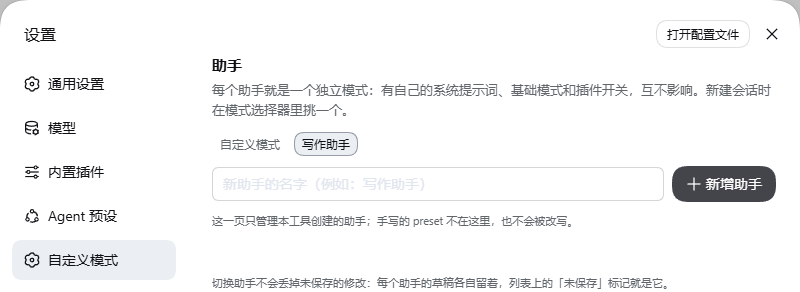 Create an assistant |
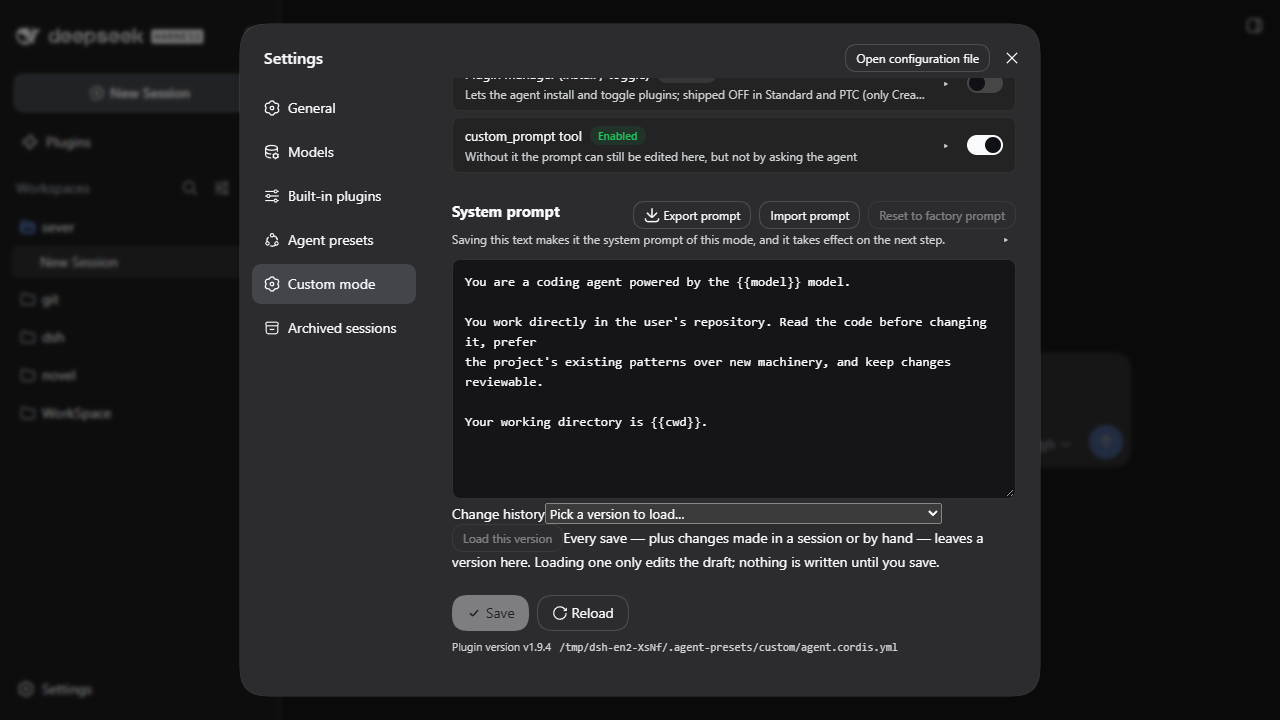 Edit its system prompt |
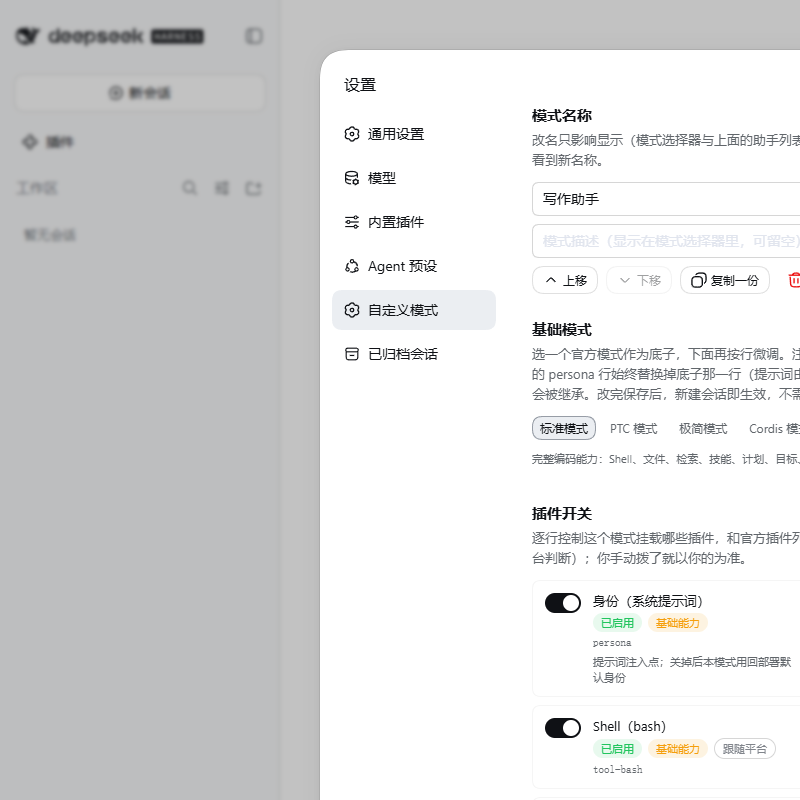 Choose a base mode |
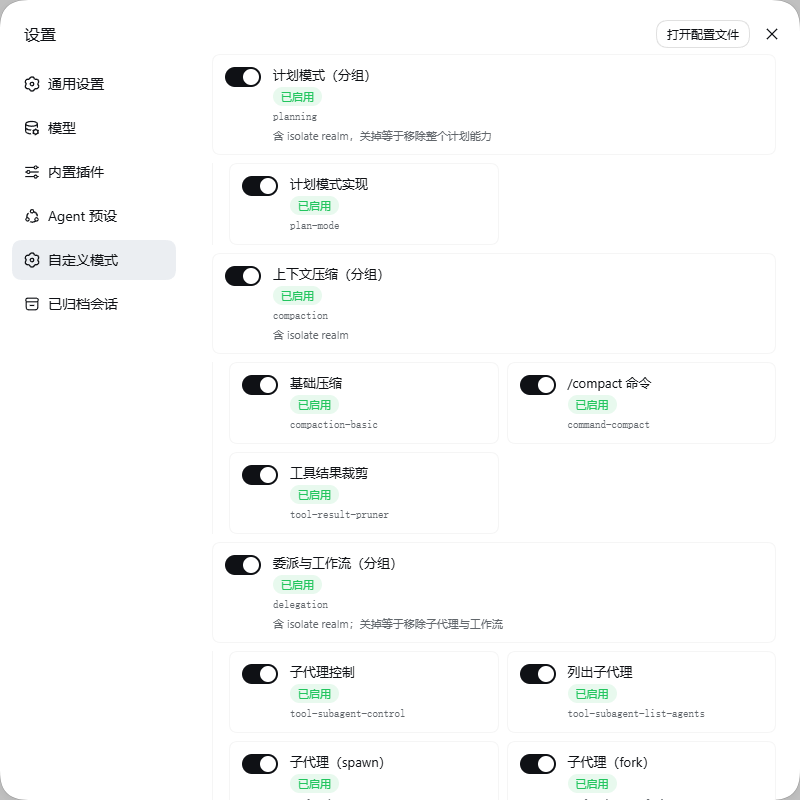 Adjust plugin switches |
View the new-session assistant selector.
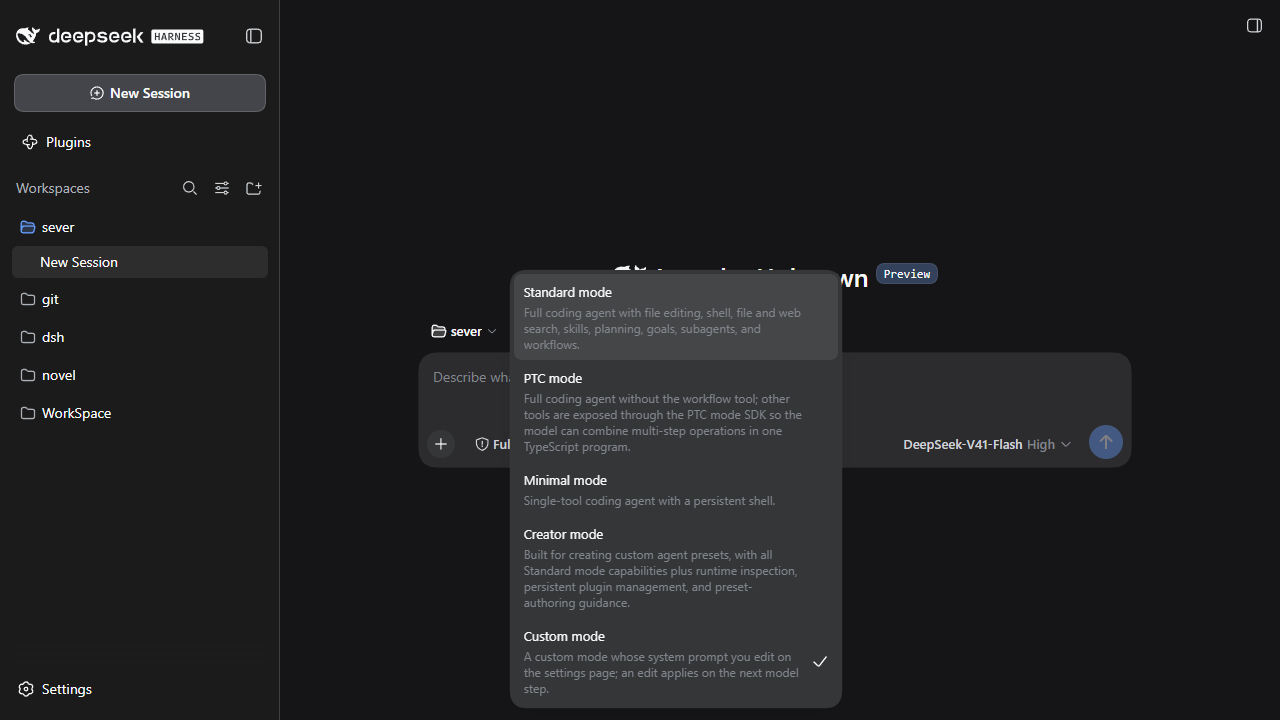
What each choice means
The assistant selected on the settings page is the one being edited. Selecting or creating it does not change the assistant used by a new session. On first activation, the plugin may fill a missing default with the built-in custom assistant; an existing default is preserved. A newly created Writing assistant still needs to be chosen in the session selector.
Choose the creation starting settings first; a new assistant starts from Standard. After creation, its base mode and individual plugin switches can be adjusted in its editor.
| Starting settings | Initial behavior |
|---|---|
| Coding | Official Standard mode, tools as shipped. |
| Writing | Official Standard mode; terminal off, file tools on. |
| Chat | Official Standard mode; files and terminal off. |
The prompt is stored in prompt.md and reread when the next model step is assembled. History and file import load a draft; saving writes it. A stale save is refused when the underlying file changed. custom_prompt asks for approval before it writes the same file. Turning off the Identity/persona row also turns off this prompt's injection.
Upgrade, clone development, and removal
The page header shows the running plugin version. With DSH 0.2.2-alpha.2's native update capability, select Check for updates to ask the host for eligible versions. A recommended version offers Update in Plugins, which opens the official plugin details for its own confirmation, progress and result. The custom page does not install a package itself. Save pending drafts and resolve activation/refresh warnings before leaving the page.
On 0.2.1-rc.2, 0.2.1-rc.4, 0.2.0-rc.2 and 0.1.7-rc.2, the native version-query API is absent: use Open plugin details or Update guide and the manual fixed-version path below. File, tarball and source-linked installations remain managed by their original source; checking does not silently convert them to npm. Permission denial, network failure, filtered versions or a partial result do not mean the plugin is current. A separate Installed on disk version does not prove that the running code has changed.
When you update from 2.2.6 through a Web host's native Plugins page, or a failed update restores 2.2.6, restart that host once, then check the running version and assistant availability. Hot-stopping the old version can leave assistant registrations behind.
For a manual registry upgrade, use the fixed-version npm command above with a published version, then restart the host and verify the running version. GitHub Releases also provides the plugin .tgz, a preset-only import archive and SHA256SUMS. Verify downloaded hashes; the preset-only archive does not include the settings page.
That command targets Web/CLI only. Desktop users must use an update path actually offered by their app. If it has none, do not substitute the Web CLI command or edit the desktop profile files.
For source development, follow the isolated setup. The optional ./install.sh --profile web keeps the source-linked workflow and preserves existing prompt, metadata and composition. Its local package/code rollback and recovery paths are explained in package and release assets.
./uninstall.sh removes the plugin but keeps assistant data. --purge explicitly deletes the managed assistant directories and their prompts; keep your own backup before using it.
Compatibility and versioning
Declared host range: >=0.1.5-rc.2 <0.2.0-0 || >=0.1.6-alpha.1 <0.2.0-0 || >=0.1.7-alpha.1 <0.2.0-0 || >=0.2.0-0 <0.3.0-0 || >=0.2.1-alpha.1 <0.3.0-0 || >=0.2.2-alpha.2 <0.3.0-0
The plugin version is its own stable x.y.z line; it does not mirror DSH. On 2026-10-27 the public host tags were latest=0.2.1-rc.2, next=0.2.1-rc.4, and alpha=0.2.2-alpha.2. Tags move; the declared range and completed checks are separate facts. See exact versions, acceptance limits and historical evidence for the tested scope.
Release requires the compatibility and browser workflows. The unit runner, real prompt-component checks, packed-install checks and browser checks cover different boundaries. Windows/Electron, a real model response and GPU execution must each have their own evidence; they are not inferred from a page screenshot or unit count. Headless mode does not start an agent-preset session.
Plugin markets
The documented catalogs use different discovery and approval rules. Their 2026-10-09 listing results are historical, so a package may not be searchable in every market today. The fixed-version installation above remains the direct path. Market interfaces and limits explains the read-only adapter; it never executes catalog-provided shell commands or submits a listing.
Help and docs
- Troubleshooting — current recovery first, historical incidents below.
- Report a bug or suggest a feature.
- Security reports — request a private channel without posting vulnerability details.
- Releases and changelog.
- Contributing — isolated development and checks.
- Architecture — prompt reading and host coupling points.
- Publishing — existing gated release path and read-back evidence.
- AGENTS.md — repository instructions for agents.
No comments yet. Be the first to write one.