chrome-browser
A DeepSeek Harness plugin that gives the model a
chrome tool: it drives the Google Chrome installed on the machine over the Chrome DevTools
Protocol, so front-end work can navigate, screenshot, inspect, and interact with real rendered pages.
The tool runs inside the Harness Host process, which has two consequences worth knowing:
- No per-call approval. A
chromecall is an ordinary tool call; it never asks for shell or sandbox permission. - It is not affected by the bash file sandbox. Chrome cannot start under a Landlock-confined
shell (it aborts with
chrome_crashpad_handler: --database is required), so a plaingoogle-chrome --headless …bash command fails on a hardened Host. The Host process is not confined, and the plugin runs there.
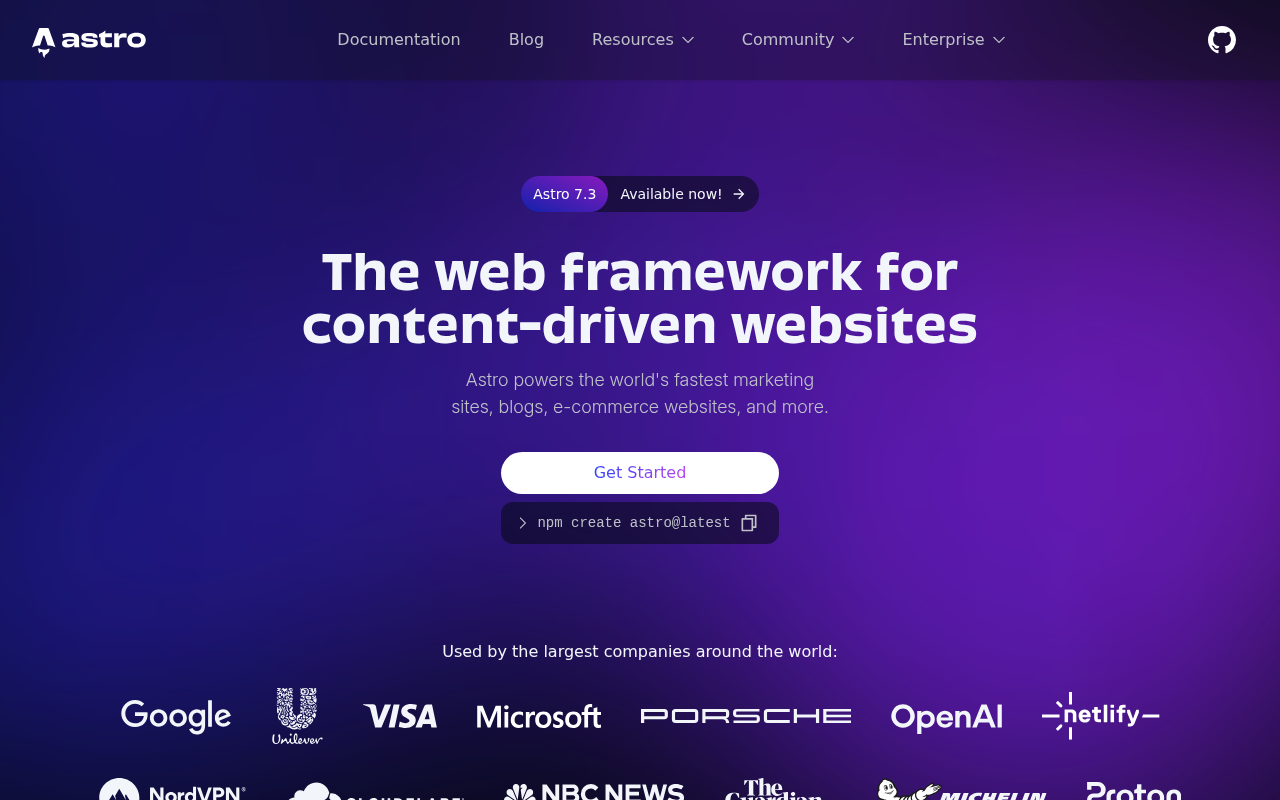
Screenshots are returned as real images in the tool result (when the model route accepts image input) and written to a file, so the model sees the rendered UI while a human can open the exact PNG afterwards.
A real render, captured by the tool itself — astro.build at 1280×800:
Tool reference
One tool, chrome, with an action parameter. Page ids (p1, p2, …) come from open; every
later action takes an optional page and otherwise uses the most recent one.
| Action | Key parameters | Result |
|---|---|---|
open |
url, width, height, deviceScaleFactor, mobile |
Starts Chrome if needed, opens a page. |
goto |
url, page |
Navigates an open page and waits for load. |
screenshot |
path, fullPage, selector, width, height, scale |
PNG image + saved path; viewport by default. |
viewport |
width, height, deviceScaleFactor, mobile |
Resizes the emulated viewport (responsive checks). |
dom |
selector, maxChars |
outerHTML of the document or of one element. |
text |
selector, maxChars |
innerText of the body or of one element. |
eval |
expression, maxChars |
Evaluates JavaScript in the page, returns the JSON value. |
click |
selector or x/y, button, clickCount |
Real mouse events at the element centre. |
type |
selector, text, clear, submit, delayMs |
Focuses, clears, inserts real input events. |
press |
key |
Enter, Tab, Escape, arrows, Home, End, PageUp, PageDown, Backspace, Delete, Space. |
wait_for |
selector or text, timeoutMs |
Polls until the selector matches or the text appears. |
console |
clear, limit |
Collected console.* calls, uncaught exceptions, browser log entries. |
network |
clear, limit |
Failed requests and HTTP 4xx/5xx responses seen while attached. |
pdf |
path |
Prints the page to a PDF file. |
tabs |
– | Lists open pages. |
close |
page |
Closes one page. |
stop |
– | Terminates Chrome and removes its temporary profile. |
Requirements
- Google Chrome or Chromium (any recent version; developed against Chrome 155).
- Node.js 22+ (uses the global
WebSocket). - No npm dependencies: the plugin imports only its sibling module and Node.js built-ins.
- For CJK pages install a CJK font (
apt-get install fonts-noto-cjkon Debian/Ubuntu); without one, screenshots render those glyphs as empty boxes.
Install into a Harness profile
The Host imports plugins only from its own module roots (the profile and the dsh installation), so the bundle must be installed as a real copy inside the profile, not as a link to a checkout:
npm pack # -> local-dsh-chrome-browser-<version>.tgz
Then install that tarball through the Harness plugin manager (plugin_manager, action: install_bundle, target = absolute tarball path). The Host reports restart-required when it
replaces an already installed package; restart dsh web to load the new module generation. A
version bump changes the dependency spec, which is what makes an update detectable.
Configuration
The bundle patch sets these; apply merges them over its own defaults and validates them.
| Key | Default | Meaning |
|---|---|---|
chromePath |
'' (auto-detect) |
Chrome executable. |
headless |
true |
Run without a window. |
noSandbox |
true |
Pass --no-sandbox (required when the Host runs as root). |
defaultWidth / defaultHeight |
1280 / 900 |
Default viewport. |
maxOutputChars |
100000 |
Default cap for dom/text/eval output. |
navigationTimeoutMs |
30000 |
Navigation and wait_for budget. |
artifactDir |
'' (system temp) |
Where screenshots and PDFs go when no path is given. |
How Chrome is located
The tool schema has no path parameter: the model never needs to know where the browser lives.
resolveChromePath resolves in this order and fails with an actionable message naming the config key
when nothing matches:
- the row's
chromePathconfig; - the
DSH_CHROME_PATHenvironment variable; - a probe list —
/usr/bin/google-chrome,google-chrome-stable,google-chrome-beta,/usr/bin/chromium,chromium-browser,/opt/google/chrome/chrome,/snap/bin/chromium, plus the usual macOS and Windows locations.
For an unusual installation, set DSH_CHROME_PATH for the Host or edit the row's chromePath — no
code change is needed.
Tests
Two dependency-free suites drive real Chrome (no test framework required):
node test/engine.test.mjs   # CDP engine: navigation, capture, input, console, network, multi-page, teardown
node test/tool.test.mjs     # the real tool definition: schema validation, every action, error paths
Run them from the repository root; tool.test.mjs writes throwaway screenshots under .tmp/.
Operational notes
- Chrome starts lazily on the first action and runs with a fresh temporary profile;
stop(or plugin disposal) terminates it and removes that profile. - One Chrome process is shared by all pages, and all sessions share it.
- Captures beyond 12000 CSS px of page height are capped, and a clip capture that exceeds the deployment's image limits is retried once at half scale.
- If no attachment service or image-capable route is available,
screenshotstill saves the PNG and reports the path instead of attaching the image.
License
MIT — see LICENSE.
No comments yet. Be the first to write one.